
Package Exports
- @kebetoo/camera-roll-picker
This package does not declare an exports field, so the exports above have been automatically detected and optimized by JSPM instead. If any package subpath is missing, it is recommended to post an issue to the original package (@kebetoo/camera-roll-picker) to support the "exports" field. If that is not possible, create a JSPM override to customize the exports field for this package.
Readme
Welcome to @kebetoo/camera-roll-picker 👋


A CameraRoll picker with support for changing the album name (groupName) and adding a video marker. Rewritten with performance in mind. Based on react-native-camera-roll-picker
🏠 Homepage
Getting started
- Install component through npm
$ npm install @kebetoo/camera-roll-picker --save- Install CameraRoll from @react-native-community
$ npm install @react-native-community/cameraroll(Optional) This package uses react-native-vector-icons for default icons (
selectedMarkerandvideoMarker). Please install the package according to the documentation if you want to use default icons, or provided you own icons as props.Require component
import CameraRollPicker from '@kebetoo/camera-roll-picker';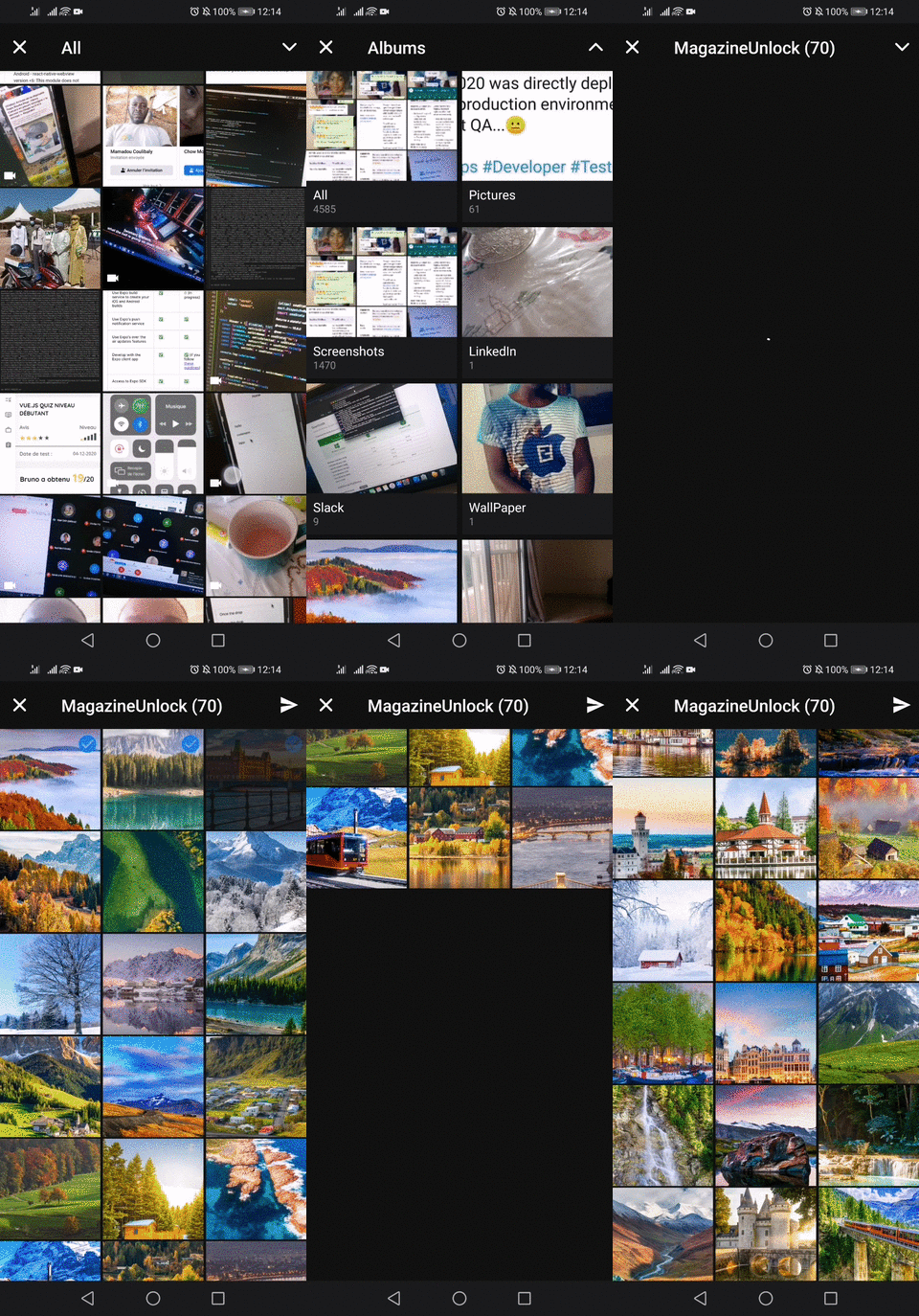
Usage
<CameraRollPicker callback={this.getSelectedImages} />Props
callback: Callback function when images was selected. (is required!). Return a selected image array and current selected image.initialNumToRender: Specifies how many rows we want to render on our first render pass. (Default: 5)groupTypes: The group where the photos will be fetched, one of 'Album', 'All', 'Event', 'Faces', 'Library', 'PhotoStream' and 'SavedPhotos'. (Default: Album)assetType: The asset type, one of 'Photos', 'Videos' or 'All'. (Default: Photos)selected: Already be selected images array. (Default: [])selectSingleItem: Boolean to select only one single image at time. (Default:false)maximum: Maximum number of selected images. (Default: 15)imagesPerRow: Number of images per row. (Default: 3)imageMargin: Margin size of one image. (Default: 5)containerWidth: Width of camera roll picker container. (Default: device width)selectedMarker: Custom selected marker component. (Default: Ionicons checkmark-circle).backgroundColor: Set background color. (Default: white).emptyText: Text to display instead of a list when there are no photos found. (Default: 'No photos.')emptyTextStyle: Styles to apply to theemptyText. (Default:textAlign: 'center')loader: Loader component node. (Default:<ActivityIndicator />)
New props
groupName: Specifies filter on group names, like 'Recent Photos', 'Whatsapp Images' or custom album titles. (Default: undefined)videoMarker: Custom video marker component. (Default: Ionicons videocam)loaderColor: Custom loader color, useful for theming the component. (Default: white) ,loaderSize: Loader size. (Default: 25)checkPermissions: A function to checkandroid.permission.READ_EXTERNAL_STORAGEpermission on Android. (Default: custom function based on PermissionsAndroid.request)include: An array to specify fields other than theurito include in the result. Possible values: [filename, fileSize, location, imageSize, playableDuration]. See react-native-cameraroll#getphotos (Default: [])
Run tests
npm run testAuthor
👤 bacarybruno
- Github: @bacarybruno
Show your support
Give a ⭐️ if this project helped you!
This README was generated with ❤️ by readme-md-generator