
Package Exports
- @launchframe/cli
- @launchframe/cli/src/index.js
This package does not declare an exports field, so the exports above have been automatically detected and optimized by JSPM instead. If any package subpath is missing, it is recommended to post an issue to the original package (@launchframe/cli) to support the "exports" field. If that is not possible, create a JSPM override to customize the exports field for this package.
Readme
LaunchFrame CLI
Ship your B2B SaaS to production in hours, not months.
LaunchFrame is a production-ready SaaS boilerplate that deploys to a single affordable VPS. Get subscriptions, credits, multi-tenancy, feature gating, and API management out of the box.
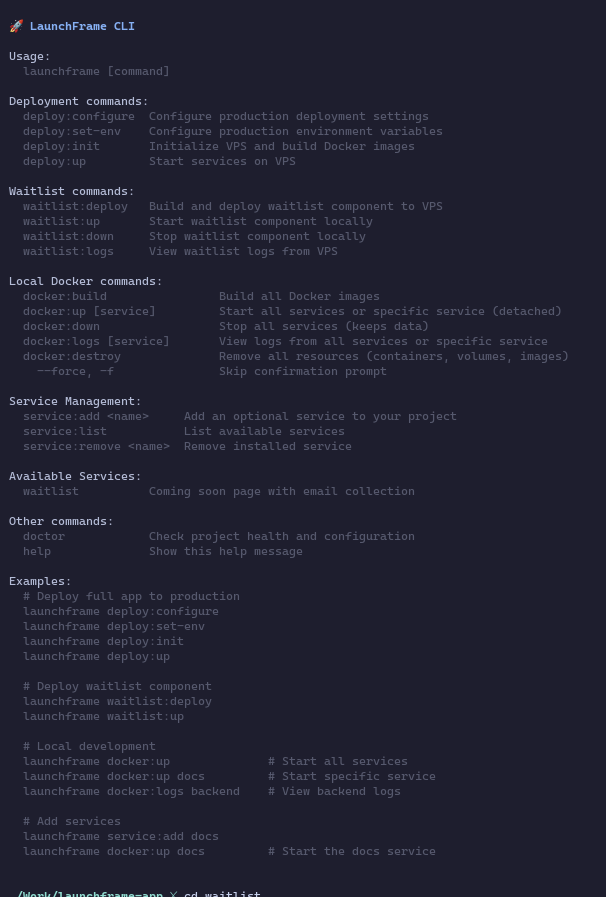
What You Get
- MCP server: with conventions, scaffolding and CLI tooling to build your SaaS faster
- Single VPS deployment: Everything runs on one affordable server (Docker + Traefik)
- Variant selection on init: Choose single/multi-tenant, B2B/B2B2C - optimized for your use case
- Service registry: Add new services (docs, waitlist, admin tools) with zero config
- Full-stack TypeScript: NestJS backend, React frontends, Next.js marketing site
- Monetization built-in: Subscriptions (Polar.sh MOR) + usage-based credits
- Flexible tenancy models: Single-tenant (simpler) or multi-tenant (workspaces + custom domains)
- B2B + B2B2C support: Admin-only or admin+end-user models
- Feature guard system: Tier-based access control across frontend and backend
- Production-grade auth: JWT + OAuth (Google), role-based access control
- API-first: Auto-generated OpenAPI docs, API key management
- Resilient architecture: Background jobs, webhook processing, health checks
Installation
npm install -g @launchframe/cliQuick Start
Initialize a new LaunchFrame project:
launchframe initLocal Development
Start the full stack locally with Docker:
launchframe docker:upThis spins up all services (backend, admin portal, customer portal, website, database, etc.) with hot-reload enabled. Build your domain logic, customize the UI, and test everything locally.
Deployment
When you're ready to deploy to your VPS:
launchframe deploy:configure  # Set up deployment configuration
launchframe deploy:set-env    # Configure environment variables
launchframe deploy:init       # Initialize the VPS
launchframe deploy:up         # Deploy to production
Get started at launchframe.dev | Read the docs at docs.launchframe.dev
Why LaunchFrame?
Most SaaS boilerplates give you authentication and a database. LaunchFrame gives you a complete business:
- Subscriptions AND credits (hybrid monetization)
- Feature flags tied to billing tiers
- Multi-tenant architecture with project isolation
- Webhook processing that actually scales
- API key system with usage tracking
- Zero-downtime deployment patterns
- Comprehensive documentation
All tested in production. All ready to customize.
Documentation
Full documentation is available at docs.launchframe.dev, including:
- Getting started guides
- Architecture overview
- Deployment instructions
- API reference
- Feature customization guides
- Multi-tenancy patterns
License
MIT
Built with ⚡ by developers who were tired of rebuilding the same SaaS infrastructure over and over.