

Package Exports
- @mopip77/httpyac
- @mopip77/httpyac/dist/index.js
This package does not declare an exports field, so the exports above have been automatically detected and optimized by JSPM instead. If any package subpath is missing, it is recommended to post an issue to the original package (@mopip77/httpyac) to support the "exports" field. If that is not possible, create a JSPM override to customize the exports field for this package.
Readme

httpYac - Yet another Rest Client
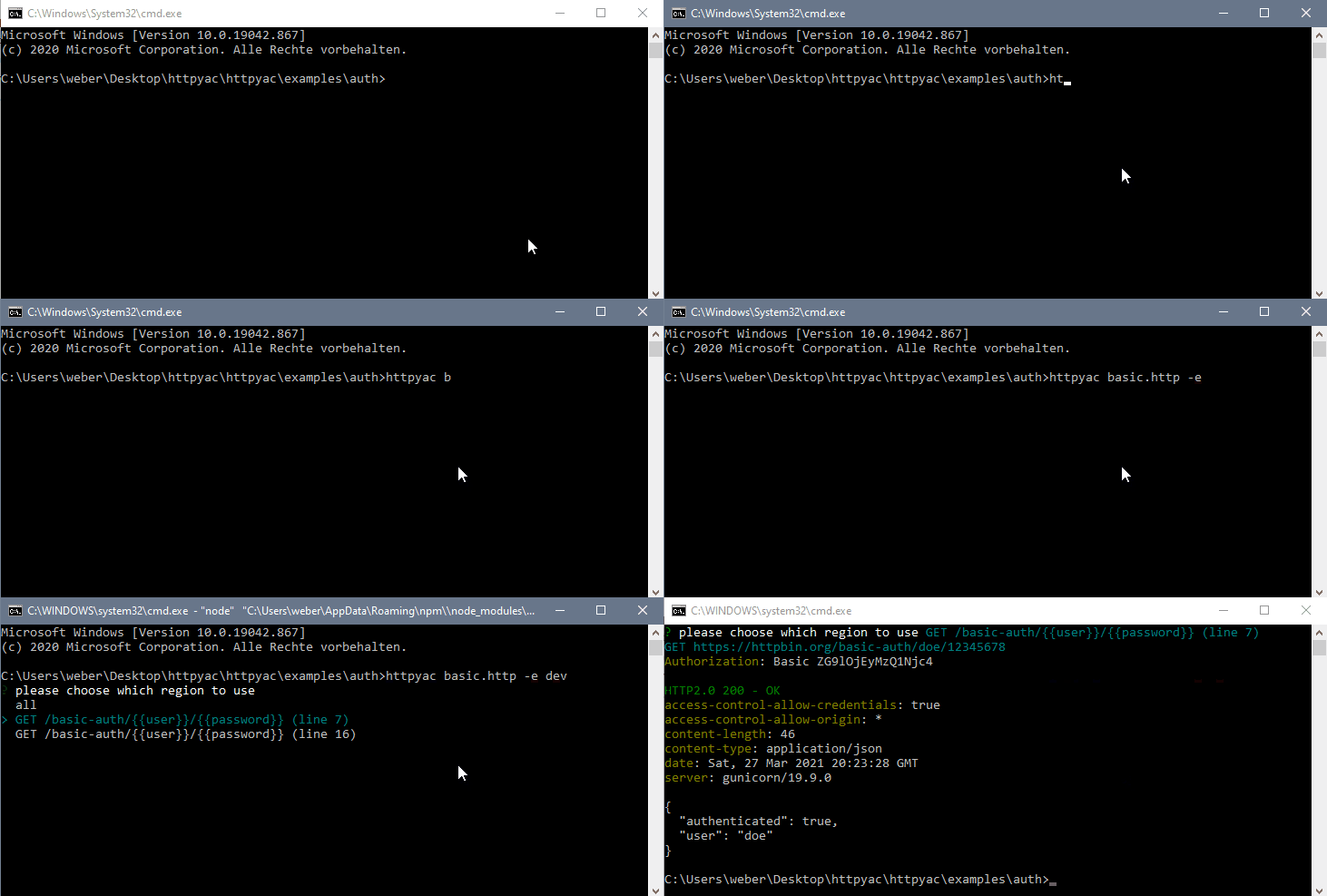
httpyac CLI provides a command line interface to execute _.http and _.rest files. This can be used to quickly execute a single *.http file, but also to execute all files in a folder. httpyac supports HTTP, Rest, GraphQL, WebSocket und gRPC Requests

Installation
npm install -g httpyac
httpyac --version
or using docker
docker run -it -v ${PWD}:/data ghcr.io/anweber/httpyac:latest --versionCommands
> httpyac --help

Usage: httpyac [options] [command]
httpYac - Quickly and easily send REST, SOAP, GraphQL and gRPC requests
Options:
  -V, --version                 output the version number
  -h, --help                    display help for command

Commands:
  oauth2 [options]              generate oauth2 token
  send [options] <fileName...>  send/ execute http files
  help [command]                display help for command
> httpyac help send
Usage: httpyac send [options] <fileName...>
send/ execute http files
Arguments:
fileName path to file or glob pattern
Options:
-a, --all execute all http requests in a http file
--bail stops when a test case fails
-e, --env <env...> list of environments
--filter <filter> filter requests output (only-failed)
--insecure allow insecure server connections when using ssl
-i --interactive do not exit the program after request, go back to selection
--json use json output
--junit use junit xml output
-l, --line <line> line of the http requests
-n, --name <name> name of the http requests
--no-color disable color support
-o, --output <output> output format of response (short, body, headers, response, exchange, none)
--output-failed <output> output format of failed response (short, body, headers, response, exchange, none)
--raw prevent formatting of response body
--quiet
--repeat <count> repeat count for requests
--repeat-mode <mode> repeat mode: sequential, parallel (default)
--parallel <count> send parallel requests
-s, --silent log only request
-t, --tag <tag...> list of tags to execute
--timeout <timeout> maximum time allowed for connections
--var <variables...> list of variables
-v, --verbose make the operation more talkative
-h, --help display help for commandExample
@user = doe
@password = 12345678

GET https://httpbin.org/basic-auth/{{user}}/{{password}}
Authorization: Basic {{user}} {{password}}