

Package Exports
- @rbxts/tween
- @rbxts/tween/init.lua
This package does not declare an exports field, so the exports above have been automatically detected and optimized by JSPM instead. If any package subpath is missing, it is recommended to post an issue to the original package (@rbxts/tween) to support the "exports" field. If that is not possible, create a JSPM override to customize the exports field for this package.
Readme
Tween
A library for writing efficient, simple interpolation code.
Setup:
import { Standard, Deceleration, OutElastic } from "@rbxts/easing-functions";
import Tween from "@rbxts/tween";

const Workspace = game.GetService("Workspace");
Here is the generalized form:
/**
 * Creates a Tween along a curve, with a callback to call each tick.
 * Connects an interpolation function to RunService.RenderStepped if initialValue is a CFrame,
 * else RunService.Heartbeat.
 * @param totalDuration The total duration of the Tween
 * @param easingFunction The easingFunction to call each tick
 * @param callback The function to call each tick
 * @param initialValue The starting value to interpolate to push into the callback function each tick. default=0
 * @param endValue The target value the initialValue should reach. default=1
 * @param extraValue1 An extra value to be passed into the easingFunction
 * @param extraValue2 An extra value to be passed into the easingFunction
 */
declare function Tween<T extends LerpableTypes = number>(
    totalDuration: number,
    easingFunction: (delta: T) => void,
    callback: (delta: T) => void,
    initialValue?: T,
    endValue?: T,
    extraValue1?: any,
    extraValue2?: any,
): PseudoTween;
Here is the simplest form:
This will return a Tween object, and connect this interpolation to RunService.Heartbeat. x will be a number along the Standard curve [0, 1]. The interpolation will last 1 second. Standard is the EasingFunction, which is the curve along which this interpolation will animate.
Tween(1, Standard, x => print(x));Functions that interpolate CFrames will instead connect to RunService.RenderStepped.
const Camera = Workspace.CurrentCamera;
const StartPosition = Camera.CFrame;
const EndPosition = Camera.CFrame.add(new CFrame(5, 5, 5));

// binds to RenderStepped
Tween(2, Deceleration, Position => Camera.CFrame = Position, StartPosition, EndPosition);
StartPosition and EndPosition can be basically any Roblox type (default = number), and this will be the type that gets passed into the callback.
const red = Color3.fromRGB(255, 0, 0);
const blue = Color3.fromRGB(0, 0, 255);
const myObj = new Instance("Part");
myObj.Parent = Workspace

// The last two 0.5 arguments will be passed into OutElastic, as parameters representing amplitude and period
Tween(1, OutElastic, x => print(x), myObj.Color, blue, 0.5, 0.5)
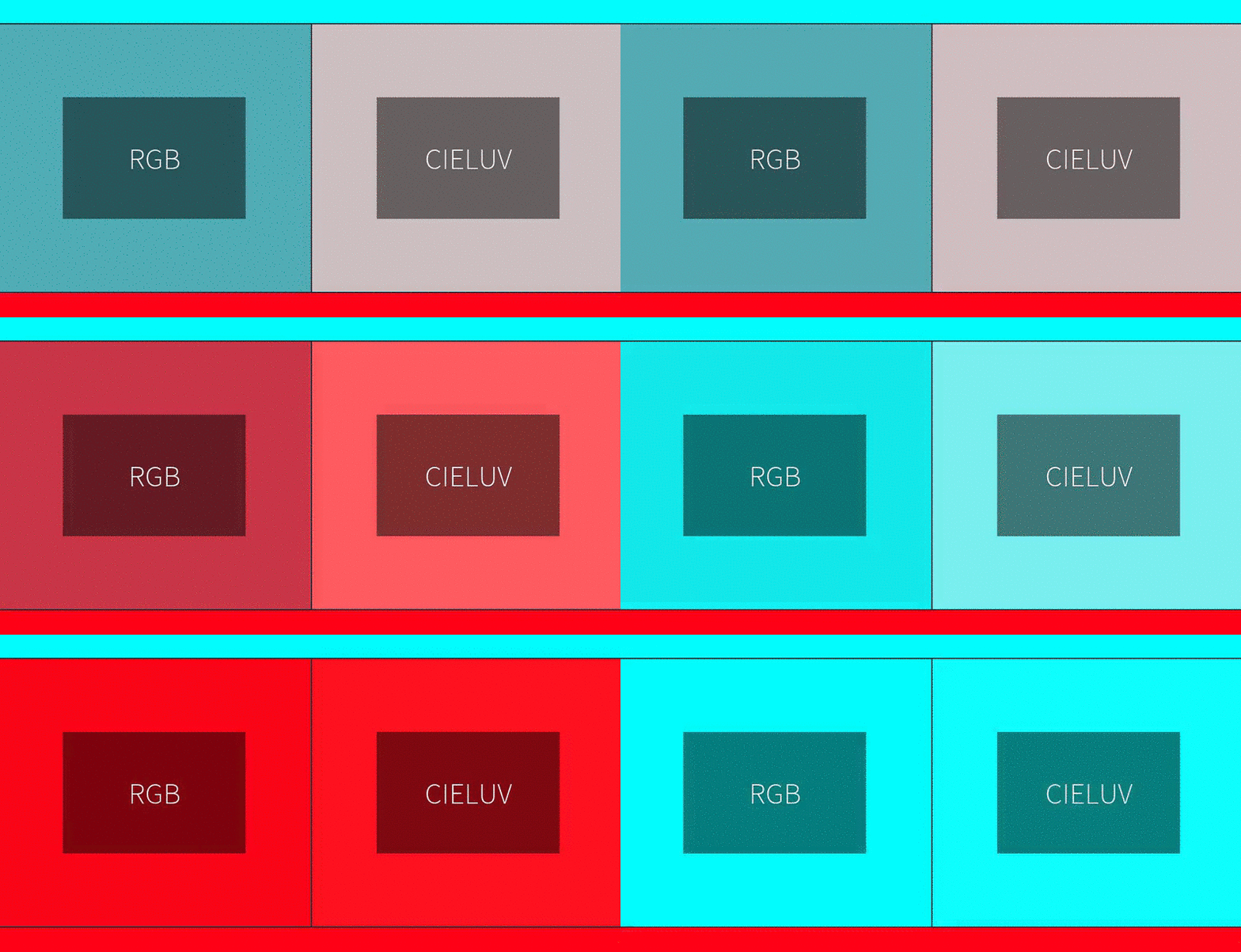
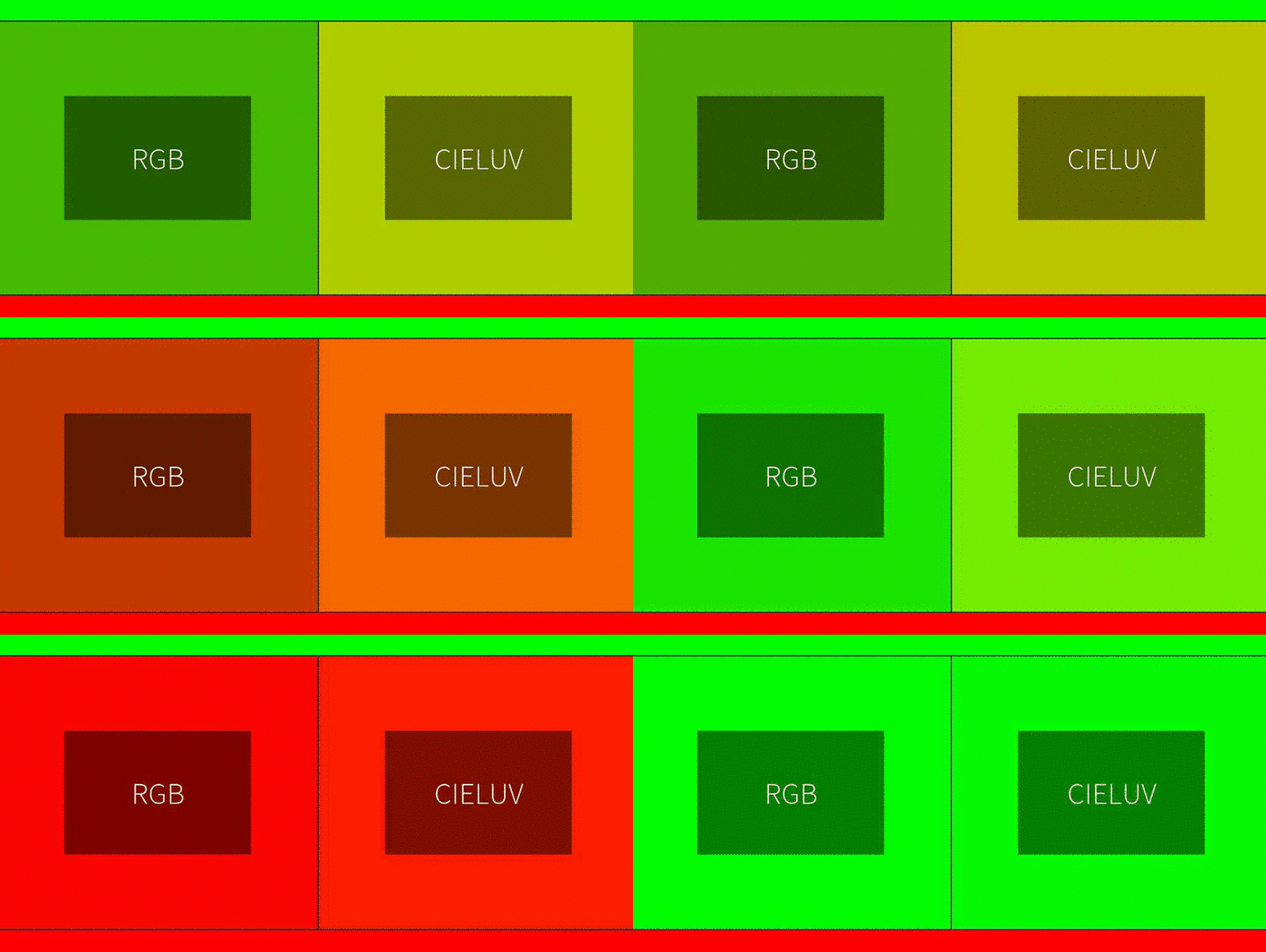
When lerping Color3 values, it will automatically lerp across the CIELUV Color space:
PseudoTween Object
Calling the Tween function will return a PseudoTween, which has pretty much the same API as Roblox's TweenBase.
/**
 * A Tween Object
 */
interface PseudoTween {
    /**
     * The Play function starts the playback of its Tween.
     * Note: if a tween has already begun calling Play,
     * this will have no effect unless the tween has finished or has been stopped
     * (either by this.Cancel() or this.Pause()).
     */
    Resume(): this;

    /**
     * The Pause function halts playback of its Tween.
     * If TweenBase/Resume is called again the tween will resume playback from the moment it was paused.
     */
    Pause(): this;

    /**
     * The Cancel function halts playback of its Tween and resets the tween variables.
     * If TweenBase:Play is called again the Tween's properties will resume interpolating towards their destination but,
     * as the tween variables have been reset, take the full length of the animation to do so.
     */
    Cancel(): this;

    /**
     * Yields the current thread until the Tween has completed.
     */
    Wait(): this;
}