
Package Exports
- @winner-fed/snapdom
- @winner-fed/snapdom/plugins
- @winner-fed/snapdom/preCache
Readme





English | 简体中文
SnapDOM
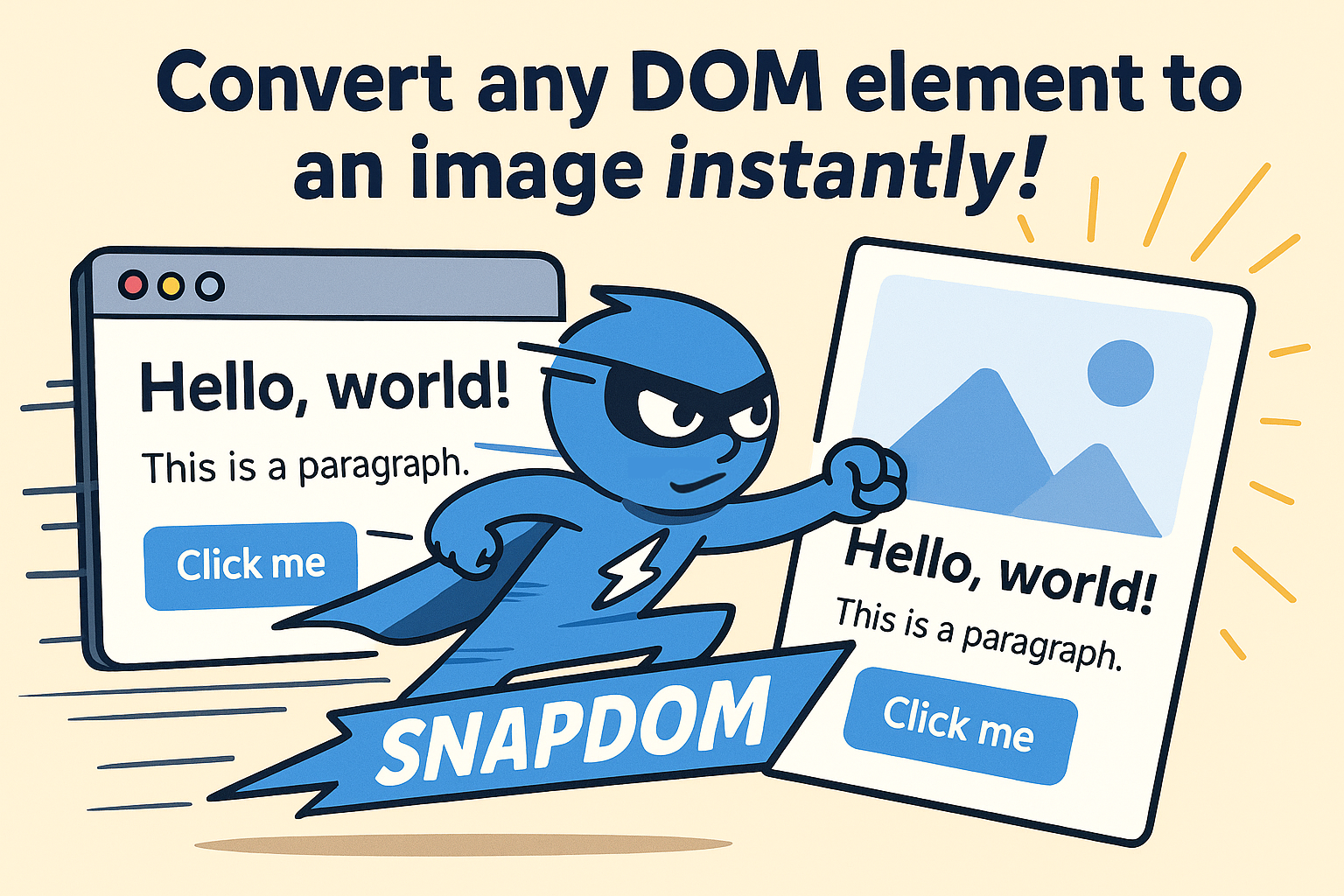
SnapDOM is a next-generation DOM Capture Engine — ultra-fast, modular, and extensible.
It converts any DOM subtree into a self-contained representation that can be exported to SVG, PNG, JPG, WebP, Canvas, Blob, or any custom format through plugins.
- Full DOM capture
- Embedded styles, pseudo-elements, and fonts
- Export to SVG, PNG, JPG, WebP,
canvas, or Blob - ⚡ Ultra fast, no dependencies
- 100% based on standard Web APIs
- Support same-origin
ìframe - Support CSS counter() and CSS counters()
- Support
...line-clamp
Demo
Table of Contents
- Installation
- Build Outputs & Tree-Shaking
- Basic usage
- API
- Options
- preCache
- Plugins (BETA)
- Limitations
- ⚡ Performance Benchmarks (Chromium)
- Roadmap
- Development
- Contributors 🙌
- 💖 Sponsors
- Star History
- License
Installation
NPM / Yarn (stable)
npm i @zumer/snapdom
yarn add @zumer/snapdom
NPM / Yarn (dev builds)
For early access to new features and fixes:
npm i @zumer/snapdom@dev
yarn add @zumer/snapdom@dev
⚠️ The @dev tag usually includes improvements before they reach production, but may be less stable.
CDN (stable)
<!-- Minified build -->
<script src="https://unpkg.com/@zumer/snapdom/dist/snapdom.js"></script>

<!-- Minified ES Module build -->
<script type="module">
  import { snapdom } from "https://unpkg.com/@zumer/snapdom/dist/snapdom.mjs";
</script>
CDN (dev builds)
<!-- Minified build (dev) -->
<script src="https://unpkg.com/@zumer/snapdom@dev/dist/snapdom.js"></script>

<!-- Minified ES Module build (dev) -->
<script type="module">
  import { snapdom } from "https://unpkg.com/@zumer/snapdom@dev/dist/snapdom.mjs";
</script>
Build Outputs & Tree-Shaking
SnapDOM ships multiple build variants, but using it is simple.
npm usage → ESM modular build (tree-shakeable)
When you import SnapDOM in a project with a bundler:
import { snapdom } from '@zumer/snapdom';your environment automatically loads:
dist/modules/snapdom.jsThis is the modular ESM build, enabling:
Tree-shaking
Code-splitting
Lazy loading of exporters (toPng, toJpg, toWebp, etc.)
You do not need to configure anything; bundlers pick this build automatically.
Script tag usage → Global build
<script src="https://unpkg.com/@zumer/snapdom/dist/snapdom.js"></script>
<script>
  snapdom.toPng(document.body).then(img => {
    document.body.appendChild(img);
  });
</script>
This loads the monolithic global build and exposes snapdom on window.
Basic usage
Reusable capture
const el = document.querySelector('#target');
const result = await snapdom(el);

const img = await result.toPng();
document.body.appendChild(img);

await result.download({ format: 'jpg', filename: 'my-capture.jpg' });
One-step shortcuts
const el = document.querySelector('#target');
const png = await snapdom.toPng(el);
document.body.appendChild(png);

const blob = await snapdom.toBlob(el);
API
snapdom(el, options?)
Returns an object with reusable export methods:
{
  url: string;
  toRaw(): string;
  toImg(): Promise<HTMLImageElement>; // deprecated
  toSvg(): Promise<HTMLImageElement>;
  toCanvas(): Promise<HTMLCanvasElement>;
  toBlob(options?): Promise<Blob>;
  toPng(options?): Promise<HTMLImageElement>;
  toJpg(options?): Promise<HTMLImageElement>;
  toWebp(options?): Promise<HTMLImageElement>;
  download(options?): Promise<void>;
}
Shortcut methods
| Method | Description |
|---|---|
snapdom.toImg(el, options?) |
Returns an SVG HTMLImageElement (deprecated) |
snapdom.toSvg(el, options?) |
Returns an SVG HTMLImageElement |
snapdom.toCanvas(el, options?) |
Returns a Canvas |
snapdom.toBlob(el, options?) |
Returns an SVG or raster Blob |
snapdom.toPng(el, options?) |
Returns a PNG image |
snapdom.toJpg(el, options?) |
Returns a JPG image |
snapdom.toWebp(el, options?) |
Returns a WebP image |
snapdom.download(el, options?) |
Triggers a download |
Exporter-specific options
Some exporters accept a small set of export-only options in addition to the global capture options.
download()
| Option | Type | Default | Description |
|---|---|---|---|
filename |
string |
snapdom |
Download name. |
format |
"png" | "jpeg" | "jpg" | "webp" | "svg" |
"png" |
Output format for the downloaded file. |
Example:
await result.download({
  format: 'jpg',
  quality: 0.92,
  filename: 'my-capture'
});
toBlob()
| Option | Type | Default | Description |
|---|---|---|---|
type |
"svg" | "png" | "jpeg" | "jpg" | "webp" |
"svg" |
Blob type to generate. |
Example:
const blob = await result.toBlob({ type: 'jpeg', quality: 0.92 });Options
All capture methods accept an options object:
| Option | Type | Default | Description |
|---|---|---|---|
fast |
boolean | true |
Skips small idle delays for faster results |
embedFonts |
boolean | false |
Inlines non-icon fonts (icon fonts always on) |
localFonts |
array | [] |
Local fonts { family, src, weight?, style? } |
iconFonts |
string|RegExp|Array | [] |
Extra icon font matchers |
excludeFonts |
object | {} |
Exclude families/domains/subsets during embedding |
scale |
number | 1 |
Output scale multiplier |
dpr |
number | devicePixelRatio |
Device pixel ratio |
width |
number | - | Output width |
height |
number | - | Output height |
backgroundColor |
string | "#fff" |
Fallback color for JPG/WebP |
quality |
number | 1 |
Quality for JPG/WebP (0 to 1) |
useProxy |
string | '' |
Proxy base for CORS fallbacks |
exclude |
string[] | - | CSS selectors to exclude |
excludeMode |
"hide"|"remove" |
"hide" |
How exclude is applied |
filter |
function | - | Custom predicate (el) => boolean |
filterMode |
"hide"|"remove" |
"hide" |
How filter is applied |
cache |
string | "soft" |
disabled | soft | auto | full |
placeholders |
boolean | true |
Show placeholders for images/CORS iframes |
fallbackURL |
string | function | - | Fallback image for <img> load failure |
outerTransforms |
boolean | true |
When false removes translate/rotate but preserves scale/skew, producing a flat, reusable capture |
outerShadows |
boolean | false |
Do not expand the root’s bounding box for shadows/blur/outline, and strip those visual effects from the cloned root |
Fallback image on <img> load failure
Provide a default image for failed <img> loads. You can pass a fixed URL or a callback that receives measured dimensions and returns a URL (handy to generate dynamic placeholders).
// 1) Fixed URL fallback
await snapdom.toSvg(element, {
  fallbackURL: '/images/fallback.png'
});

// 2) Dynamic placeholder via callback
await snapdom.toSvg(element, {
  fallbackURL: ({ width: 300, height: 150 }) =>
    `https://placehold.co/${width}x${height}`
});

// 3) With proxy (if your fallback host has no CORS)
await snapdom.toSvg(element, {
  fallbackURL: ({ width = 300, height = 150 }) =>
    `https://dummyimage.com/${width}x${height}/cccccc/666.png&text=img`,
  useProxy: 'https://proxy.corsfix.com/?'
});
Notes:
- If the fallback image also fails to load, snapDOM replaces the
<img>with a placeholder block preserving width/height. - Width/height used by the callback are gathered from the original element (dataset, style/attrs, etc.) when available.
Dimensions (scale, width, height)
- If
scaleis provided, it takes precedence overwidth/height. - If only
widthis provided, height scales proportionally (and vice versa). - Providing both
widthandheightforces an exact size (may distort).
Cross-Origin Images & Fonts (useProxy)
By default snapDOM tries crossOrigin="anonymous" (or use-credentials for same-origin). If an asset is CORS-blocked, you can set useProxy to a prefix URL that forwards the actual src:
await snapdom.toPng(el, {
  useProxy: 'https://proxy.corsfix.com/?' // Note: Any cors proxy could be used 'https://proxy.corsfix.com/?'
});- The proxy is only used as a fallback; same-origin and CORS-enabled assets skip it.
Fonts
embedFonts
When true, snapDOM embeds non-icon @font-face rules detected as used within the captured subtree. Icon fonts (Font Awesome, Material Icons, etc.) are embedded always.
localFonts
If you serve fonts yourself or have data URLs, you can declare them here to avoid extra CSS discovery:
await snapdom.toPng(el, {
  embedFonts: true,
  localFonts: [
    { family: 'Inter', src: '/fonts/Inter-Variable.woff2', weight: 400, style: 'normal' },
    { family: 'Inter', src: '/fonts/Inter-Italic.woff2', style: 'italic' }
  ]
});
iconFonts
Add custom icon families (names or regex matchers). Useful for private icon sets:
await snapdom.toPng(el, {
  iconFonts: ['MyIcons', /^(Remix|Feather) Icons?$/i]
});
excludeFonts
Skip specific non-icon fonts to speed up capture or avoid unnecessary downloads.
await snapdom.toPng(el, {
  embedFonts: true,
  excludeFonts: {
    families: ['Noto Serif', 'SomeHeavyFont'],     // skip by family name
    domains: ['fonts.gstatic.com', 'cdn.example'], // skip by source host
    subsets: ['cyrillic-ext']                      // skip by unicode-range subset tag
  }
});
Notes
excludeFontsonly applies to non-icon fonts. Icon fonts are always embedded.- Matching is case-insensitive for
families. Hosts are matched by substring against the resolved URL.
Filtering nodes: exclude vs filter
exclude: remove by selector.excludeMode:hideappliesvisibility:hiddenCSS rule on excluded nodes and the layout remains as the original.removedo not clone excluded nodes at all.filter: advanced predicate per element (returnfalseto drop).filterMode:hideappliesvisibility:hiddenCSS rule on filtered nodes and the layout remains as the original.removedo not clone filtered nodes at all.
Example: filter out elements with display:none:
/**
 * Example filter: skip elements with display:none
 * @param {Element} el
 * @returns {boolean} true = keep, false = exclude
 */
function filterHidden(el) {
  const cs = window.getComputedStyle(el);
  if (cs.display === 'none') return false;
  return true;
}

await snapdom.toPng(document.body, { filter: filterHidden });
Example with exclude: remove banners or tooltips by selector
await snapdom.toPng(el, {
  exclude: ['.cookie-banner', '.tooltip', '[data-test="debug"]']
});
outerTransforms
When capturing rotated or translated elements, you may want use outerTransforms: false option if you want to eliminate those external transforms. So, the output is flat, upright, and ready to use elsewhere.
outerTransforms: true (default)
Keeps the originaltransformsandrotate.
outerShadows
outerShadows: false (default)
Prevents expanding the bounding box for shadows, blur, or outline on the root, and also stripsbox-shadow,text-shadow,filter: blur()/drop-shadow(), andoutlinefrom the cloned root.
💡 Tip: Using both (
outerTransforms: false+outerShadows: false) produces a strict, minimal bounding box with no visual bleed.
Example
// outerTransforms and remove shadow bleed
await snapdom.toSvg(el, { outerTransforms: true, outerShadows: true });
Cache control
SnapDOM maintains internal caches for images, backgrounds, resources, styles, and fonts.
You can control how they are cleared between captures using the cache option:
| Mode | Description |
|---|---|
"disabled" |
No cache |
"soft" |
Clears session caches (styleMap, nodeMap, styleCache) (default) |
"auto" |
Minimal cleanup: only clears transient maps |
"full" |
Keeps all caches (nothing is cleared, maximum performance) |
Examples:
// Use minimal but fast cache
await snapdom.toPng(el, { cache: 'auto' });

// Keep everything in memory between captures
await snapdom.toPng(el, { cache: 'full' });

// Force a full cleanup on every capture
await snapdom.toPng(el, { cache: 'disabled' });
preCache() – Optional helper
Preloads external resources to avoid first-capture stalls (helpful for big/complex trees).
import { preCache } from '@zumer/snapdom';

await preCache({
  root: document.body,
  embedFonts: true,
  localFonts: [{ family: 'Inter', src: '/fonts/Inter.woff2', weight: 400 }],
  useProxy: 'https://proxy.corsfix.com/?'
});
Plugins (BETA)
SnapDOM includes a lightweight plugin system that allows you to extend or override behavior at any stage of the capture and export process — without touching the core library.
A plugin is a simple object with a unique name and one or more lifecycle hooks.
Hooks can be synchronous or async, and they receive a shared context object.
Registering Plugins
Global registration (applies to all captures):
import { snapdom } from '@zumer/snapdom';

// You can register instances, factories, or [factory, options]
snapdom.plugins(
  myPluginInstance,
  [myPluginFactory, { optionA: true }],
  { plugin: anotherFactory, options: { level: 2 } }
);
Per-capture registration (only for that specific call):
const out = await snapdom(element, {
  plugins: [
    [overlayFilterPlugin, { color: 'rgba(0,0,0,0.25)' }],
    [myFullPlugin, { providePdf: true }]
  ]
});- Execution order = registration order (first registered, first executed).
- Per-capture plugins run before global ones.
- Duplicates are automatically skipped by
name; a per-capture plugin with the samenameoverrides its global version.
Plugin Lifecycle Hooks
| Hook | Purpose |
|---|---|
beforeSnap(context) |
Before any clone/style work. Ideal for adjusting global capture options. |
beforeClone(context) |
Before DOM cloning. Can modify live DOM (use carefully). |
afterClone(context) |
After the element subtree has been cloned. Safe to modify styles in the cloned tree. |
beforeRender(context) |
Right before SVG/dataURL serialization. |
afterRender(context) |
After serialization (you can inspect context.svgString or context.dataURL). |
beforeExport(context) |
Before each export call (toPng, toSvg, etc.). |
afterExport(context, result) |
After each export call — can transform the returned result. |
afterSnap(context) |
Runs once, after the first export finishes. Perfect for cleanup. |
defineExports(context) |
Returns a map of custom exporters, e.g. { pdf: async (ctx, opts) => Blob }. |
Returned values from
afterExportare chained to the next plugin (transform pipeline).
Context Object
Every hook receives a single context object that contains normalized capture state:
Input & options:
element,debug,fast,scale,dpr,width,height,backgroundColor,quality,useProxy,cache,outerTransforms,outerShadows,embedFonts,localFonts,iconFonts,excludeFonts,exclude,excludeMode,filter,filterMode,fallbackURL.Intermediate values (depending on stage):
clone,classCSS,styleCache,fontsCSS,baseCSS,svgString,dataURL.During export:
context.export = { type, options, url }wheretypeis the exporter name ("png","jpeg","svg","blob", etc.), andurlis the serialized SVG base.
You may safely modify
context(e.g., overridebackgroundColororquality) — but do so early (beforeSnap) for global effects or inbeforeExportfor single-export changes.
Custom Exports via Plugins
Plugins can add new exports using defineExports(context).
For each export key you return (e.g., "pdf"), SnapDOM automatically exposes a helper method named toPdf() on the capture result.
Register the plugin (global or per capture):
import { snapdom } from '@zumer/snapdom';

// global
snapdom.plugins(pdfExportPlugin());

// or per capture
const out = await snapdom(element, { plugins: [pdfExportPlugin()] });
Call the custom export:
const out = await snapdom(document.querySelector('#report'));

// because the plugin returns { pdf: async (ctx, opts) => ... }
const pdfBlob = await out.toPdf({
  // exporter-specific options (width, height, quality, filename, etc.)
});
Example: Overlay Filter Plugin
Adds a translucent overlay or color filter only to the captured clone (not your live DOM). Useful for highlighting or dimming sections before export.
/**
 * Ultra-simple overlay filter for SnapDOM (HTML-only).
 * Inserts a full-size <div> overlay on the cloned root.
 *
 * @param {{ color?: string; blur?: number }} [options]
 *   color: overlay color (rgba/hex/hsl). Default: 'rgba(0,0,0,0.25)'
 *   blur: optional blur in px (default: 0)
 */
export function overlayFilterPlugin(options = {}) {
  const color = options.color ?? 'rgba(0,0,0,0.25)';
  const blur = Math.max(0, options.blur ?? 0);

  return {
    name: 'overlay-filter',

    /**
     * Add a full-coverage overlay to the cloned HTML root.
     * @param {any} context
     */
    async afterClone(context) {
      const root = context.clone;
      if (!(root instanceof HTMLElement)) return; // HTML-only

      // Ensure containing block so absolute overlay anchors to the root
      if (getComputedStyle(root).position === 'static') {
        root.style.position = 'relative';
      }

      const overlay = document.createElement('div');
      overlay.style.position = 'absolute';
      overlay.style.left = '0';
      overlay.style.top = '0';
      overlay.style.right = '0';
      overlay.style.bottom = '0';
      overlay.style.background = color;
      overlay.style.pointerEvents = 'none';
      if (blur) overlay.style.filter = `blur(${blur}px)`;

      root.appendChild(overlay);
    }
  };
}
Usage:
import { snapdom } from '@zumer/snapdom';

// Global registration
snapdom.plugins([overlayFilterPlugin, { color: 'rgba(0,0,0,0.3)', blur: 2 }]);

// Per-capture
const out = await snapdom(document.querySelector('#card'), {
  plugins: [[overlayFilterPlugin, { color: 'rgba(255,200,0,0.15)' }]]
});

const png = await out.toPng();
document.body.appendChild(png);
The overlay is injected only in the cloned tree, never in your live DOM, ensuring perfect fidelity and zero flicker.
Full Plugin Template
Use this as a starting point for custom logic or exporters.
export function myPlugin(options = {}) {
  return {
    /** Unique name used for de-duplication/overrides */
    name: 'my-plugin',

    /** Early adjustments before any clone/style work. */
    async beforeSnap(context) {},

    /** Before subtree cloning (use sparingly if touching the live DOM). */
    async beforeClone(context) {},

    /** After subtree cloning (safe to modify the cloned tree). */
    async afterClone(context) {},

    /** Right before serialization (SVG/dataURL). */
    async beforeRender(context) {},

    /** After serialization; inspect context.svgString/context.dataURL if needed. */
    async afterRender(context) {},

    /** Before EACH export call (toPng/toSvg/toBlob/...). */
    async beforeExport(context) {},

    /**
     * After EACH export call.
     * If you return a value, it becomes the result for the next plugin (chaining).
     */
    async afterExport(context, result) { return result; },

    /**
     * Define custom exporters (auto-added as helpers like out.toPdf()).
     * Return a map { [key: string]: (ctx:any, opts:any) => Promise<any> }.
     */
    async defineExports(context) { return {}; },

    /** Runs ONCE after the FIRST export finishes (cleanup). */
    async afterSnap(context) {}
  };
}
Quick recap:
- Plugins can modify capture behavior (
beforeSnap,afterClone, etc.). - You can inject visuals or transformations safely into the cloned tree.
- New exporters defined in
defineExports()automatically become helpers likeout.toPdf(). - All hooks can be asynchronous, run in order, and share the same
context.
Limitations
- External images should be CORS-accessible (use
useProxyoption for handling CORS denied) - When WebP format is used on Safari, it will fallback to PNG rendering.
@font-faceCSS rule is well supported, but if need to use JSFontFace(), see this workaround#43
Performance Benchmarks
Setup. Vitest benchmarks on Chromium, repo tests. Hardware may affect results. Values are average capture time (ms) → lower is better.
Simple elements
| Scenario | SnapDOM current | SnapDOM v1.9.9 | html2canvas | html-to-image |
|---|---|---|---|---|
| Small (200×100) | 0.5 ms | 0.8 ms | 67.7 ms | 3.1 ms |
| Modal (400×300) | 0.5 ms | 0.8 ms | 75.5 ms | 3.6 ms |
| Page View (1200×800) | 0.5 ms | 0.8 ms | 114.2 ms | 3.3 ms |
| Large Scroll (2000×1500) | 0.5 ms | 0.8 ms | 186.3 ms | 3.2 ms |
| Very Large (4000×2000) | 0.5 ms | 0.9 ms | 425.9 ms | 3.3 ms |
Complex elements
| Scenario | SnapDOM current | SnapDOM v1.9.9 | html2canvas | html-to-image |
|---|---|---|---|---|
| Small (200×100) | 1.6 ms | 3.3 ms | 68.0 ms | 14.3 ms |
| Modal (400×300) | 2.9 ms | 6.8 ms | 87.5 ms | 34.8 ms |
| Page View (1200×800) | 17.5 ms | 50.2 ms | 178.0 ms | 429.0 ms |
| Large Scroll (2000×1500) | 54.0 ms | 201.8 ms | 735.2 ms | 984.2 ms |
| Very Large (4000×2000) | 171.4 ms | 453.7 ms | 1,800.4 ms | 2,611.9 ms |
Run the benchmarks
git clone https://github.com/zumerlab/snapdom.git
cd snapdom
npm install
npm run test:benchmark
Roadmap
Planned improvements for future versions of SnapDOM:
Implement plugin system SnapDOM will support external plugins to extend or override internal behavior (e.g. custom node transformers, exporters, or filters).
Refactor to modular architecture Internal logic will be split into smaller, focused modules to improve maintainability and code reuse.
Decouple internal logic from global options Functions will be redesigned to avoid relying directly on
options. A centralized capture context will improve clarity, autonomy, and testability. SeenextbranchExpose cache control Users will be able to manually clear image and font caches or configure their own caching strategies.
Auto font preloading Required fonts will be automatically detected and preloaded before capture, reducing the need for manual
preCache()calls.Document plugin development A full guide will be provided for creating and registering custom SnapDOM plugins.
Make export utilities tree-shakeable Export functions like
toPng,toJpg,toBlob, etc. will be restructured into independent modules to support tree shaking and minimal builds.
Have ideas or feature requests? Feel free to share suggestions or feedback in GitHub Discussions.
Development
To contribute or build snapDOM locally:
# Clone the repository
git clone https://github.com/zumerlab/snapdom.git
cd snapdom

# Switch to dev branch
git checkout dev

# Install dependencies
npm install

# Compile the library (ESM, CJS, and minified versions)
npm run compile

# Install playwright browsers (necessary for running tests)
npx playwright install

# Run tests
npm test

# Run Benchmarks
npm run test:benchmark
The main entry point is in src/, and output bundles are generated in the dist/ folder.
For detailed contribution guidelines, please see CONTRIBUTING.
Contributors


Sponsors
Special thanks to @megaphonecolin, @sdraper69, @reynaldichernando, @gamma-app and @jrjohnson,for supporting this project!
If you'd like to support this project too, you can become a sponsor.
Star History
License
MIT © Zumerlab