
Package Exports
- @zijin-m/egg-jaeger
This package does not declare an exports field, so the exports above have been automatically detected and optimized by JSPM instead. If any package subpath is missing, it is recommended to post an issue to the original package (@zijin-m/egg-jaeger) to support the "exports" field. If that is not possible, create a JSPM override to customize the exports field for this package.
Readme
egg-jaeger
Jaeger 链路追踪插件。支持功能:
Http调用链路。Sequelize的SQL语句跟踪。Redis的Command命令跟踪。
效果图
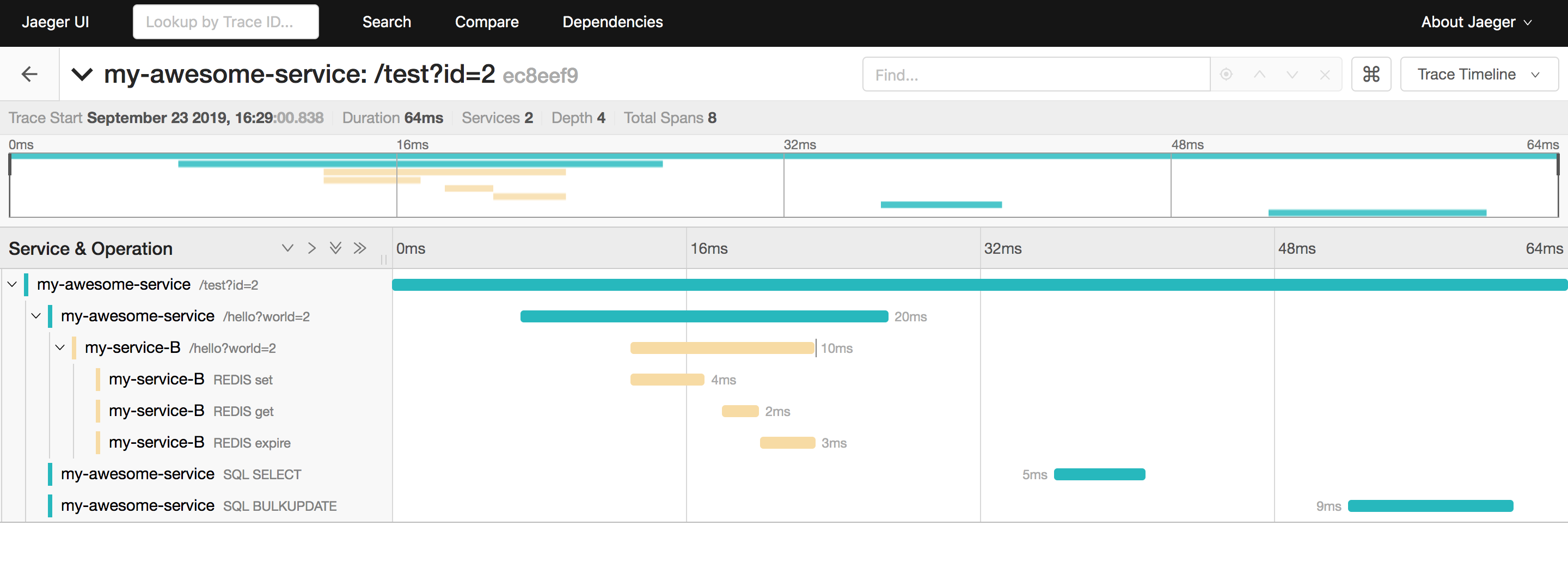
重要说明
对于 Sequelize 和 Redis 的跟踪依赖了 Async Hooks 特性,该特性在目前版本(12.10.0)的 Node 中依然是实验性的,请慎重在生产环境中使用。
HTTP上下游打通
通过 FORMAT_HTTP_HEADERS 进行上下游链路打通,上游在 HTTP HEADER 中携带 uber-trace-id 时可以注入当前 tracer 。
进行下游 HTTP 调用时可以使用 ctx.curl , 会自动注入当前 tracer 到 HEADER ,详见下文。
统一 TraceId 返回
默认会在 ctx.body 中返回 traceId 字段。
{
  ok: true, // 原本的返回结果
  traceId: "a3c92d1c813533d5" // 附加 traceId
}
安装
$ npm i @zijin-m/egg-jaeger --save使用
// {app_root}/config/plugin.js
exports.jaeger = {
  enable: true,
  package: '@zijin-m/egg-jaeger'
};
配置
// {app_root}/config/config.default.js
exports.jaeger = {
  serviceName: 'your-awesome-service',
  sampler: {
    type: 'const',
    param: 1
  },
  reporter: {
    // Provide the traces endpoint; this forces the client to connect directly to the Collector and send
    // spans over HTTP
    collectorEndpoint: 'http://jaeger-collector:14268/api/traces'
    // Provide username and password if authentication is enabled in the Collector
    // username: '',
    // password: '',
  },
  sequelize: false, // 默认不开启sequelize记录
  redis: false, //默认不开启redis记录
  middlewareIndex: 1 // 默认插入的中间件位置
};
备注
middlewareIndex 是将 jaeger 中间件插入的位置,默认放在错误捕捉中间件(类似error_handler_middleware)后面,其他中间件前面,所以默认为 1,这样的目的是在错误被被捕获前由jaeger中间件能捕获到错误,设置错误 Tag 后再抛出错误,如果你没有错误捕捉中间件,应该设置为 0,即第一个中间件。
see config/config.default.js for more detail.
示例
HTTP 链路
- 通过
egg自带的HttpClient进行http调用,注意要使用ctx.curl而不要用app.curl,因为ctx.curl才能正确的传递ctx上下文信息用来链路追踪。
ctx.curl('http://www.google.com');- 通过 npm 包 request-promise-jaeger 进行
http调用,这种方式需要手动传入ctx.tracer和ctx.rootSpan作为请求参数。
const rp = require('request-promise-jaeger');

rp('http://www.google.com', {
  tracer: ctx.tracer,
  rootSpan: ctx.rootSpan
  // ... other options
});
Sequelize 跟踪
通过配置 sequelize: true 开启,开启后会为每个 SQL 操作创建 Span
Redis 跟踪
通过配置 redis: true 开启,开启后会为每个 Command 操作创建 Span
Questions & Suggestions
Please open an issue here.