Package Exports
- color-classifier
This package does not declare an exports field, so the exports above have been automatically detected and optimized by JSPM instead. If any package subpath is missing, it is recommended to post an issue to the original package (color-classifier) to support the "exports" field. If that is not possible, create a JSPM override to customize the exports field for this package.
Readme
color-classifier.js



Classify the color along the reference color. using algorithm the CIEDE2000, RGB, HSV.
Playground
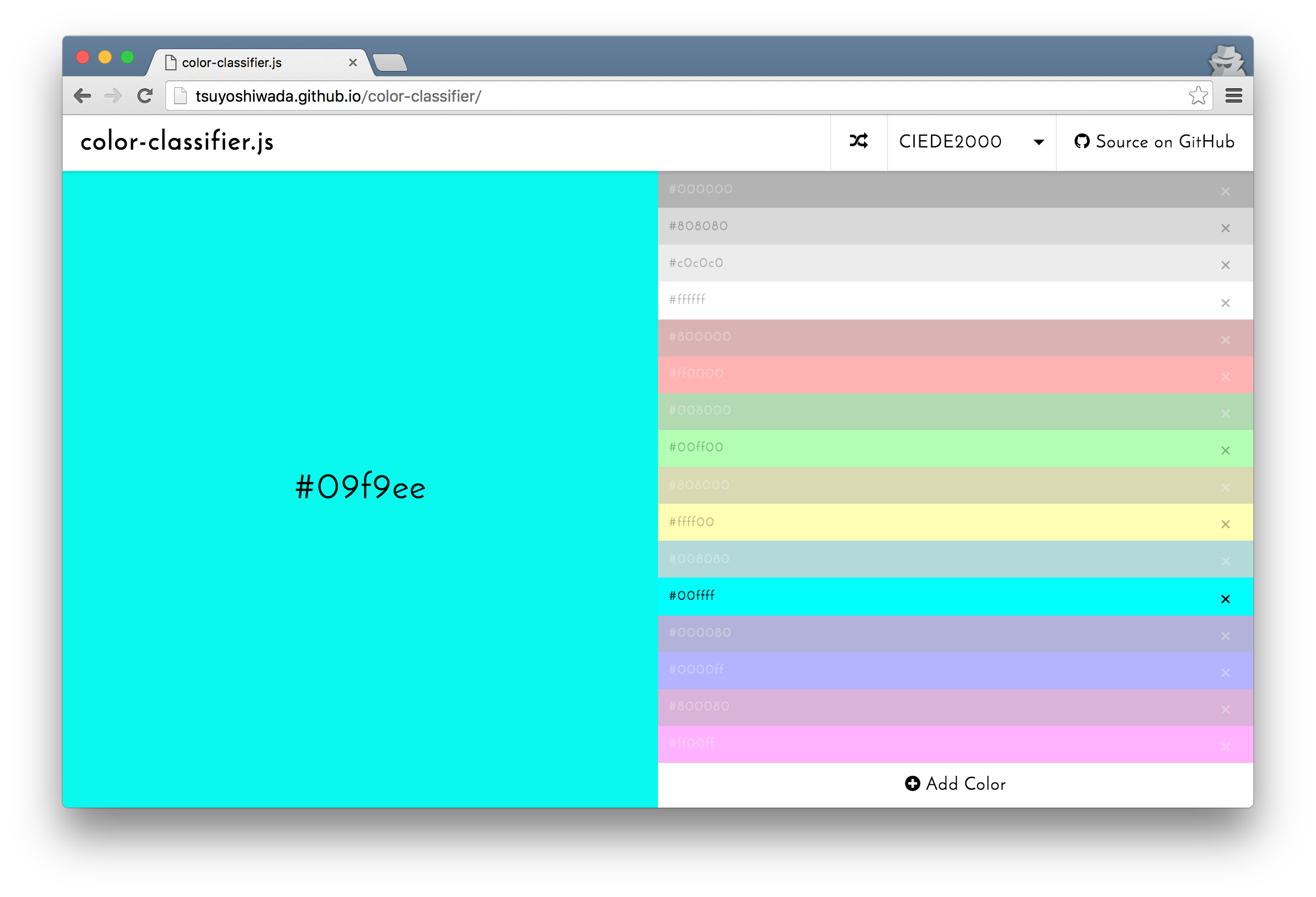
INSTALL
$ npm install color-classifier --saveor
Download the color-classifier.min.js.
USAGE
The following is the basic usage.
import ColorClassifier from "color-classifier"

const palette = ["#fff", "#000"];
const colorClassifier = new ColorClassifier(palette);
const color = colorClassifier.classify("#fefefe");

console.log(color); // {r: 255, g: 255, b: 255}
The type of pallet and algorithms have been some available.
import ColorClassifier, { Palette, AlgorithmTypes } from "color-classifier"

const colorClassifier = new ColorClassifier(Palette.W3C, AlgorithmTypes.HSV);
const color = colorClassifier.classify("#fefefe");

console.log(color); // {r: 255, g: 255, b: 255}
The available values are as follows.
Palette
The following is the palette list of preset.
Palette.W3C
| hex | color |
|---|---|
#000000 |
 |
#808080 |
 |
#c0c0c0 |
 |
#ffffff |
 |
#800000 |
 |
#ff0000 |
 |
#008000 |
 |
#00ff00 |
 |
#808000 |
 |
#ffff00 |
 |
#008080 |
 |
#00ffff |
 |
#000080 |
 |
#0000ff |
 |
#800080 |
 |
#ff00ff |
 |
Palette.RAINBOW
| hex | color |
|---|---|
#000000 |
|
#808080 |
|
#ffffff |
|
#ff0000 |
|
#ffa500 |
 |
#ffff00 |
|
#008000 |
|
#00ffff |
|
#0000ff |
|
#800080 |
|
AlgorithmTypes
The difference algorithm of color is possible some selection.
Please try in Playground for the difference of each algorithm.
| value | description |
|---|---|
AlgorithmTypes.CIEDE2000 |
Using the CIE Delta E 2000 Color-Difference algorithm (CIEDE2000). The CIEDE2000 color-difference formula, Color difference - Wikipedia, the free encyclopedia |
AlgorithmTypes.HSV |
Using the HSV color space. HSL and HSV - Wikipedia, the free encyclopedia |
AlgorithmTypes.RGB |
Using the RGB color space. RGB color model - Wikipedia, the free encyclopedia |
API
new ColorClassifier(palette = Palette.W3C, algorithmType = AlgorithmTypes.CIEDE2000)
palette: {Array}
algorithmType: {String}
Palette is specify array in RGB object or HEX string.
HEX String:
const palette = ["#fff", "#000"];
const colorClassifier = new ColorClassifier(palette);
RGB Object:
const palette = [
  {r: 255, g: 255, b: 255},
  {r: 0,   g: 0,   b: 0}
];
const colorClassifier = new ColorClassifier(palette);
classify(color, format = "rgb")
color: {Object || String}
format: {String} ("rgb", "hex", "hsv")
Classifies the specified color along the palette.
const color1 = {r: 255, g: 255, b: 255};

console.log(colorClassifier.classify(color1, "rgb")); //{r: 255, g: 255, b: 255}
console.log(colorClassifier.classify(color1, "hex")); //#ffffff
console.log(colorClassifier.classify(color1, "hsv")); //{h: 0, s: 0, v: 100}


const color2 = "#fff";

console.log(colorClassifier.classify(color2, "rgb")); //{r: 255, g: 255, b: 255}
console.log(colorClassifier.classify(color2, "hex")); //#ffffff
console.log(colorClassifier.classify(color2, "hsv")); //{h: 0, s: 0, v: 100}
classifyFromArray(colors, format = "rgb")
colors: {Array}
format: {String} ("rgb, "hex", "hsv")
Classifies the specified array of colors along the palette.
const colors = ["#fefefe", "#fafafa", "#010101", "#020202"];
const results = colorClassifier.classifyFromArray(colors, "hex");

console.log(results);
// [
//   {
//     palette: "#ffffff",
//     colors: [
//       "#fefefe",
//       "#fafafa"
//     ]
//   },
//   {
//     palette: "#000000",
//     colors: [
//       "#010101",
//       "#020202"
//     ]
//   }
// ]
More APIs
setPalette(palette)getPalette()setAlgorithmType(algorithmType)getAlgorithmType()
LICENCE
Released under the MIT Licence
AUTHOR
DEVELOPMENT
Initialization of the project.
$ cd /your/project/dir
$ git clone https://github.com/tsuyoshiwada/sweet-scroll.git
Install some dependencies.
$ npm installStart the development. You can access to the http://localhost:3000/.
$ npm startRun lint and testing.
$ npm testGenerates build file.
$ npm run buildBugs, feature requests and comments are more than welcome in the issues