
Package Exports
- cssgrace-lite
This package does not declare an exports field, so the exports above have been automatically detected and optimized by JSPM instead. If any package subpath is missing, it is recommended to post an issue to the original package (cssgrace-lite) to support the "exports" field. If that is not possible, create a JSPM override to customize the exports field for this package.
Readme
CSS Grace





From now on,writing brief,elegant,future-oriented CSS.
CSS Grace is a plugin for PostCSS.It does not change the original grammar CSS, let CSS to write more simple and more elegant。
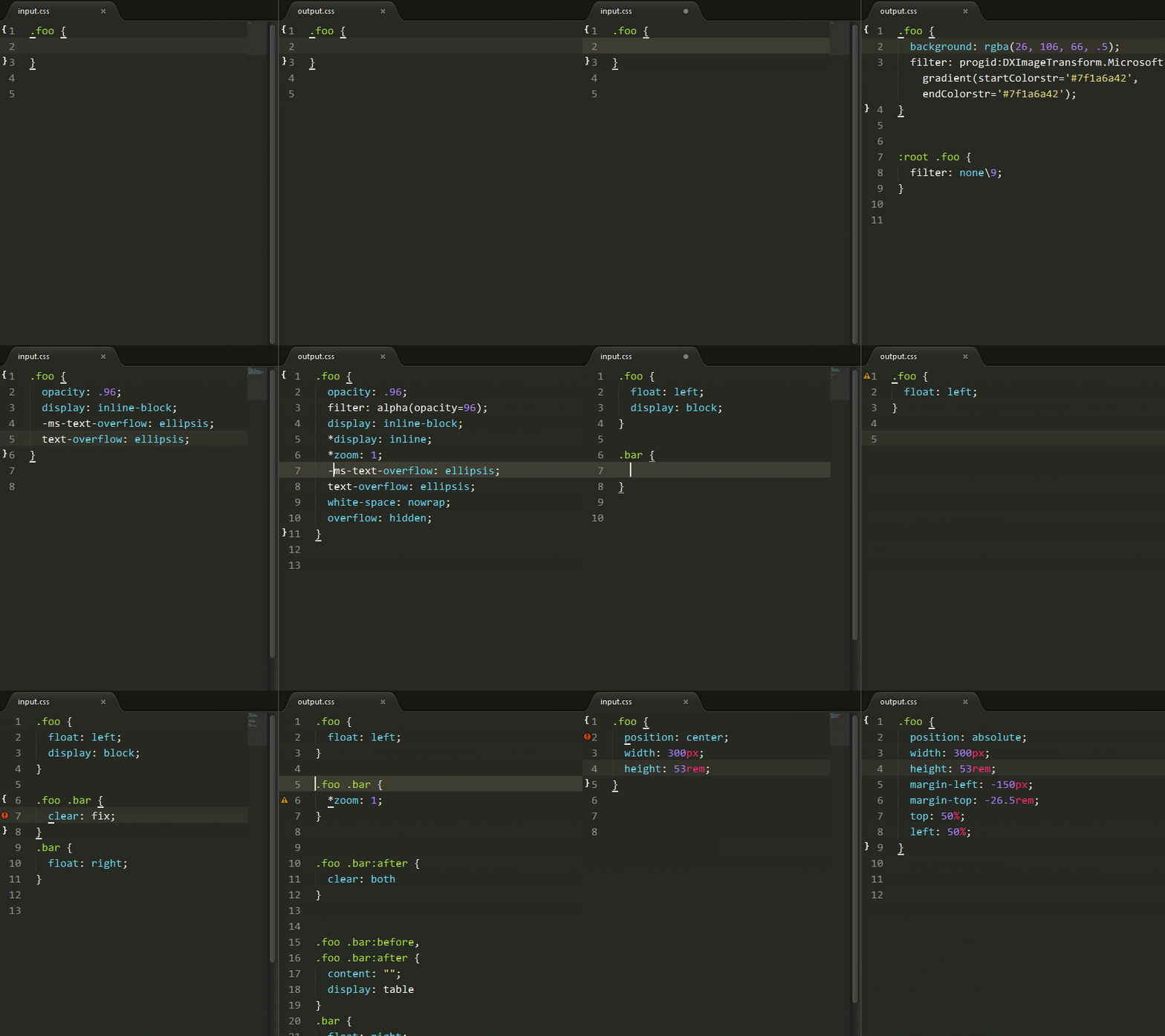

Quick start
Download and install Node.js.
Installation cssgrace.
npm install cssgrace- test.js
npm install chokidarvar fs = require('fs')
var cssgrace = require('cssgrace')
var src = 'src/input.css'
console.info('Watching…\nModify the input.css and save.')
chokidar.watch(src, {
ignored: /[\/\\]\./,
persistent: true
}).on('all',
function(event, path, stats) {
var css = fs.readFileSync(src, 'utf8')
fs.writeFileSync('build/output.css', cssgrace.pack(css))
})- input.css:
.foo::after {
  position: center;
  width: 210px;
  height: 80px;
  background: rgba(112, 26, 0, .3);
}

.bar {
  display: inline-block;
  opacity: .5;
}
node test,we will getoutput.css.
.foo:after {
  position: absolute;
  left: 50%;
  top: 50%;
  margin-left: -105px;
  margin-top: -40px;
  width: 210px;
  height: 80px;
  background: rgba(112, 26, 0, .3);
  filter: progid:DXImageTransform.Microsoft.gradient(startColorstr='#4c701a00', endColorstr='#4c701a00');
}

:root .foo:after {
  filter: none\9;
}

.bar {
  display: inline-block;
  *display: inline;
  *zoom: 1;
  opacity: .5;
  filter: alpha(opacity=50);
}
How to use
Node watch & With the other plugins
var fs       = require('fs')
var chokidar = require('chokidar')
var postcss  = require('postcss')
var cssgrace = require('cssgrace')
var nested   = require('postcss-nested') //CSS 代码嵌套
var minmax   = require('postcss-media-minmax') //使用 >=/<= 代替 @media 中的 min-/max
var selector = require('postcss-custom-selectors') //自定义选择器


var src = 'src/input.css'

console.info('Watching…\nModify the input.css and save.')


chokidar.watch(src, {
  ignored: /[\/\\]\./,
  persistent: true
}).on('all',
  function(event, path, stats) {
    var css = fs.readFileSync(src, 'utf8')
    var output = postcss()
      .use(minmax())
      .use(cssgrace)
      .use(selector())
      .use(nested)
      .process(css)
      .css;
    fs.writeFileSync('build/output.css', output)
  })
Grunt
npm install grunt-postcssmodule.exports = function(grunt) {
grunt.initConfig({
pkg: grunt.file.readJSON('package.json'),
postcss: {
options: {
processors: [
require('postcss-custom-selector')(),
require('cssgrace'),
]
},
dist: {
src: ['src/*.css'],
dest: 'build/grunt.css'
}
}
});
grunt.loadNpmTasks('grunt-contrib-uglify');
grunt.loadNpmTasks('grunt-postcss');
grunt.registerTask('default', ['postcss']);
}Gulp
npm install gulp-postcssvar gulp = require('gulp');
var rename = require('gulp-rename');
var postcss = require('gulp-postcss');
var cssgrace = require('cssgrace');
var autoprefixer = require('autoprefixer-core')
gulp.task('default', function () {
var processors = [
require('cssgrace')
];
gulp.src('src/input.css')
.pipe(postcss(processors))
.pipe(rename('gulp.css'))
.pipe(gulp.dest('build'))
});
gulp.watch('src/*.css', ['default']);More features
Automatic generation of 2x background compatible code
input:
.foo {
  background-image: -webkit-image-set(
                    url(../img/yuxifan@1x.jpg) 1x,
                    url(../img/yuxifan@2x.jpg) 2x);
}
output:
.foo {
  background-image: url(../img/yuxifan@1x.jpg); /* Fallback */
  background-image: -webkit-image-set(
                    url(../img/yuxifan@1x.jpg) 1x,
                    url(../img/yuxifan@2x.jpg) 2x);
}

@media only screen and (min-resolution: 2dppx) {
  .foo {
    background-image: url(../img/yuxifan@2x.jpg);
    background-size: 320px 427px;
}
}
Get the background image's width or height
Using the image-width and image-height to obtain the image's width or height.
input:
.foo {
  background: url(../img/post-and-pre.png);
  width: image-width;
  height: image-height;
}

.foo {
  background: url(../img/post-and-pre.png);
  margin: image-width image-height -image-height;
  content: 'image-width';
}
output:
.foo {
  background: url(../img/post-and-pre.png);
  width: 720px;
  height: 719px;
}

.foo {
  background: url(../img/post-and-pre.png);
  margin: 720px 719px -719px;
  content: 'image-width';
}
clear: fix
input:
.foo {
  clear: fix;
}
output:
.foo {
  *zoom: 1;
}
.foo:after {
  clear: both;
}
.foo:before,
.foo:after {
  content: '';
  display: table;
}
If there is already can remove floating property, don't generate compatible code.
input:
.foo {
  clear: fix;
  overflow: hidden;
}
output:
.foo {
  overflow: hidden;
}
position:center polyfill
Automatic calculation of margin value, the mother will never have to worry about my math is not good.
input:
.foo {
  position: center;
  width: 300px;
  height: 123px;
}
output:
.foo {
  position: absolute;
  left: 50%;
  top: 50%;
  margin-left: -150px;
  margin-top: -61.5px;
  width: 300px;
  height: 123px;
}
Repair of common errors
Float or absolutely positioned elements don't write display: block
input:
.foo {
  position: absolute;
  display: block;
}

.foo {
  position: center;
  display: block;
}

.foo {
  float: left;
  display: block;
}
output:
.foo {
  position: absolute;
}

.foo {
  position: center;
}

.foo {
  float: left;
}
Absolutely positioned elements floating effect
Remove float: left|right.
input:
.foo {
  position: absolute;
  float: left;
}
output:
.foo {
  position: absolute;
}
Missing property auto completion
resize
input:
.foo {
  resize: vertical;
}

.foo {
  resize: both;
  overflow: hidden;
}
output:
.foo {
  resize: vertical;
  overflow: auto;
}

.foo {
  resize: both;
  overflow: hidden;
}
text-overflow: ellipsis
input:
.foo {
  text-overflow: ellipsis;
}

.foo {
  text-overflow: ellipsis;
  overflow: auto;
  white-space: normal;
}
output:
.foo {
  text-overflow: ellipsis;
  white-space: nowrap;
  overflow: hidden;
}

.foo {
  text-overflow: ellipsis;
  overflow: hidden;
  white-space: nowrap;
}
IE Hack
IE opacity
input:
.foo {
  opacity: .6;
}

.foo {
  opacity: 0.8293;
}
output:
.foo {
  opacity: .6;
  filter: alpha(opacity=60);
}

.foo {
  opacity: 0.8293;
  filter: alpha(opacity=83);
}
IE RGBA
input:
.foo {
  background: rgba(153, 85, 102, 0.3);
}
output:
.foo {
  background: rgba(153, 85, 102, 0.3);
  filter: progid:DXImageTransform.Microsoft.gradient(startColorstr='#4c995566', endColorstr='#4c995566');
}

:root .foo {
  filter: none\9;
}
IE inline-block
input:
.foo {
  display: inline-block;
}
output:
.foo {
  display: inline-block;
  *display: inline;
  *zoom: 1;
}
Contributing
- Install all the dependent modules.
- Respect the coding style (Use EditorConfig).
- Add test cases in the test directory.
- Run the test cases.
$ git clone https://github.com/postcss/postcss-media-minmaxs.git
$ git checkout -b patch
$ npm install
$ npm test