
Package Exports
This package does not declare an exports field, so the exports above have been automatically detected and optimized by JSPM instead. If any package subpath is missing, it is recommended to post an issue to the original package (directus-operation-excel-to-json) to support the "exports" field. If that is not possible, create a JSPM override to customize the exports field for this package.
Readme
📦 Directus Operation: Excel to JSON
A Directus custom operation that converts Excel (.xlsx, .xls, .xlsm), CSV or TSV files into structured JSON format.
✅ Features
This extension uses the xlsx package for parsing Excel and spreadsheet files.
- Converts Excel, CSV, or XML files into formatted JSON
- Supports the following file formats:
- ✅
.xlsx– Excel Workbook - ✅
.xls– Legacy Excel format - ✅
.xlsm– Macro-Enabled Workbook - ✅
.csv– Comma-Separated Values - ✅
.tsv– Tab-Separated Values
- ✅
- Validates file type before processing
⛔ Limitations
❗ This extension currently only supports files stored in local storage.
If you're using S3, Google Cloud Storage, or any other external storage adapter, this operation will not work as expected.
🧩 Planned Features
| Feature | Status |
|---|---|
| Support for cloud storage (S3, GCS, etc.) | 🔜 Planned |
| Support for multiple sheets | 🔜 Planned |
📦 Installation
Refer to the Official Guide for details on installing the extension from the Marketplace or manually.
npm package:
npm install directus-operation-excel-to-json⚙️ Usage
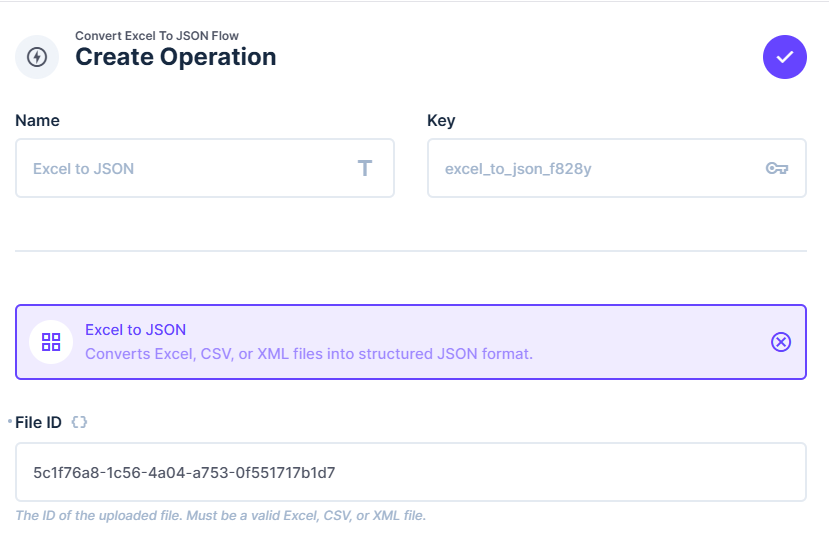
- Create or edit a flow.
- Add the
Excel to JSONoperation. - Pass the file ID of an uploaded file in the
File IDinput. - The output will be a JSON array containing the parsed content of the provided file.
🤝 Contributing
Feel free to open issues or submit pull requests on GitHub if you'd like to help improve this extension!