
Package Exports
- hexo-leetcode-calendar
- hexo-leetcode-calendar/index.js
This package does not declare an exports field, so the exports above have been automatically detected and optimized by JSPM instead. If any package subpath is missing, it is recommended to post an issue to the original package (hexo-leetcode-calendar) to support the "exports" field. If that is not possible, create a JSPM override to customize the exports field for this package.
Readme
Hexo-LeetCode-Calendar
A Hexo plugin for quickly overviewing your leetcode submission data with customizable option to be imporved.(Only support leetcode-cn.com)


中文介绍页面PPLong--为你的Hexo博客添加LeetCode日历
Introduce
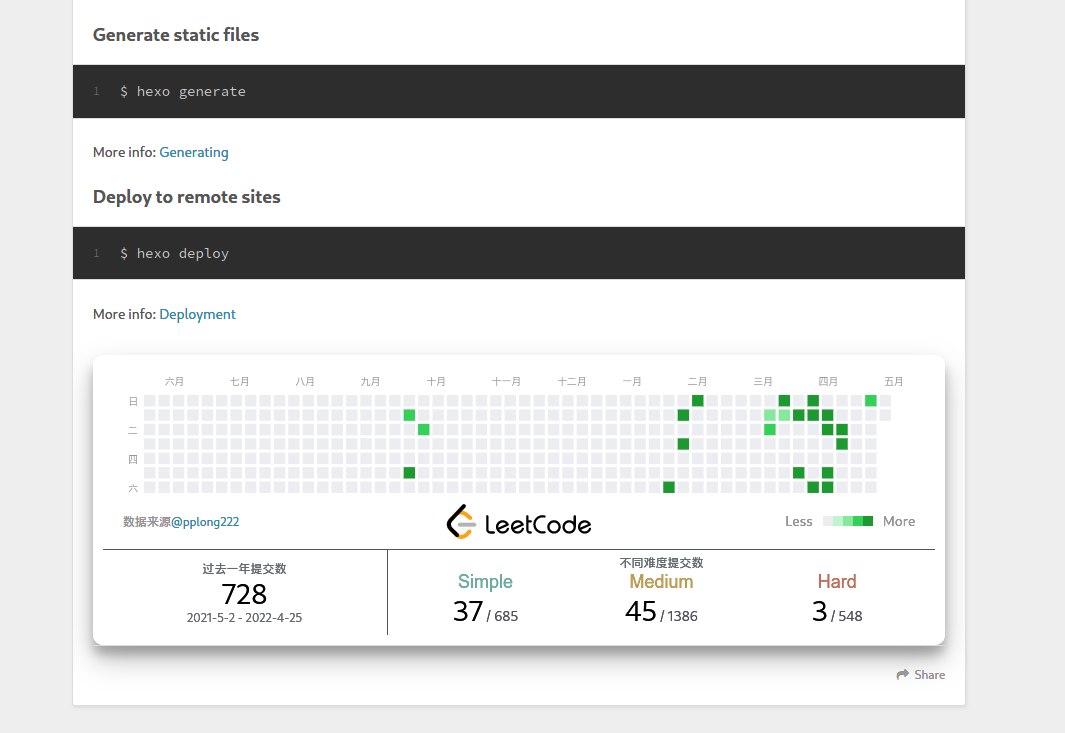
Hexo-LeetCode-Calendar is a concise submission calendar for users registered on LeetCode-CN, allowing you to generate any users submission data with several customizable options such as background, partial text color, submission color gap ...
Example in PC
Install
Quick Start
To get a quick start ,you need to locate in your Hexo main directory. Then exec
npm install hexo-leetcode-calendar --saveAnd next, you can assert the calendar just simply insert :
{% leetcode username %}in any location of your md file (username is your own name in leetcode-cn.com).
Then do : hexo clean && hexo g && hexo s , and you will see your own leetcode calendar in your own page.
Don't have a account in LeetCode-CN? If you have a account based in leetcode.com instead of leetcode-cn.com, then you can follow tips below to transfer your data to leetcode-cn.com. And use the account in leetcode-cn.com to use this plugins.
Customize
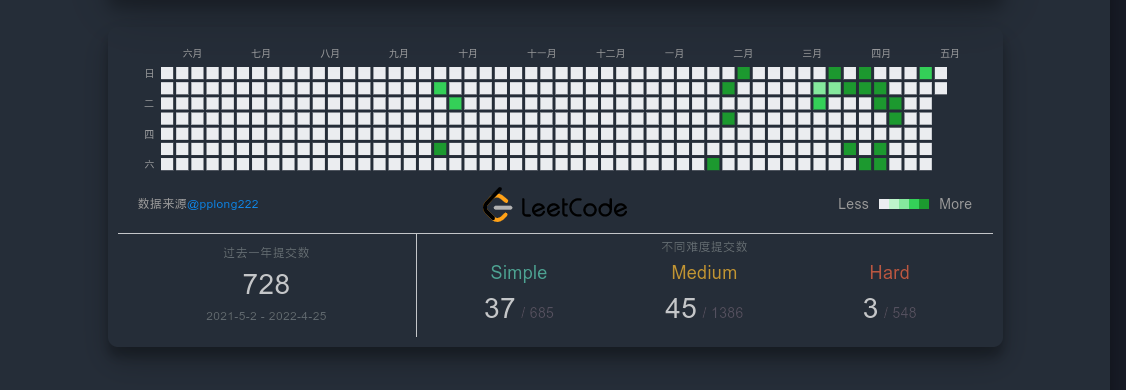
If you don't satisfy the default layout setting ,you can edit your site configuration file (which is _config.yaml) (NOT your theme config file like _config.xxx.yaml). Write your own config like below:
leetcodecalendar: # ParentNode
  enable: true
  submitGap: 5	  # every 5 submits will be divided into a level(to show in different color).
  showIcon: true  # show middle Leetcode icon
  color:
    submitColor: '#000' # submit count text color
    bgColor: '#fff'		# calendar background color
subColors: ['#ebedf0', '#bef5cb', '#85e89d', '#34d058', '#1c992f'] # submit level color| Param | Explain |
|---|---|
| enable | enable plugin (false will show nothing) |
| submitGap | every 5 submits will be divided into a level(to show in different color). |
| showIcon | show middle Leetcode icon |
| submitColor | submit count text color |
| bgColor | calendar background color |
| subColors | submit level color |
Update
- v0.4.0 !important:
- update day box color showing error in calendar page
- optimize js code
Features
- Partly support calendar layout in mobile phones and pad.
TODO
- Support mutiple calendars in same page
- Support English Language.
- Add other text customizable optiton to it.
- Reformat code
Thanks
Especially thanks to hexo-douban-card and hexo-githubcalendar which provides fantastic ideas and feasible resolution. There would be no hexo-leetcode-calendar without them.
And thanks to any users who are using the plugins. Any of your advices would be much valuable to me