

Package Exports
- invert-color
This package does not declare an exports field, so the exports above have been automatically detected and optimized by JSPM instead. If any package subpath is missing, it is recommended to post an issue to the original package (invert-color) to support the "exports" field. If that is not possible, create a JSPM override to customize the exports field for this package.
Readme
invert-color










© 2018, Onur Yıldırım (@onury). MIT License.
Generates inverted (opposite) version of the given color. (<1KB)
This passes a long test suite of Adobe Photoshop CC inverted colors...
Generating exactly the same results with it.
Usage
npm i invert-color
// Node, CommonJS
const invert = require('invert-color');
// ES2015, JSNext
import invert from 'invert-color';
// TypeScript
import invert, { RGB, RgbArray, HexColor, BlackWhite } from 'invert-color';
For UMD in browser, use lib/invert.min.js.
See other exports.
invert(color[, bw])
color:String|Array|Object
Color in HEX string, RGB array or RGB object to be inverted.bw:Boolean|Object
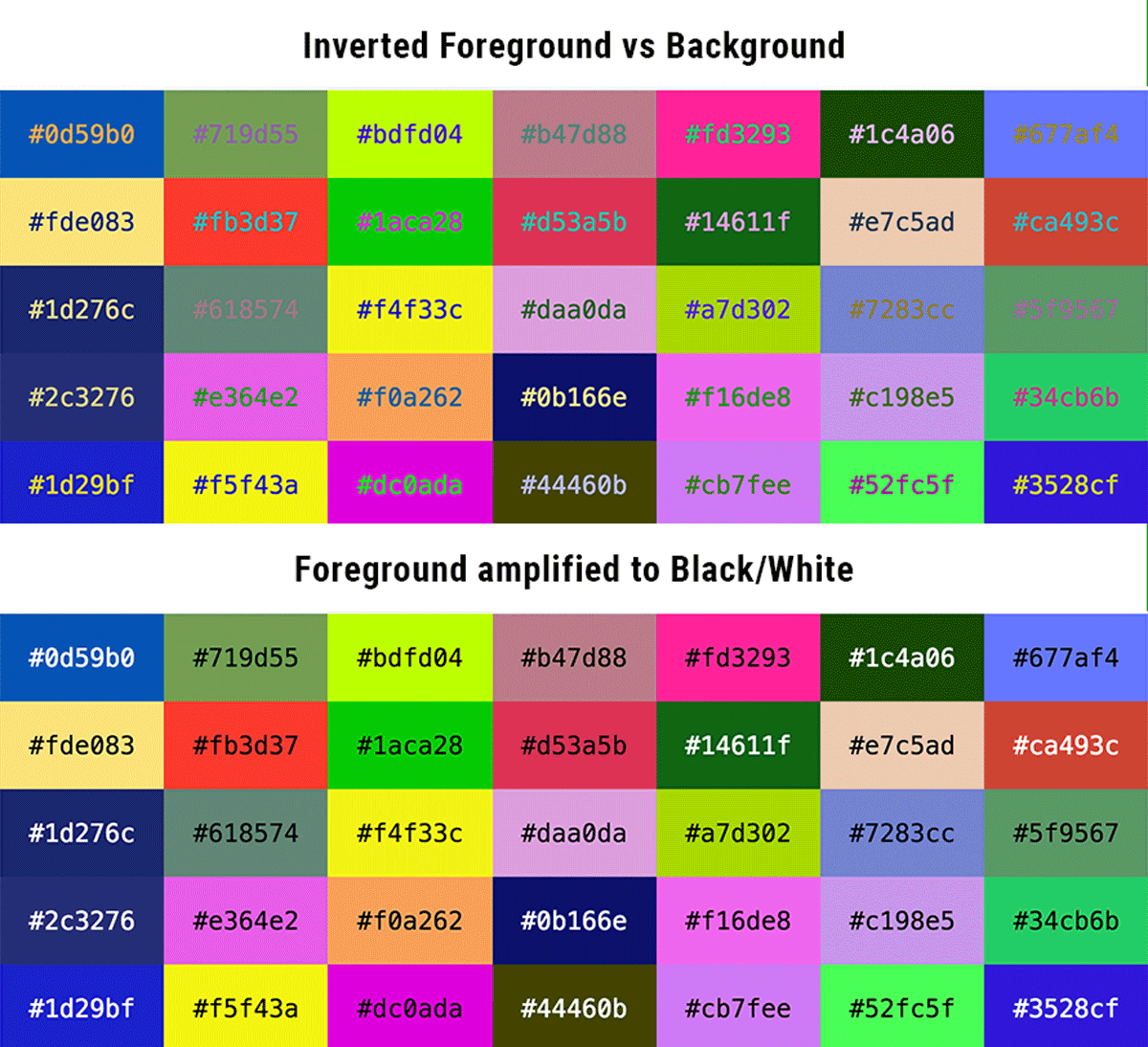
Optional. A boolean value indicating whether the output should be amplified to black (#000000) or white (#ffffff), according to the luminance of the original color. You can set custom black/white values (and/or luminance threshold) by passing an object.
invert('#000')              // —> #ffffff
invert('#282b35')           // —> #d7d4ca

// input color as RGB array or object
invert([69, 191, 189])              // —> #ba4042
invert({ r: 249, g: 119, b: 121 })  // —> #068886

// amplify to black or white
invert('#282b35', true)     // —> #ffffff

// amplify to custom black or white color
invert('#282b35', { black: '#3a3a3a', white: '#fafafa' })     // —> #fafafa

// amplify with custom luminance threshold (default is invert.defaultThreshold = ~0.179)
invert('#282b35', { black: '#3a3a3a', white: '#fafafa', threshold: 0.01 })     // —> #3a3a3a
invert.asRGB(color[, bw])
Invert and output result as RGB object.
invert.asRGB('#fff') // —> { r: 0, g: 0, b: 0 }invert.asRgbArray(color[, bw])
Invert and output result as RGB array.
invert.asRgbArray('#000') // —> [255, 255, 255]bw option
This is useful in case, you need to create contrast (i.e. background vs foreground, for better readability). The animation at the top is a demonstration.
Contributing
Clone original project:
git clone https://github.com/onury/invert-color.gitInstall (dev) dependencies:
npm installAdd tests into test/unit.test.ts and run:
npm run coverTravis build should pass, coverage should not degrade.
Change-Log
v2.0.0 (2018-11-09)
- Breaking: In order to be consistent; now using default export only. Added ESM, UMD, CommonJS bundles (with rollup). See Usage section.
- In addition to
main,package.jsonnow also definesmodule,jsnext:mainandbrowser. - Added
threshold: numbertoBlackWhiteoptions (interface). Fixes #16. - Added
invert.defaultThresholdconstant.
v1.5.0 (2018-08-22)
- Re-written in TypeScript.
- Added
.asRGB()- alias of.asRgbObject().
v1.2.3 (2018-04-05)
- Better error messages. (PR #9 by @CAYdenberg) Fixes #8.
v1.2.2 (2017-12-07)
- Fixed an issue with UMD output. Fixes #7.
- (Dev) Adapted webpack for UMD.
v1.2.0 (2017-11-24)
- Added UMD support. (PR #6 by @criography - revised for latest Babel.)
- (Dev) Migrated tests to Jest (dropped Jasmine).
v1.1.0 (2017-11-07)
- Added ability to customize black/white color values. (PR #3 by @BrainCrumbz)
- Fixed typo. (PR #1 by @villfa)
- Minor revisions.
v1.0.0 (2017-08-22)
- Initial version.
License
MIT.