
Package Exports
- js-monitor-server
- js-monitor-server/index.js
This package does not declare an exports field, so the exports above have been automatically detected and optimized by JSPM instead. If any package subpath is missing, it is recommended to post an issue to the original package (js-monitor-server) to support the "exports" field. If that is not possible, create a JSPM override to customize the exports field for this package.
Readme
JS Resources Monitor
A real-time monitoring tool for JavaScript applications that tracks CPU usage and memory consumption.
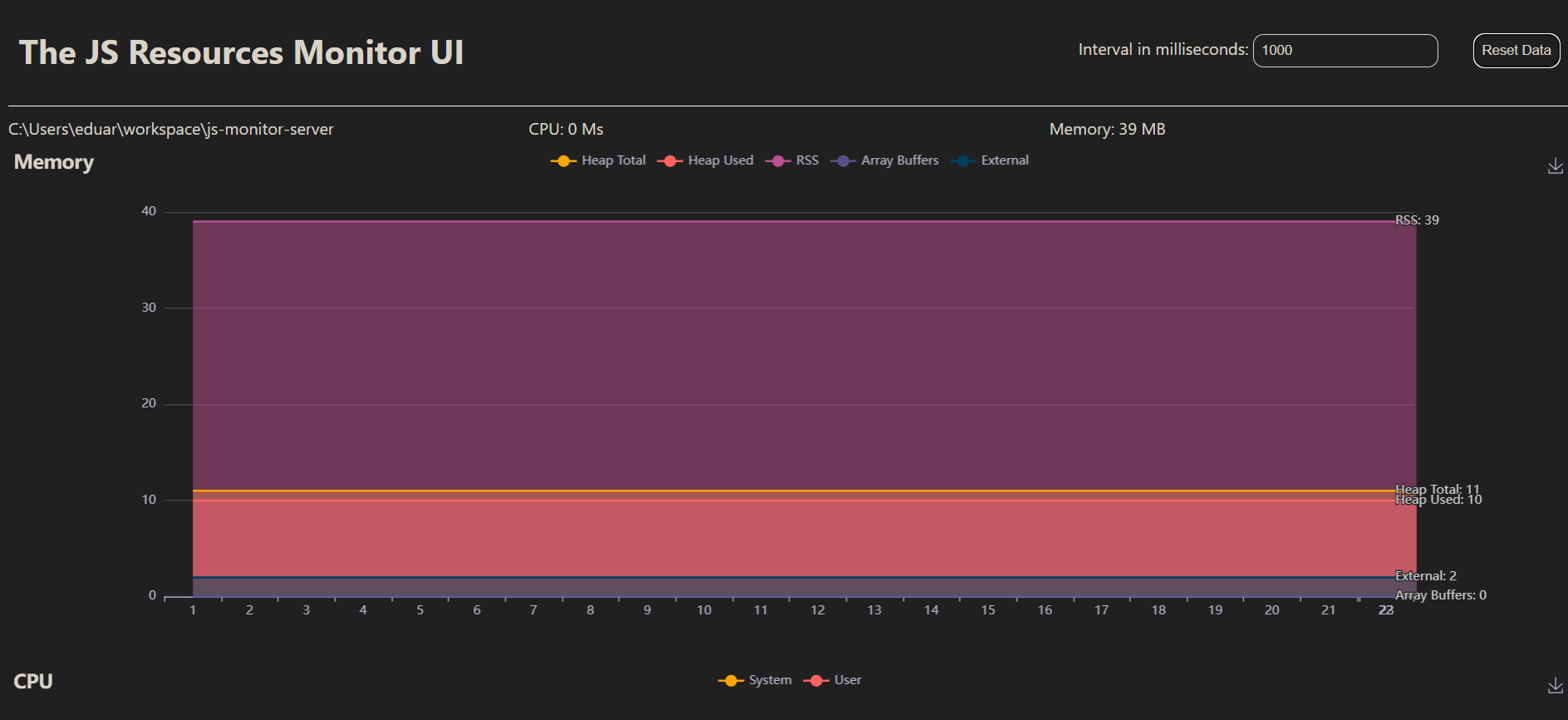
Table of Contents
Features
- Real-time monitoring of CPU usage and memory consumption
- Web-based UI for easy visualization
- Customizable monitoring interval
- WebSocket communication for live updates
Prerequisites
- Node.js (version 12 or higher recommended)
- npm (Node Package Manager)
Installation
Install the
js-monitor-serveras dependency of your application:npm install js-monitor-server@latest
Usage
Import the library as dependency of your ESM nodejs app.
import 'js-monitor-server';
For common js modules, use dynamic import:
import('js-monitor-server');
The default web server port is
9966. You can change it by changing theMONITOR_PORTenvironment variable in the.envfile.Open a web browser and navigate to http://localhost:9966 (or the port specified in your environment variables).
The UI will display real-time CPU and memory usage of the monitored process.
File Structure
index.js: Entry point of the applicationserver.js: Sets up the Express server and Socket.iomonitor.js: Contains theMonitorclass for tracking system resourcespublic/index.html: The frontend UI for displaying monitoring data
How It Works
- The
Monitorclass inmonitor.jsuses Node.js'sprocess.cpuUsage()andprocess.memoryUsage()to collect system resource data. - The Express server in
server.jsserves the frontend and sets up WebSocket communication using Socket.io. - The frontend (
index.html) receives real-time updates via WebSocket and displays the data using charts (implementation not shown in the provided code).
Contributing
Contributions are welcome! Please feel free to submit a Pull Request.
License
This project is licensed under the MIT License.