

Package Exports
- jupyterlab-leetcode
- jupyterlab-leetcode/lib/index.js
This package does not declare an exports field, so the exports above have been automatically detected and optimized by JSPM instead. If any package subpath is missing, it is recommended to post an issue to the original package (jupyterlab-leetcode) to support the "exports" field. If that is not possible, create a JSPM override to customize the exports field for this package.
Readme
Integrate LeetCode into beloved Jupyter.
https://github.com/user-attachments/assets/6b8aaf10-ff05-44b6-a6c9-ce0c6e357f2d
Requirements
- JupyterLab >= 4.0.0
Install
To install the extension, execute:
pip install jupyterlab_leetcodeGet Started
After choosing the browser, you will be prompted like:
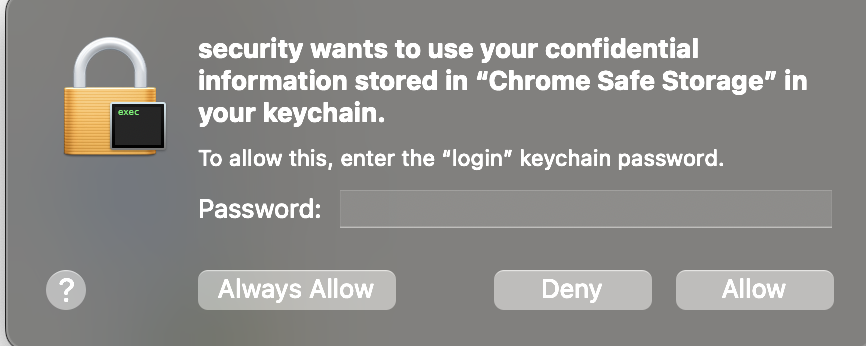
This is because this plugin is based on browser-cookie3, which needs permission to read cookie files.
You can choose 'Always Allow'.
Uninstall
To remove the extension, execute:
pip uninstall jupyterlab_leetcodeTroubleshoot
If you are seeing the frontend extension, but it is not working, check that the server extension is enabled:
jupyter server extension listIf the server extension is installed and enabled, but you are not seeing the frontend extension, check the frontend extension is installed:
jupyter labextension list