
Package Exports
- nfo-cli
This package does not declare an exports field, so the exports above have been automatically detected and optimized by JSPM instead. If any package subpath is missing, it is recommended to post an issue to the original package (nfo-cli) to support the "exports" field. If that is not possible, create a JSPM override to customize the exports field for this package.
Readme
NFO — No Fluff Orchestra
[!WARNING] NFO Is highly experimental, things can break, might not work as expected or the composed music might suck!

(Yes, I know orchestrators don't have staffs - but look how happy he is)
A simple, "no fluff" orchestrator that doesn't overcomplicate your workflow. Tell the Orchestrator what you want to do and he will spread the work across multiple Musicians!
[!NOTE] I am not a musician. I do not take responsibility for any misused musical terminology!
Why?
Honestly? Because I wanted to see if I could do it. Apart from that, the main reason why NFO exists is because I wanted an agent orchestrator that is not too bloated and allows you to see your agents without obfuscation. This is a learning project for me to understand agents better and to learn some (weird flavor of) React.
I wrote it by hand and with Claude - MVP was built almost entirely by Claude then I overtook and refactoring work along with new features are hand-built by me.
How does it work?
Installation
To get started with NFO just simply install it through npm (brew support planned for later)
npm install -g nfo-cliAfter that just start NFO in your project's folder and you are good to go!
nfoThis will create an Orchestra with your project's name and an Orchestrator. From here on out this Orchestra will be running until you kill it - this means that you can fire away your tasks and work on something else in the meantime. In the Concert Hall, in the top right corner, you can always see how many projects you have running at the moment. Each repository/project gets its own Orchestra and Orchestrator.
Everything that you have in your regular Claude session is available in your NFO session. Just ask your Orchestrator what you want to do, and it will do it for you by spawning several Musicians to tackle the task. The created Musicians will be placed in the Auditorium where you observe what they are doing or manage them.
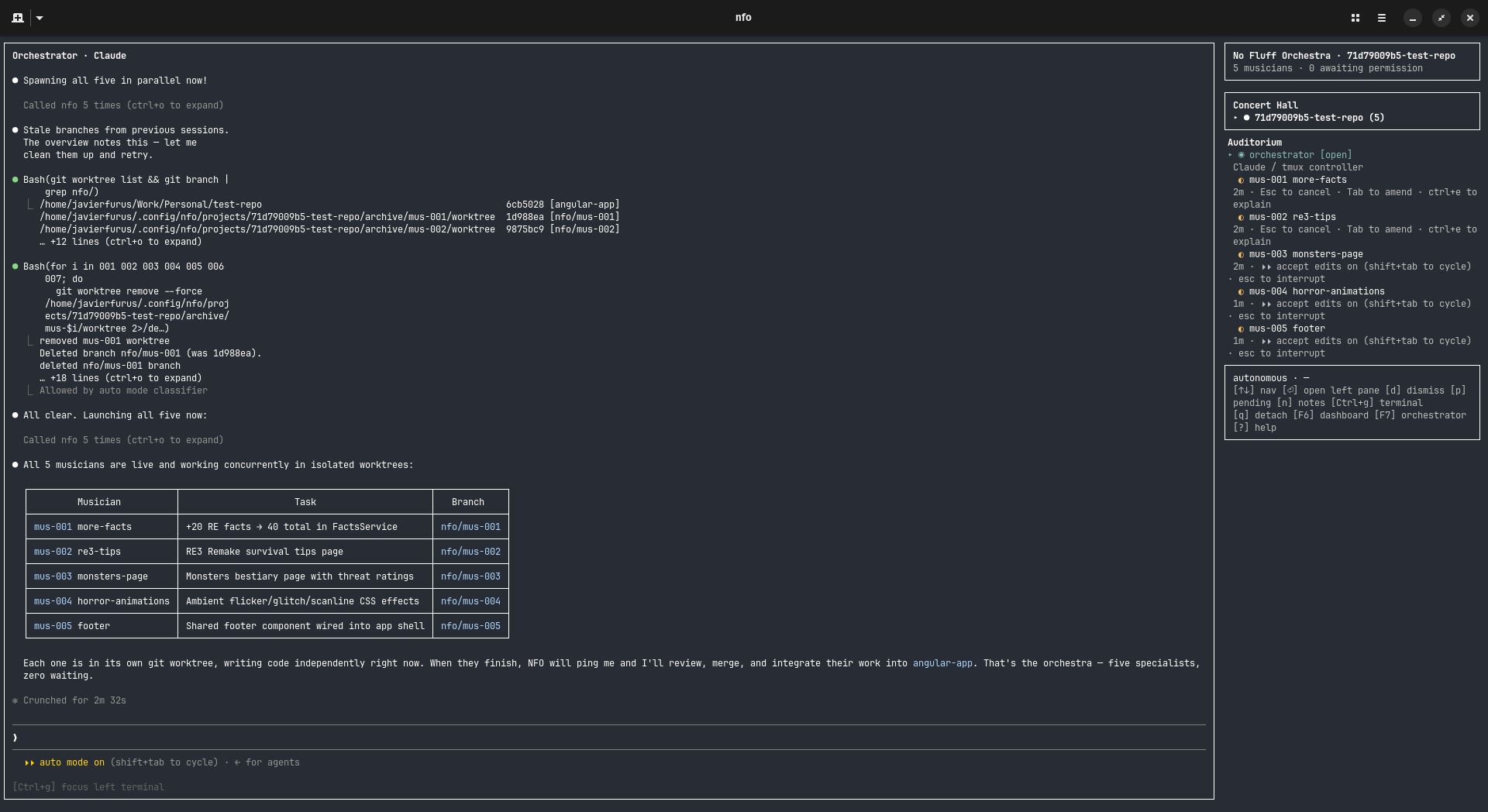
These Musicians are either Sonnet or Haiku agents used to explore your codebase or code. Using Hub-and-Spoke the agents communicate with the Orchestrator and the Orchestrator decides the next steps. This structure allows the smarter model to keep its context clean and save cost by using other models at what they are best. They are all assigned to your Orchestra and you can freely move between them, see what they are doing or steer them by using /btw. You can also ask your Orchestrator to tell them what to do!
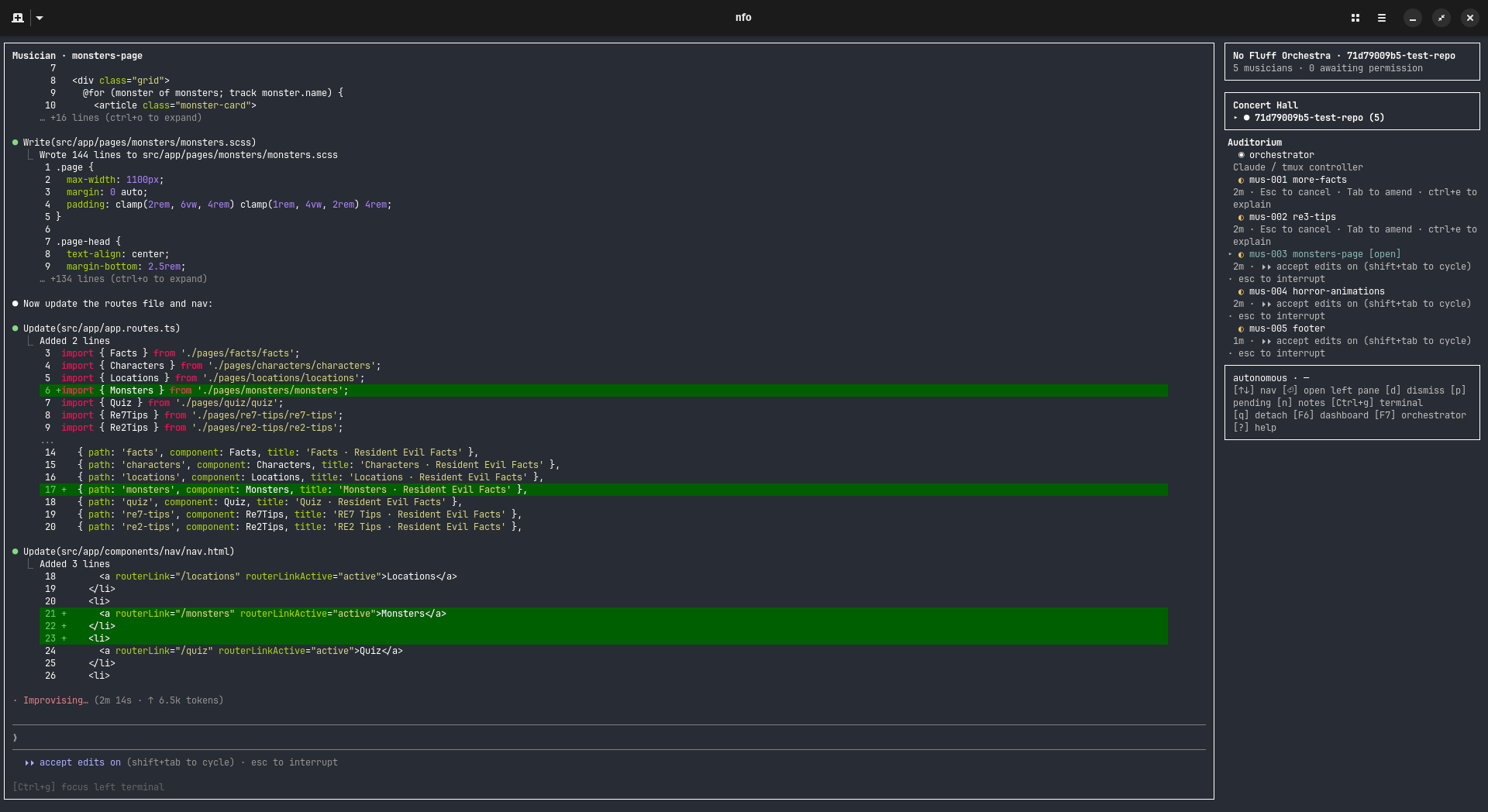
They can work in parallel or sequentially, depending on what the task demands. NFO leverages worktrees to keep your environment clean and avoid agents stepping on each other's toes.
Notes, notes notes!
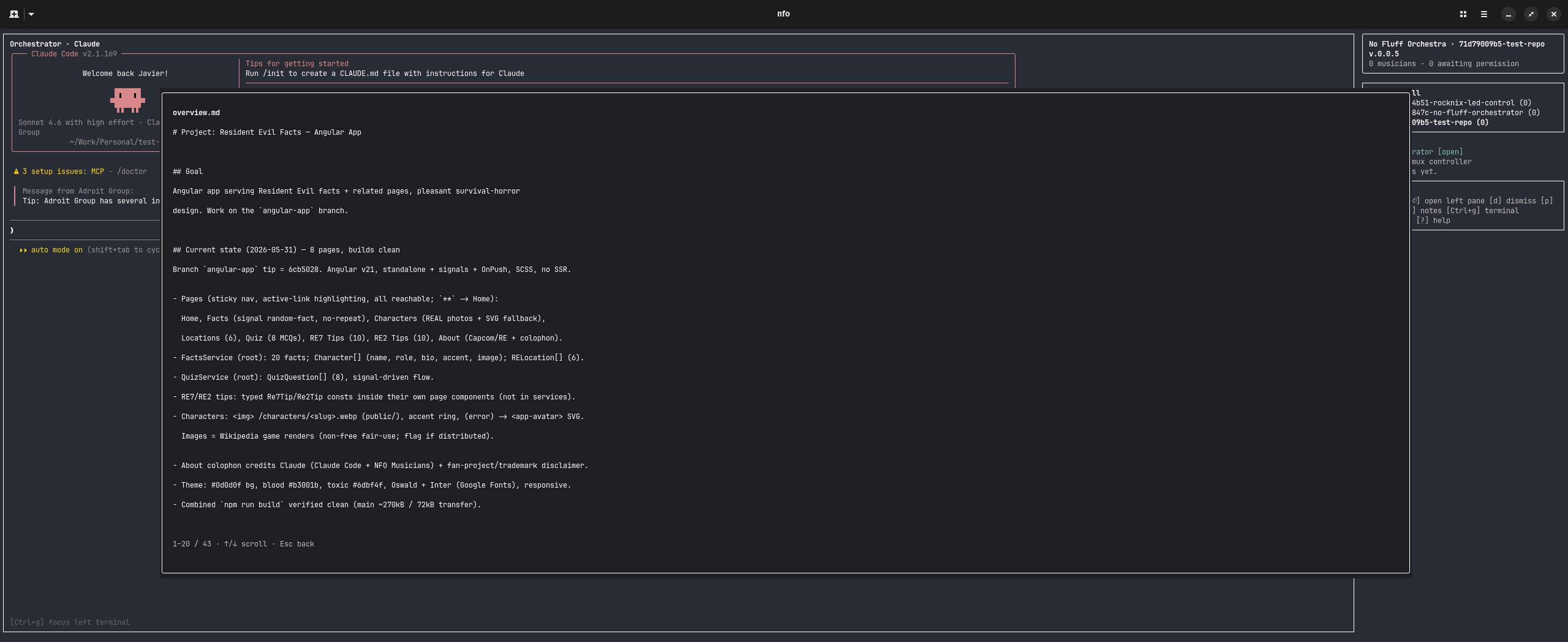
Notes are automatically generated by the Musicians and the Orchestrator to keep track of what has been done so far in the codebase, keep track of quirks and pitfalls. This serves as a quasi memory and helps the agents work in a continuous workflow.
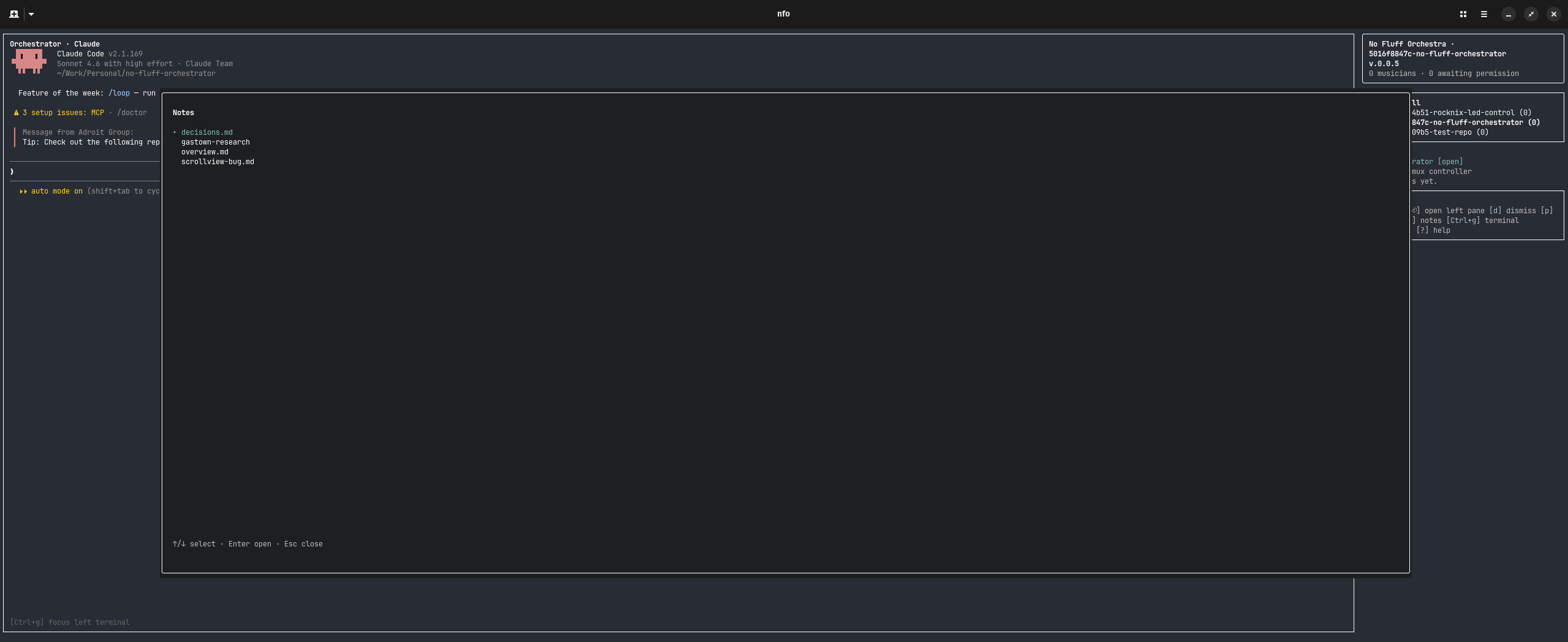
You can check at any time what the Agent has jotted down in the Notes popup. Browse the files and pick the one you are interested in.
LazyGit? More like Git-me-to-the-code!
You can use LazyGit jesseduffield's LazyGit to see what changes your musicians made and edit them if necessary. Commit, merge or push as you see it fit - let the musicians do what they do best while you retain control!
Just hit "g" while on the right sidebar to open the UI
I like control
During the entirety of the process you decide how much you want to be in control. You want fully automated? You got it. You want to approve some non-whitelisted requests? Do it. Have granular control and approve everything by hand? Whatever floats your boat.
Communication happens through Tmux and an MCP server, the Ink based UI wraps Claude Code and provides it for you for interaction.
I am no Superman
Superpowers are supported and the skill knows that instead of regular subagents it should deploy Musicians to finish the tasks. It also recognizes that some tasks can be tackled sequentially or parallel as well.
I had enough, let me go.
You can dismantle your currently running Orchestras by simply running
nfo --kill <orchestra-id>Limitations
NFO is currently very experimental. There are many things that will change, improve or well, break.
Here are the currently known limitations and what should come in the future:
-
No package, NFO can only be run after being built (I am planning to ship throughnpmandbrew)npmis ready! Brew needs some time... to brew.
-
Worktrees are not always cleaned up properly -
Currently, the tools available to the musicians are not limited -
The notes section might not render properly at times- New Notes section has been implemented!
- Provide a simpler way to manage orchestras
- Performance can degrade over time
-
The TUI can flicker because of the Node-PTY embedding- Now fresh fast and flicker-free!
- The current Tmux based communication can be flaky
Requirements (These are bound to change as the project matures)
- Node.js 22+
tmuxon PATHclaude(Claude Code CLI) on PATH, version ≥ 2.1 (seesrc/claude-detect.ts)bashorzsh- Linux or macOS (Windows via WSL only for now, untested)
Development
git clone https://github.com/javierfurus/nfo.git
cd nfo
npm install
npm run build
npm link    # makes the `nfo` command globally available
Use
In a git repo: nfo
List orchestras: nfo list
Attach by id: nfo <id>
Tear down: nfo kill <id>
Open notes: nfo notes <id>
Musicians
Inside an orchestra, the Orchestrator can use these MCP tools:
spawn_musician({ name, task })— create a Musician in an isolated git worktreemessage_musician({ musician_id, message })query_musician({ musician_id, lines? })— read recent pane outputlist_musicians()dismiss_musician({ musician_id, archive_worktree? })— archived = worktree preserved underarchive/, branch kept; dropped = worktree gone, branch deletedreport_done({ summary })— called by Musicians on completionnote_write/note_read/note_list— Orchestrator's persistent notes
To watch a Musician work just go to the sidebar (if not already there) by Ctrl + g and move the cursor to the Musician you want to observe. Press Enter/Return and you are in that session.
Copyright
Claude is a trademark owned by Anthropic.
The Claw'd art was done by me. Maybe this was the real reason this project exists so that I could to that.