Package Exports
- panda-portfolio
This package does not declare an exports field, so the exports above have been automatically detected and optimized by JSPM instead. If any package subpath is missing, it is recommended to post an issue to the original package (panda-portfolio) to support the "exports" field. If that is not possible, create a JSPM override to customize the exports field for this package.
Readme




panda-portfolio
No more worries while making single page github portfolio websites.
Installation
sudo npm install -g panda-portfolioCreating the config file
panda initCreating the index page
panda config.json- Get your single page portfolio as index.html.
- Publish on github.
Alternate Method
- Create a FILENAME.json file within the directory
- Paste the following content.
{
    "theme":"(dark or light)",
    "name":"YOUR-NAME",
    "profilePhoto":"PICTURE-LINK",
    "resumeLink":"RESUME-LINK",
    "about":[
        "Paragraph1",
        "Paragraph2",
        "Paragraph3",
        "So on.."
    ],
    "links":{
        "github":"YOUR-GITHUB-PROFILE",
        "linkedin":"YOUR-LINKEDIN-PROFILE",
        "medium":"YOUR-MEDIUM-PROFILE",
        "facebook":"YOUR-FACEBOOK-PROFILE",
        "instagram":"YOUR-INSTAGRAM-PROFILE"
    }
}- Write panda FILENAME.json to get the index.html page.
Demo

Example
| Theme | Picture |
|---|---|
| light | 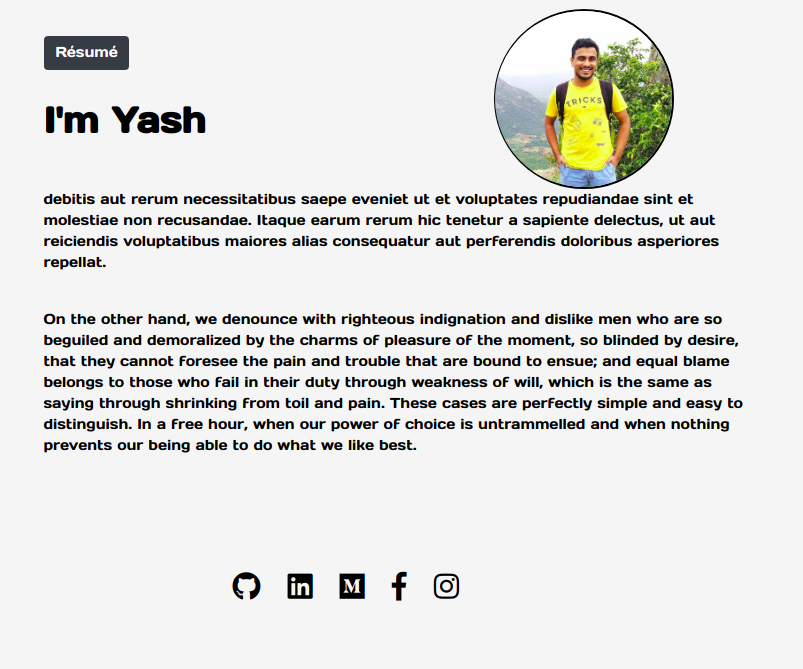 |
| dark | 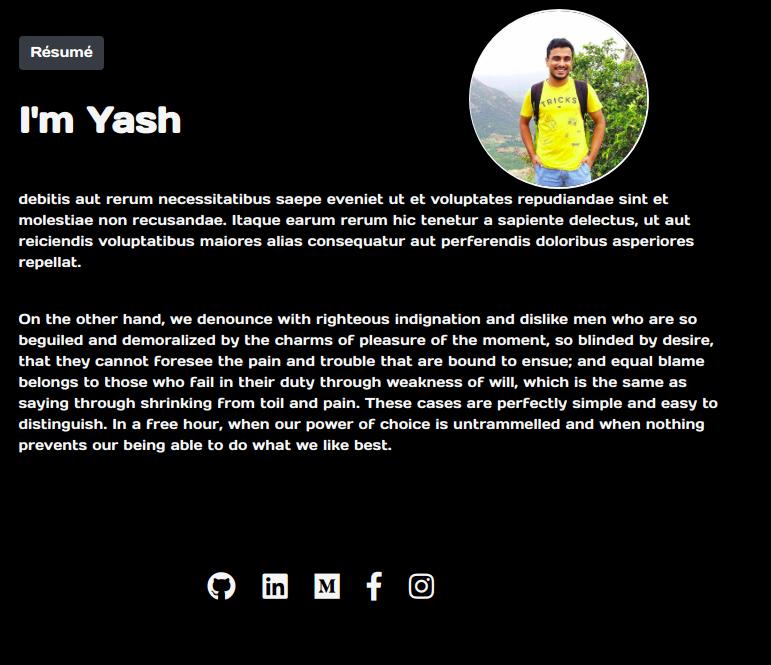 |