

Package Exports
- pwa-install-handler
- pwa-install-handler/dist/index.es.js
- pwa-install-handler/dist/index.js
This package does not declare an exports field, so the exports above have been automatically detected and optimized by JSPM instead. If any package subpath is missing, it is recommended to post an issue to the original package (pwa-install-handler) to support the "exports" field. If that is not possible, create a JSPM override to customize the exports field for this package.
Readme
PWA Install Handler


Handling PWA installation prompt made easier. This library provides a simple interface to the beforeinstallprompt event, allowing you to create a custom install button for your Progressive Web App.
Features
- Easy to use: Simple API to handle the PWA installation flow.
- Lightweight: Tiny footprint with zero dependencies.
- Typed: Written in TypeScript for a better developer experience.
Installation
npm install pwa-install-handlerUsage
HTML
First, you need a button in your HTML that will trigger the installation prompt. Initially, it should be hidden.
<button id="installButton" style="display: none;">Install</button>JavaScript
Then, in your JavaScript, you can use pwaInstallHandler to show the button when the app is installable and to trigger the prompt when the button is clicked.
import { pwaInstallHandler } from 'pwa-install-handler'

const $installButton = document.querySelector('#installButton')

pwaInstallHandler.addListener((canInstall) => {
    $installButton.style.display = canInstall ? 'inline-block' : 'none'
})

$installButton.addEventListener('click', () => {
    pwaInstallHandler.install()
})
Screencast
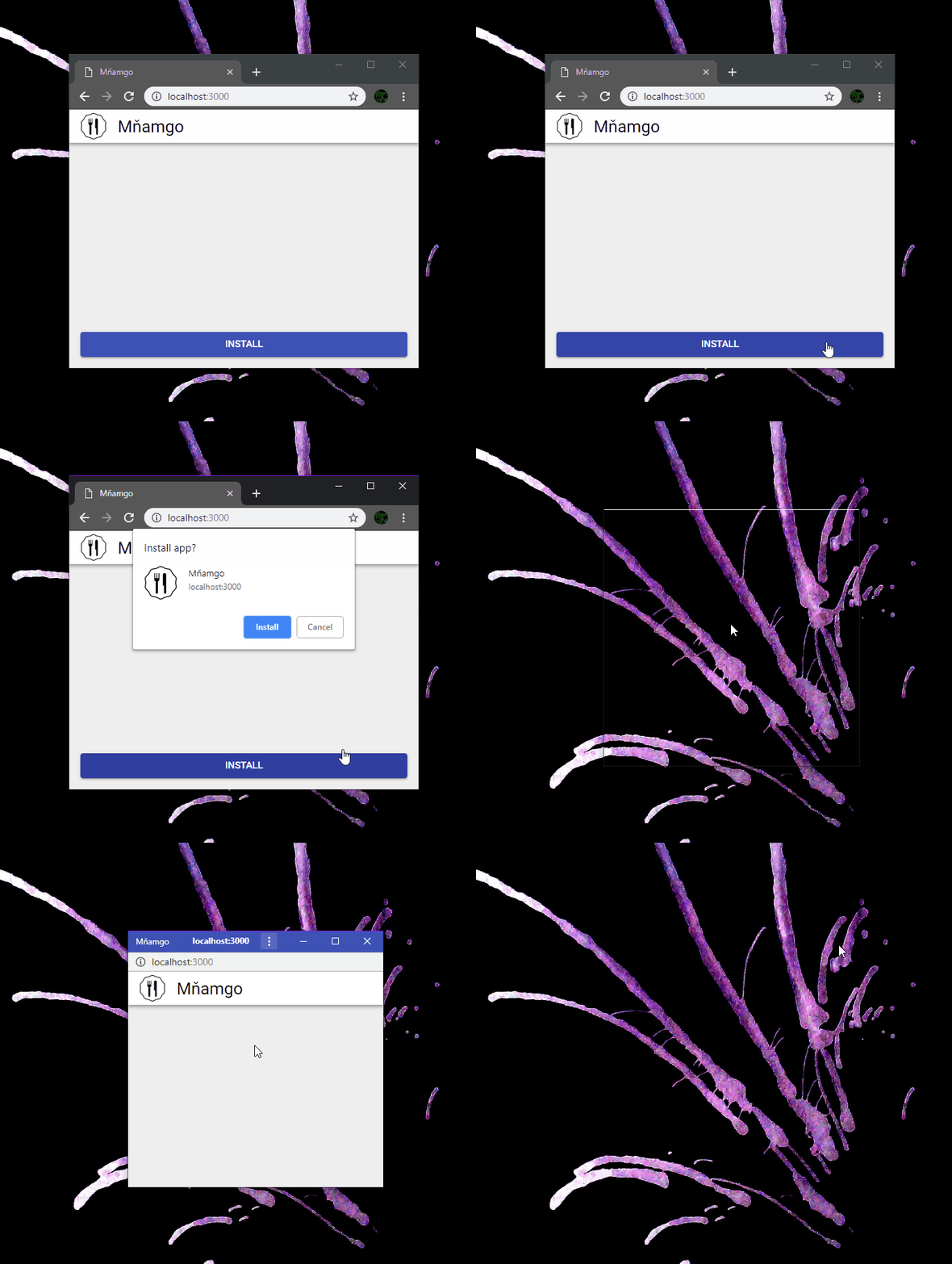
Demo
Check out the live demo or the source code.
API
Methods
| Method | Signature | Description |
|---|---|---|
install() |
() => Promise<boolean> |
Triggers the installation prompt. Returns a promise that resolves to true if the app is installed. |
addListener() |
(callback: (canInstall: boolean) => void) => void |
Adds a listener that is called when the installability state changes. The callback receives a boolean. |
removeListener() |
(callback: (canInstall: boolean) => void) => void |
Removes a previously added listener. |
canInstall() |
() => boolean |
Returns true if the app is ready to be installed. |
getEvent() |
() => BeforeInstallPromptEvent | null |
Returns the internal BeforeInstallPromptEvent object. |
BeforeInstallPromptEvent
The getEvent() method returns a BeforeInstallPromptEvent object, which has the following properties:
| Property | Type | Description |
|---|---|---|
prompt() |
() => Promise<void> |
Shows the installation prompt to the user. |
userChoice |
Promise<{ outcome: string }> |
A promise that resolves when the user interacts with the prompt. |
Browser Support
The beforeinstallprompt event is not supported by all browsers. You can check the latest browser support on caniuse.com.
When the event is not supported, canInstall will always be false.
Requirements for Installability
For the beforeinstallprompt event to be fired, your PWA must meet certain requirements. These requirements are browser-specific. You can learn more about them here:
Contributing
Contributions are welcome! Please open an issue or submit a pull request on our GitHub repository.
License
This project is licensed under the ISC License. See the LICENSE file for details.