

Package Exports
- react-native-scroll-mask
- react-native-scroll-mask/package.json
Readme
react-native-scroll-mask


Fade the edges of any scrollable in React Native based on scroll position. The fade appears only where there is more content to scroll — the top edge fades in once you scroll down, the bottom edge fades out as you reach the end — so users always get a subtle hint that there is more to see.
Inspired by twilson.net/scroll-mask, built for React Native with Reanimated and react-native-svg. Works on iOS and Android.
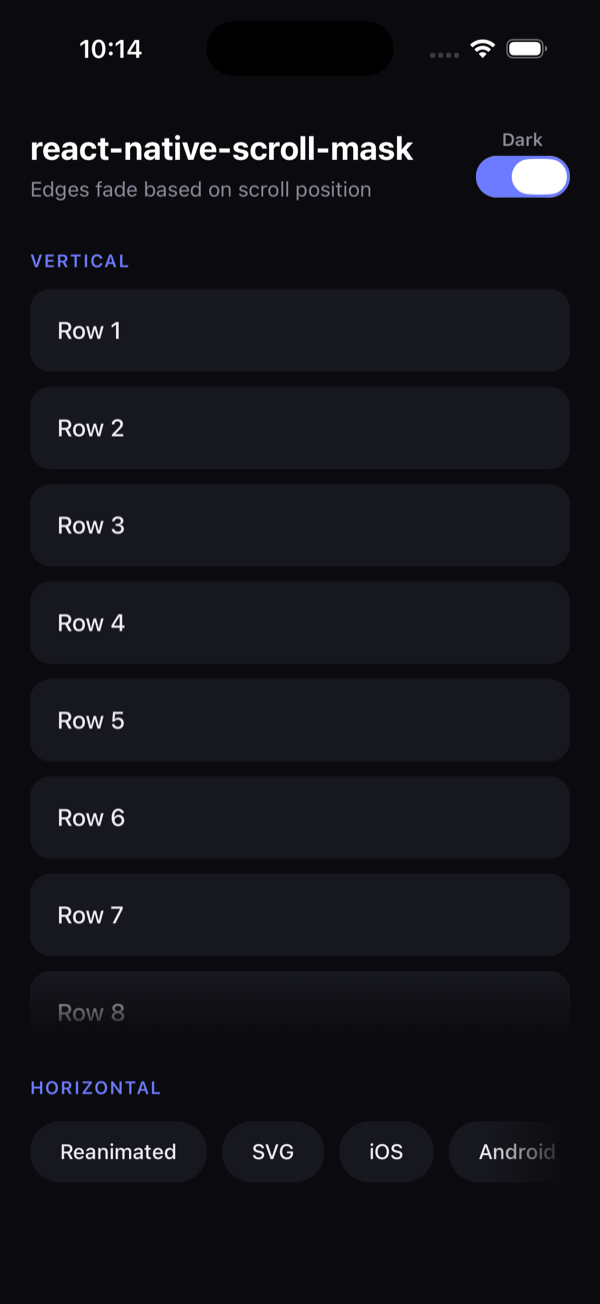
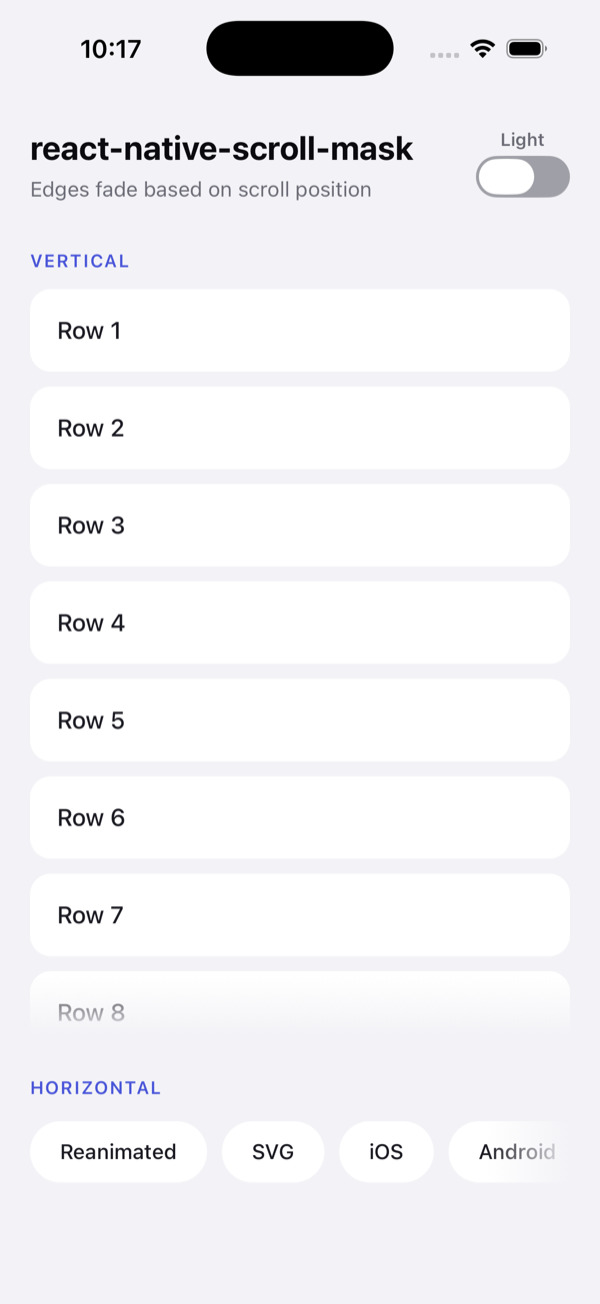
The fade follows the background color, so it adapts to any theme. Try the toggle in the example app.
Features
- Wrap any scrollable —
ScrollView,FlatList,SectionList,Animated.ScrollView, etc. - Vertical and horizontal support (auto-detected from the child's
horizontalprop). - Smooth, gesture-driven fades that run on the UI thread via Reanimated.
- Fully typed, tiny, and dependency-light (only Reanimated + SVG, which you most likely already use).
- Your own
onScroll/onContentSizeChangehandlers keep working.
Installation
pnpm add react-native-scroll-mask
# or: npm install react-native-scroll-mask
# or: yarn add react-native-scroll-mask
Peer dependencies
This package relies on Reanimated and SVG. If you don't have them yet:
# Expo
npx expo install react-native-reanimated react-native-svg

# Bare React Native
pnpm add react-native-reanimated react-native-svg
Make sure Reanimated is set up in your Babel config. With Expo (SDK 53+) babel-preset-expo configures it automatically. For a bare project, add the worklets plugin to babel.config.js:
module.exports = {
  presets: ['module:@react-native/babel-preset'],
  plugins: ['react-native-worklets/plugin'], // must be listed last
};
Usage
Wrap a scrollable in ScrollMask and pass the color that sits behind it (usually your screen's background). The mask fades content into that color at the edges.
Vertical ScrollView
import { ScrollView, View, Text } from 'react-native';
import { ScrollMask } from 'react-native-scroll-mask';

const BACKGROUND = '#0b0b0f';

export function List() {
  return (
    <ScrollMask color={BACKGROUND} style={{ flex: 1 }}>
      <ScrollView>
        {items.map((item) => (
          <View key={item.id}>
            <Text>{item.label}</Text>
          </View>
        ))}
      </ScrollView>
    </ScrollMask>
  );
}
Horizontal scroll
horizontal is inferred from the child, so a horizontal ScrollView just works:
<ScrollMask color={BACKGROUND} fadeSize={56} style={{ height: 56 }}>
  <ScrollView horizontal>
    {tags.map((tag) => (
      <Chip key={tag} label={tag} />
    ))}
  </ScrollView>
</ScrollMask>
FlatList
import { FlatList } from 'react-native';
import { ScrollMask } from 'react-native-scroll-mask';

<ScrollMask color={BACKGROUND} style={{ flex: 1 }}>
  <FlatList
    data={data}
    keyExtractor={(item) => item.id}
    renderItem={({ item }) => <Row item={item} />}
  />
</ScrollMask>;
Props
| Prop | Type | Default | Description |
|---|---|---|---|
children |
ReactElement |
required | A single scrollable element (ScrollView, FlatList, …). |
color |
string |
required | The background color behind the scrollable. The edges fade into this color. |
horizontal |
boolean |
child's prop | Direction of the fade. Defaults to the child's horizontal prop, falling back to false. |
fadeSize |
number |
40 |
Length (in px) of each faded edge. |
fadeDistance |
number |
24 |
Scroll distance (in px) over which a fade animates from fully hidden to fully shown. |
style |
StyleProp<ViewStyle> |
— | Style for the wrapper View. Use this for sizing/layout (e.g. flex: 1). |
resetKey |
unknown |
— | When this value changes, the internal scroll offset is reset to 0 (handy after data swaps). |
How it works
ScrollMask wraps your scrollable in a relative container and overlays two non-interactive gradients — one at each edge — that blend from color to transparent. As you scroll, it reads contentOffset, layoutMeasurement, and contentSize on the UI thread and animates each gradient's opacity with Reanimated:
- The start edge fades in as you scroll away from the beginning.
- The end edge fades out as you approach the end.
Because the effect is an overlay tinted with color, it works over a solid background. If your scrollable sits on top of an image or a multi-color gradient, set color to the dominant edge color or place the mask over a solid surface.
Example app
A runnable Expo example lives in example/.
pnpm install
pnpm build          # build the library once
cd example
pnpm ios            # or: pnpm android
License
MIT © carlos-dubon