
Package Exports
- senangwebs-roll
- senangwebs-roll/dist/swr.js
This package does not declare an exports field, so the exports above have been automatically detected and optimized by JSPM instead. If any package subpath is missing, it is recommended to post an issue to the original package (senangwebs-roll) to support the "exports" field. If that is not possible, create a JSPM override to customize the exports field for this package.
Readme
SenangWebs Roll (SWR)
A lightweight, responsive roll library for creating mobile-like media rolls similar to Instagram Reels or YouTube Shorts.

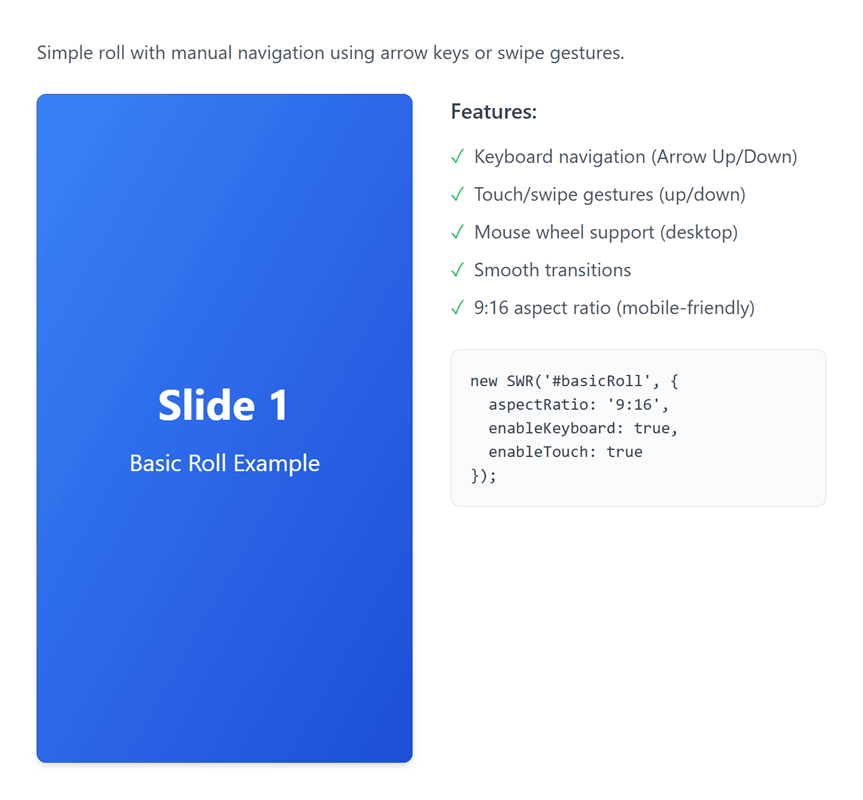
Features
- Multiple Media Types: Support for images, videos, and custom HTML content
- Two Initialization Methods: HTML data attributes or JavaScript API
- Touch & Keyboard Navigation: Swipe gestures and arrow key support
- Seamless Infinite Scrolling: Natural wrap-around animation when looping (like Instagram Reels)
- Smart Autoplay: Automatically enables looping for continuous playback
- Mouse Drag & Wheel Support: Full desktop navigation with mouse drag and wheel scrolling
- Customizable: Flexible configuration for aspect ratios, autoplay, looping, and more
- Lightweight & Responsive: Optimized for both mobile and desktop devices
- No Dependencies: Pure vanilla JavaScript, no external libraries required
- Event System: Custom events for complete control over roll behavior
- Accessible: Keyboard navigation and accessibility-friendly markup
Quick Start
Installation
Include the compiled CSS and JS files in your HTML:
<link rel="stylesheet" href="https://unpkg.com/senangwebs-roll@latest/dist/swr.min.css">
<script src="https://unpkg.com/senangwebs-roll@latest/dist/swr.min.js"></script>
Method 1: JavaScript API (Recommended)
<link rel="stylesheet" href="https://unpkg.com/senangwebs-roll@latest/dist/swr.min.css">

<div id="myRoll"></div>

<script src="https://unpkg.com/senangwebs-roll@latest/dist/swr.min.js"></script>
<script>
const roll = new SWR('#myRoll', {
    aspectRatio: '9:16',
    loop: true,
    autoplay: true,
    autoplayInterval: 5000,
    items: [
        {
            type: 'video',
            src: 'video.mp4',
            muted: true,
            playsinline: true
        },
        {
            type: 'image',
            src: 'image.jpg',
            alt: 'Demo Image'
        },
        {
            type: 'html',
            content: '<div style="height: 100%; display: flex; align-items: center; justify-content: center; background: linear-gradient(135deg, #667eea 0%, #764ba2 100%); color: white;"><h1>Custom Slide</h1></div>'
        }
    ]
});
</script>
Method 2: HTML Data Attributes
<link rel="stylesheet" href="https://unpkg.com/senangwebs-roll@latest/dist/swr.min.css">
<!-- Automatically initializes on page load - no JavaScript required! -->
<div data-swr
     data-swr-aspect-ratio="9:16"
     data-swr-loop="true"
     data-swr-autoplay="true"
     data-swr-autoplay-interval="5000">
    <div data-swr-item>
        <video autoplay muted playsinline loop>
            <source src="video.mp4" type="video/mp4">
        </video>
    </div>
    <div data-swr-item>
        <img src="image.jpg" alt="Image">
    </div>
    <div data-swr-item>
        <div style="height: 100%; display: flex; align-items: center; justify-content: center; background: linear-gradient(135deg, #667eea 0%, #764ba2 100%); color: white;">
            <h1>Custom Content</h1>
        </div>
    </div>
</div>
<script src="https://unpkg.com/senangwebs-roll@latest/dist/swr.min.js"></script>
Configuration Options
| Option | Type | Default | Description |
|---|---|---|---|
aspectRatio |
string | '9:16' |
Aspect ratio of the roll (e.g., '9:16', '16:9', '1:1') |
loop |
boolean | false |
Enable infinite looping through items (auto-enabled when autoplay is true) |
autoplay |
boolean | false |
Start autoplay automatically on load (automatically enables loop if not explicitly set) |
autoplayInterval |
number | 5000 |
Time between autoplay slides (milliseconds) |
enableKeyboard |
boolean | true |
Enable arrow key navigation |
enableTouch |
boolean | true |
Enable swipe gesture navigation |
enableWheel |
boolean | true |
Enable mouse wheel navigation |
enableMouseDrag |
boolean | true |
Enable mouse drag navigation |
enableAutoplayPauseOnInteraction |
boolean | true |
Pause autoplay on user interaction |
autoplayResumeDelay |
number | 3000 |
Delay before resuming autoplay (milliseconds) |
transitionDuration |
number | 350 |
Animation duration for slides (milliseconds) |
swipeThreshold |
number | 50 |
Minimum swipe distance to trigger navigation (pixels) |
Data Attribute Configuration
Use HTML data attributes for configuration:
<div data-swr
  data-swr-aspect-ratio="9:16"
  data-swr-loop="true"
  data-swr-autoplay="true"
  data-swr-autoplay-interval="4000"
  data-swr-keyboard="true"
  data-swr-touch="true"
  data-swr-transition="300"
  data-swr-swipe-threshold="40">
API Reference
Methods
Navigation
next()- Navigate to next itemprev()- Navigate to previous itemgoTo(index)- Jump to specific item index
Item Management
addItem(item, index)- Add new item to the roll (optionally at specific index)removeItem(index)- Remove item at indexgetCurrentIndex()- Get current active item indexgetTotalItems()- Get total number of items
Playback Control
play()- Start autoplaypause()- Pause autoplayisPlaying()- Check if autoplay is active
Event System
on(event, callback)- Subscribe to eventoff(event, callback)- Unsubscribe from eventgetConfig()- Get current configuration
Lifecycle
destroy()- Destroy instance and clean up resources
Events
initialized- Emitted when roll is initializednavigationChanged- Emitted when active item changesslideStarted- Emitted when slide animation startsslideCompleted- Emitted when slide animation completesautoplayStart- Emitted when autoplay startsautoplayPause- Emitted when autoplay pausesautoplayTick- Emitted on each autoplay interval tickautoplayPausedTemporarily- Emitted when autoplay pauses temporarilyswipeDetected- Emitted when swipe is detectedtapDetected- Emitted when tap is detected (toggles autoplay)keyboardEvent- Emitted on keyboard interactionwheelDetected- Emitted when mouse wheel is useddragDetected- Emitted when mouse drag is detectedbeforeRender- Emitted before item rendersafterRender- Emitted after item rendersitemAdded- Emitted when item is addeditemRemoved- Emitted when item is removeditemUpdated- Emitted when item is updateditemsCleared- Emitted when all items are cleareddestroy- Emitted when instance is destroyed
Item Object Structure
Video Item
{
    type: 'video',
    src: 'path/to/video.mp4',
    mimeType: 'video/mp4',
    autoplay: true,
    muted: true,
    playsinline: true,
    loop: false
}
Image Item
{
    type: 'image',
    src: 'path/to/image.jpg',
    alt: 'Image description',
    title: 'Image title'
}
HTML Item
{
    type: 'html',
    content: '<div>HTML content</div>'
}
Seamless Infinite Scrolling
SWR features intelligent wrap-around animation that creates a natural, continuous scrolling experience similar to Instagram Reels:
- Natural Direction: When swiping up on the last item, it smoothly continues upward to the first item (not jarring downward jump)
- Intuitive Flow: When swiping down on the first item, it smoothly continues downward to the last item
- Automatic Loop: When
autoplay: trueis set,loopis automatically enabled for continuous playback - Seamless Transitions: Uses optimized CSS transforms for smooth, GPU-accelerated animations
How It Works
// Autoplay automatically enables loop for seamless continuous playback
const roll = new SWR('#roll', {
    autoplay: true,  // loop is automatically set to true
    autoplayInterval: 3000
});

// Or manually enable loop for seamless infinite scrolling
const roll2 = new SWR('#roll2', {
    loop: true  // Enables seamless wrap-around navigation
});
Examples
Example 1: Basic Setup with Autoplay
const roll = new SWR('#roll', {
    autoplay: true,  // Loop is auto-enabled
    autoplayInterval: 3000
});
Example 2: Manual Loop Control
// Disable automatic loop enabling (if you want autoplay to stop at the end)
const roll = new SWR('#roll', {
    autoplay: true,
    loop: false,  // Explicitly set to false to override auto-enabling
    autoplayInterval: 3000
});
Example 3: Event Handling
const roll = new SWR('#roll');

// Listen to item changes
roll.on('navigationChanged', (data) => {
    console.log(`Now showing item ${data.newIndex + 1} of ${data.totalItems}`);
});

// Listen to slide completion
roll.on('slideCompleted', (data) => {
    console.log('Slide animation completed');
});

// Control autoplay
roll.on('autoplayStart', () => {
    console.log('Autoplay started');
});

// Listen to user interactions
roll.on('swipeDetected', (data) => {
    console.log('Swipe direction:', data.direction);
});

roll.on('tapDetected', () => {
    console.log('Tap detected - autoplay toggled');
});
Example 4: Dynamic Content Management
const roll = new SWR('#roll');

// Add items dynamically
roll.addItem({
    type: 'image',
    src: 'new-image.jpg',
    alt: 'New Image'
});

// Add at specific position
roll.addItem({
    type: 'video',
    src: 'video.mp4',
    muted: true
}, 1);

// Remove items
roll.removeItem(0);

// Navigate programmatically
roll.next();  // Go to next item
roll.prev();  // Go to previous item
roll.goTo(2); // Jump to specific item

// Check current state
console.log(`Total items: ${roll.getTotalItems()}`);
console.log(`Current index: ${roll.getCurrentIndex()}`);
console.log(`Is playing: ${roll.isPlaying()}`);
Example 5: Full-Featured Setup
const roll = new SWR('#roll', {
    aspectRatio: '9:16',
    autoplay: true,
    autoplayInterval: 4000,
    transitionDuration: 500,
    enableKeyboard: true,
    enableTouch: true,
    enableWheel: true,
    enableMouseDrag: true,
    enableAutoplayPauseOnInteraction: true,
    autoplayResumeDelay: 2000,
    swipeThreshold: 50,
    items: [
        { type: 'video', src: 'video1.mp4', muted: true },
        { type: 'image', src: 'image1.jpg', alt: 'Image' },
        { type: 'html', content: '<div class="custom-slide">Content</div>' }
    ]
});

// Listen to all events
roll.on('initialized', () => console.log('Ready!'));
roll.on('slideCompleted', (data) => console.log('Slide:', data.index));
roll.on('autoplayStart', () => console.log('Playing'));
roll.on('autoplayPause', () => console.log('Paused'));
Example 6: Custom Styling
/* Override default aspect ratio */
.my-roll .swr-viewport {
    aspect-ratio: 16 / 9;
}

/* Customize item styling */
.my-roll [data-swr-item] {
    border-radius: 8px;
}

/* Custom transition */
.my-roll .swr-container {
    transition-timing-function: cubic-bezier(0.25, 0.1, 0.25, 1);
}
Navigation Controls
Keyboard
- Arrow Down / Arrow Right - Next item
- Arrow Up / Arrow Left - Previous item
- Space - Toggle autoplay
Touch/Mouse
- Swipe Up / Drag Up - Next item
- Swipe Down / Drag Down - Previous item
- Tap/Click - Toggle autoplay
- Mouse Wheel Up - Previous item
- Mouse Wheel Down - Next item
Responsive Behavior
The roll automatically adapts to different screen sizes:
- Mobile (< 768px) - Aspect ratio 9:16, optimized for portrait viewing
- Desktop (≥ 768px) - Aspect ratio 16:9, optimized for landscape viewing
Customize aspect ratios via configuration.
Important Behaviors
Autoplay and Loop
- When
autoplay: trueis set,loopis automatically enabled (unless explicitly set tofalse) - This ensures continuous playback without stopping at the last item
- To disable auto-looping, explicitly set
loop: falsein your configuration
Seamless Wrap Animation
- When
loop: true, navigating from the last item to the first (or vice versa) uses a seamless animation - The animation direction matches the user's gesture for an intuitive experience
- Swipe up on last item → continues upward to first item
- Swipe down on first item → continues downward to last item
Interaction Pausing
- When
enableAutoplayPauseOnInteraction: true, user interactions (swipe, tap, keyboard, wheel, drag) temporarily pause autoplay - Autoplay resumes after
autoplayResumeDelaymilliseconds - Tap/click on the roll toggles autoplay on/off
Accessibility
- Keyboard navigation support (arrow keys)
- Semantic HTML markup
- Focus management
- High contrast support
- Reduced motion support (via
prefers-reduced-motion)
Browser Support
- Chrome/Edge (latest)
- Firefox (latest)
- Safari (latest)
- Mobile browsers (iOS Safari, Chrome Mobile)
License
MIT License
Contributing
Contributions are welcome! Please feel free to submit issues and pull requests.