
Package Exports
- @browserstack/mcp-server
- @browserstack/mcp-server/dist/index.js
This package does not declare an exports field, so the exports above have been automatically detected and optimized by JSPM instead. If any package subpath is missing, it is recommended to post an issue to the original package (@browserstack/mcp-server) to support the "exports" field. If that is not possible, create a JSPM override to customize the exports field for this package.
Readme
BrowserStack MCP Server


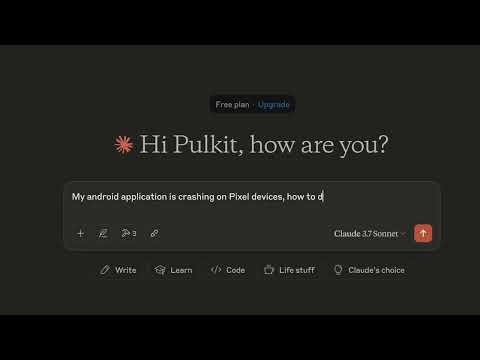
See it in action, check out the video below.
🚀 Overview
BrowserStack MCP Server brings the power of BrowserStack's Test Platform directly into your development workflow. It enables you to run tests, debug applications, and perform cross-browser testing through any MCP-compliant client.
✨ Features - More Coming Soon!
📱 App Testing
- Real Device Testing: Test your mobile apps on BrowserStack's extensive cloud of real devices
- Performance Testing: Unlike emulators, test your app's real-world performance on actual devices
- Live Debugging: Debug crashes and performance issues in real-time
- Comprehensive Device Coverage: Access all major devices and OS versions from our device grid
🌐 Web Testing
- Local Testing: Seamlessly test websites hosted on localhost
- Cross-Browser Testing: Test websites across different browsers and devices
- Screenshot Testing: Capture and compare screenshots across different environments
🧪 Automated Testing
- Fix Test Failures: Leverage AI to identify and fix test failures reported by your CI/CD pipeline by utilising our industry leading Test Observability features. Find more info here.
- Run on BrowserStack: Easily run tests written in Jest, Playwright, Selenium, and more on BrowserStack's Test Platform
- Accessibility Testing: Ensure WCAG and ADA compliance with our Accessibility Testing tool
🛠️ Installation
Create a BrowserStack Account
- Sign up at BrowserStack
- Get your credentials from Account Settings
Install the MCP Server
- Sample MCP Server config for Cursor:
.cursor/mcp.json:
{
  "mcpServers": {
    "browserstack_mcp_server": {
      "command": "npx",
      "args": ["@browserstack/mcp-server"],
      "env": {
        "BROWSERSTACK_USERNAME": "<username>",
        "BROWSERSTACK_ACCESS_KEY": "<access_key>"
      }
    }
  }
}
- For Github Copilot users, ensure you are using the latest version of the VSCode with support for Copilot agent mode.
- Sample MCP Server config for Cursor:
💡 Usage Examples
App Testing
# Open app on specific device
"open my app on a iPhone 15 Pro Max"

# Debug app crashes
"My app crashed on Android 14 device, can you help me debug?"
Web Testing
# Test local website
"open my website hosted on localhost:3001 on a Windows Edge browser and take a screenshot"

# Check website compatibility
"open test.com on Samsung Browser and check for readability issues"
Automated Testing
# Run test suite
"run my test suite on BrowserStack"

# Debug test failures
"My test suite failed, can you help me fix the new failures?"

# Accessibility testing
"check for accessibility issues on my www.mywebsite.com"
🤝 Recommended MCP Clients
- Github Copilot or Cursor (Recommended for automated testing + debugging)
- Claude Desktop (Recommended for manual testing)
⚠️ Important Notes
- The BrowserStack MCP Server is under active development and currently supports a subset of the MCP protocol, i.e.
tools. More features will be added soon. - As tool invocation relies on the MCP Client which in turn rely on LLMs for tool calling. There can be some non-deterministic behaviour and can lead to unexpected results. If you have any suggestions or feedback, please open an issue to discuss.
📝 Contributing
We welcome contributions! Please read our Contributing Guidelines for details on our code of conduct and the process for submitting pull requests.
📄 License
This project is licensed under the MIT License - see the LICENSE file for details.
📞 Support
For support, please:
- Check our documentation
- Open an issue in our GitHub repository
- Contact our support team