

Package Exports
- @dexploarer/plugin-vercel-ai-gateway
- @dexploarer/plugin-vercel-ai-gateway/package.json
Readme
Vercel AI Gateway Plugin for elizaOS
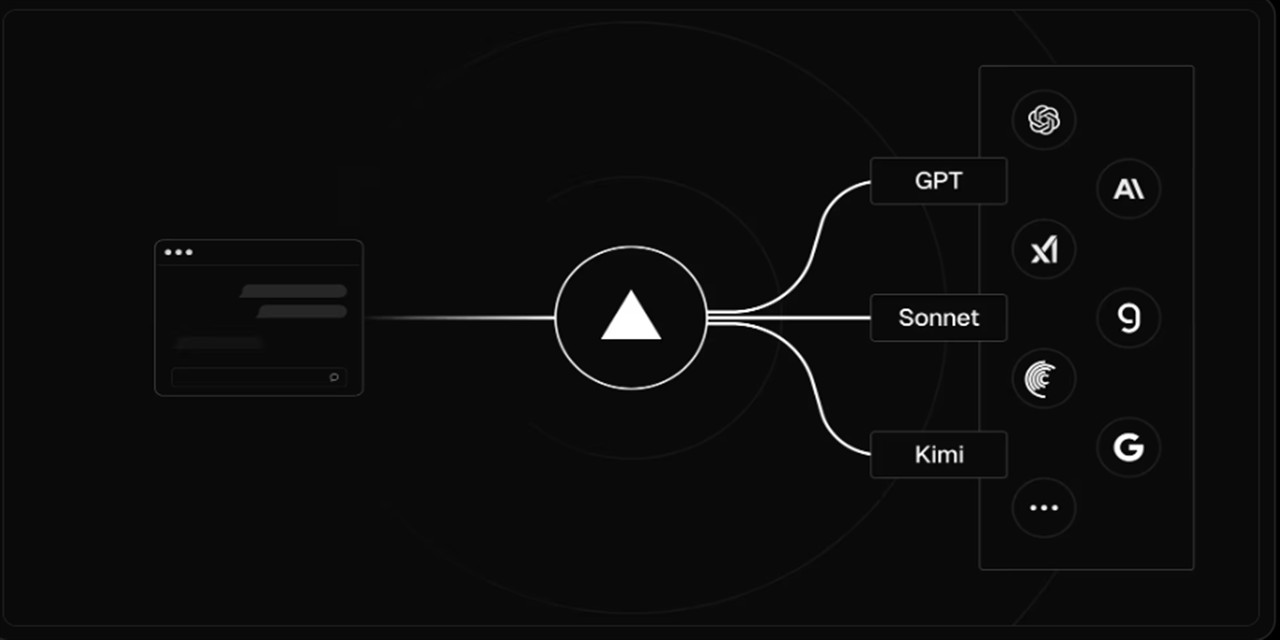

Access 100+ AI models through Vercel AI Gateway and other unified gateways with automatic failover, caching, and centralized billing. Optimized for Vercel AI Gateway with full support for OpenRouter and other OpenAI-compatible endpoints.
🟠 FREE ELIZA 🟠
Grok Model Protection 🚫
In support of ElizaOS in their ongoing legal matters with X/xAI, all Grok models are BLOCKED BY DEFAULT.
This plugin automatically:
- 🚫 Blocks all xAI/Grok models unless explicitly enabled
- 🔄 Substitutes equivalent alternatives (Grok 4 → GPT-4o, Grok 3 → Claude 3.5 Sonnet)
- 📝 Logs supportive messages for transparency
- ⚙️ Allows user override if absolutely necessary (
AIGATEWAY_ENABLE_GROK_MODELS=true)
Blocked Models:
xai/grok-4($3.00/M → $15.00/M) → OpenAI GPT-4oxai/grok-3-fast-beta($5.00/M → $25.00/M) → Claude 3.5 Sonnetxai/grok-3-beta($3.00/M → $15.00/M) → OpenAI GPT-4oxai/grok-3-mini-beta($0.30/M → $0.50/M) → GPT-4o Minixai/grok-2($2.00/M → $10.00/M) → OpenAI GPT-4oxai/grok-2-vision($2.00/M → $10.00/M) → GPT-4o (vision)xai/grok-code-fast-1($0.20/M → $1.50/M) → GPT-4o (coding)
Features
- 🚀 100+ AI Models - OpenAI, Anthropic, Google, Meta, Mistral, and more
- 🛡️ Grok Model Protection - Automatic blocking in support of ElizaOS
- 🔄 Universal Gateway Support - Works with any OpenAI-compatible gateway
- 💾 Response Caching - LRU cache for cost optimization
- 📊 Built-in Telemetry - Track usage and performance
- 🔐 Flexible Authentication - API keys and OIDC support
- ⚡ High Performance - Retry logic and connection pooling
- 🎯 Multiple Actions - Text, image, embeddings, and model listing
Installation
NPM Package
npm install @dexploarer/plugin-vercel-ai-gatewayQuick Start
1. Authentication Setup
Choose one of two authentication methods:
Option A: API Key Authentication (Recommended)
Generate API Key:
- Log in to your Vercel Dashboard
- Select the AI Gateway tab
- Click API Keys in the left sidebar
- Click Add Key → Create Key
- Copy the generated API key
Set Environment Variable:
export AI_GATEWAY_API_KEY="your_api_key_here"
Option B: OIDC Token Authentication (For Vercel Projects)
Link Your Project:
vercel linkPull Environment Variables:
vercel env pullThis downloads your project's OIDC token to
.env.localFor Development:
vercel dev # Handles token refreshing automaticallyNote: OIDC tokens expire after 12 hours. Re-run
vercel env pullto refresh.
2. Set Environment Variables
# Required: Your Vercel AI Gateway API key
AIGATEWAY_API_KEY=your_vercel_api_key_here

# Optional: Customize gateway URL (defaults to Vercel)
AIGATEWAY_BASE_URL=https://ai-gateway.vercel.sh/v1

# Optional: Model configuration (use slash format for AI SDK)
AIGATEWAY_DEFAULT_MODEL=openai/gpt-4o-mini
AIGATEWAY_LARGE_MODEL=openai/gpt-4o
AIGATEWAY_EMBEDDING_MODEL=openai/text-embedding-3-small

# Optional: Performance settings
AIGATEWAY_CACHE_TTL=300
AIGATEWAY_MAX_RETRIES=3
3. Add to Your Character
{
  "name": "MyAgent",
  "plugins": ["@dexploarer/plugin-vercel-ai-gateway"],
  "settings": {
    "AIGATEWAY_API_KEY": "your_api_key_here"
  }
}
4. Run Your Agent
npm run start -- --character path/to/character.jsonSupported Gateways
Vercel AI Gateway (Default) ✅
AIGATEWAY_BASE_URL=https://ai-gateway.vercel.sh/v1
AIGATEWAY_API_KEY=your_vercel_api_key
Key Features with Vercel:
- 100+ models through a single endpoint
- Automatic fallbacks and retries
- Built-in monitoring and analytics
- App attribution tracking
- Budget controls and spending limits
Model Format: Use slash separator for AI SDK compatibility (e.g., openai/gpt-4o, anthropic/claude-3-5-sonnet)
OpenRouter
AIGATEWAY_BASE_URL=https://openrouter.ai/api/v1
AIGATEWAY_API_KEY=your_openrouter_api_key
Model Format: Use slash separator (e.g., openai/gpt-4o, anthropic/claude-3-5-sonnet)
Custom Gateway
Any OpenAI-compatible endpoint:
AIGATEWAY_BASE_URL=https://your-gateway.com/v1
AIGATEWAY_API_KEY=your_gateway_api_key
Available Models
OpenAI
openai/gpt-4o,openai/gpt-4o-miniopenai/gpt-3.5-turboopenai/dall-e-3(images)openai/text-embedding-3-small,openai/text-embedding-3-large
Anthropic
anthropic/claude-3-5-sonnetanthropic/claude-3-opusanthropic/claude-3-haiku
google/gemini-2.0-flashgoogle/gemini-1.5-progoogle/gemini-1.5-flash
Meta
meta/llama-3.1-405bmeta/llama-3.1-70bmeta/llama-3.1-8b
Mistral
mistral/mistral-largemistral/mistral-mediummistral/mistral-small
Configuration
| Variable | Default | Description |
|---|---|---|
AI_GATEWAY_API_KEY |
- | Your gateway API key (primary method) |
AIGATEWAY_API_KEY |
- | Alternative API key variable (compatibility) |
AIGATEWAY_BASE_URL |
https://ai-gateway.vercel.sh/v1 |
Gateway endpoint URL |
AIGATEWAY_DEFAULT_MODEL |
openai/gpt-4o-mini |
Default small model (AI SDK format) |
AIGATEWAY_LARGE_MODEL |
openai/gpt-4o |
Default large model (AI SDK format) |
AIGATEWAY_EMBEDDING_MODEL |
openai/text-embedding-3-small |
Embedding model (AI SDK format) |
AIGATEWAY_CACHE_TTL |
300 |
Cache TTL in seconds |
AIGATEWAY_MAX_RETRIES |
3 |
Max retry attempts |
AIGATEWAY_USE_OIDC |
false |
Enable OIDC authentication |
| GROK MODEL CONTROLS | Supporting ElizaOS | |
AIGATEWAY_ENABLE_GROK_MODELS |
false |
🚫 Enable blocked Grok models (override protection) |
AIGATEWAY_DISABLE_MODEL_BLOCKING |
false |
⚠️ Disable all model blocking (NOT RECOMMENDED) |
AIGATEWAY_OIDC_SUBJECT |
- | OIDC subject claim |
OIDC Authentication (Advanced)
The plugin supports secure authentication using OpenID Connect (OIDC) JWT tokens from Vercel, providing enhanced security for production deployments.
OIDC Setup (Recommended for Vercel Projects)
- Link your project to Vercel:
vercel link- Pull environment variables (includes OIDC tokens):
vercel env pull- Enable OIDC in your character:
{
  "name": "MyAgent",
  "secrets": {
    "AIGATEWAY_USE_OIDC": "true"
  }
}
Note: When using standard Vercel OIDC, you don't need to manually configure issuer, audience, or subject. The plugin will automatically use the OIDC tokens provided by vercel env pull.
Advanced OIDC Configuration (Custom Setup)
If you need custom OIDC configuration:
# Enable OIDC authentication
AIGATEWAY_USE_OIDC=true

# Custom OIDC Configuration
AIGATEWAY_OIDC_ISSUER=https://oidc.vercel.com/your-project-id
AIGATEWAY_OIDC_AUDIENCE=https://vercel.com/your-project-id
AIGATEWAY_OIDC_SUBJECT=owner:your-project-id:project:your-project:environment:production
OIDC vs API Key Authentication
| Feature | API Key | OIDC |
|---|---|---|
| Security | Good | Excellent (JWT tokens) |
| Setup | Simple | Advanced |
| Token Management | Manual | Automatic refresh |
| Production Ready | Basic | Enterprise-grade |
| Audit Trail | Limited | Comprehensive |
OIDC Character Configuration
{
  "name": "SecureAgent",
  "plugins": ["@dexploarer/plugin-vercel-ai-gateway"],
  "secrets": {
    "AIGATEWAY_USE_OIDC": "true",
    "AIGATEWAY_OIDC_ISSUER": "https://oidc.vercel.com/wes-projects-9373916e",
    "AIGATEWAY_OIDC_AUDIENCE": "https://vercel.com/wes-projects-9373916e",
    "AIGATEWAY_OIDC_SUBJECT": "owner:wes-projects-9373916e:project:verceliza:environment:production"
  }
}
OIDC Token Management
The plugin automatically:
- ✅ Reads OIDC tokens from environment (provided by
vercel env pull) - ✅ Caches tokens with automatic refresh before expiration
- ✅ Validates token expiration (12-hour validity per Vercel)
- ✅ Includes proper authorization headers
- ✅ Handles token refresh transparently
OIDC Troubleshooting
Common Issues:
"OIDC authentication failed: No valid token available"
# Solution: Pull latest environment variables
vercel env pull
"OIDC token expired"
# Solution: Refresh environment variables (tokens valid for 12 hours)
vercel env pull
"Project not linked to Vercel"
# Solution: Link your project first
vercel link
vercel env pull
Custom OIDC configuration issues
- Verify
AIGATEWAY_OIDC_ISSUERURL is correct - Check
AIGATEWAY_OIDC_AUDIENCEmatches your Vercel project - Ensure
AIGATEWAY_OIDC_SUBJECThas proper format
- Verify
Debug OIDC:
export DEBUG="OIDC:*"
# Check what OIDC environment variables are available
env | grep -i vercel
# Then run your agent to see detailed OIDC logs
Actions
The plugin provides the following actions:
GENERATE_TEXT
Generate text using any available model.
{
  action: "GENERATE_TEXT",
  content: {
    text: "Write a haiku about AI",
    temperature: 0.7,
    maxTokens: 100,
    useSmallModel: true  // Optional: use smaller/faster model
  }
}
GENERATE_IMAGE
Generate images using DALL-E or compatible models.
{
  action: "GENERATE_IMAGE",
  content: {
    prompt: "A futuristic city at sunset",
    size: "1024x1024",
    n: 1
  }
}
GENERATE_EMBEDDING
Generate text embeddings for semantic search.
{
  action: "GENERATE_EMBEDDING",
  content: {
    text: "Text to embed"
  }
}
LIST_MODELS
List available models from the gateway.
{
  action: "LIST_MODELS",
  content: {
    type: "text",  // Optional: filter by type
    provider: "openai"  // Optional: filter by provider
  }
}
Usage Examples
Basic Usage
// Using npm package
import aiGatewayPlugin from '@dexploarer/plugin-vercel-ai-gateway';

const character = {
    name: 'MyAgent',
    plugins: [aiGatewayPlugin],
    settings: {
        AIGATEWAY_API_KEY: 'your-vercel-api-key',
        AIGATEWAY_DEFAULT_MODEL: 'openai:gpt-4o-mini'
    }
};
Custom Gateway Configuration
const character = {
    name: 'MyAgent',
    plugins: [aiGatewayPlugin],
    settings: {
        AIGATEWAY_API_KEY: 'your-openrouter-key',
        AIGATEWAY_BASE_URL: 'https://openrouter.ai/api/v1',
        AIGATEWAY_DEFAULT_MODEL: 'anthropic/claude-3-haiku',  // Use slash for OpenRouter
        AIGATEWAY_LARGE_MODEL: 'anthropic/claude-3-5-sonnet'
    }
};
Using in Code
// The plugin automatically registers model providers
const response = await runtime.useModel(ModelType.TEXT_LARGE, {
    prompt: 'Explain quantum computing',
    temperature: 0.7,
    maxTokens: 500
});

// Generate embeddings
const embedding = await runtime.useModel(ModelType.TEXT_EMBEDDING, {
    text: 'Text to embed'
});

// Generate images
const images = await runtime.useModel(ModelType.IMAGE, {
    prompt: 'A beautiful landscape',
    size: '1024x1024'
});
Testing
# Run plugin tests
npm test

# Test with elizaOS CLI (using npm package)
elizaos test --plugin @dexploarer/plugin-vercel-ai-gateway
Development
# Install dependencies
npm install

# Build the plugin
npm run build

# Watch mode for development
npm run dev

# Format code
npm run format
Architecture
The plugin follows the standard elizaOS plugin architecture:
- Actions: User-facing commands for text/image generation
- Providers: Core model provider logic with caching
- Utils: Configuration and caching utilities
- Types: TypeScript type definitions
Contributing
Contributions are welcome! Please feel free to submit a Pull Request.
License
MIT © elizaOS Community
Support
For issues and questions:
- GitHub Issues: plugin-vercel-ai-gateway/issues
- Discord: elizaOS Community