
Package Exports
This package does not declare an exports field, so the exports above have been automatically detected and optimized by JSPM instead. If any package subpath is missing, it is recommended to post an issue to the original package (@meeting-ai/cli) to support the "exports" field. If that is not possible, create a JSPM override to customize the exports field for this package.
Readme
meeting — CLI for Meeting.ai
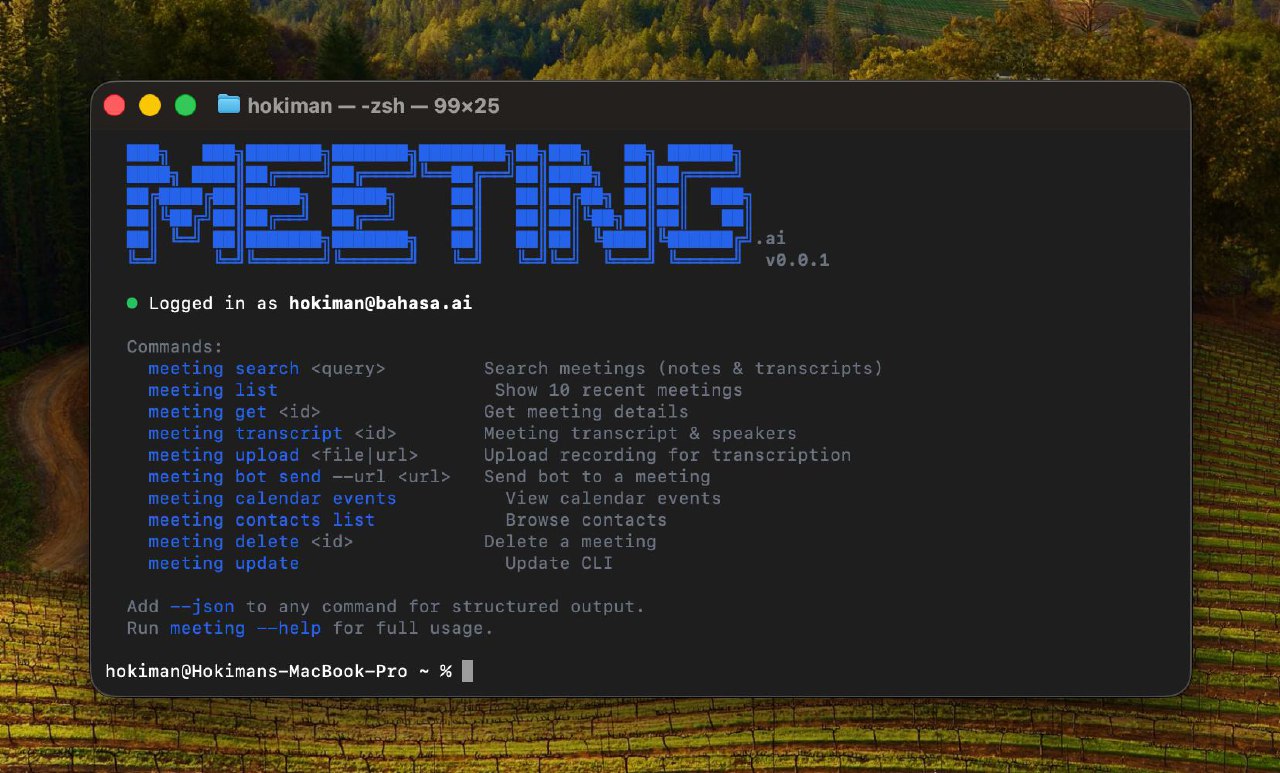
Beautiful, agent-friendly command-line interface for Meeting.ai. Wraps the Audyno REST API.
Install
npm install -g @meeting-ai/cliOr from source:
git clone <repo> && cd meeting-cli
npm install && npm run build && npm link
Quick Start
# Show welcome banner
meeting

# Log in
meeting auth login

# List recent meetings (pretty output)
meeting list --limit 10

# Same thing, JSON output (for agents/scripts)
meeting list --limit 10 --json
Authentication
# Interactive login (email OTP) — beautiful styled prompts
meeting auth login

# Check who you're logged in as
meeting auth whoami
Usage
Meetings
# List recent meetings — pretty card layout with emoji, duration, summaries
meeting list --limit 10

# Read meeting notes (own or shared via URL)
meeting read <meeting_id>

# Search meetings
meeting search "quarterly review"

# Delete a meeting
meeting delete <meeting_id>
Human output:
 Recent Meetings  42 total

 📋 Q1 Product Roadmap Review
    Mar 17 · Google Meet · 45 min · 4 speakers
    Reviewed upcoming features, timeline adjustments, and resource allocation

 🎯 Weekly Engineering Standup
    Mar 14 · Zoom · 30 min · 6 speakers
    Sprint progress, blockers, and deployment schedule...
JSON output (--json):
{
  "total_item": 42,
  "items_per_page": 10,
  "meeting": [
    { "id": "abc123", "title": "Q1 Product Roadmap Review", "status": "done", "..." : "..." }
  ]
}
Bot
# Send bot to a live meeting
meeting bot send --url https://meet.google.com/abc-defg-hij

# Send bot and wait for transcript
meeting bot send --url <url> --wait --json

# Check bot status
meeting bot status <meeting_id>

# Signal bot to leave
meeting bot leave <meeting_id>
Calendar
# List upcoming events
meeting calendar events --upcoming

# List events in a date range
meeting calendar events --from 2024-01-01 --to 2024-01-31

# Trigger calendar sync
meeting calendar sync

# List connected accounts
meeting calendar accounts
Upload
# Upload a local file
meeting upload recording.mp4

# Upload and wait for transcript
meeting upload recording.mp4 --wait --json

# Submit a URL
meeting upload https://example.com/recording.mp4
Transcript
# Get AI-processed notes and transcript
meeting transcript <meeting_id>

# Show complete raw transcript
meeting transcript <meeting_id> --full

# Search within transcript
meeting transcript <meeting_id> --search "action items"

# Filter by speaker
meeting transcript <meeting_id> --speaker "John"

# Filter by time range (minutes)
meeting transcript <meeting_id> --from-time 10 --to-time 30
Contacts
# List contacts — name, role, meeting count
meeting contacts list

# Search contacts
meeting contacts list --search "John"

# Get contact details
meeting contacts get <contact_id>

# List meetings with a contact
meeting contacts meetings <contact_id>
Schema Introspection
# List all commands and their schemas
meeting schema

# Get schema for a specific command
meeting schema meetings.list --json
Agent-Friendly Features
Every command supports:
--json— structured JSON output to stdout (auto-enabled when piped/non-TTY)--fields— select specific fields:meeting list --json --fields meeting,total_item--wait— poll async operations until complete (bot send, upload)--wait-timeout— configurable timeout in seconds (default 300)
Exit Codes
| Code | Meaning |
|---|---|
| 0 | Success |
| 1 | General error |
| 2 | Auth error |
| 3 | Not found |
| 4 | Validation error |
Error Format (JSON mode)
{"error": true, "code": "AUTH_EXPIRED", "message": "Token expired, run meeting auth login", "exit_code": 2}Development
npm install
npm run build       # type check + esbuild bundle -> dist/bin/meeting.js
npm run dev         # tsx watch
License
MIT