

Package Exports
- @neofork/devlogr
- @neofork/devlogr/dist/index.js
This package does not declare an exports field, so the exports above have been automatically detected and optimized by JSPM instead. If any package subpath is missing, it is recommended to post an issue to the original package (@neofork/devlogr) to support the "exports" field. If that is not possible, create a JSPM override to customize the exports field for this package.
Readme
@neofork/devlogr
Because deployment tools deserve better than sad
console.log()s.
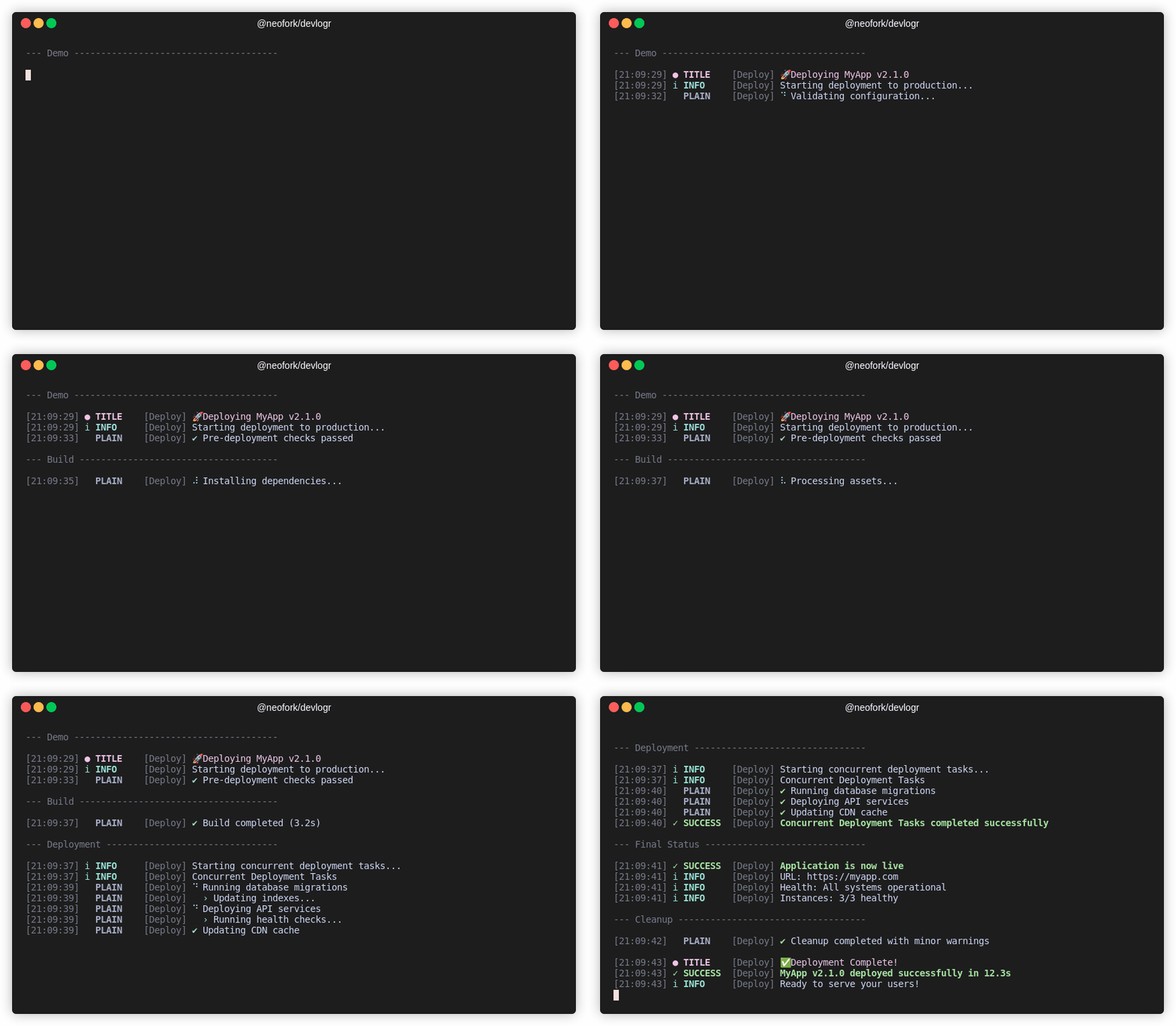
CLI-native, CI-compliant, emoji-sprinkled delight. No setup. All signal.
🎯 Built for CLI tools. Like, actually.
Most loggers are backend-first or some sad cousin of console.log. devlogr isn’t.
This is structured logging with style, made for devtools, task runners, release scripts, and CLI utilities that actually run in terminals—whether it's your local shell or your CI pipeline.
No brittle hacks. No bland output. Just focused feedback, clean visuals, and useful context—designed for the humans running your tools.
🚀 Quickstart
npm install @neofork/devlogrimport { createLogger } from '@neofork/devlogr';
const log = createLogger('my-cli');
log.title('🔧 Setup');
log.info('Starting process');
log.success('Complete!');
log.startSpinner('Working...');
log.updateSpinnerText('Still going...');
log.completeSpinnerWithSuccess('All done!');✨ Features That Make DevOps Swoon
- 🎨 Looks Amazing – Styled output with color, emoji, and Unicode where supported
- 🧠 Made for Humans – Clear, scannable messages designed for fast reading
- 🌀 Animated Spinners – Fully interactive, CI-safe feedback loops
- ⚙️ Zero Config – Drop-in defaults, full customization optional
- 🧱 CLI-Native Design – Terminal-aware and CI-friendly
- 📄 JSON Mode – Structured logs when you need machine parsing
- 🔐 Safe Logging – Handles circular refs and edge cases gracefully
- 🧪 Fully Tested – 200+ tests across scenarios
- 🙅 No Visual Junk – Disables emoji, color, or Unicode when terminals can't handle them
🧩 Logging Methods
log.error('Something broke');
log.warning('This might be an issue');
log.info('FYI');
log.debug('Debugging info');
log.success('It worked!');
log.task('Running something...');
log.title('🚀 Deployment Phase');
log.plain('No formatting here.');
🕹 Spinner Control
log.startSpinner('Loading...');
log.updateSpinnerText('Still loading...');
log.succeedSpinner('Loaded');
log.failSpinner('Failed');
log.completeSpinnerWithSuccess('Mission accomplished');
📚 Examples Directory
Want to see DevLogr in action? Check out our comprehensive examples:
The examples include:
- All logging methods
- Task sequencing and spinner chaining
- JSON output mode
- Environment config toggles
- Integration with tools like
listr2
Run any example with: npm run example:<name>
📖 API Documentation
Complete API documentation is available at: https://neoforkdev.github.io/devlogr/
Generate Documentation Locally
npm run docs          # Generate TypeDoc documentation
npm run docs:serve    # Generate and serve documentation locally
The documentation is automatically generated and deployed:
- Latest: Updated on every push to
main→ /latest/ - Versioned: Created for each git tag → /v0.0.1/, etc.
⚙️ Environment Variables
| Variable | Description | Example |
|---|---|---|
DEVLOGR_LOG_LEVEL | Set log level | debug |
DEVLOGR_OUTPUT_JSON | Structured logs | true |
DEVLOGR_SHOW_TIMESTAMP | Timestamps | false, true, iso |
DEVLOGR_NO_COLOR | Disable colors | true |
DEVLOGR_FORCE_COLOR | Force color | true |
DEVLOGR_NO_EMOJI | No emojis | true |
DEVLOGR_NO_UNICODE | ASCII only | true |
NO_COLOR | Global disable | 1 |
NO_EMOJI | Global disable emojis | 1 |
NO_UNICODE | Global disable Unicode | 1 |
🛠️ Development Scripts
npm run format        # Check code formatting
npm run format:fix    # Fix formatting
npm run lint          # Lint check
npm run lint:fix      # Fix linting issues
npm run check         # Run all checks
npm run fix           # Fix everything
🧠 Smart Defaults, Powerful Control
- Terminal detection for auto-adjusted output
- JSON-first mode disables visual effects for clean CI/CD output
- Timestamps are optional and configurable
- Visuals adapt for broken or minimal terminals
📜 License
MIT — Use it, fork it, log it.
🤝 Contribute
Pull requests welcome. Tests required. Style optional but encouraged.