
Package Exports
- @vaadin/app-layout
- @vaadin/app-layout/src/vaadin-app-layout.js
- @vaadin/app-layout/src/vaadin-drawer-toggle.js
- @vaadin/app-layout/theme/lumo/vaadin-app-layout.js
- @vaadin/app-layout/theme/lumo/vaadin-drawer-toggle.js
- @vaadin/app-layout/theme/material/vaadin-app-layout.js
- @vaadin/app-layout/theme/material/vaadin-drawer-toggle.js
- @vaadin/app-layout/vaadin-app-layout
- @vaadin/app-layout/vaadin-app-layout.js
- @vaadin/app-layout/vaadin-drawer-toggle
- @vaadin/app-layout/vaadin-drawer-toggle.js
This package does not declare an exports field, so the exports above have been automatically detected and optimized by JSPM instead. If any package subpath is missing, it is recommended to post an issue to the original package (@vaadin/app-layout) to support the "exports" field. If that is not possible, create a JSPM override to customize the exports field for this package.
Readme
@vaadin/app-layout
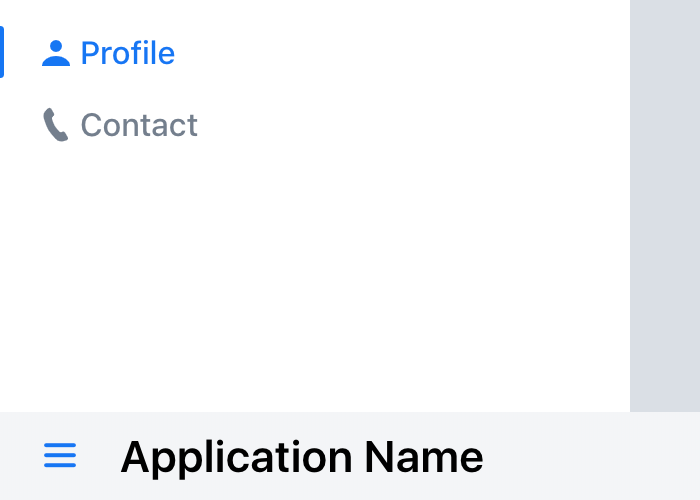
A web component for building common application layouts.

<vaadin-app-layout>
  <vaadin-drawer-toggle slot="navbar touch-optimized"></vaadin-drawer-toggle>
  <h3 slot="navbar touch-optimized">Application Name</h3>
  <vaadin-tabs orientation="vertical" slot="drawer">
    <vaadin-tab>
      <a href="/profile">
        <vaadin-icon icon="lumo:user"></vaadin-icon>
        Profile
      </a>
    </vaadin-tab>
    <vaadin-tab>
      <a href="/contact">
        <vaadin-icon icon="lumo:phone"></vaadin-icon>
        Contact
      </a>
    </vaadin-tab>
  </vaadin-tabs>
  <div>Page content</div>
</vaadin-app-layout>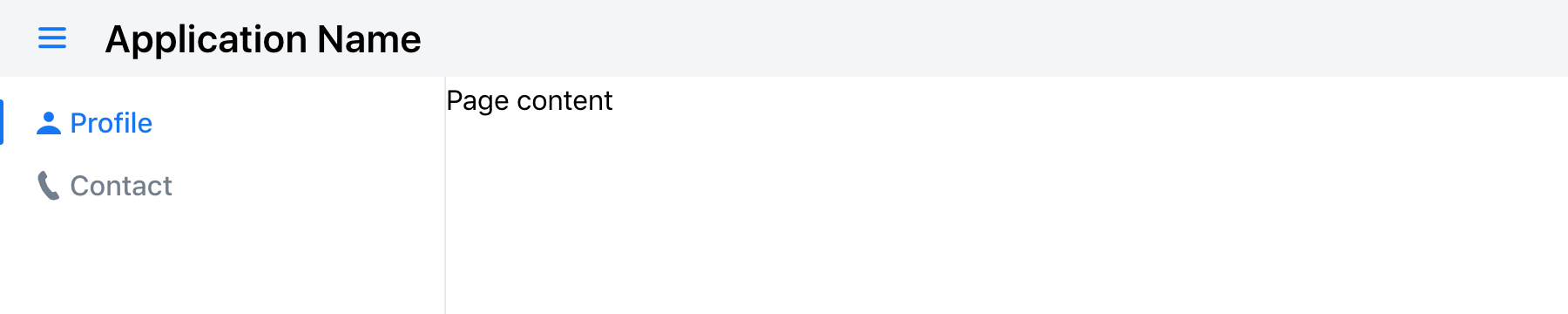
Installation
Install the component:
npm i @vaadin/app-layoutOnce installed, import the components in your application:
import '@vaadin/app-layout';
import '@vaadin/app-layout/vaadin-drawer-toggle.js';
Themes
Vaadin components come with two built-in themes, Lumo and Material. The main entrypoint of the package uses the Lumo theme.
To use the Material theme, import the components from the theme/material folder:
import '@vaadin/app-layout/theme/material/vaadin-app-layout.js';
import '@vaadin/app-layout/theme/material/vaadin-drawer-toggle.js';
You can also import the Lumo version of the components explicitly:
import '@vaadin/app-layout/theme/lumo/vaadin-app-layout.js';
import '@vaadin/app-layout/theme/lumo/vaadin-drawer-toggle.js';
Finally, you can import the un-themed components from the src folder to get a minimal starting point:
import '@vaadin/app-layout/src/vaadin-app-layout.js';
import '@vaadin/app-layout/src/vaadin-drawer-toggle.js';
Contributing
Read the contributing guide to learn about our development process, how to propose bugfixes and improvements, and how to test your changes to Vaadin components.
License
Apache License 2.0
Vaadin collects usage statistics at development time to improve this product. For details and to opt-out, see https://github.com/vaadin/vaadin-usage-statistics.