

Package Exports
- @zumer/snapdom
Readme
snapDOM
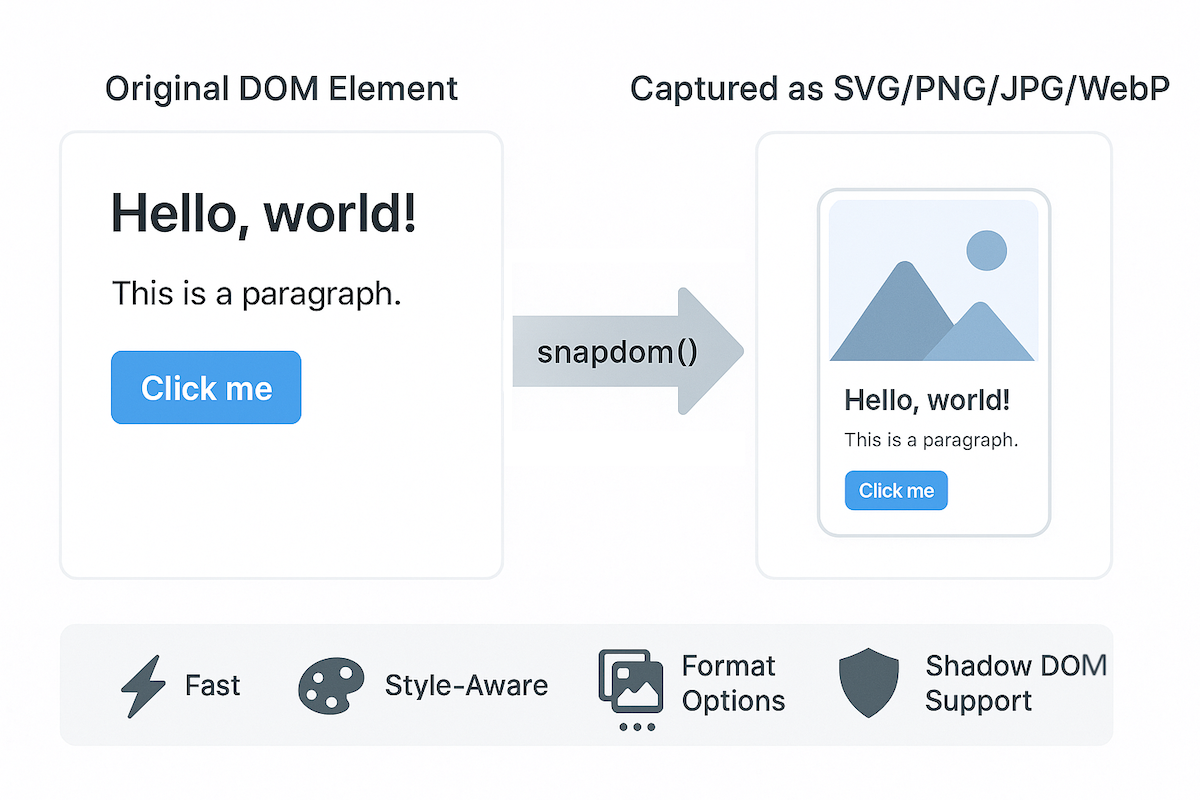

snapDOM is a fast and accurate DOM-to-image capture tool built for Zumly, a zoom-based view transition framework.
It captures any HTML element as a scalable SVG image, preserving styles, fonts, background images, pseudo-elements, and even shadow DOM. It also supports export to raster image formats and canvas.
- 📸 Full DOM capture
- 🎨 Embedded styles, pseudo-elements, and fonts
- 🖼️ Export to SVG, PNG, JPG, WebP, or
canvas - ⚡ Ultra fast, no dependencies
- 📦 100% based on standard Web APIs
Demo
https://zumerlab.github.io/snapdom/
Installation
NPM / Yarn
npm i @zumer/snapdomyarn add @zumer/snapdomCDN
<script src="https://cdn.jsdelivr.net/npm/@zumer/snapdom/dist/snapdom.min.js"></script>Script tag (local)
<script src="snapdom.js"></script>ES Module
import { snapdom } from './snapdom.mjs';Module via CDN
<script type="module">
  import { snapdom } from 'https://cdn.jsdelivr.net/npm/@zumer/snapdom/dist/snapdom.mjs';
</script>
Basic usage
Reusable capture
const el = document.querySelector('#target');
const result = await snapdom(el, { scale: 2 });

const img = await result.toPng();
document.body.appendChild(img);

await result.download({ format: 'jpg', filename: 'my-capture' });
One-step shortcuts
const el = document.querySelector('#target');
const png = await snapdom.toPng(el);
document.body.appendChild(png);

const blob = await snapdom.toBlob(el);
API
snapdom(el, options?)
Returns an object with reusable export methods:
{
  url: string;
  toRaw(): string;
  toImg(): Promise<HTMLImageElement>;
  toCanvas(): Promise<HTMLCanvasElement>;
  toBlob(): Promise<Blob>;
  toPng(): Promise<HTMLImageElement>;
  toJpg(options?): Promise<HTMLImageElement>;
  toWebp(options?): Promise<HTMLImageElement>;
  download(options?): Promise<void>;
}
Shortcut methods
| Method | Description |
|---|---|
snapdom.toImg(el, options?) |
Returns an HTMLImageElement |
snapdom.toCanvas(el, options?) |
Returns a Canvas |
snapdom.toBlob(el, options?) |
Returns an SVG Blob |
snapdom.toPng(el, options?) |
Returns a PNG image |
snapdom.toJpg(el, options?) |
Returns a JPG image |
snapdom.toWebp(el, options?) |
Returns a WebP image |
snapdom.download(el, options?) |
Triggers download in specified format |
Options
All capture methods accept an options object:
| Option | Type | Default | Description |
|---|---|---|---|
compress |
boolean | true |
Removes redundant styles |
fast |
boolean | true |
Skips idle delay for faster results |
embedFonts |
boolean | false |
Inlines fonts (icon fonts always embedded) |
scale |
number | 1 |
Output scale multiplier |
backgroundColor |
string | "#fff" |
Fallback color for JPG/WebP |
quality |
number | 1 |
Quality for JPG/WebP (0 to 1) |
crossOrigin |
function | - | Function to determine CORS mode per image URL |
Cross-Origin Images
By default, snapDOM loads images with crossOrigin="anonymous". You can customize this behavior using the crossOrigin option:
const result = await snapdom(element, {
  crossOrigin: (url) => {
    // Use credentials for same-origin images
    if (url.startsWith(window.location.origin)) {
      return "use-credentials";
    }
    // Use anonymous for cross-origin images
    return "anonymous";
  }
});
This is useful when your images require authentication or when dealing with credentialed requests.
Download options
{
  format?: "svg" | "png" | "jpg" | "jpeg" | "webp"; // default: "png"
  filename?: string;         // default: "capture"
  backgroundColor?: string;  // optional override
}
preCache() – Optional helper
The preCache() function can be used to load external resources (like images and fonts) in advance. It is specially useful when the element to capure is big and complex.
import { preCache } from '@zumer/snapdom';

await preCache(document.body);
import { snapdom, preCache } from './snapdom.mjs';
window.addEventListener('load', async () => {
await preCache();
console.log('📦 Resources preloaded');
});Options for preCache():
embedFonts(boolean, default: true) — Inlines non-icon fonts during preload.reset(boolean, default: false) — Clears all existing internal caches.crossOrigin(function) — Function to determine CORS mode per image URL during preload.
Features
- Captures shadow DOM and Web Components
- Supports
::beforeand::afterpseudo-elements - Inlines background images and fonts
- Handles Font Awesome, Material Icons, and more
data-capture="exclude"to ignore an elementdata-capture="placeholder"withdata-placeholder-textfor masked replacements
Limitations
- External images must be CORS-accessible (use
crossOriginoption for credentialed requests) - Iframes are not supported
- When WebP format is used on Safari, it will fallback to PNG rendering.
@font-faceCSS rule is well supported, but if need to use JSFontFace(), see this workaround#43
Benchmarks
snapDOM is not only highly accurate — it’s extremely fast.
Latest benchmarks show significant performance improvements against other libraries:
| Scenario | vs. modern-screenshot |
vs. html2canvas |
|---|---|---|
| Small element (200×100) | 6.46× faster | 32.27× faster |
| Modal size (400×300) | 7.28× faster | 32.66× faster |
| Page view (1200×800) | 13.17× faster | 35.29× faster |
| Large scroll area (2000×1500) | 38.23× faster | 68.85× faster |
| Very large element (4000×2000) | 93.31× faster | 133.12× faster |
| Complex small element (200×100) | 3.97× faster | 15.23× faster |
| Complex modal (400×300) | 2.32× faster | 5.33× faster |
| Complex page (1200×800) | 1.62× faster | 1.65× faster |
| Complex large scroll (2000×1500) | 1.66× faster | 1.24× faster |
| Complex very large (4000×2000) | 1.52× faster | 1.28× faster |
Run the benchmarks
To run these benchmarks yourself:
git clone https://github.com/zumerlab/snapdom.git
cd snapdom
npm install
npm run test:benchmark
They execute in headless Chromium using real DOM nodes.
Contributors 🙌
License
MIT © Zumerlab