
Package Exports
- aws-lambda-multipart-parser
This package does not declare an exports field, so the exports above have been automatically detected and optimized by JSPM instead. If any package subpath is missing, it is recommended to post an issue to the original package (aws-lambda-multipart-parser) to support the "exports" field. If that is not possible, create a JSPM override to customize the exports field for this package.
Readme
aws-lambda-multipart-parser
Introduction
Support of multipart/form-data requests is a relatively new feature for AWS Lambdas. Although, there is such feature, majority of libraries for parsing multipart/form-data requests is based on server technology, which can't be used in case of AWS Lambdas. That's why, AWS Lambda specific multipart/form-data parser was created.
Steps for integrating multipart/form-data to your lambda
1.Create project with serverless framework.
You can find all necessary information there:
- at official github page: https://github.com/serverless/serverless
- nice youtube playlist about serverless: https://www.youtube.com/watch?v=lUTGk64jppM&list=PLzvRQMJ9HDiT5b4OsmIBiMbsPjfp4kfg3
2. Add configuration for your AWS Lambda.
Go to serverless.yml file and add configurations for your AWS Lambda:
 method: POST
 integration: LAMBDA
method: POST - because of we are receiving multipart/form-data request.
integration: LAMBDA - without that I constanly got 502 Error: Bad Gateway, but I don't know why.
3. Deploy a draft of your function
Execute command sls deploy in AWS Lambda folder. (for more information look for sources at step 1)
4. Configure API Gateway at AWS Console.
- Go to API Gateway.
- Select your API in API Gateway interface
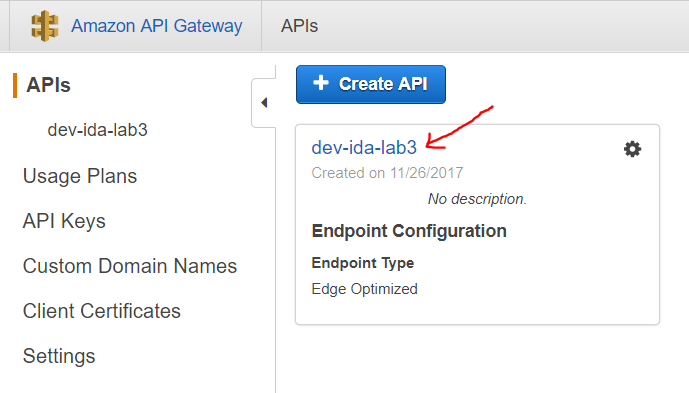
- Go to Binary Support

- Add binary support for multipart/form-data content type

- Go to Resources -> POST method of your API -> Integration Request
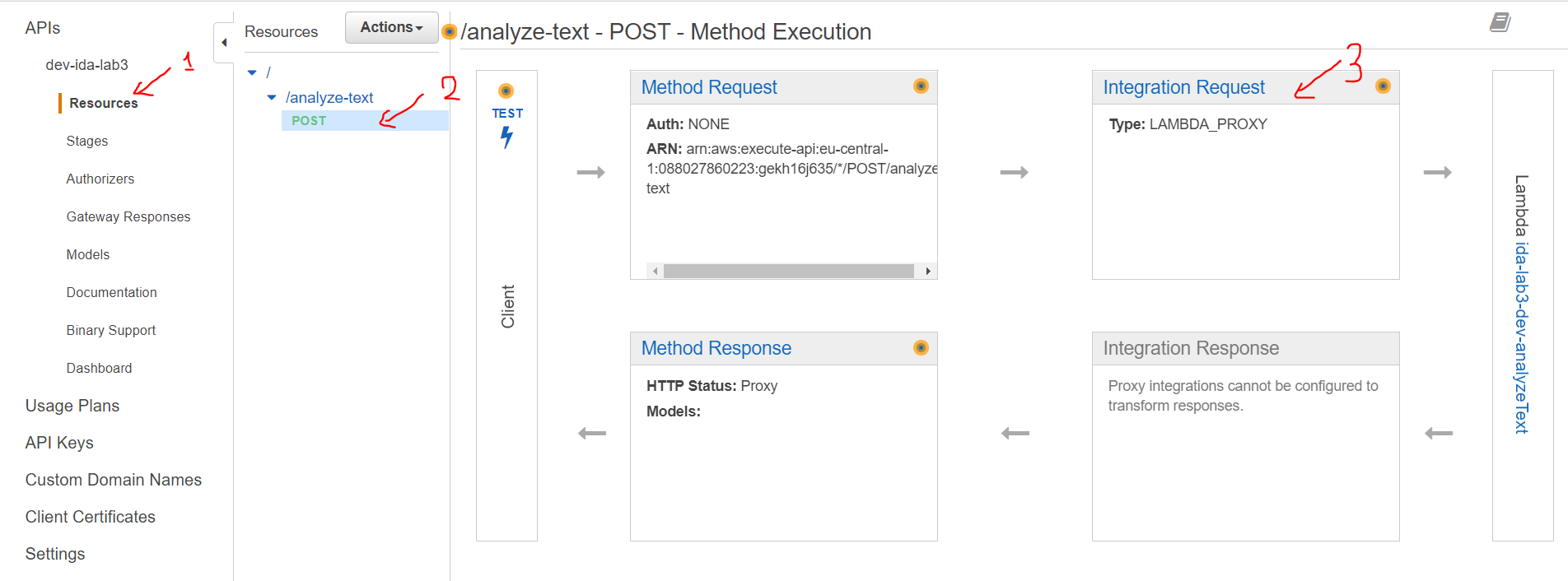
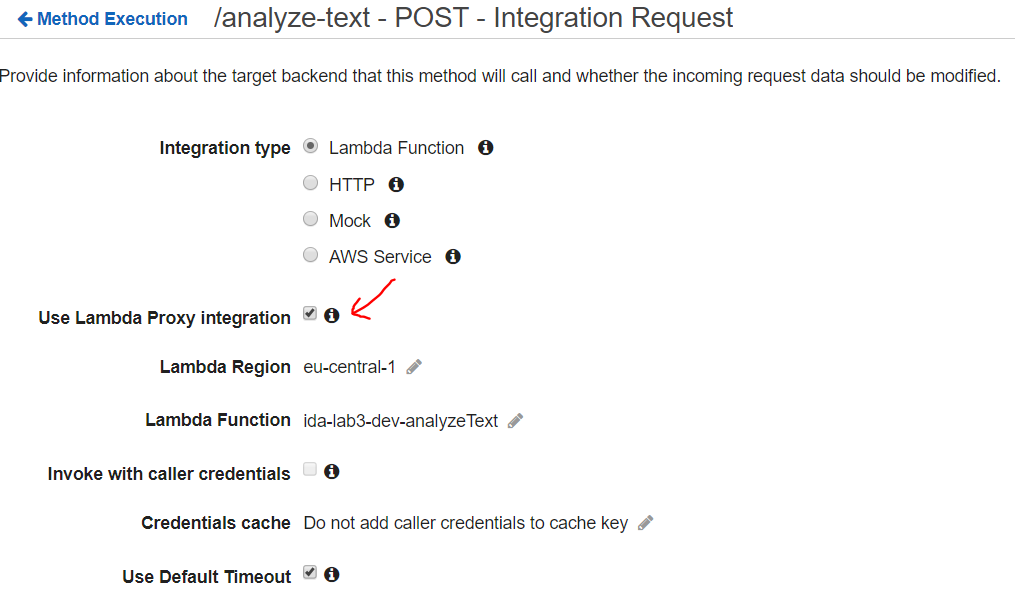
- Check Use Lambda Proxy Integration
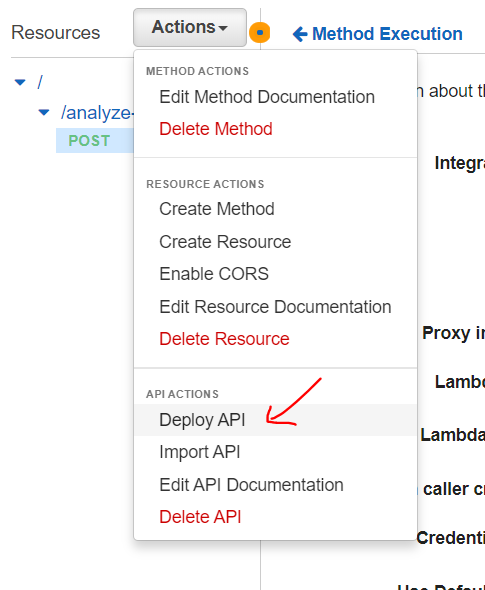
- Deploy your API changes
5. You're ready to use the library.
- Import aws-lambda-multipart-parser with
npm install --save aws-lambda-multipart-parsercommand. - Require it in file
const multipart = require('aws-lambda-multipart-parser');. - Pass your event object to parse function like that
multipart.parse(event). Parse function will return object representing the request body.
6. Request body object
{
    "file": {
        "type": "file",
        "filename": "lorem.txt",
        "contentType": "text/plain",
        "content": {
            "type": "Buffer",
            "data": [ ... byte array ... ]
        }
    },
    "field": "value"
}
All fields are represented in request body object as a key-value pair. All files are represented as an object with these fields:
- type - indicates that it's a file
- filename - name of uploaded file (the first one)
- contentType - mime-type of file
- content - content of file in form of Buffer (it's planned in future to give a choise between Buffer and text)