
Package Exports
This package does not declare an exports field, so the exports above have been automatically detected and optimized by JSPM instead. If any package subpath is missing, it is recommended to post an issue to the original package (bun-docx) to support the "exports" field. If that is not possible, create a JSPM override to customize the exports field for this package.
Readme
docx-cli
Let your AI agent review Word documents the way a human would. Leave comments, suggest redlines, never break the formatting or remove content. You accept or reject in Word.
- Hand a
.docxto Claude or Codex and get back a redlined copy with comments — open it in Word, accept or reject as usual. - Agents see a structured AST with stable character offsets (
p3:5-20); humans see normal Word formatting on disk. - Custom styles, theme colors, embedded objects — all of it survives. We mutate XML in place rather than re-emitting from a lossy model.
Install
Standalone binary (no Bun required):
curl -fsSL https://raw.githubusercontent.com/kklimuk/docx-cli/main/install.sh | shHonors PREFIX (default $HOME/.local/bin) and VERSION (default latest):
PREFIX=/usr/local sh -c "$(curl -fsSL https://raw.githubusercontent.com/kklimuk/docx-cli/main/install.sh)"
VERSION=v0.2.0 sh -c "$(curl -fsSL https://raw.githubusercontent.com/kklimuk/docx-cli/main/install.sh)"
Pre-built binaries are published for linux/x64, linux/arm64, darwin/x64, darwin/arm64, windows/x64.
npm (requires Bun >= 1.3):
bun add -g bun-docx
# or
bunx bun-docx read doc.docx
Quick example: filling out an NDA
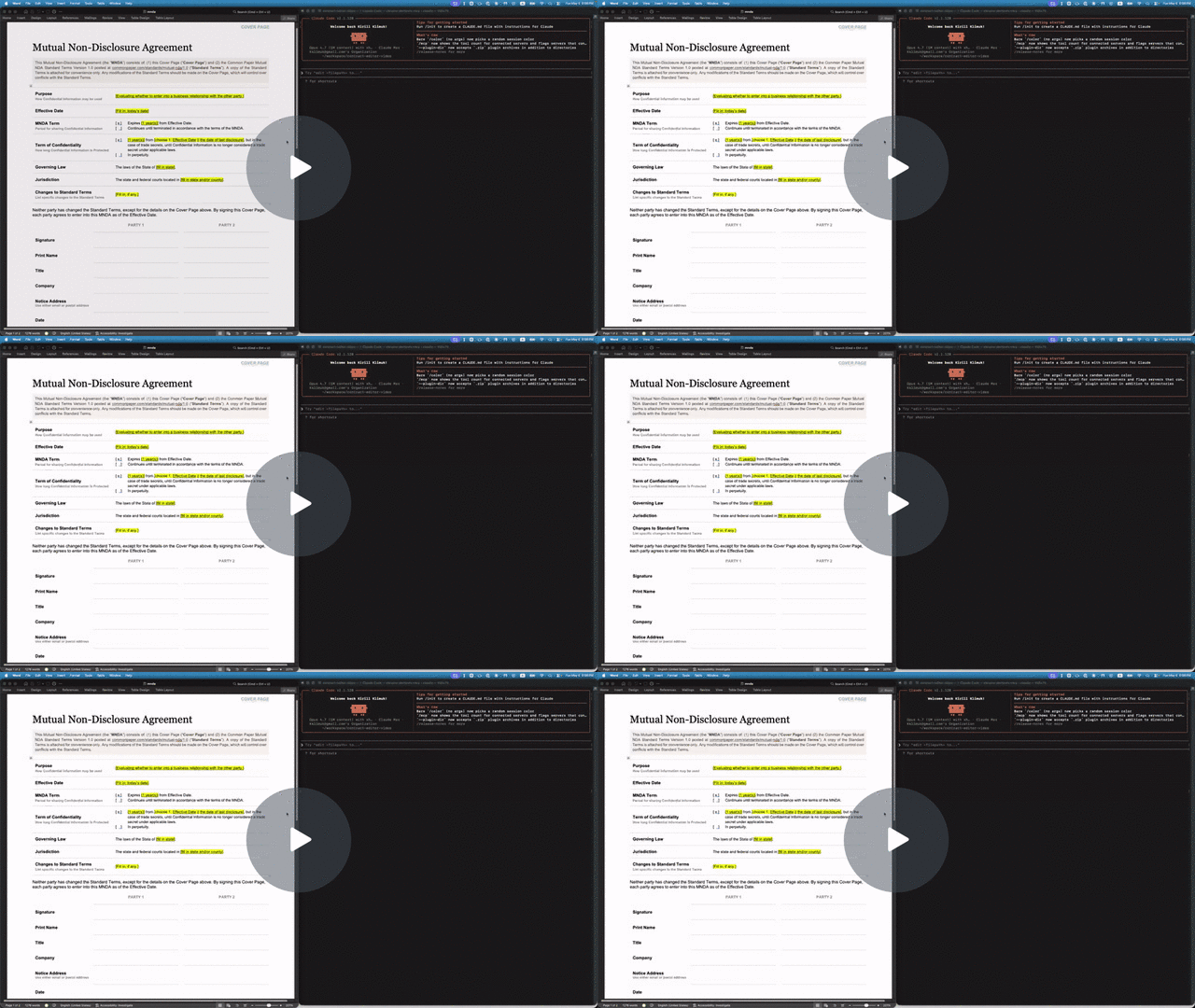
The repo includes a Common Paper Mutual NDA template at tests/fixtures/mnda.docx. Below are the primitives an agent would compose to fill in the cover page and leave redline edits — the same flow shown in the video above. Every command was verified end-to-end against the fixture:
# Make a copy first — there's no undo
cp tests/fixtures/mnda.docx mnda-filled.docx

# Read the cover-page table so the agent knows what placeholders exist
docx read mnda-filled.docx --markdown --to t1

# Fill the yellow-highlighted bracketed placeholders
docx replace mnda-filled.docx "Fill in: today’s date" "May 6, 2026"
docx replace mnda-filled.docx "fill in state and/or county" "California"
docx replace mnda-filled.docx "fill in state" "California"
docx replace mnda-filled.docx "Fill in, if any." "None."

# Verify nothing's left to fill
docx find mnda-filled.docx '\[(Fill|fill)[^]]*\]' --regex --all

# Flip on tracked changes for the redline pass
docx track-changes mnda-filled.docx on

# Tighten "having a reasonable need to know" in the Use & Protection clause
docx replace mnda-filled.docx \
    "having a reasonable need to know" \
    "with a documented need to know"

# Leave a comment for the human reviewer
docx comments add mnda-filled.docx --range p7:0-30 \
    --text "Should we narrow 'representatives' to a named list?"
Open mnda-filled.docx in Word: tracked changes and comments appear in the review pane, ready to accept, reject, or reply. Or run docx track-changes accept --all mnda-filled.docx to bake them in from the CLI.
Commands
docx create FILE [--title T] [--author A] [--text "..."]
docx read FILE [--markdown [--from pN] [--to pN] [--accepted | --baseline | --current] [--comments]]
docx insert FILE --after p3 --text "..." [--style HeadingN] [--color HEX] [--bold] [--italic] [--url URL]
docx insert FILE --after p3 --runs '[{"type":"text","text":"X","bold":true}]'
docx insert FILE --after p3 --page-break | --column-break
docx insert FILE --after p3 --section [--columns N] [--type continuous|nextPage|evenPage|oddPage|nextColumn]
docx edit   FILE --at p3 --text "..." [--no-formatting]   # word-level diff preserves bold/italic on unchanged words
docx edit   FILE --at p3 --runs '[...]'
docx edit   FILE --at s0 [--columns N] [--type T]   # mutate section properties
docx delete FILE --at p3
docx delete FILE --at s0                              # strip an inline sectPr

docx find FILE QUERY [--regex] [--ignore-case] [--all] [--nth N] [--current | --baseline] [--exact]
docx replace FILE PATTERN REPLACEMENT [--regex] [--ignore-case] [--all] [--limit N] [--current | --baseline] [--exact] [--dry-run]

docx wc      FILE [LOCATOR] [--accepted | --baseline | --current]
docx outline FILE

docx comments add     FILE --range p3:5-20 --text "..." [--author NAME] [--current | --baseline]
docx comments add     FILE --anchor "phrase" --text "..." [--occurrence N]
docx comments add     FILE --batch reviews.jsonl              # JSONL: { range | anchor (+occurrence), text, author? }
docx comments reply   FILE --to c0 --text "..."
docx comments resolve FILE --id c0 [--unset]
docx comments resolve FILE --id c1 --id c3 [--unset]          # repeatable
docx comments resolve FILE --batch resolutions.jsonl
docx comments delete  FILE --id c0
docx comments delete  FILE --id c1 --id c3                    # repeatable
docx comments delete  FILE --batch removals.jsonl
docx comments list    FILE [--include-resolved] [--thread c0]

docx images list    FILE
docx images extract FILE --to ./media [--id imgN]
docx images replace FILE --at imgN --with ./new.png

docx hyperlinks list    FILE
docx hyperlinks add     FILE --at pN:S-E --url URL
docx hyperlinks replace FILE --at linkN --with URL
docx hyperlinks delete  FILE --at linkN

docx track-changes FILE on|off
docx track-changes list   FILE
docx track-changes accept FILE (--at tcN [--at tcM ...] | --all)
docx track-changes reject FILE (--at tcN [--at tcM ...] | --all)
docx info schema [--ts]
docx info locators [--json]
Every command has --help. Mutating commands accept --dry-run, -o/--output PATH (write to a parallel file instead of overwriting FILE), and -v/--verbose (print the JSON ack — see "Quiet by default" below).
Quiet by default. Mutators (create, insert, edit, delete, replace, comments add/reply/resolve/delete, images replace, hyperlinks add/replace/delete, track-changes toggle/accept/reject) print nothing on success and exit 0. Errors always print as {ok: false, code, error, hint}. Pass -v/--verbose to get the full JSON ack. Read commands (read, find, wc, outline, info *, *-list) print their data unconditionally. Batch operations that mint new ids — comments add --batch, comments delete --batch, comments resolve --batch, and comments delete/resolve with multiple --id — always print the affected ids since the agent can't reconstruct them otherwise.
Markdown rendering
docx read FILE --markdown renders the document body as GitHub-flavored Markdown instead of JSON. Useful when an LLM wants to skim a doc without parsing the AST. Each rendered paragraph is followed by an HTML comment with its locator (<!-- p3 -->) so the markdown is invisible-pinned: humans see clean prose in a renderer, agents parse the locators from raw text.
--from LOC and --to LOC slice by top-level block (both inclusive). Accepts paragraph, table, cell, span, and range locators; cell/span/range collapse to their enclosing top-level block.
Tracked changes — three views. Default is the accepted view: <w:del> and <w:moveFrom> runs are dropped; <w:ins> and <w:moveTo> runs render as plain text. Three mutually-exclusive flags select the view (the default needs no flag):
--accepted— explicit alias for the default. Post-accept view.--baseline— pre-change view: drops<w:ins>and<w:moveTo>, renders<w:del>and<w:moveFrom>as plain text.--current— raw concatenation, with diff markup. Additive wrappers render as CriticMarkup{++text++}[^tcN]and subtractive as{--text--}[^tcN], with[^tcN]: …definitions appended at end.
The same --current/--baseline flags apply to find, replace, wc, and comments add so offsets stay consistent across commands (default everywhere is the accepted view). comments add uses the same view to resolve --anchor matches and --range offsets — agents can pipe find output to comments add without coordinate translation.
docx wc also accepts sN as a locator — the count covers every paragraph and table in that section's content range. Whole-document wc returns a sections count alongside words.
find and replace auto-normalize their query/pattern by default: balanced markdown emphasis around non-whitespace (**X**, __X__, *X*, `X`) is stripped; smart and straight quotes are equivalent; em-dash and en-dash collapse to a hyphen. Pass --exact to disable normalization. --regex is always verbatim. find's response surfaces normalizedQuery / normalizationApplied when normalization changed the query so the agent sees what was actually searched.
--comments appends a GFM footnote reference ([^cN]) at the end of each commented span and emits one footnote definition per comment at the end of the output. Footnotes/endnotes (the document's own <w:footnoteReference> / <w:endnoteReference>) are rendered unconditionally as [^fnN] / [^enN]. Run docx info schema for the full mapping table.
Bulk + anchored comments
comments add --anchor "phrase" resolves the phrase via the same matcher as docx find (default accepted view, query normalization on) and anchors the comment to that match. Pass --occurrence N (1-indexed) to disambiguate when the phrase matches more than once; without it, an ambiguous anchor errors atomically before any writes.
comments add --batch FILE.jsonl (or --batch - for stdin) takes one JSON object per line: {range | anchor (+ optional occurrence), text, author?}. The whole batch validates against the pre-mutation tree first and aborts cleanly if any entry fails. comments delete and comments resolve accept --batch FILE.jsonl ({"id": "cN"} per line) or repeated --id c1 --id c3. Atomic in all cases — no partial writes on error.
Formatting preservation
docx edit --at pN --text "..." runs a word-level diff between the existing paragraph's text and the new text, preserving <w:rPr> formatting (bold, italic, color, etc.) on unchanged words. New words inherit formatting via position-pairing with the deleted span (Kth inserted word inherits from the Kth deleted word, falling back to neighboring kept words when the edit group has no deletes). Pass --no-formatting to fall back to a single fresh run with no formatting; explicit --color/--bold/--italic also bypass preservation and apply uniformly to the new paragraph. Under tracking, the result is per-word <w:del>/<w:ins> markers (the same shape Word produces when an author edits a few words mid-tracking) instead of whole-paragraph del+ins.
Atomic batch accept/reject
track-changes accept --at tc1 --at tc2 --at tc3 resolves all targets against the pre-mutation tree, deduplicates, and applies in a single call. Mid-batch renumbering doesn't shift the still-pending ids out from under the agent. Mutually exclusive with --all. Same shape for reject.
Locators
pN                   paragraph N (e.g., p3)
pN:S-E               characters S..E within paragraph N
pN:S-pM:E            cross-paragraph range
tN                   table N; tN:rRcC for cell at row R, col C
sN                   section break N — column count, type (continuous /
                     nextPage / nextColumn / evenPage / oddPage)
cN, imgN, linkN, tcN comment / image / hyperlink / tracked-change ids
Run docx info locators for the full reference.
How It Works
In-place XML mutation. The AST returned by read is a view over the parsed XML tree, not a separate model. When you edit or comments add, we mutate the underlying XML nodes directly and serialize back. Anything we don't model in the AST (custom styles, theme colors, schema extensions) survives because we never re-emit untouched regions.
JSX for emitters. Constructing OOXML fragments imperatively (<w:rPr> → <w:b/> → <w:color w:val="800080"/>) gets verbose. We write emitters in JSX with a custom factory: <w.rPr><w.b/><w.color w-val="800080"/></w.rPr> becomes the right XmlNode tree. Component names are PascalCase (<Paragraph>, <RunProperties>); they return XmlNode | null so empty wrappers get omitted automatically.
Span-aware comments. comments add --range p3:5-20 finds the runs that contain offsets 5 and 20, splits them at the boundaries (preserving rPr formatting on both halves), and inserts <w:commentRangeStart> / <w:commentRangeEnd> markers between the slices.
ParaId auto-injection. Comments authored by tools like mammoth or older Word versions lack w14:paraId, which commentsExtended.xml requires for resolve/reply. We detect this on resolve/reply and inject a fresh paraId, also adding the xmlns:w14 namespace declaration to the <w:comments> root if missing.
Cross-format image replacement. images replace --at img0 --with new.png detects the new MIME type via Bun.file().type, renames the part (word/media/image1.jpeg → word/media/image1.png), rewrites the relationship Target, and ensures [Content_Types].xml has a <Default> for the new extension.
Hyperlink CRUD. hyperlinks list enumerates <w:hyperlink> elements with positional linkN ids; hyperlinks add --at p3:5-20 --url URL wraps an existing span (splitting runs at offsets); hyperlinks replace --at link0 --with URL updates the rels Target, allocating a new rId if the existing one is shared so siblings stay pointed at the original URL; hyperlinks delete --at link0 unwraps the link (text survives) and prunes the rels entry when no longer referenced.
Stack
- Runtime: Bun (
node:utilparseArgs, JSX with custom factory, native zlib) - Parser:
jszip+fast-xml-parser+fast-xml-builder - Quality: Biome + Knip + tsc; LibreOffice headless for round-trip integration tests
- Standard: ECMA-376 Part 1 §17 (WordprocessingML), Transitional profile
Contributing
See CONTRIBUTING.md for development setup, architecture overview, and CI.