

Package Exports
Readme


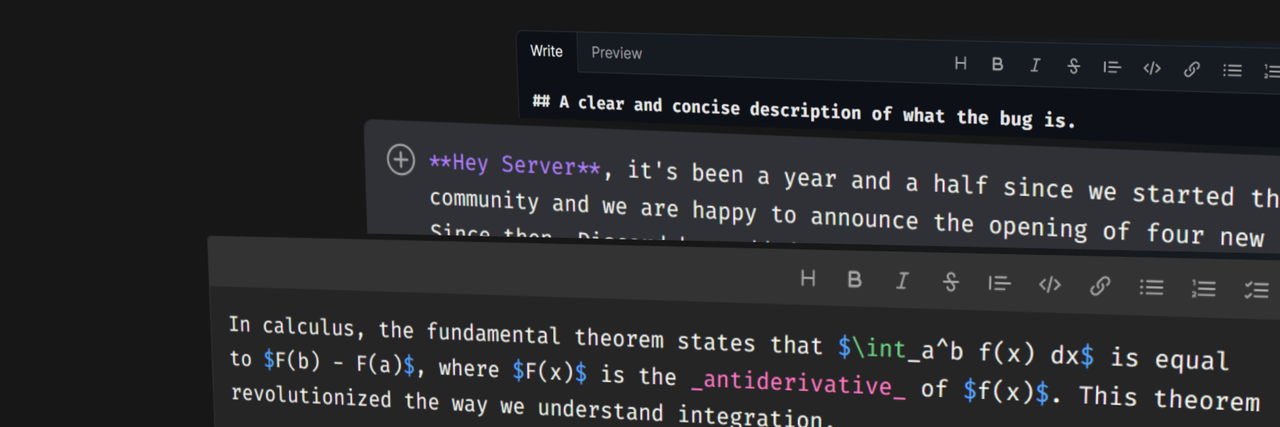
Carta
Introduction
Carta is a lightweight, fast and extensible Svelte Markdown editor and viewer. It is powered by unified, remark and rehype. Check out the examples to see it in action. Differently from most editors, Carta does not include a code editor, but it is just a textarea with syntax highlighting, shortcuts and more.
Features
- 🌈 Markdown syntax highlighting (Shiki);
- 🛠️ Toolbar (extensible);
- ⌨️ Keyboard shortcuts (extensible);
- 📦 Supports 150+ plugins thanks to remark;
- 🔀 Scroll sync;
- ✅ Accessibility friendly;
- 🖥️ SSR compatible;
- ⚗️ KaTeX support (plugin);
- 🔨 Slash commands (plugin);
- 😄 Emojis, with included search (plugin);
- ✏️ TikZ support (plugin);
- 📂 Attachment support (plugin);
- ⚓ Anchor links in headings (plugin);
- 🌈 Code blocks syntax highlighting (plugin);
- ⚙️ Embed Components (plugin).
Packages


Community plugins
| Plugin | Description |
|---|---|
| carta-plugin-video | Render online videos |
| carta-plugin-imsize | Render images in specific sizes |
| carta-plugin-subscript | Render subscripts and superscripts |
| carta-plugin-ins-del | <ins> and <del> tags support |
Getting started
WARNING Sanitization is not dealt with by Carta. You need to provide a
sanitizerin the options. Common sanitizers are isomorphic-dompurify (suggested) and sanitize-html. Checkout the documentation for an example.
Installation
Core package:
npm i carta-mdPlugins:
npm i @cartamd/plugin-nameBasic configuration
<script lang="ts">
    import { Carta, MarkdownEditor } from 'carta-md';
    // Component default theme
    import 'carta-md/default.css';

    const carta = new Carta({
        // Remember to use a sanitizer to prevent XSS attacks
        // sanitizer: mySanitizer
    });

    let value = $state('');
</script>

<MarkdownEditor bind:value {carta} />

<style>
    /* Or in global stylesheet */
    /* Set your monospace font */
    /* Required to have the editor working correctly! */
    :global(.carta-font-code) {
        font-family: '...', monospace;
        font-size: 1.1rem;
        line-height: 1.1rem;
        letter-spacing: normal;
    }
</style>
Flags
You can reduce the server-side bundle by using the following vite config. This will remove shiki from the bundle. It may cause issues if you try to use plugin-code on the server, as the highlighter is no longer present there.
// vite.config.js
import { sveltekit } from '@sveltejs/kit/vite';

/** @type {import('vite').UserConfig} */
const config = {
    plugins: [sveltekit()],
    define: {
        __ENABLE_CARTA_SSR_HIGHLIGHTER__: false
    }
};
export default config;
Documentation
For the full documentation, examples, guides and more checkout the website.
- Introduction
- Examples
- Getting Started
- Editing Styles
- Plugins:
- API:
Contributing & Development
Every contribution is well accepted. If you have a feature request you can open a new issue.
This package uses a pnpm workspace, so pnpm is required to download and put everything together properly.
Committing
This repository is commitizen friendly. To commit use:
npm run commit
# or, if you have commitizen installed globally
git cz
Running docs
If you want to preview the docs:
cd docs
npm run dev