
Package Exports
- create-bulk-file
This package does not declare an exports field, so the exports above have been automatically detected and optimized by JSPM instead. If any package subpath is missing, it is recommended to post an issue to the original package (create-bulk-file) to support the "exports" field. If that is not possible, create a JSPM override to customize the exports field for this package.
Readme
Create Bulk File
Why?
If you ever tired of creating folder/files again and again while developing node application. Then this tool for you. Simply init your file first time and create folder using cli. It's that easy
Install
The easiest way to use Create bulk files is to install it globally as a Node command line program. Run the following command in Terminal:
$ npm install create-bulk-file --globalOr, you can install create-bulk-file locally, for use in a single project:
$ npm install create-bulk-file --save-devNote: To run the preceding commands, Node.js and npm must be installed.
Usage and examples
After you've installed create-bulk-file, you should be able to use the create-bulk-file or cf (alias) program.
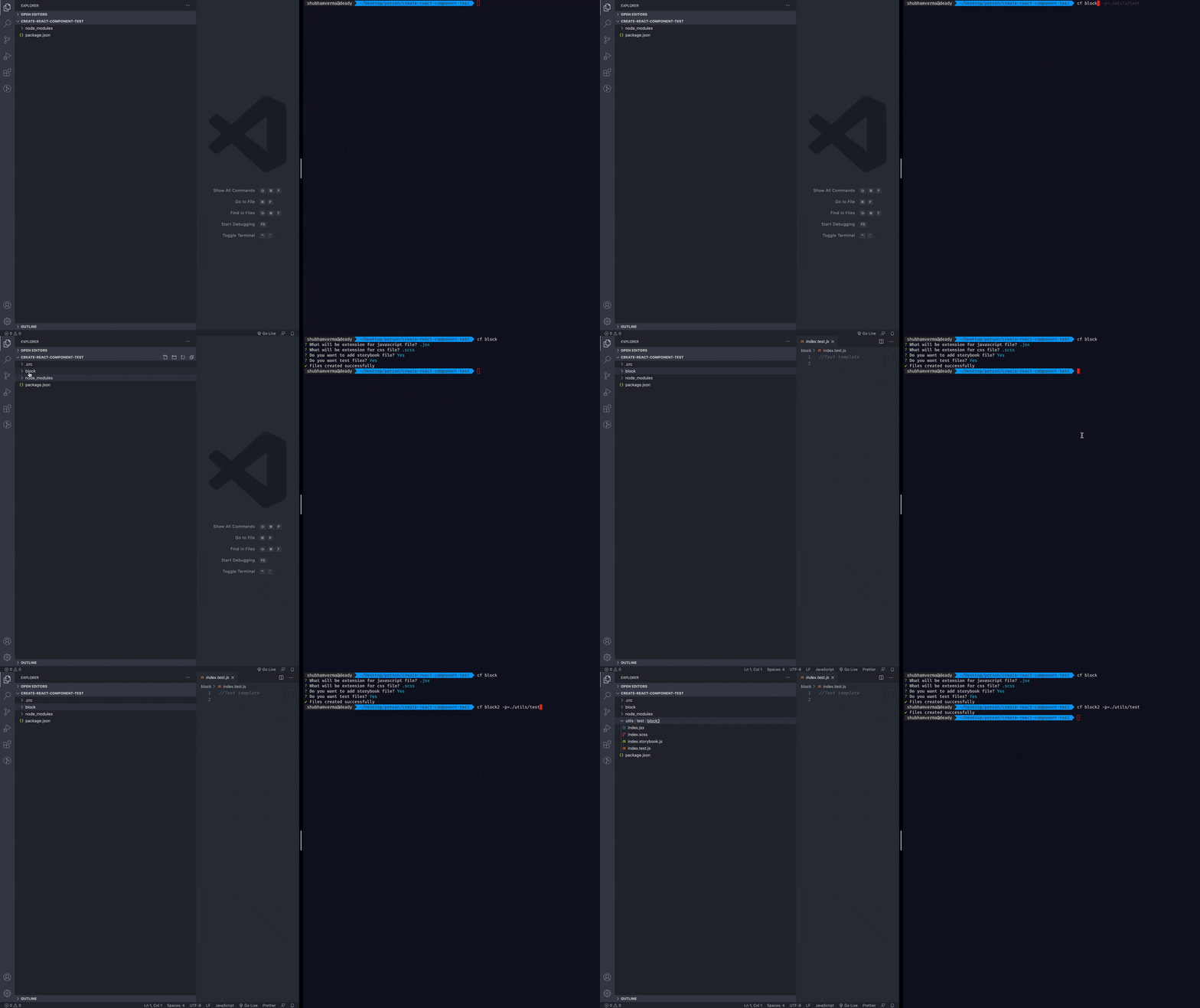
$ cf block

✔ Files created successfully
You can also pass path as an option where you want to generate these files
cf block3 --path=./test/test2It will generate files like this:
├── test
│   ├── test2
│       ├── block3
│       │   ├── **/*.css
│ │ ├── **/*.js(Note: Path must be relative to existing project. For example in above example block3 is created inside test2 folder )
Options
--path or -p: Path where these bulk files are installed . [Default:./]
How it works?
- When you use this cli first time it will ask for some basic config for creating config file.
 Note: If you dont want to use default config. I would suggest still do this you can update later. Let it create config and template file.
 - Once its done. It creates
.crcinside it has two files which is required for this module to use. Also you see your folder with the files which you input for.
Advance Usage(extending configuration)
When I started creating this package I was only designing for react specific. Later I realized it can be done for any node js application. So its not only react focus!
- If you dont want to prompt from cli and want your specific file. You can do that also easily
Simply create
.crcfolder in project directory.It required two files:
.crc.jsonandtemplate.js. (Note: It's case senstive. Do check filename twice).crc.json: It just a json file with key value pair{ <file type>: <file extension> }
For example: If you want to add files for
vue jsand its extension would be.vue. you can simply do this like this:{ "vue":".vue" }
Note: It's not required rule. I feel comfortable doing this. You can choose your key value pair. Just make sure you map correct in
template.jsfile.template.js: I would recommend to add this file as well. When running this package first time. It will also create this file. This file represent what should content should be rendered on your respective file. Its kind of template you want to render. Just likesnippets. By default it will empty string except forjsx. That I do for demo how it works . So considering above example:exports[<file type>] = (filename) => //Your content which you want to render when this file generated
for above case:
exports["vue"] = (filename) => `//Vue file generated`
Commit conventions
<type>(<scope?>): <subject>
<BLANK LINE>
<body?>
<BLANK LINE>
<footer?>
More reference you can read here