
Package Exports
- editorjs-button
This package does not declare an exports field, so the exports above have been automatically detected and optimized by JSPM instead. If any package subpath is missing, it is recommended to post an issue to the original package (editorjs-button) to support the "exports" field. If that is not possible, create a JSPM override to customize the exports field for this package.
Readme
Set Link and Text and Generate button plugin for Editor.js
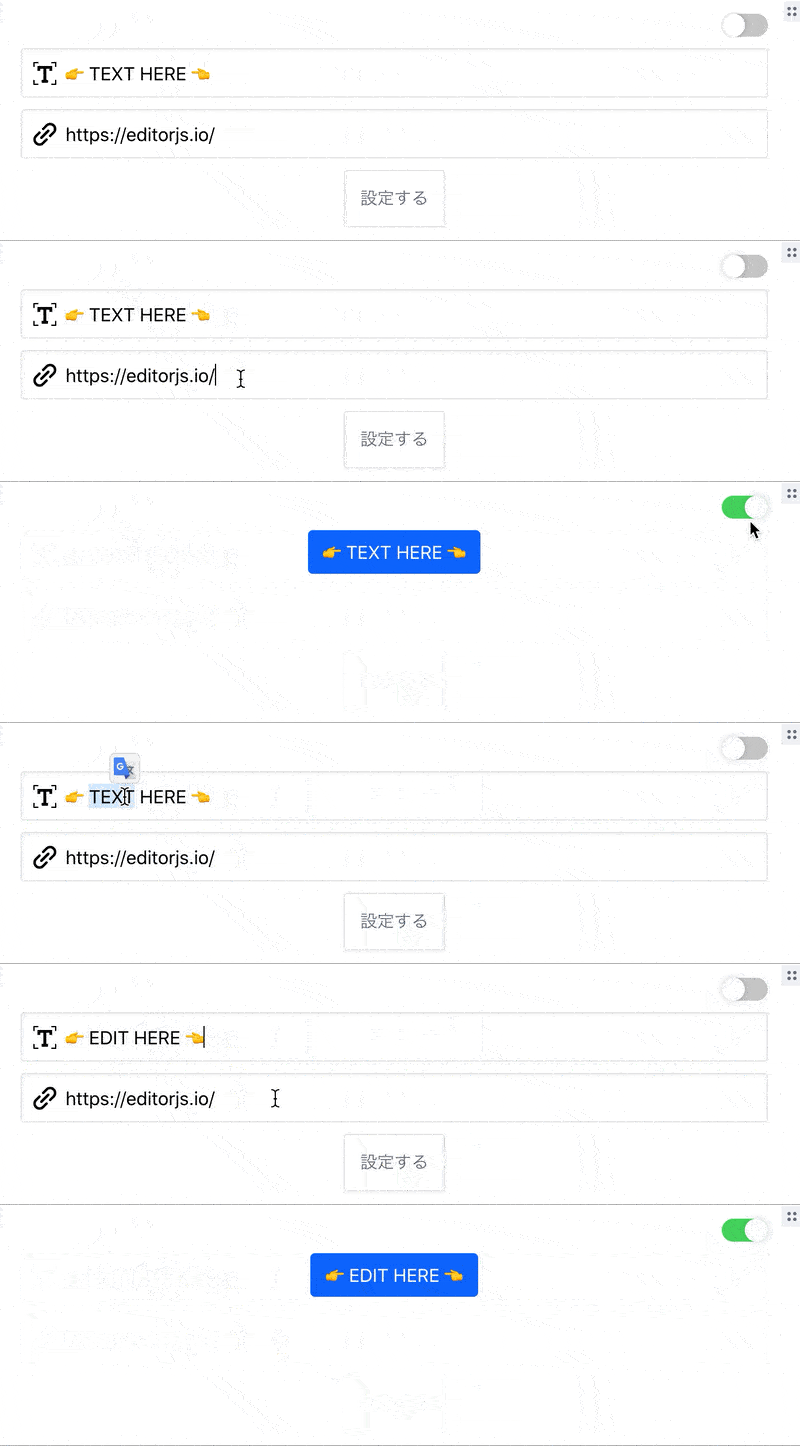
Installation
Install via NPM
Get the package
npm i --save editorjs-buttonInclude module at your application
const anyButton = require('anyButton');Download to your project's source dir
- Upload folder
distfrom repository - Add
dist/bundle.jsfile to your page.
Load from CDN
https://cdn.jsdelivr.net/npm/editorjs-button@1.0.0
Usage
Add a new Tool to the tools property of the Editor.js initial config.
tools: {
        AnyButton: {
          class: AnyButton,
          inlineToolbar: false,
          config:{
            css:{
              "btnColor": "btn--gray",
            }
          }
        },
      },
      i18n: {
        messages: {
          tools: {
            "AnyButton": {
              'Button Text': 'ボタンに表示するテキスト',
              'Link Url': 'ボタンの飛び先のURL',
              'Set': "設定する",
              'Default Button': "デフォルト",
            }
          }
        },
      },
}
Config Params
i18n overwrite if want to change default placeholder text,
i18n: {
    messages: {
      tools: {s
        "AnyButton": {
          'Button Text': 'ボタンに表示するテキスト',
          'Link Url': 'ボタンの飛び先のURL',
          'Set': "設定する",
          'Default Button': "デフォルト",
        }
      }
    },
},
if customize css, input filed, button design, and etc...
config:{
    css:{
      "btnColor": "btn--gray",
    }
}
Output data
| Field | Type | Description |
|---|---|---|
| link | string |
Exclusion HTML Tag text |
| text | string |
Exclusion HTML Tag text |
{
            "type" : "AnyButton",
            "data" : {
                "link" : "https://editorjs.io/",
                "text" : "editorjs official"
            }
        }