

Package Exports
- fluentbuilder
This package does not declare an exports field, so the exports above have been automatically detected and optimized by JSPM instead. If any package subpath is missing, it is recommended to post an issue to the original package (fluentbuilder) to support the "exports" field. If that is not possible, create a JSPM override to customize the exports field for this package.
Readme
FluentBuilder
FluentBuilder gives a simple way for creating data builder for your tests, with all beauty of an good intellisense.
It's recommended to use with TypeScript and a library like Faker.Js for fake data.
Installation
Nothing new here, just npm install
npm i --save-dev fluentbuilderHow To
lets define an interface (can be a class or anything like)
interface Foo {
    id: number,
    name: string
}
You can define a shape for your builder and use the from method, which receives a factory function, it will use your shape to generate your test data
  const builder = new Builder<Foo>()
  builder.from(() => ({ id: 1, name: 'bar' }))

  builder.generate() // { id: 1, name: 'bar' }
This example is not very exciting, but if we put some Faker.Js we can do better
import * as faker from 'faker'

const builder = new Builder<Foo>()
builder.from(() => ({
    id: faker.random.number(),
    name: faker.name.firstName()
}))

builder.generate() // { id: 37566, name: 'Marquis' }
builder.generate() // { id: 7487, name: 'Joy' }
builder.generate(2) // [ { id: 35751, name: 'Opal' }, { id: 94291, name: 'Savion' } ]
like that, every time we call generate() we will have a new data. note the fact which if we pass a number as an argument to generate method, it will return an array of your type
Fluent Style
You can define your value rules in an individual way, for it we have two methods (which did the same thing in a different way)
JS style
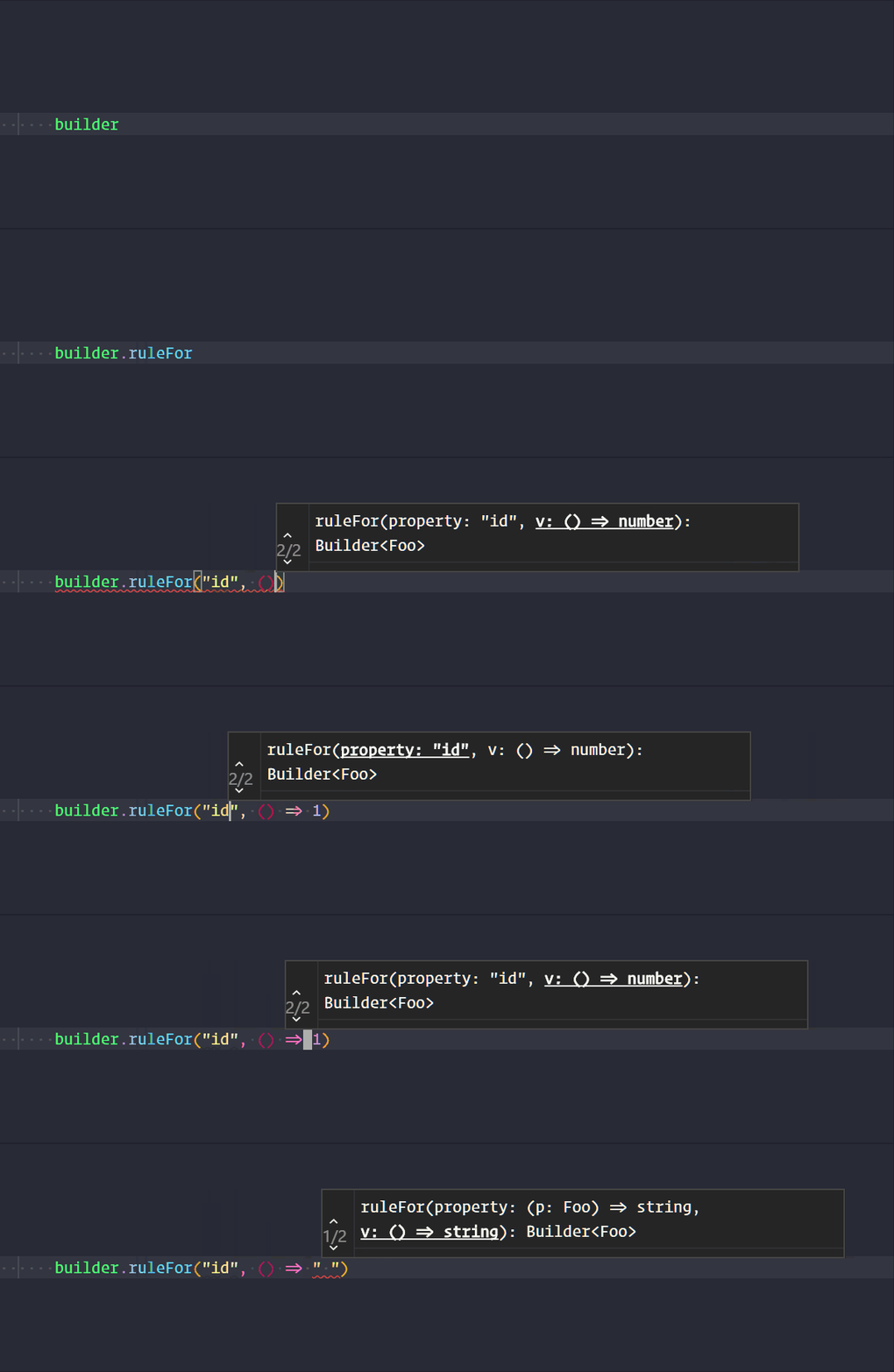
builder.ruleFor("id", () => faker.random.number())kind of C# style
builder.ruleFor(x => x.name, () => faker.random.alphaNumeric(10))In both forms we have a good intellisense/autocomplete help
JS Style
C# Style

With this methods its easy to derive a class from Builder
import Builder from 'fluentbuilder'
import * as faker from 'faker'

class FooBuilder extends Builder<Foo> {
    constructor(){
        super()

        // define basic props
        this.from(() => ({
            id: faker.random.number(),
            name: faker.name.firstName()
        }))
    }

    withName(name: string): this {
        this.ruleFor("name", () => name);
        return this
    }
}

const fooBuilder = new FooBuilder()

fooBuilder.generate() // { id: 58431, name: 'Lesley' }
fooBuilder.withName("Fluffy").generate() // { id: 25927, name: 'Fluffy' }
The methods can be chained, so this can be a valid approach
const fooFactory = () =>
    new Builder<Foo>()
    .ruleFor("id", () => faker.random.number())
    .ruleFor("name", () => faker.name.firstName())
    .generate()