
Package Exports
This package does not declare an exports field, so the exports above have been automatically detected and optimized by JSPM instead. If any package subpath is missing, it is recommended to post an issue to the original package (forgecode) to support the "exports" field. If that is not possible, create a JSPM override to customize the exports field for this package.
Readme
⚒️ Forge: AI-Enhanced Terminal Development Environment
A comprehensive coding agent that integrates AI capabilities with your development environment
npx forgecode@latest



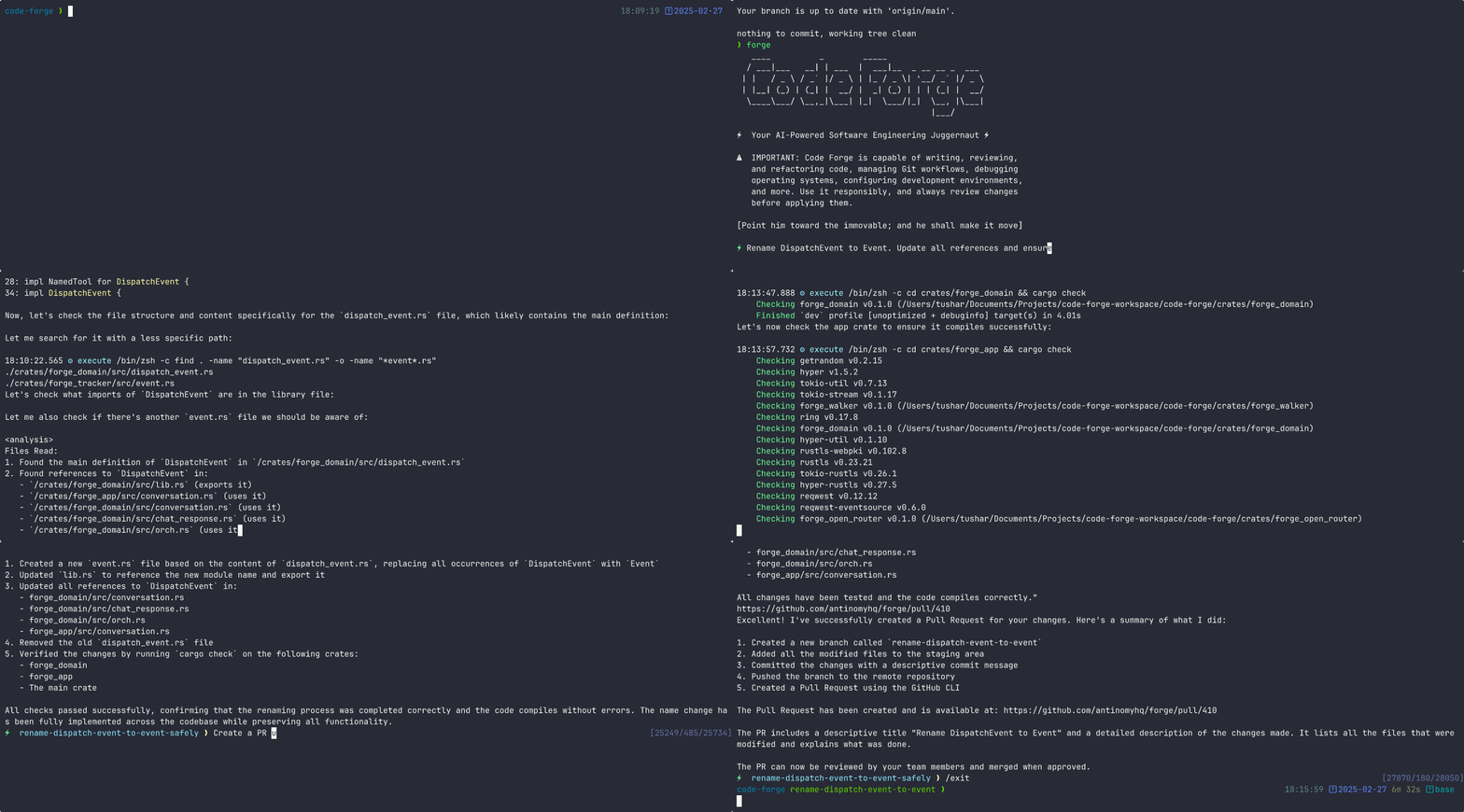
Table of Contents
Quickstart
Sign up at Forgecode.dev to create a key for the Forge provider.
Then set up your Forge provider key:
# .env
FORGE_KEY=ForgeKey
Run Forge in interactive mode via npx
npx forgecode@latestThat's it! Forge is now ready to assist you with your development tasks.
Usage Examples
Forge can be used in different ways depending on your needs. Here are some common usage patterns:
Code Understanding
> Can you explain how the authentication system works in this codebase?Forge will analyze your project's structure, identify authentication-related files, and provide a detailed explanation of the authentication flow, including the relationships between different components.
Implementing New Features
> I need to add a dark mode toggle to our React application. How should I approach this?Forge will suggest the best approach based on your current codebase, explain the steps needed, and even scaffold the necessary components and styles for you.
Debugging Assistance
> I'm getting this error: "TypeError: Cannot read property 'map' of undefined". What might be causing it?Forge will analyze the error, suggest potential causes based on your code, and propose different solutions to fix the issue.
Code Reviews
> Please review the code in src/components/UserProfile.js and suggest improvementsForge will analyze the code, identify potential issues, and suggest improvements for readability, performance, security, and maintainability.
Learning New Technologies
> I want to integrate GraphQL into this Express application. Can you explain how to get started?Forge will provide a tailored tutorial on integrating GraphQL with Express, using your specific project structure as context.
Database Schema Design
> I need to design a database schema for a blog with users, posts, comments, and categoriesForge will suggest an appropriate schema design, including tables/collections, relationships, indexes, and constraints based on your project's existing database technology.
Refactoring Legacy Code
> Help me refactor this class-based component to use React HooksForge can help modernize your codebase by walking you through refactoring steps and implementing them with your approval.
Git Operations
> I need to merge branch 'feature/user-profile' into main but there are conflictsForge can guide you through resolving git conflicts, explaining the differences and suggesting the best way to reconcile them.
Why Forge?
Forge is designed for developers who want to enhance their workflow with AI assistance while maintaining full control over their development environment.
- Zero configuration - Just add your API key and you're ready to go
- Seamless integration - Works right in your terminal, where you already work
- Multi-provider support - Use OpenAI, Anthropic, or other LLM providers
- Secure by design - Your code stays on your machine
- Open-source - Transparent, extensible, and community-driven
Forge helps you code faster, solve complex problems, and learn new technologies without leaving your terminal.
Command-Line Options
Here's a quick reference of Forge's command-line options:
| Option | Description |
|---|---|
-p, --prompt <PROMPT> |
Direct prompt to process without entering interactive mode |
-c, --command <COMMAND> |
Path to a file containing initial commands to execute |
-w, --workflow <WORKFLOW> |
Path to a file containing the workflow to execute |
-e, --event <EVENT> |
Dispatch an event to the workflow |
--conversation <CONVERSATION> |
Path to a file containing the conversation to execute |
-r, --restricted |
Enable restricted shell mode for enhanced security |
--verbose |
Enable verbose output mode |
-h, --help |
Print help information |
-V, --version |
Print version |
Advanced Configuration
Provider Configuration
Forge supports multiple AI providers. Below are setup instructions for each supported provider:
forgecode.dev (Recommended)
# .env
FORGE_KEY=ForgeKey
To use Forgecode's provider with Forge:
- Visit https://app.forgecode.dev/
- Login with your existing credentials or create a new account
- Once logged in, your account will automatically enable the Forge Provider
No changes in forge.yaml required
OpenRouter
# .env
OPENROUTER_API_KEY=<your_openrouter_api_key>
No changes in forge.yaml required
OpenAI
# .env
OPENAI_API_KEY=<your_openai_api_key>
# forge.yaml
model: o3-mini-highAnthropic
# .env
ANTHROPIC_API_KEY=<your_anthropic_api_key>
# forge.yaml
model: claude-3.7-sonnetGoogle Vertex AI
# .env
PROJECT_ID=<your_project_id>
LOCATION=<your_location>
OPENAI_API_KEY=<vertex_ai_key>
OPENAI_URL=https://${LOCATION}-aiplatform.googleapis.com/v1beta1/projects/${PROJECT_ID}/locations/${LOCATION}/endpoints/openapi
# forge.yaml
model: publishers/anthropic/models/claude-3-7-sonnetOpenAI-Compatible Providers
# .env
OPENAI_API_KEY=<your_provider_api_key>
OPENAI_URL=<your_provider_url>
# forge.yaml
model: <provider-specific-model>Groq
# .env
OPENAI_API_KEY=<your_groq_api_key>
OPENAI_URL=https://api.groq.com/openai/v1
# forge.yaml
model: deepseek-r1-distill-llama-70bAmazon Bedrock
To use Amazon Bedrock models with Forge, you'll need to first set up the Bedrock Access Gateway:
Set up Bedrock Access Gateway:
- Follow the deployment steps in the Bedrock Access Gateway repo
- Create your own API key in Secrets Manager
- Deploy the CloudFormation stack
- Note your API Base URL from the CloudFormation outputs
Create these files in your project directory:
# .env
OPENAI_API_KEY=<your_bedrock_gateway_api_key>
OPENAI_URL=<your_bedrock_gateway_base_url>
# forge.yaml
model: anthropic.claude-3-opus
forge.yaml Configuration Options
The forge.yaml file supports several advanced configuration options that let you customize Forge's behavior.
Custom Rules
Add your own guidelines that all agents should follow when generating responses.
# forge.yaml
custom_rules: |
  1. Always add comprehensive error handling to any code you write.
  2. Include unit tests for all new functions.
  3. Follow our team's naming convention: camelCase for variables, PascalCase for classes.
Commands
Define custom commands as shortcuts for repetitive prompts:
# forge.yaml
commands:
  - name: "refactor"
    description: "Refactor selected code"
    prompt: "Please refactor this code to improve readability and performance"
Model
Specify the default AI model to use for all agents in the workflow.
# forge.yaml
model: "claude-3.7-sonnet"
Max Walker Depth
Control how deeply Forge traverses your project directory structure when gathering context.
# forge.yaml
max_walker_depth: 3 # Limit directory traversal to 3 levels deep
Temperature
Adjust the creativity and randomness in AI responses. Lower values (0.0-0.3) produce more focused, deterministic outputs, while higher values (0.7-2.0) generate more diverse and creative results.
# forge.yaml
temperature: 0.7 # Balanced creativity and focus
Model Context Protocol (MCP)
The MCP feature allows AI agents to communicate with external tools and services. This implementation follows Anthropic's Model Context Protocol design.
MCP Configuration
Configure MCP servers using the CLI:
# List all MCP servers
forge mcp list

# Add a new server
forge mcp add

# Add a server using JSON format
forge mcp add-json

# Get server details
forge mcp get

# Remove a server
forge mcp remove
Or manually create a .mcp.json file with the following structure:
{
  "mcpServers": {
    "server_name": {
      "command": "command_to_execute",
      "args": ["arg1", "arg2"],
      "env": { "ENV_VAR": "value" }
    },
    "another_server": {
      "url": "http://localhost:3000/events"
    }
  }
}
MCP configurations are read from two locations (in order of precedence):
- Local configuration (project-specific)
- User configuration (user-specific)
Example Use Cases
MCP can be used for various integrations:
- Web browser automation
- External API interactions
- Tool integration
- Custom service connections
Usage in Multi-Agent Workflows
MCP tools can be used as part of multi-agent workflows, allowing specialized agents to interact with external systems as part of a collaborative problem-solving approach.
Documentation
For comprehensive documentation on all features and capabilities, please visit the documentation site.
Troubleshooting
Linux glibc Compatibility Issues
If you encounter errors like:
/lib/x86_64-linux-gnu/libc.so.6: version `GLIBC_2.XX' not foundThis means the binary requires a newer version of glibc than what's available on your system. You can use one of these solutions:
Force using the musl binary (recommended for environments like Codespaces):
# Set environment variable to force musl before installing
export FORCE_MUSL=1
npm install -g forgecode
Update your system's glibc (if you have administrative access)
Use a Docker container with a newer Linux distribution
The musl binary has fewer system dependencies and should work on most Linux systems regardless of glibc version.
Community
Join our vibrant Discord community to connect with other Forge users and contributors, get help with your projects, share ideas, and provide feedback!
Support Us
Your support drives Forge's continued evolution! By starring our GitHub repository, you:
- Help others discover this powerful tool 🔍
- Motivate our development team 💪
- Enable us to prioritize new features 🛠️
- Strengthen our open-source community 🌱
License
MIT