
Package Exports
- gl-axes
This package does not declare an exports field, so the exports above have been automatically detected and optimized by JSPM instead. If any package subpath is missing, it is recommended to post an issue to the original package (gl-axes) to support the "exports" field. If that is not possible, create a JSPM override to customize the exports field for this package.
Readme
gl-axes
Draws axes for 3D scenes:
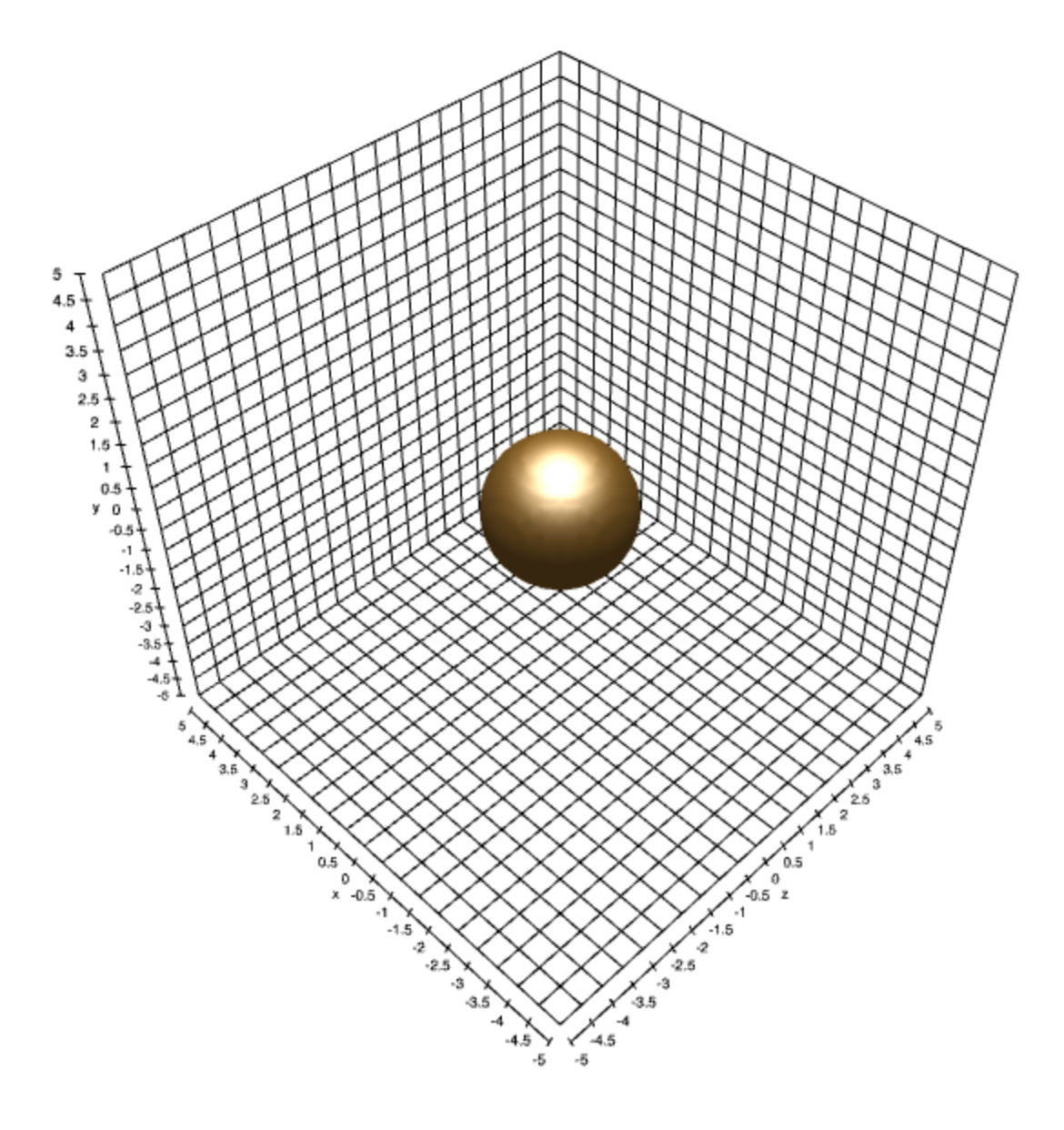
Example
Here is a simple example showing how to use gl-axes to visualize the extents of an isosurface:
//Load shell
var shell = require("gl-now")({ clearColor: [0,0,0,0] })
var camera = require("game-shell-orbit-camera")(shell)

//Mesh creation tools
var createMesh = require("gl-simplicial-complex")
var polygonize = require("isosurface").surfaceNets
var createAxes = require("gl-axes")

//Matrix math
var mat4 = require("gl-matrix").mat4

//Bounds on function to plot
var bounds = [[-5,-5,-5], [5,5,5]]

//Plot level set of f = 0
function f(x,y,z) {
  return x*x + y*y + z*z - 2.0
}

//State variables
var mesh, axes

shell.on("gl-init", function() {
  var gl = shell.gl

  //Set up camera
  camera.lookAt(extents[1], [0,0,0], [0, 1, 0])

  //Create mesh
  mesh = createMesh(gl, polygonize([64, 64, 64], f, bounds))

  //Create axes object
  axes = createAxes(gl, {
    bounds: bounds
  })
})

shell.on("gl-render", function() {
  var gl = shell.gl
  gl.enable(gl.DEPTH_TEST)

  //Compute camera parameters
  var cameraParameters = {
    view: camera.view(),
    projection: mat4.perspective(
        mat4.create(),
        Math.PI/4.0,
        shell.width/shell.height,
        0.1,
        1000.0)
  }

  //Draw mesh
  mesh.draw(cameraParameters)

  //Draw axes
  axes.draw(cameraParameters)
})
You can play with this demo yourself on requirebin.
Install
npm install gl-axesAPI
Constructor
var axes = require("gl-axes")(gl[, params])
Creates an axes object.
glis a WebGL contextparamsis an object with the same behavior asaxes.update
Returns A new glAxes object for drawing the
Methods
axes.draw(camera)
Draws the axes object with the given camera parameters. The camera object can have the following properties:
model- Is the model matrix for the axes object (default identity)view- Is the view matrix for the axes (default identity)projection- Is the projection matrix for the axes (default identity)
All camera matrices are in 4x4 homogeneous coordinates and encoded as length 16 arrays as done by gl-matrix.
axes.update(params)
Updates the parameters of the axes object using the properties in params. These can be as follows:
boundsthe bounding box for the axes object, represented as a pair of 3D arrays encoding the lower and upper bounds for each component. Default is[[-10,-10,-10],[10,10,10]]labelsa 3D array encoding the labels for each of the 3 axes. Default is['x', 'y', 'z']tickSpacingeither a number or 3d array representing the spacing between the tick lines for each axis. Default is0.5showAxesa vector of boolean values determining which of the 3 axes tick lines to show. Default is[true,true,true]tickWidththe width of a tick line in the underlying box in pixelsfontthe font family to use for rendering text. Default'sans-serif'axesColorsan array of colors for each axis, or else a single 3D array encoding all axes colors. Default is[[0,0,0], [0,0,0], [0,0,0]]gridColorthe color of the grid lines in the background. Default is[0,0,0]
axes.dispose()
Releases all resources associated with this axes object.
Credits
(c) 2014 Mikola Lysenko. MIT License