
Package Exports
- gl-texture2d
This package does not declare an exports field, so the exports above have been automatically detected and optimized by JSPM instead. If any package subpath is missing, it is recommended to post an issue to the original package (gl-texture2d) to support the "exports" field. If that is not possible, create a JSPM override to customize the exports field for this package.
Readme
gl-texture2d
ndarray compatible wrapper for WebGLTexture objects
Example
Try it in your browser right now
var shell = require("gl-now")()
var createShader = require("gl-shader")
var createTexture = require("gl-texture2d")

var lena = require("lena")

shell.on("gl-init", function() {
  var gl = shell.gl

  var texture = createTexture(gl, lena)

  var shader = createShader(gl, "\
    attribute vec2 position;\
    varying vec2 texCoord;\
    void main() {\
      gl_Position = vec4(position, 0, 1);\
      texCoord = vec2(0.5,-0.5) * (position + 1.0);\
    }", "\
    precision highp float;\
    uniform sampler2D texture;\
    varying vec2 texCoord;\
    void main() {\
      gl_FragColor = texture2D(texture, texCoord);\
    }")

  gl.bindBuffer(gl.ARRAY_BUFFER, gl.createBuffer())
  gl.bufferData(gl.ARRAY_BUFFER, new Float32Array([
    -1, -1,
     4, -1,
    -1,  4
  ]), gl.STATIC_DRAW)

  texture.bind(0)
  shader.bind()
  shader.uniforms.texture = 0
  shader.attributes.position.pointer()
  shader.attributes.position.enable()
})

shell.on("gl-render", function() {
  var gl = shell.gl
  gl.drawArrays(gl.TRIANGLES, 0, 3)
})
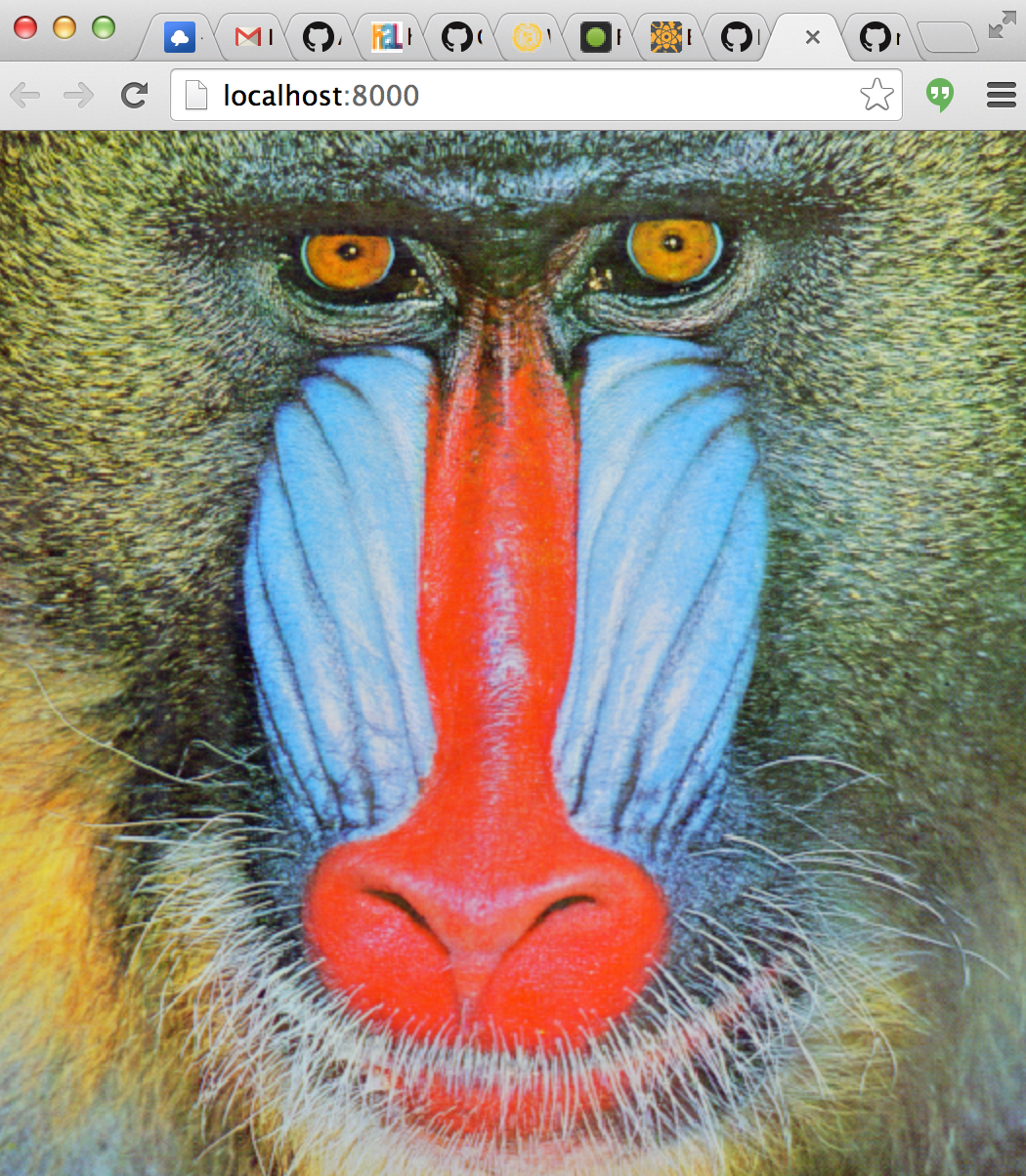
Here is what it should look like:
Install
npm install gl-texture2dAPI
var createTexture = require("gl-texture2d")Constructor
There are three basic usage patterns for createTexture:
var tex = createTexture(gl, width, height[, format, type])
Creates an unitialized texture with the given dimensions and format
widthis the width of textureheightis the height of the textureformat(optional) is the format of the texture (defaultgl.RGBA)typeis the type of texture (defaultgl.UNSIGNED_BYTE)
var tex = createTexture(gl, dom_element[, format, type])
Creates a texture from the given data source. Where dom_element is one of the following items:
- An
ImageDataobject - An
HTMLCanvasobject - An
HTMLImageobject - An
HTMLVideoobject
And format is an OpenGL data format or defaults to gl.RGBA and type is the storage type which defaults to gl.UNSIGNED_BYTE
var tex = createTexture(gl, array)
Creates a texture from an ndarray. The rules for selecting the format and type depend on the shape of the ndarray. The type of the texture is inferred according to the following rules. Let:
dtype = ndarray.dtype(array)shape = array.shape
Then the rules for type and format are defined according to the following table:
dtype |
shape |
format |
type |
|---|---|---|---|
float* |
[m,n] | LUMINANCE | FLOAT |
float* |
[m,n,1] | ALPHA | FLOAT |
float* |
[m,n,2] | LUMINANCE_ALPHA | FLOAT |
float* |
[m,n,3] | RGB | FLOAT |
float* |
[m,n,4] | RGBA | FLOAT |
(u)int* |
[m,n] | LUMINANCE | UNSIGNED_BYTE |
(u)int* |
[m,n,1] | ALPHA | UNSIGNED_BYTE |
(u)int* |
[m,n,2] | LUMINANCE_ALPHA | UNSIGNED_BYTE |
(u)int* |
[m,n,3] | RGB | UNSIGNED_BYTE |
(u)int* |
[m,n,4] | RGBA | UNSIGNED_BYTE |
Other combinations of shape and dtype are invalid and throw an error.
Texture Methods
tex.bind([tex_unit])
Binds the texture for use. Basically a short cut for:
gl.activeTexture(gl.TEXTURE0 + tex_unit)
gl.bindTexture(gl.TEXTURE_2D, this.handle)
If tex_unit is not specified then the active texture is not changed.
Returns The texture unit the texture is bound to.
`tex.dispose()``
Destroys the texture object and releases all of its resources. Under the hood this is equivalent to:
gl.deleteTexture(this.handle)tex.setPixels(data[, x_off, y_off, mip_level])
Unpacks data into a subregion of the texture. As before in the constructor data can be either an ndarray, HTMLCanvas, HTMLImage or HTMLVideo object. If data is an ndarray it must have a compatible format with the initial array layout.
x_offis the x offset to write from. (default0)y_offis the y offset to write from. (default0)mip_levelis the mip level to write to. (default0)
If data is an ndarray the same rules as in the constructor are followed for converting the type of the buffer.
tex.generateMipmaps()
Generates mipmaps for the texture. This will fail if the texture dimensions are not a power of two.
Texture Properties
tex.gl
A reference to the WebGL context of the texture.
tex.handle
A handle to the underlying texture object.
tex.format
The internal format of the texture.
tex.type
The internal data type of the texture.
tex.shape
An array representing the [height, width] of the texture
tex.wrapS
S wrap around behavior. Used to set/get gl.TEXTURE_WRAP_S
tex.wrapT
T wrap around behavior. Used to set/get gl.TEXTURE_WRAP_T
tex.magFilter
Magnification filter. Used to set/get gl.TEXTURE_MAG_FILTER
tex.minFilter
Minification filter. Used to set/get gl.TEXTURE_MIN_FILTER
Credits
(c) 2013 Mikola Lysenko. MIT License