
Package Exports
- hyper-transparent
This package does not declare an exports field, so the exports above have been automatically detected and optimized by JSPM instead. If any package subpath is missing, it is recommended to post an issue to the original package (hyper-transparent) to support the "exports" field. If that is not possible, create a JSPM override to customize the exports field for this package.
Readme
hyper-transparent 
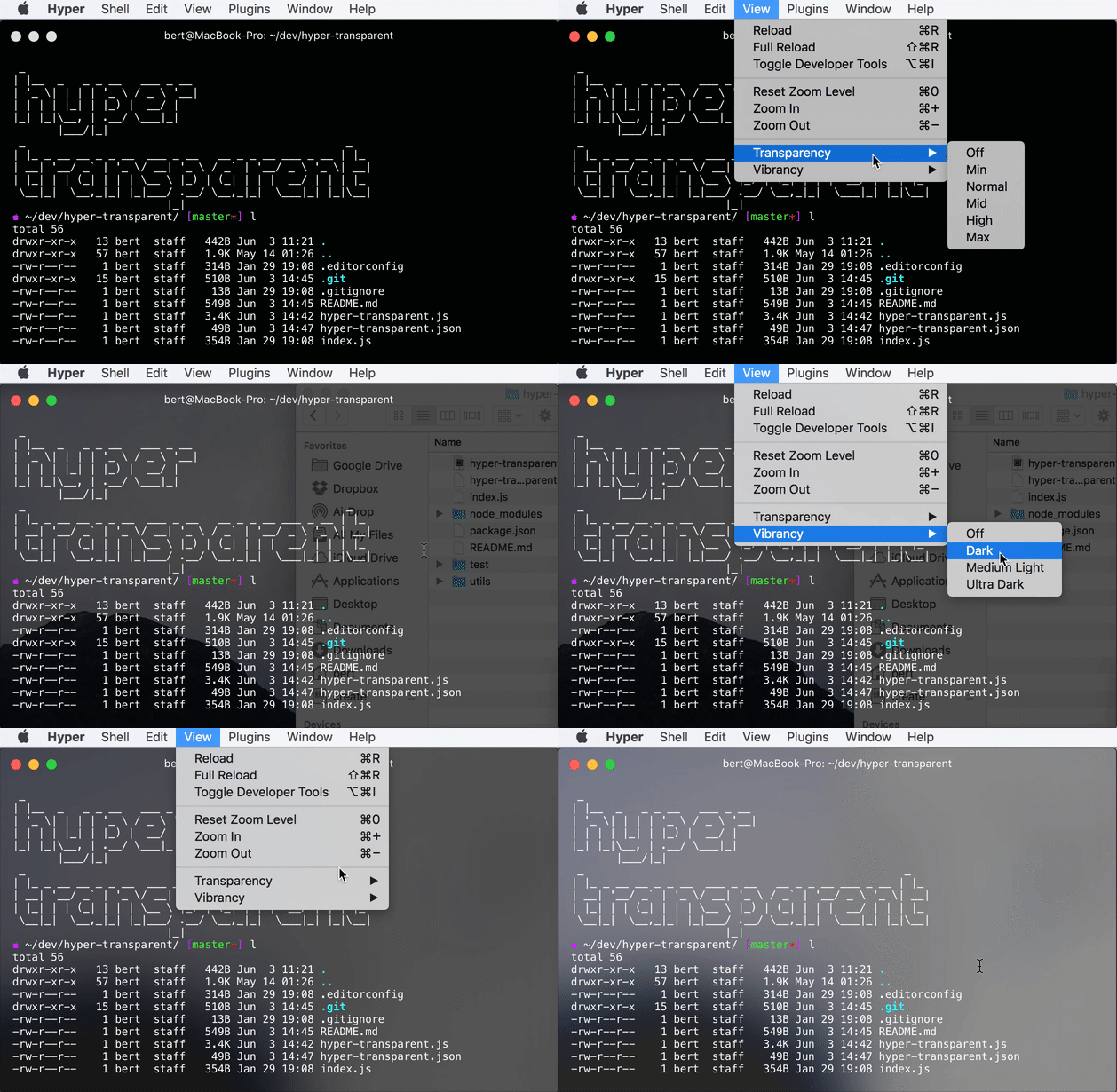
Hyper plugin to easily set window transparency.
Also allows you to easily set vibrancy on OSX.
Install
Open Hyper config, find plugins and add 'hyper-transparent' there:
plugins: [
  'hyper-transparent'
],
You'll find up to date plugin install instructions in the official Hyper site.
Change background color
Look for:
~/.hyper_plugins/node_modules/hyper-transparent/hyper-transparent.json
There you have something like (showing default config):
{"backgroundColor":"rgba(0,0,0,0.7)","vibrancy":""}
Color is defined by the first 3 numbers in the
rgba
property, going from 0 to 255.
Each one is a color channel: red, green and blue.
The last number is the alpha channel, which specifies the transparency amount and it's controlled by hyper-transparent.
Whatever color you write using the rgb portion will be preserved while changing
the alpha channel.
The plan is to add better support for color picking in the future :)
About Hyper
Hyper is a terminal app written with web technologies using Electron.
Cool stuff huh? ;)