
Package Exports
- json-colorizer
This package does not declare an exports field, so the exports above have been automatically detected and optimized by JSPM instead. If any package subpath is missing, it is recommended to post an issue to the original package (json-colorizer) to support the "exports" field. If that is not possible, create a JSPM override to customize the exports field for this package.
Readme
json-colorizer
A library for colorizing JSON strings
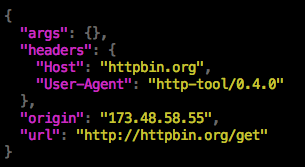
This package is a simple console syntax highlighter for JSON.
Installation
npm install --save json-colorizer
Usage
const colorize = require('json-colorizer');
console.log(colorize({ "foo": "bar" });
If you pass a string to the colorize function, it will treat it as pre-serialized JSON. This can be used in order to colorize pretty-printed JSON:
const colorize = require('json-colorizer');
const json = JSON.stringify({"foo": "bar"}, null, 2);
console.log(colorize(json);
Specifying colors
NOTE: Prior to version 2.x, the colors were specified by referencing chalk color functions directly. This required requiring chalk into the file. Starting with version 2.x, the colors are specified as a string which is the name (or property path) to the desired color function.
You can specify a color to use for coloring individual tokens by providing a colors object. This should map token types to the names of color functions (see the chalk styles reference).
const colorize = require('json-colorizer');
console.log(colorize({ "foo": "bar" }, {
  colors: {
    STRING_KEY: 'green',
    STRING_LITERAL: 'magenta.bold'
  }
}));
The tokens available are:
BRACEBRACKETCOLONCOMMASTRING_KEYSTRING_LITERALNUMBER_LITERALBOOLEAN_LITERALNULL_LITERAL