
Package Exports
- node-ray
- node-ray/node
- node-ray/standalone
- node-ray/web
Readme






node-ray
The official javascript, TypeScript, and NodeJS integration for Ray.
The package can be installed in any NodeJS, ES6+, or TypeScript application to send messages to the Ray app.
It is recommended that you immediately update to v1.20.6 or higher.
Versions 1.19.6 through 1.20.5 are broken and will not function correctly.
Installation
Install with npm:
npm install node-rayor yarn:
yarn add node-rayAvailable environments
node-ray offers several variants to allow you to use it in either NodeJS or Browser environments.
If you're using NextJs/React, take a look at permafrost-dev/react-ray.
If you're using Vue, check out permafrost-dev/vue-ray.
NodeJS
When using in a NodeJS environment (the default), import the package as you would normally:
// es module import:
import { ray } from 'node-ray';

// commonjs import:
const ray = require('node-ray').ray;
Browser bundle
When bundling scripts for use in a Browser environment (i.e., using webpack), import the /web variant:
// es module import:
import { ray } from 'node-ray/web';

// commonjs import:
const { ray } = require('node-ray/web');
Browser standalone
Important Note - As of version
1.20.6, you should no longer includeaxiosas a separate<script>tag.It is now included in the standalone build.
node-ray may be directly used within a web page via a script tag. The standalone version includes all required libraries, including axios.
<script src="https://cdn.jsdelivr.net/npm/node-ray@latest/dist/standalone.min.js"></script>
<script>
    window.ray = Ray.ray;
    window.Ray = Ray.Ray;
</script>
Recommended Standalone Initialization
As of version 1.20.3, you may use the rayInit() method instead of manually assigning properties to the window global object. rayInit() is simply a wrapper around the above method to provide a better developer experience as well as more succinct and readable code:
<script src="https://cdn.jsdelivr.net/npm/node-ray@latest/dist/standalone.min.js"></script>
<script>
    rayInit(window);
    ray('hello world');
</script>
Regardless of the method used for initialization, the ray() helper function and the Ray class will now available in all scopes via the global window object.
Laravel Mix
To use node-ray with Laravel Mix, include the following in resources/js/bootstrap.js:
const { ray } = require('node-ray/web');

window.ray = ray;
Compile the bundle _(npm run dev)_as usual. After including js/app.js in your view, you may access ray() within your scripts.
Usage
Most of the API from the original PHP package is supported. See the api reference for more information.
// es module import:
import { ray } from 'node-ray';

// commonjs import:
const { ray } = require('node-ray');
To modify the host or port:
// make sure you import the Ray class (capital "R")
const { Ray, ray } = require('node-ray');

Ray.useDefaultSettings({ host: '127.0.0.1', port: 3000 });

// or just modify the port:
Ray.useDefaultSettings({ port: 3000 });

// ...and use ray() as normalray('a string');
ray(['several', 'arguments'], 'can', {be: provided});
ray().table(['one two', {a: 100, b: 200, c: 300}, [9, 8, 7]]).blue();
ray().html('<em>large text</em>').large().green();
ray().image('https://placekitten.com/200/300');
ray().clearAll();
ray().disable(); // disable sending data to Ray at runtime
ray().xml('<one>11</one>'); // disabled, data not sent to RayConfiguration
NodeJS config
Note: This section only applies when using node-ray in the NodeJS environment, NOT a browser environment.
node-ray will search for ray.config.js, which should be in the project's root directory.
Using a configuration file is optional, and the package will use the default settings if no configuration file is specified.
Example:
// ray.config.js

module.exports = {
    enable: true,
    host: 'localhost',
    port: 23517,
    scheme: 'http', //only change this if you know what you're doing!

    // calls to console.log() are redirected to Ray
    intercept_console_log: true,

    // determine the enabled state using the specified callback
    // the 'enable' setting is also considered when using this setting.
    enabled_callback: () => {
        return functionThatReturnsABoolean();
    },

    sending_payload_callback: (rayInstance, payloads) => {
        if (payloads[0].getType() === 'custom') {
            payloads[0].html += ' <strong>- modified!</strong>';
        }
    },

    sent_payload_callback: (rayInstance) => {
        // automatically make all payloads sent to Ray green.
        rayInstance.green();
    },
}
When running node-ray within a NodeJS environment, you may set the environment variable NODE_ENV to "production" or "staging" to disable sending data to Ray from calls to ray().
Browser config
This section only applies within a browser environment (i.e., webpack).
You can configure node-ray by importing the Ray class and calling the useDefaultSettings() method.
const { Ray, ray } = require('node-ray/web');

// set several settings at once:
Ray.useDefaultSettings({
    host: '192.168.1.20',
    port: 23517
});

// or set individual settings only:
Ray.useDefaultSettings({ port: 23517 });

// use ray() normally:
ray().html('<strong>hello world</strong>');
These settings persist across calls to ray(), so they only need to be defined once.
Enabled state
If providing a callback for the enabled_callback setting (a function that returns a boolean), payloads will only be sent to Ray if:
- the
enablesetting is set totrue. - the callback returns a value of
true.
If either condition is false, then no payloads will be sent to Ray.
Set the enabled_callback setting to null or leave it undefined to consider the enable setting (the default).
Sending/sent payload callbacks
Specify the sending_payload_callback or sent_payload_callback settings to trigger a callback before (sending) or after (sent) sending a payload.
This feature is helpful when sending additional payloads or modifying all payloads (i.e., changing the color).
About
This package attempts to replicate the entire PHP API for Ray to provide a robust solution for debugging NodeJS projects.
How is this different from js-ray?
This package is a more comprehensive implementation written in Typescript, and its primary use case is for NodeJS projects, although it also works within browser environments.
The codebase was translated to Typescript directly from spatie/ray.
As a result, node-ray implements most features in the original package; js-ray does not.
However, we did draw some inspiration for portions of the code from js-ray.
Using the package
See using the package.
Reference
| Call | Description |
|---|---|
ray(variable) |
Display a string, array or object |
ray(var1, var2, …) |
Ray accepts multiple arguments |
ray(…).blue() |
Output in color. Use green, orange, red, blue,purple or gray |
ray().caller() |
Show the calling class and method |
ray().clearScreen() |
Clear current screen |
ray().clearAll() |
Clear current and all previous screens |
ray().className(obj) |
Display the classname for an object |
ray().confetti() |
Display Confetti in Ray |
ray().count(name) |
Count how many times a piece of code is called, with optional name |
ray().date(date, format) |
Display a formatted date, the timezone, and its timestamp |
ray().die() |
Halt code execution - NodeJS only |
ray().disable() |
Disable sending stuff to Ray |
ray().disabled() |
Check if Ray is disabled |
ray().enable() |
Enable sending stuff to Ray |
ray().enabled() |
Check if Ray is enabled |
ray().error(err) |
Display information about an Error/Exception |
ray().event(name, data) |
Display information about an event with optional data |
ray().exception(err) |
Display extended information and stack trace for an Error/Exception |
ray().file(filename) |
Display contents of a file - NodeJS only |
ray(…).hide() |
Display something in Ray and make it collapse immediately |
ray().hideApp() |
Programmatically hide the Ray app window |
ray().html(string) |
Send HTML to Ray |
ray().htmlMarkup(string) |
Display syntax-highlighted HTML code in Ray |
ray().if(true, callback) |
Conditionally show things based on a truthy value or callable, optionally calling the callback with a ray argument |
ray().image(url) |
Display an image in Ray |
ray().interceptor() |
Access ConsoleInterceptor; call .enable() to show console.log() calls in Ray |
ray().json([…]) |
Send JSON to Ray |
ray().label(string) |
Add a text label to the payload |
ray().limit(N).… |
Limit the number of payloads that can be sent to Ray to N; used for debugging within loops |
ray().macro(name, callable) |
Add a custom method to the Ray class. make sure not to use an arrow function if returning this |
ray().measure(callable) |
Measure the performance of a callback function |
ray().measure() |
Begin measuring the overall time and elapsed time since previous measure() call |
ray().newScreen() |
Start a new screen |
ray().newScreen('title') |
Start a new named screen |
ray().nodeinfo() |
Display statistics about node, such as the v8 version and memory usage (NodeJS only) |
ray(…).notify(message) |
Display a notification |
ray().once(arg1, …) |
Only send a payload once when in a loop |
ray(…).pass(variable) |
Display something in Ray and return the value instead of a Ray instance |
ray().pause() |
Pause code execution within your code; must be called using await |
ray().projectName(name) |
Change the active project name |
ray(…).remove() |
Remove an item from Ray |
ray(…).removeIf(true) |
Conditionally remove an item based on a truthy value or callable |
ray(…).removeWhen(true) |
Conditionally remove an item based on a truthy value or callable |
ray(…).screenColor(color) |
Changes the screen color to the specified color |
ray(…).separator() |
Display a separator |
ray().showApp() |
Programmatically show the Ray app window |
ray(…).showIf(true) |
Conditionally show things based on a truthy value or callable |
ray(…).showWhen(true) |
Conditionally show things based on a truthy value or callable |
ray(…).small() |
Output text smaller or bigger. Use large or small |
ray().stopTime(name) |
Removes a named stopwatch if specified, otherwise removes all stopwatches |
ray().table(…) |
Display an array or an object formatted as a table; Objects and arrays are pretty-printed |
ray().text(string) |
Display raw text in Ray while preserving whitespace formatting |
ray().trace() |
Display a stack trace |
ray().xml(string) |
Send XML to Ray |
FAQ
Is
node-rayonly for NodeJS? Not at all! It can be used in a web environment with javascript as well.Can
node-raybe used with React/Vue? yes, be sure to importnode-ray/webCan
node-raybe used if I am using webpack? yes, be sure to importnode-ray/web
Development setup
npm installnpm run build:allnpm run testnode build/test.js
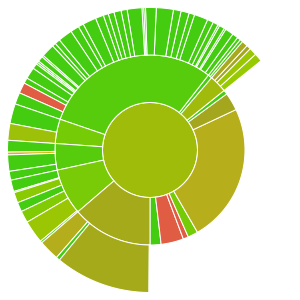
Code Coverage Details


Testing
node-ray uses Jest for unit tests. To run the test suite:
npm run test
To update the test snapshots:
npm run test -- -u
Changelog
Please see CHANGELOG for more information on what has changed recently.
Security Vulnerabilities
Please review our security policy on how to report security vulnerabilities.
Credits
License
The MIT License (MIT). Please see License File for more information.