
Package Exports
- ololog
This package does not declare an exports field, so the exports above have been automatically detected and optimized by JSPM instead. If any package subpath is missing, it is recommended to post an issue to the original package (ololog) to support the "exports" field. If that is not possible, create a JSPM override to customize the exports field for this package.
Readme
Ololog!


- Platform-agnostic logging
- Colors / styles for terminals and Chrome DevTools (try online demo)
- Displays call locations
- Returns its argument (for easy debugging of functional expressions)
- Smart newline / indentation handling
- Powerful object printer
- Formats
Errorinstances as pretty stacktraces with source lines - Full sourcemap support (via
get-source) - Pluggable pipeline architecture
- Can replace the default unhandled error printer in Node
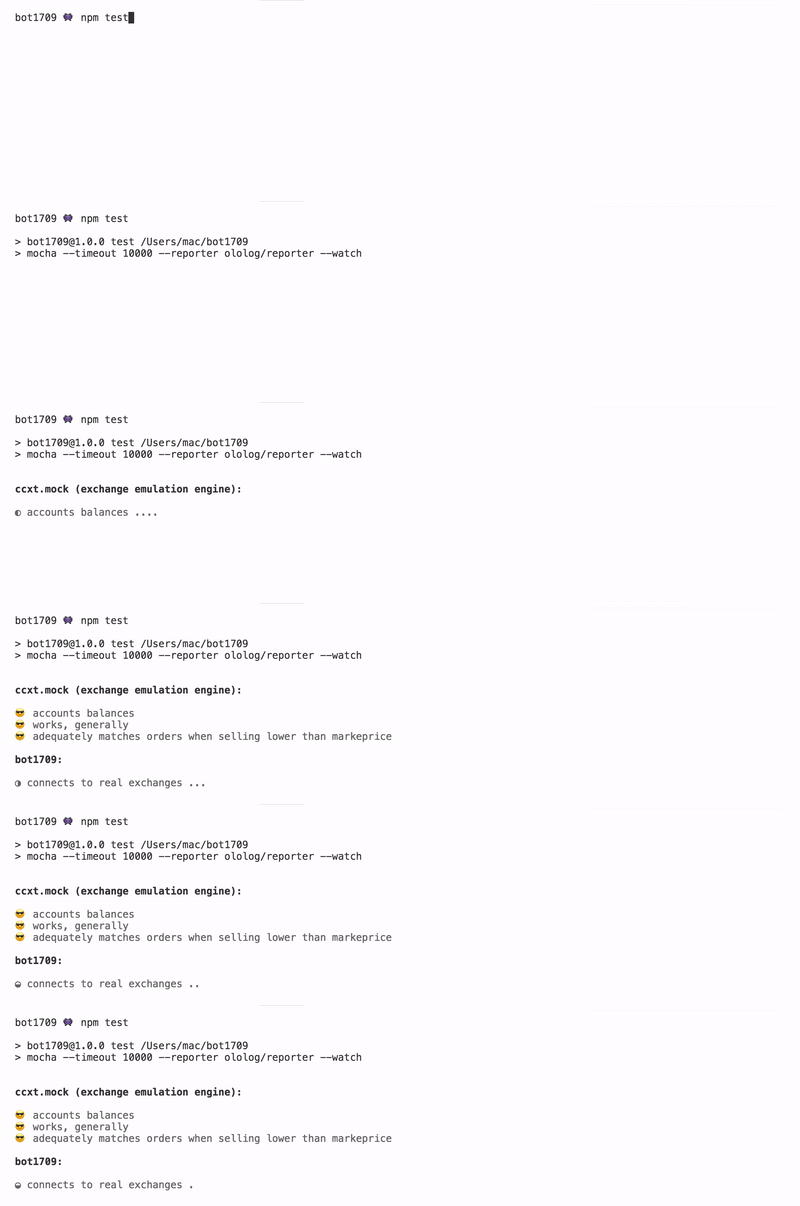
- Integrates with Mocha (experimental)
Importing
For use with Node or with module bundlers (Browserify / WebPack / Rollup):
npm install olologconst log = require ('ololog')Using With Mocha

mocha --reporter ololog/reporter- Aligns log messages nicely
- Supresses log output for nonfailed tests (disable with
.onlyorthis.verbose=truefor a suite/test) - Automatically manages empty lines / whitespace for better legibility
- Prints unhandled exceptions and promise rejections as nice stacktraces
- Animated execution progress
Browser Bundle
...for those who still uses <script> tag for module importing ;) Exposes the global ololog and ansicolor objects. Installs String extensions for ANSI styles. Not compressed.
<script src="https://unpkg.com/ololog"></script> <!-- from unpkg.com CDN -->
<script>
    log = ololog
    log ('something'.red)
</script>
Basic Usage
At first, it's similar to console.log:
log ('foo', 'bar', 'baz') // foo bar bazConfiguration
It exposes a method called .configure, which produces a new log instance with the new settings applied (not mutating the original one), which can be saved and re-used subsequently:
const log = require ('ololog').configure ({ concat: { separator: '' }})log ('foo', 'bar', 'baz') // foobarbaz...or you can apply the configuration method ad-hoc:
log.configure ({ concat: { separator: '' }}) ('foo', 'bar', 'baz') // foobarbazYou can read more about configure here. Configuration engine is implemented as a separate external library, for everyone's use. Contributions are welcome.
Debugging Of Functional Expressions
Ololog returns its first argument (a feature that console.log doesn't have), and it greatly simplifies debugging of functional expressions, as you can simply wrap part of an expression to log:
array.map (x => log (x) + 1)It is far less ugly than with console.log:
array.map (x => { console.log (x); return x + 1 })ANSI Styling
Backed by the ansicolor library, colored output is supported for the terminal environment and for the Chrome DevTools console. On other platforms, ANSI codes are safely stripped from the output, so they don't mess up anything.
Apply styling by calling the ansicolor methods on arbitrary strings:
require ('ansicolor').nice // importing in .nice mode extends the String prototype, but there's a safe functional mode as well (see the docs...)

log (('foo'.dim.red + 'bar'.bgLightCyan).underline)
...or by using the built-in shorthand methods (no need to import ansicolor, but we lose the ability to colorize just a part of a string):
log.red ('red text')
log.bright.red.underline ('multiple styles combined')
See all the supported styling options here.
Smart Indentation/Newline Handling
log.bright.magenta ('this is something:'.yellow, [ "595da547d9b22f23d8228643", "595da547d9b22f23d822863f", "595da547d9b22f23d8228641" ])
...and this is how it would look without special caring:

Smart Object Printing
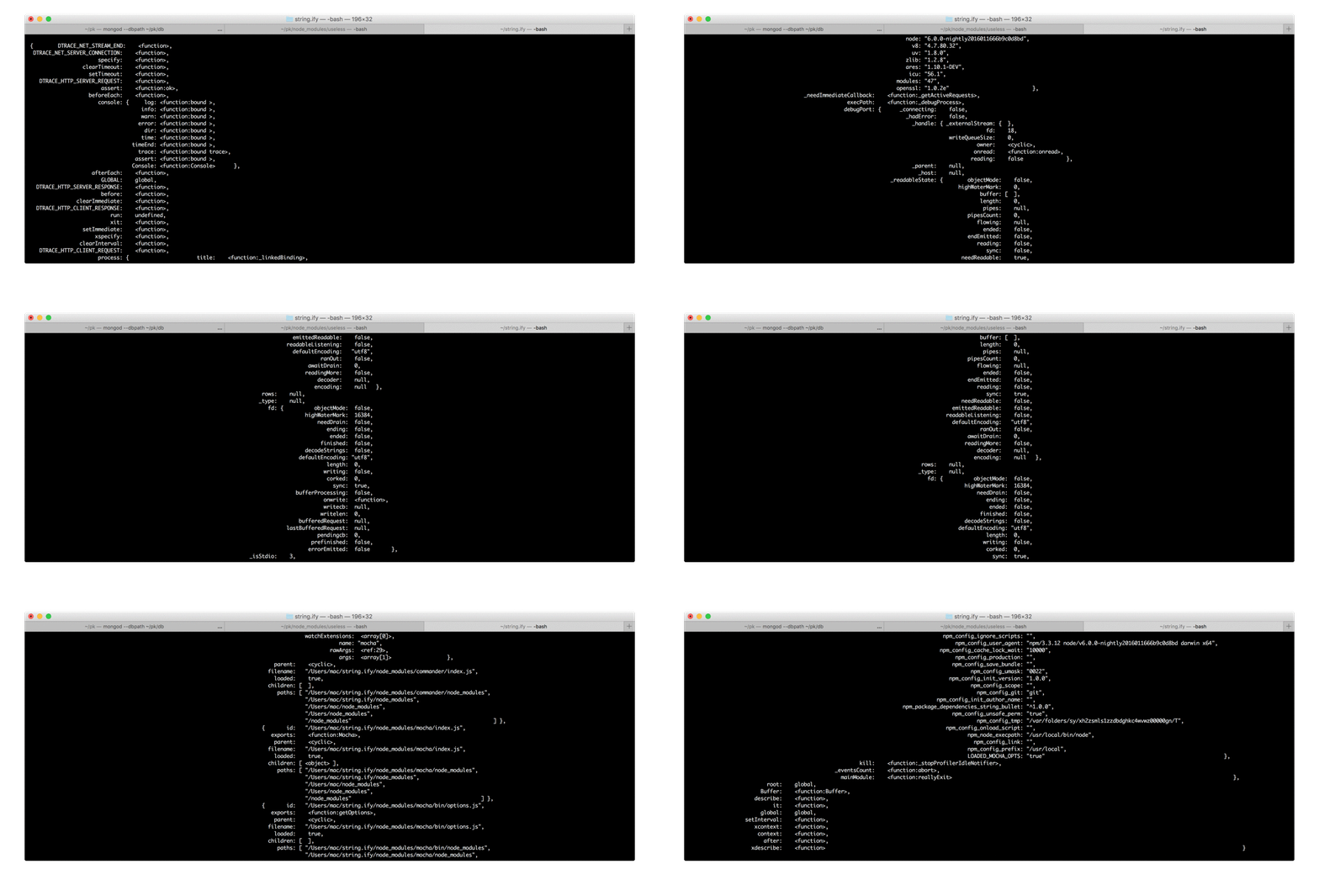
All magic is provided by the external String.ify library. Read the docs to see all the available configuration options. There are plenty of them! Contributions are welcome.
Example object:
const obj = { asks: [{ price: "1000", amount: 10 }, { price: "2000", amount: 10 }], bids: [{ price: "500", amount: 10 }, { price: "100", amount: 10 }] }Default output:
log (obj){ asks: [ { price: "1000", amount: 10 },
{ price: "2000", amount: 10 } ],
bids: [ { price: "500", amount: 10 },
{ price: "100", amount: 10 } ] }Longer strings:
log.maxLength (70) (obj){ asks: [{ price: "1000", amount: 10 }, { price: "2000", amount: 10 }],
bids: [{ price: "500", amount: 10 }, { price: "100", amount: 10 }] }Shorter strings:
log.maxLength (20) (obj){ asks: [ { price: "1000",
amount: 10 },
{ price: "2000",
amount: 10 } ],
bids: [ { price: "500",
amount: 10 },
{ price: "100",
amount: 10 } ] }Disabling fancy formatting / single line mode:
log.noPretty (obj){ asks: [{ price: "1000", amount: 10 }, { price: "2000", amount: 10 }], bids: [{ price: "500", amount: 10 }, { price: "100", amount: 10 }] }Changing max print depth / max array length:
log.maxDepth (1).maxArrayLength (100) (obj) // or log.configure ({ stringify: { maxDepth: 1, maxArrayLength: 100 } })log.unlimited (obj) // disables limitingPassing other configuration options to string.ify:
log.configure ({ stringify: { precision: 2 } }) (obj) // Read the string.ify docs to see all the available configuration options. There are plenty of them!Using With Custom Stringifier
Replacing the default printer with q-i (as an example):
const log = require ('ololog').configure ({ stringify: { print: require ('q-i').stringify } })log ({ foo: true, bar: 42 })
Pretty Printing Error Instances
This feature is implemented in the StackTracey library. See it's docs for more (you can configure the path shortening / library calls skipping).
log.bright.red (e) // where `e` is an instance of Erroror (if you want the output go to stderr and supress the grey location badge):
log.bright.red.error.configure ({ locate: false }) (e)
Using As The Default Exception Printer In Node
const printError = log.bright.red.error.configure ({ locate: false })

process.on ('uncaughtException',  e => { printError (e) })
process.on ('unhandledRejection', e => { printError (e) })
Displaying Call Location
Have you ever encountered a situation where you need to quickly find in the code the place where the logging is called, but it's not so easy to do? With call location tags it's really easy. And it's enabled by default.


Disabling:
log.configure ({ locate: false }) (...)Custom printer:
log.configure ({ locate: { print: ({ calleeShort, fileName, line }) => ... } }) (...)Manually setting call location (see the StackTracey library, which serves the purpose):
log.configure ({ locate: { where: new StackTracey ().at (2) } }) (...)Indentation
log.configure ({ indent: { level: 3 } }) ('foo\n', 'bar\n', 'baz')  //          foo
                                                                    //          bar
                                                                    //          baz
Shorthand method:
log.indent (2) ('foo\n', 'bar\n', 'baz')Timestamping
Disabled by default. To enable:
log = log.configure ({ time: true })With indentation:
log            ('Lorem ipsum dolor sit amet\nconsectetur adipiscing elit..\n')
log.indent (2) ('Lorem ipsum dolor sit amet\nconsectetur adipiscing elit..\n')
With custom printer:
log.configure ({ time: { print: x => (String (x) + ' | ').bright.cyan }}) ('Lorem ipsum dolor sit amet\nconsectetur adipiscing elit..')
Backdating:
log.configure ({ time: { when: new Date ('2017-02-27T12:45:19.951Z') }}) (...)Specifying Additional Semantics (errors / warnings / info messages)
You can add the .error call modifier, which tells Ololog to render with the console.error instead of the console.log:
log.error ('this goes to stderr')log.bright.red.error ('bright red error!')Other console methods are supported as well:
log.info ('calls console.info')log.warn ('calls console.warn')Limiting Max Argument Length
log.configure ({ trim: { max: 5 } }) ('1234567890', 'abcdefgh') // 1234… abcd…Getting Rendered Text
The following will execute all stages before the 'render' (screen output) stage, returning its argument:
log.before ('render') ({ foo: 42 }) // '{ foo: 42 }'Custom Methods / Aspect-Oriented Code Injection
You can add your own shorthand methods, and you can also bind new code to the existing methods, executing it before, after or instead. See the pipez library, which provides all the fun.
log.methods ({

    indent (level) { return this.configure ({ indent: { level: level }}) }

    get red ()    { return this.configure ({ 'concat+': lines => lines.map (ansicolor.red) }) } // executes it after the 'concat'
    get bright () { return this.configure ({ 'concat+': lines => lines.map (ansicolor.bright) }) }
})log.indent (2).configure ({ time: true }).red.bright ('this is bold red message, indented by 2 and supplied with timestamp')Null Device
Use .null to obtain a reduced instance that does nothing apart from returning its first argument:
const devNull = log.nulldevNull.bright.red ('this never shows') // simply returns 'this never shows'Powered By
See Also
- CCXT – a cryptocurrency trading library with 85+ exchanges. It uses Ololog in the tests and in the examples.