
Package Exports
This package does not declare an exports field, so the exports above have been automatically detected and optimized by JSPM instead. If any package subpath is missing, it is recommended to post an issue to the original package (open-research-protocol) to support the "exports" field. If that is not possible, create a JSPM override to customize the exports field for this package.
Readme
ORP — Open Research Protocol
Maintained by SproutSeeds. Research stewardship: Fractal Research Group (frg.earth).




Agent-first CLI for workspace ledgers, operating agendas, local governance, secrets, scheduling, packets, reports, and research workflows.
Links: GitHub · npm · frg.earth
ORP is a unified CLI for research and research-like engineering. It helps humans and agents:
- keep a durable workspace ledger
- keep a durable operating agenda
- keep a durable connections registry
- keep a durable opportunities ledger
- resolve the right secret
- schedule the next loop
- checkpoint and protect progress
- emit packets and reports
- keep hosted and local state aligned
Boundary (non-negotiable): ORP files are process-only. They are not evidence and must not be cited as proof. Evidence lives in canonical project artifacts such as code, data, papers, proofs, and logs.
ORP also supports optional modular Instruments for shaping inquiry upstream of claims. Instruments are process-only and do not change the verification boundary. See modules/instruments/README.md and docs/WHY_INSTRUMENTS.md.
Watch It Run
A short ORP command-family walkthrough:
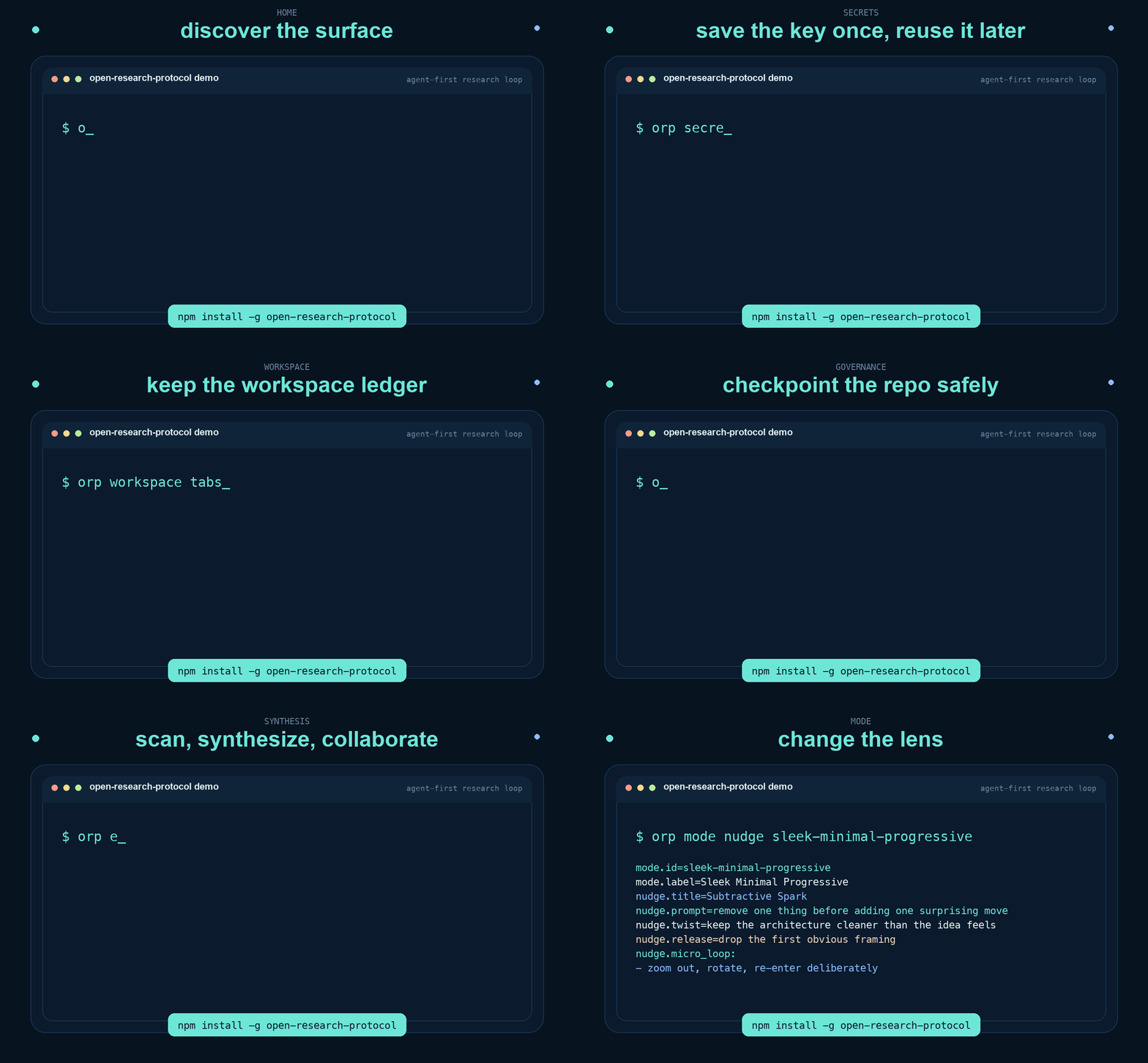
The current animation intentionally uses the same human-facing command surfaces ORP prints in the terminal. It is not a fabricated UI layer. It currently shows ORP from multiple angles:
homefor discovery and next actionshostedfor ideas, workspaces, runners, and the control planesecretsfor create-or-reuse plus local Keychain syncworkspacefor the hosted + local saved workspace ledger and recovery commandsagendafor Codex-ranked actions and suggestions across current workconnectionsfor service accounts, data sources, deploy targets, and research destinationsopportunitiesfor contests, programs, grants, and other tracked openingsschedulefor recurring Codex jobsgovernancefor local checkpoints and repo safetyplanningfor frontier, compute, packet, and report surfacessynthesisfor discover, exchange, collaborate, and YouTube ingestionmodefor optional perspective-shift nudges
Maintainer asset generation:
npm run render:terminal-demoInstall CLI (npm)
Global install:
npm i -g open-research-protocol
orp
orp -h
Prerequisites:
- Python 3 available on
PATH PyYAMLin that Python environment (python3 -m pip install pyyaml)
Local repo usage still works:
./scripts/orp -hStart Here
If you are new to ORP, use one canonical onboarding path:
That guide now follows the same clearer rhythm we liked in erdos-problems:
- a fast
Start In 60 Secondspath - a zero-assumption
Beginner Flow - a practical
Daily Loop - a compact
Minimum Working Loopfor agents and operators - the checkpoint governance loop in plain English
It walks through:
orp init- umbrella and project-level
AGENTS.md/CLAUDE.mdguidance - local-first workspace ledgers
- local-first opportunity boards
- saved Codex and Claude resume commands
- secrets setup
- the checkpoint and governance loop
- optional hosted sync later
Daily ORP Operating System
If you want the shortest honest map of day-to-day ORP, start here:
orp
orp home
orp agents audit
orp workspace tabs main
orp agenda refresh --json
orp agenda refresh-status --json
orp agenda focus
orp opportunities list
orp secrets ensure --alias openai-primary --provider openai --current-project
orp checkpoint create -m "capture loop state"
orp packet emit --profile default
orp report summary
orp frontier state
orp schedule list
orp mode nudge sleek-minimal-progressive
orp mode breakdown granular-breakdown
orp mode nudge granular-breakdown
That sequence covers discovery, agent-guide alignment, workspace recovery, agenda refresh, secret resolution, governance, artifacts, planning, automation, perspective-shift support, and intentional breakdown when the work needs more granular comprehension. Use mode breakdown for the full broad-to-atomic ladder; use mode nudge when you only need a short reminder card.
The shorter rule is:
- recover the workspace
- keep the agent guides aligned
- refresh the agenda
- inspect the active opportunities
- inspect repo safety
- resolve the right secret
- inspect the current frontier
- do the next honest move
- checkpoint at honest boundaries
Agenda Quick Start
Use agenda when you want ORP to keep two ranked lists for the current operating moment:
actionsfor the things most likely to need attention nowsuggestionsfor the next best expansions toward the current north star
Run one refresh:
orp agenda refresh --jsonCheck whether recurring refreshes are enabled on this machine:
orp agenda refresh-status --jsonIf you want scheduled Codex refreshes, you must opt in explicitly. Nothing auto-runs until you do. The starter preset uses local morning, afternoon, and evening times:
orp agenda enable-refreshes --jsonIf you want your own times instead of the default 09:00, 14:00, and 19:00, set them directly:
orp agenda enable-refreshes --morning 08:30 --afternoon 13:00 --evening 18:30 --jsonTurn them back off any time:
orp agenda disable-refreshes --jsonInspect the resulting lists:
orp agenda actions
orp agenda suggestions
orp agenda focus
If you want to pin an explicit north star instead of relying on inferred context:
orp agenda set-north-star "Advance the ocular controller and ORP ecosystems"The practical model is:
agenda refreshis a real Codex reasoning pass- it reads current main-workspace context, GitHub pressure, connections, and opportunities
- it writes two saved ranked lists locally
- recurring agenda refreshes stay disabled until the user explicitly enables them
- the default scheduled windows are morning, afternoon, and evening, but the user can set custom times
focusis the fastest operator and agent recall surface
Opportunities Quick Start
Use opportunities when you want a separate editable list of contests, programs, grants, or other openings without mixing that into workspace.
Create one board:
orp opportunities create main-opportunities --label "Main Opportunities"Add one tracked item:
orp opportunities add main-opportunities --title "vision-prize" --kind contest --section ocular-longevity --priority high --url https://example.com/vision-prizeInspect the current board:
orp opportunities show main-opportunities
orp opportunities focus main-opportunities --limit 5
orp opportunities list
Update or remove one item:
orp opportunities update main-opportunities vision-prize --status submitted
orp opportunities remove main-opportunities vision-prize
Mirror or restore the same board across machines once you authenticate:
orp auth login
orp opportunities sync main-opportunities --json
orp opportunities pull main-opportunities --json
The practical model is:
- local board first, always usable without an account
- hosted mirror optional, for the same user across multiple rigs
syncpushes the current local board to hosted ORPpullrestores the hosted copy onto this machine
Connections Quick Start
Use connections when you want one place to remember service accounts, data sources, deployment targets, and research destinations without storing raw credentials inline.
Inspect the built-in provider templates when they help:
orp connections providersAdd one saved connection that references an ORP secret alias:
orp connections add github-main --provider github --label "GitHub Main" --account cody --organization sproutseeds --auth-secret-alias github-mainIf one service needs several tokens, keep them together under named secret bindings:
orp connections add huggingface-main --provider huggingface --label "Hugging Face" --account cody --secret-binding primary=hf-main --secret-binding publish=hf-publish --secret-binding inference=hf-inferenceIf ORP has never seen the service before, custom is still a normal first-class path:
orp connections add my-science-portal --provider custom --label "My Science Portal" --url https://example.org --secret-binding primary=my-science-tokenInspect or update the registry:
orp connections show github-main
orp connections list
orp connections update github-main --status paused
orp connections remove github-main
Mirror the same registry across machines once you authenticate:
orp auth login
orp connections sync --json
orp connections pull --json
The practical model is:
secretsholds the actual sensitive valueconnectionsholds the provider/account/capability record and which secret alias or named secret bindings power it- built-in providers help you start faster, but
customworks for anything new or niche - hosted sync is optional and mirrors the whole registry for the same user
Secrets Quick Start
Today, ORP secrets use the hosted ORP secret inventory as the canonical store, with optional local macOS Keychain caching. That means the real first step for secrets is:
orp auth loginAfter that, there are two normal ways to save a secret.
For a human at the terminal, use the interactive path:
orp secrets add --alias openai-primary --label "OpenAI Primary" --provider openaiORP then prompts:
Secret value:That is where you paste the real key.
For an agent or script, use stdin:
printf '%s' 'sk-...' | orp secrets add --alias openai-primary --label "OpenAI Primary" --provider openai --value-stdinIf a service needs both a username and a secret, store the username with it:
orp secrets add --alias huggingface-login --label "Hugging Face Login" --provider huggingface --kind password --username codyAfter that:
orp secrets list
orp secrets show openai-primary
orp secrets resolve openai-primary --reveal
If you want the convenience command, ensure means:
use this saved key if it already exists, otherwise prompt for it and save itSo this command:
orp secrets ensure --alias openai-primary --provider openai --current-projectdoes not contain the key itself. It means:
- look for a saved secret called
openai-primary - if it exists, reuse it
- if it does not exist, prompt for the key and save it
- attach it to the current project if needed
For secrets, the simplest plain-English rule is:
orp secrets add ...= save a new keyorp secrets add ... --username <name>= save a new login credential plus its usernameorp secrets list= see what is savedorp secrets show ...= inspect one saved key recordorp secrets resolve ...= get the key value for use right noworp secrets ensure ...= use the saved key if it exists, otherwise create itorp secrets sync-keychain ...= keep a secure local Mac copy too
You can ignore --env-var-name at first. It is optional metadata like OPENAI_API_KEY, not the key itself.
Product Map
Think of ORP as one CLI with a few major lanes:
home,about,mode,update,maintenanceDiscovery, status, creativity overlays, and ORP self-upkeep.auth,ideas,world,workspaces,checkpoint queue,runner,agentHosted control-plane operations.workspace,secrets,scheduleWorkspace ledger recovery, API-key management, and recurring Codex jobs.init,status,branch,checkpoint create,backup,ready,doctor,cleanupLocal repo governance and safe operator flow.packet,report,frontier,computeStructured artifacts, planning, and bounded compute control.discover,exchange,collaborate,youtube,erdosScanning, synthesis, workflow scaffolding, external source ingestion, and domain-specific support.
The pack layer still exists, but it is now an advanced/internal surface rather than the main product story.
For agents and machine integrations, the --json variants remain the canonical structured interface. The public demo and launch materials use the human-facing command output on purpose so the walkthrough matches what a person actually sees.
Command Families
Landing and discovery:
orp
orp home --json
orp about --json
orp mode list --json
orp mode show sleek-minimal-progressive --json
orp mode nudge sleek-minimal-progressive --json
orp mode show granular-breakdown --json
orp mode breakdown granular-breakdown --json
orp mode nudge granular-breakdown --json
orp update --json
orp maintenance status --json
Hosted control plane:
orp auth login
orp whoami --json
orp ideas list --json
orp workspaces list --json
orp workspaces show <workspace-id> --json
orp checkpoint queue --idea-id <idea-id> --json
orp runner work --once --json
orp agent work --once --json
Local desk and automation:
orp workspace create mac-main --machine-label "Mac Studio"
orp workspace list
orp workspace tabs main
orp workspace add-tab main --path /absolute/path/to/project --remote-url git@github.com:org/project.git --bootstrap-command "npm install" --resume-command "codex resume <id>"
orp workspace add-tab main --path /absolute/path/to/project --title "second active thread" --resume-tool claude --resume-session-id <id> --append
orp workspace remove-tab main --path /absolute/path/to/project
orp workspace sync main
orp secrets list --json
orp secrets ensure --alias openai-primary --provider openai --current-project --json
orp secrets sync-keychain openai-primary --json
orp schedule add codex --name morning-summary --prompt "Summarize this repo" --json
For secrets, the simplest plain-English rule is:
orp secrets ensure ...= use the saved key if it already exists, or ask for it and create it if it does notorp secrets resolve ...= return the actual key value for use right now- you can ignore
--env-var-nameat first; it is optional metadata, not the key itself
Local governance:
orp agents root set /absolute/path/to/projects
orp init --projects-root /absolute/path/to/projects
orp agents audit
orp agents sync
orp status --json
orp branch start work/<topic> --json
orp checkpoint create -m "describe completed unit" --json
orp backup -m "backup current work" --json
orp ready --json
orp doctor --json
orp cleanup --json
Artifacts, planning, and compute:
orp packet emit --profile default --json
orp report summary --json
orp frontier state --json
orp frontier roadmap --json
orp frontier checklist --json
orp compute decide --input orp.compute.json --json
orp compute run-local --input orp.compute.json --task orp.compute.task.json --json
Scanning, synthesis, and collaboration:
orp discover github scan --profile orp.profile.default.json --json
orp exchange repo synthesize /path/to/source --json
orp collaborate workflows --json
orp collaborate run --workflow full_flow --json
orp youtube inspect https://www.youtube.com/watch?v=<video_id> --json
orp erdos sync --json
Life Ops Bridge
ORP and Life Ops are meant to connect, but they are not the same package.
open-research-protocolstays the main ORP CLI/runtime surface.@lifeops/coreis the Life Ops SDK for normalized agenda items, outreach, and structured share-email drafting.@lifeops/orpis the bridge package that turns ORP JSON surfaces into Life Ops-compatible items and share-ready project input.
The bridge package lives at packages/lifeops-orp/.
Key Docs
docs/START_HERE.mdfor the canonical step-by-step starter pathAGENT_INTEGRATION.mdfor integrating ORP into an agent's primary instructionsINSTALL.mdfor adopting ORP in an existing repo or new projectdocs/AGENT_LOOP.mdfor the intended operator rhythmdocs/AGENT_MODES.mdfor optional creativity and perspective overlaysdocs/EXCHANGE.mdfor repository/project synthesisdocs/CANONICAL_CLI_BOUNDARY.mdfor CLI, Rust, and web responsibility boundariesdocs/ORP_HOSTED_WORKSPACE_CONTRACT.mdfor the first-class hosted workspace modeldocs/LAUNCH_KIT.mdfor public positioning, demo flow, and launch copydocs/NPM_RELEASE_CHECKLIST.mdanddocs/ORP_PUBLIC_LAUNCH_CHECKLIST.mdfor release executionllms.txtfor concise agent/LLM discovery
Stable artifact paths:
orp/state.jsonorp/artifacts/<run_id>/RUN.jsonorp/artifacts/<run_id>/RUN_SUMMARY.mdorp/packets/<packet_id>.jsonorp/packets/<packet_id>.mdorp/discovery/github/<scan_id>/SCAN.jsonorp/discovery/github/<scan_id>/SCAN_SUMMARY.md
Quick start (existing repo)
- Copy this folder into your repo (recommended location:
orp/). - Link to
orp/PROTOCOL.mdfrom your repoREADME.md. - Customize Canonical Paths inside
orp/PROTOCOL.mdto match your repo layout. - Run
orp initin the repo root to establish ORP governance. - If you keep many repos under one umbrella directory, run
orp agents root set /absolute/path/to/projectsonce and letorp init --projects-root /absolute/path/to/projectslink each child repo back to that parent guidance. - Use
orp agents auditwhenever you want to confirmAGENTS.mdandCLAUDE.mdare still aligned without overwriting human notes. - Use
orp status,orp branch start,orp checkpoint create, andorp backupas the default implementation loop. - Use the templates for all new claims and verifications.
- Optional (agent users): integrate ORP into your agent’s primary instruction file (see
orp/AGENT_INTEGRATION.md).
Quick start (new project)
- Copy this folder into a new project directory.
- If you keep projects under one umbrella directory, run
orp agents root set /absolute/path/to/projectsonce from anywhere. - Run
orp initimmediately so the repo starts ORP-governed and scaffolds or updatesAGENTS.mdandCLAUDE.md. - Edit
PROTOCOL.mdto define your canonical paths and claim labels. - Run
orp agents auditto confirm the repo-level agent files are aligned and still preserving human notes. - Start implementation on a work branch with
orp branch start. - Create regular checkpoint commits with
orp checkpoint create. - Use
orp backupwhenever you want ORP to capture current work to a dedicated remote backup ref. - Validate promotable task/decision/hypothesis artifacts with
orp kernel validate <path> --json. - Start by adding one small claim + verification record using the templates.
- Optional (agent users): integrate ORP into your agent’s primary instruction file (see
AGENT_INTEGRATION.md).
Activation is procedural/social, not runtime: nothing “turns on” automatically. ORP works only if contributors follow it.
Optional Runtime Draft (v1)
ORP remains docs-first by default. For teams that want local gate execution and machine-readable packets, there is an optional v1 draft:
- Overview:
docs/ORP_V1_ATOMIC_DISCOVERY_EVOLUTION.md - Packet schema:
spec/v1/packet.schema.json - Config schema:
spec/v1/orp.config.schema.json - Kernel schema:
spec/v1/kernel.schema.json - Lifecycle mapping:
spec/v1/LIFECYCLE_MAPPING.md - Sunflower atomic profile example:
examples/orp.sunflower-coda.atomic.yml - Kernel starter example:
examples/orp.reasoning-kernel.starter.yml
Minimal CLI skeleton:
orp auth login
orp youtube inspect https://www.youtube.com/watch?v=<video_id> --json
orp ideas list --json
orp world bind --idea-id <idea-id> --project-root /abs/path --codex-session-id <session-id> --json
orp checkpoint queue --idea-id <idea-id> --json
orp runner work --once --json
orp runner work --continuous --transport auto --json
orp agent work --once --json   # compatibility alias with legacy checkpoint fallback
orp init
orp status --json
orp branch start work/<topic> --json
orp checkpoint create -m "describe completed unit" --json
orp kernel validate analysis/orp.kernel.task.yml --json
orp backup -m "backup current work" --json
orp gate run --profile default
orp ready --json
orp packet emit --profile default
orp report summary --run-id <run_id>
orp erdos sync
Equivalent local-repo commands are available via ./scripts/orp ... when developing ORP itself.
Kernel helper surfaces:
orp kernel scaffold --artifact-class task --out analysis/trace-widget.kernel.yml --json
orp kernel validate analysis/trace-widget.kernel.yml --json
Run summaries are one-page markdown reports generated from RUN.json and intended for fast teammate review:
- what ran,
- what passed/failed,
- where evidence logs live,
- and how reproducible the run is.
Sample summaries:
examples/reports/sunflower_live_compare_857.RUN_SUMMARY.mdexamples/reports/sunflower_live_compare_20.RUN_SUMMARY.mdexamples/reports/sunflower_live_compare_367.RUN_SUMMARY.md
Optional Profile Packs
ORP supports reusable domain profile packs so core runtime stays general.
The main public collaboration story is now the built-in orp collaborate ...
surface. Treat packs as advanced/internal packaging structure unless you are
working on ORP itself or installing domain-specific workflows like erdos.
Built-in collaboration quickstart:
orp collaborate init
orp collaborate workflows --json
orp collaborate gates --workflow full_flow --json
orp collaborate run --workflow full_flow --json- Pack docs:
docs/PROFILE_PACKS.md - Pack metadata schema:
spec/v1/profile-pack.schema.json - Included pack:
packs/erdos-open-problems/(857/20/367 + catalog sync + governance profiles) - Included pack:
packs/external-pr-governance/(generic external OSS contribution workflow pack) - Included pack:
packs/issue-smashers/(opinionated external contribution workspace pack built on the same governance ideas)
If you are using ORP normally, prefer:
orp collaborate ...for collaborationorp erdos ...for Erdos work
Reach for orp pack ... when you are doing advanced installs, ORP maintenance,
or direct domain-template work.
Pack installation is pack-owned: pack.yml can describe installable
components, default includes, dependency checks, and report naming. That lets
ORP consume repo-owned external packs through --pack-path without baking
domain-specific install rules into ORP core.
Install pack configs into a target repo (recommended):
orp pack list

orp pack install \
  --pack-id erdos-open-problems
Fetch an external pack repo and install through CLI (no manual clone flow required):
orp pack fetch \
  --source https://github.com/example/orp-packs.git \
  --pack-id erdos-open-problems \
  --install-target .
This writes rendered configs and a dependency audit report at:
./orp.erdos-catalog-sync.yml./orp.erdos-live-compare.yml./orp.erdos-problem857.yml./orp.erdos.pack-install-report.md
Advanced/internal direct install of the Issue Smashers workspace pack:
orp pack install \
  --pack-id issue-smashers
This writes:
./orp.issue-smashers.yml./orp.issue-smashers-feedback-hardening.yml./orp.issue-smashers.pack-install-report.md./issue-smashers/workspace scaffold
The pack is intentionally install-and-adapt:
- it creates the workspace layout and starter docs
- it does not auto-clone target repos
- it keeps governance commands as explicit placeholders until you wire in a repo adapter
By default, install includes starter scaffolding for Problems 857/20/367 so live_compare runs are install-and-go in a fresh repo.
If you want the Problem 857 lane to pull the real public sunflower-lean repo into an empty repo instead of writing starter-only 857 files, use:
orp pack install \
  --pack-id erdos-open-problems \
  --include problem857 \
  --var PROBLEM857_SOURCE_MODE=public_repo \
  --var PROBLEM857_PUBLIC_REPO_URL=https://github.com/SproutSeeds/sunflower-lean
This syncs the public Lean repo into sunflower_lean/ and generates the ORP-owned 857 bridge files (analysis/, docs/, scripts/, and orchestrator/) on top of it.
For public-only adoption (no private sunflower adapters yet):
orp pack install \
  --pack-id erdos-open-problems \
  --include catalog
Clean-room public pack cycle:
orp pack install \
  --pack-id erdos-open-problems \
  --include catalog

orp --config orp.erdos-catalog-sync.yml \
  gate run --profile erdos_catalog_sync_active

orp report summary
This is the simplest end-to-end pack workflow currently validated against the published npm package.
Manual render path (advanced):
python3 scripts/orp-pack-render.py --pack packs/erdos-open-problems --list
python3 scripts/orp-pack-render.py --pack packs/erdos-open-problems --template sunflower_live_compare_suite \
  --var TARGET_REPO_ROOT=/path/to/repo --out /path/to/repo/orp.erdos-live-compare.yml
python3 scripts/orp-pack-render.py --pack packs/erdos-open-problems --template sunflower_mathlib_pr_governance \
  --var TARGET_REPO_ROOT=/path/to/repo --out /path/to/repo/orp.erdos-mathlib-pr-governance.yml
python3 scripts/orp-pack-render.py --pack packs/erdos-open-problems --template erdos_problems_catalog_sync \
  --var TARGET_REPO_ROOT=/path/to/repo --var ORP_REPO_ROOT=/path/to/orp --out /path/to/repo/orp.erdos-catalog-sync.yml