
Package Exports
This package does not declare an exports field, so the exports above have been automatically detected and optimized by JSPM instead. If any package subpath is missing, it is recommended to post an issue to the original package (opencode-agent-kit) to support the "exports" field. If that is not possible, create a JSPM override to customize the exports field for this package.
Readme
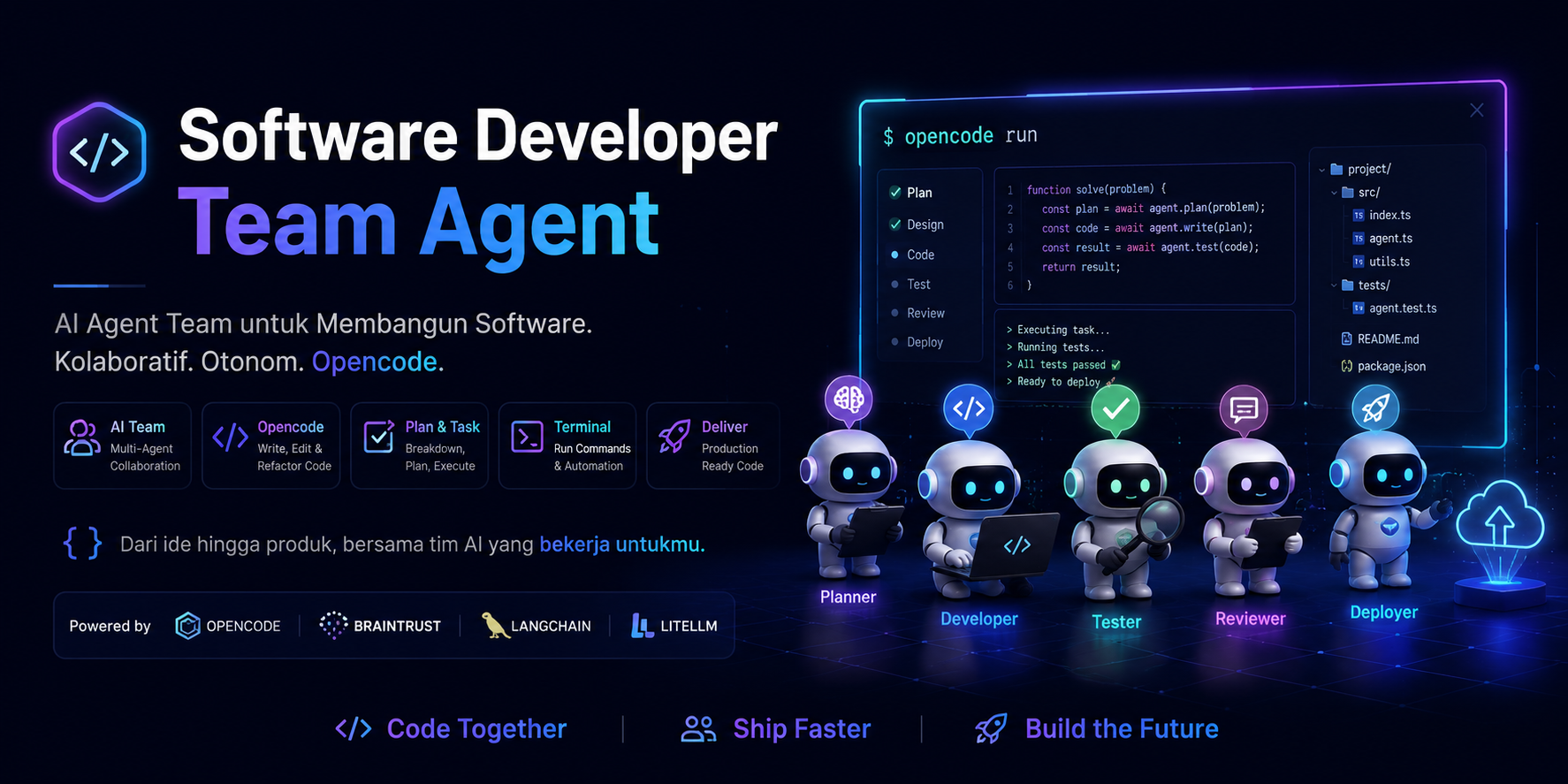
Opencode Agent KIT (Software Developer) — Setup Guide
Complete setup guide for the Opencode Agent KIT — a portable multi-stack AI agent system for OpenCode. Includes 13 specialized agents, 62 skill playbooks, 36 slash commands, and 6 MCP servers.
Quick Install
One command — installs into any project:
npx opencode-agent-kit initThis copies the full agent configuration, skills, commands, and rules into your project.
Global install:
npm install -g opencode-agent-kit
cd /path/to/your-project
opencode-agent-kit init
Overview
This repository contains a complete OpenCode agent configuration with Leader → Subagent architecture for software development teams.
Agent Config
- Active config:
opencode.json(source of truth) - Agent prompts:
.opencode/agents/it-leader.md— IT Leader & Technical Project Manager (primary)nuxt-frontend-developer.md— Frontend Developer (Nuxt/Vue) —@frontend-nuxtreact-frontend-developer.md— Frontend Developer (React/Next.js) —@frontend-reactnode-backend-developer.md— Backend Developer (Node.js) —@backendlaravel-advanced.md— Backend Developer (Laravel) —@laravelcode-igniter-3-fullstack.md— Fullstack Developer (CodeIgniter 3) —@ci3ui-ux-designer.md— UI/UX Designer —@designercode-reviewer.md— Code Reviewer / QA —@reviewerdatabase-specialist.md— Database Specialist —@databasedevops-specialist.md— DevOps / Infrastructure —@devopsseo-specialist.md— SEO Specialist —@seoandroid-developer.md— Android Developer (Kotlin/Compose) —@androidflutter-developer.md— Flutter Developer (Dart) —@flutternuxt-frontend-developer-mentor.md— Nuxt mentor (standalone)
- Internal documentation:
.opencode/docs/- Frontend Nuxt:
.opencode/docs/frontend/nuxt/ - Frontend React:
.opencode/docs/frontend/react/ - Backend Node:
.opencode/docs/backend/node/
- Frontend Nuxt:
- Local skills:
.opencode/skills/(62 skill playbooks) - Contexts:
.opencode/contexts/(dev, research, review)
Designed for:
- Frontend (Vue): Nuxt 4 + Nuxt UI + Vue 3 Composition API + TypeScript
- Frontend (React): React 19 + Next.js 15 (App Router) + TypeScript + shadcn/ui
- Backend: Node.js + Express 5 + Prisma + PostgreSQL — or — Laravel 10+ / CodeIgniter 3
- Mobile: Android (Kotlin + Jetpack Compose) — or — Flutter (Dart)
- Operational workflow (scope-safe, verification status, commit/PR policy)
- Structured 30-day mentoring for Nuxt stack transition
Prerequisites
- OpenCode CLI installed
- Node.js + npm/pnpm/yarn/bun
Integration with Built-in Agents
OpenCode has built-in agents available globally. This KIT does not redefine existing agents — it focuses on specialized agents for each development stack.
Built-in Agents (Global)
| Built-in Agent | Model | Role | Usage |
|---|---|---|---|
planner |
opus-4.5 | Detailed planning, architectural decisions | /plan or @planner |
architect |
opus-4.5 | System design, scalability analysis | @architect |
code-reviewer |
opus-4.5 | Quality, security, maintainability review | /code-review or @code-reviewer |
security-reviewer |
opus-4.5 | Vulnerability detection | /security or @security-reviewer |
tdd-guide |
opus-4.5 | TDD workflow, 80%+ coverage enforcement | /tdd or @tdd-guide |
build-error-resolver |
opus-4.5 | Fix TypeScript/build errors | /build-fix or @build-error-resolver |
e2e-runner |
opus-4.5 | Playwright E2E test generation & execution | /e2e or @e2e-runner |
refactor-cleaner |
opus-4.5 | Dead code removal, consolidation | /refactor-clean or @refactor-cleaner |
database-reviewer |
opus-4.5 | PostgreSQL query optimization, Supabase best practices | @database-reviewer |
Custom Agents (KIT-specific)
Specialized agents not available in built-in OpenCode:
| Agent | File | Role | When to Use |
|---|---|---|---|
| IT Leader | it-leader.md |
Orchestration, task decomposition, integration | All complex requests |
| Frontend (Vue) | nuxt-frontend-developer.md |
Nuxt/Vue implementation + MCP integration | Vue/Nuxt implementation |
| Frontend (React) | react-frontend-developer.md |
React/Next.js implementation | React/Next.js implementation |
| Backend (Node) | node-backend-developer.md |
Node/Express/Prisma implementation | Node.js API implementation |
| Backend (Laravel) | laravel-advanced.md |
Laravel full-stack (Blade, Livewire, API) | Laravel implementation |
| Backend (CI3) | code-igniter-3-fullstack.md |
CodeIgniter 3 MVC monolith | CI3 implementation |
| Designer | ui-ux-designer.md |
Design system, Stitch, Figma, DESIGN.md | Design tasks |
| Reviewer | code-reviewer.md |
Code quality, security audit, testing | Review tasks |
| Database | database-specialist.md |
PostgreSQL, schema, Prisma, migrations | Database tasks |
| DevOps | devops-specialist.md |
CI/CD, Docker, monitoring, infrastructure | Deployment tasks |
| SEO | seo-specialist.md |
Meta tags, structured data, Core Web Vitals | SEO optimization |
| Android | android-developer.md |
Kotlin, Jetpack Compose, Gradle, Play Store | Android native development |
| Flutter | flutter-developer.md |
Dart, Flutter SDK, Material 3, Firebase | Cross-platform mobile |
Workflow
User Request
    │
    ▼
┌─────────────────┐
│   IT Leader     │ ← Custom (orchestration)
│ (Primary)      │
└────────┬────────┘
         │
    ┌────┴────┬──────┬──────┬──────┬──────┬──────┐
    ▼         ▼      ▼      ▼      ▼      ▼      ▼
┌────────┐ ┌──────┐ ┌───┐ ┌────┐ ┌────┐ ┌────┐ ┌──────┐
│Frontend│ │Backend│ │Des│ │Rev │ │DB  │ │Dev │ │Mobile│
│Nuxt/React│ │Node/La│ │ign│ │iew │ │Spec│ │Ops │ │And/Fl│
│Custom  │ │Custom │ │Cus│ │Cus │ │Cus │ │Cus │ │Custom│
└───┬────┘ └──┬───┘ └───┘ └────┘ └────┘ └────┘ └──┬───┘
    │         │                                    │
    ▼         │                                    │
┌─────────┐   │                                    │
│Built-in │   │                                    │
│e2e-runner│  │                                    │
└─────────┘   │                                    │
              │                                    │
              ▼                                    │
         ┌────────┐                                │
         │Built-in│                                │
         │code-reviewer│                            │
         └────────┘                                │
              │                                    │
              ▼                                    ▼
         ┌──────────────────────────────────────────┐
         │        Integration Report                 │
         │     (IT Leader combines)                 │
         └──────────────────────────────────────────┘
Available Commands
After installing .opencode/, the following slash commands are available:
# Planning & Architecture
/plan [feature description]          # Detailed implementation plan
/orchestrate [complex task]         # Multi-agent orchestration

# Review & Quality
/code-review [files]                 # Code quality review
/security [files]                     # Security audit
/refactor-clean [scope]              # Dead code cleanup

# Testing
/tdd [feature]                       # TDD workflow
/e2e [user flow]                     # Generate & run E2E tests
/test-coverage [scope]               # Analyze coverage

# Build & Errors
/build-fix [error message]           # Fix TypeScript/build errors

# Documentation
/update-docs [files]                 # Update documentation
/update-codemaps                     # Update code references

# Database
@database-reviewer                   # Query optimization

# Mobile
/android-build [variant]              # Build Android (debug/release/bundle)
/android-test [type]                  # Run Android tests (unit/instrumented)
/flutter-build [target]               # Build Flutter (apk/appbundle/ios/web)
/flutter-test [type]                  # Run Flutter tests with coverage
/gpc-release [track]                  # Publish to Google Play
Using the .opencode/ Folder
New Project (NPM Package — Recommended)
cd /path/to/your-project
npx opencode-agent-kit init
This automatically copies opencode.json, .opencode/, and AGENTS.md with smart merging.
Manual Copy
cp -R .opencode/ /path/to/your-project/Or just the config:
cp .opencode/config.json /path/to/your-project/.opencode/config.jsonWhat Gets Copied
| File/Folder | Content | Required |
|---|---|---|
opencode.json |
Agent definitions, MCP settings | Yes |
.opencode/agents/ |
Custom agent prompts | Yes |
.opencode/instructions/ |
Global rules for all agents | Yes |
.opencode/skills/ |
Domain-specific skills | Recommended |
.opencode/contexts/ |
Project context | Optional |
.opencode/commands/ |
Custom slash commands | Optional |
.opencode/rules/ |
Coding rules | Optional |
.opencode/hooks/ |
Automation hooks | Optional |
Integration with Global OpenCode
This project config does not modify your global configuration. Just copy .opencode/ to your project and all agents + commands become available.
To use a global agent instead of the project one, rename the file:
mv .opencode/agents/code-reviewer.md .opencode/agents/code-reviewer-custom.mdOverride Built-in Agents
To customize a built-in agent, create an agent with the same name in .opencode/agents/. Project-level agents override built-in ones.
Available Agents
13 agents (13 registered in config) with Leader → Subagent architecture:
| Agent | File | Mode | Role |
|---|---|---|---|
| IT Leader | it-leader.md |
primary | Requirements analysis, architecture, task decomposition, integration |
| Frontend Developer (Vue/Nuxt) | nuxt-frontend-developer.md |
subagent | Vue/Nuxt implementation (components, composables, Nuxt UI, E2E) |
| Frontend Developer (React/Next) | react-frontend-developer.md |
subagent | React/Next.js implementation (Server Components, shadcn/ui, E2E) |
| Backend Developer (Node.js) | node-backend-developer.md |
subagent | Node.js API (Express, Prisma, DTO, auth) |
| Backend Developer (Laravel) | laravel-advanced.md |
subagent | Laravel (Blade, Livewire, REST API, Service Layer) |
| CodeIgniter 3 Fullstack | code-igniter-3-fullstack.md |
subagent | CI3 MVC, REST API, JWT |
| UI/UX Designer | ui-ux-designer.md |
subagent | Design system, Figma, Stitch, accessibility, DESIGN.md |
| Code Reviewer / QA | code-reviewer.md |
subagent | Code quality review, security audit, testing strategy, verification |
| Database Specialist | database-specialist.md |
subagent | PostgreSQL schema, query optimization, Prisma, migrations |
| DevOps / Infrastructure | devops-specialist.md |
subagent | CI/CD, deployment, Docker, monitoring, infrastructure |
| SEO Specialist | seo-specialist.md |
subagent | Meta tags, structured data, Core Web Vitals, content optimization |
| Android Developer | android-developer.md |
subagent | Kotlin, Jetpack Compose, Material 3, Gradle, Play Store |
| Flutter Developer | flutter-developer.md |
subagent | Dart, Flutter SDK, Material 3, Firebase, cross-platform |
How It Works
- User gives requirements to the IT Leader (primary agent, auto-activated)
- IT Leader analyzes, designs architecture, and breaks into tasks
- IT Leader delegates tasks to the appropriate subagents
- IT Leader integrates results and reports to the user
For small tasks, mention subagents directly:
@frontend-nuxt Add a UButton "Save" in ProfileHeader.vue.
@frontend-react Create a server component ProductList with API fetch.
@backend Add endpoint POST /api/markets with DTO validation.
@laravel Build a CRUD product page with Blade + Livewire.
@ci3 Build a REST API for products with JWT auth.
@designer Review UX flow for checkout page and generate DESIGN.md.
@reviewer Audit security for the authentication module.
@database Optimize query for market listing with pagination.
@devops Setup CI/CD pipeline for Vercel deployment.
@seo Implement meta tags and structured data for product pages.
@android Build a login screen with Jetpack Compose + ViewModel.
@flutter Build a product list screen with Bloc pattern.
Recommended Models
Each agent can use a different model based on task complexity. Subagents inherit the model from the primary agent if not set.
| Agent | Role | Recommended Model | Alternative Model | Rationale |
|---|---|---|---|---|
| IT Leader | Orchestration, architecture, planning | opencode/claude-opus-4.7 |
opencode/claude-opus-4.5 |
Deep reasoning, complex analysis, multi-subagent coordination |
| Frontend | Component implementation, pages, logic | opencode/claude-sonnet-4.5 |
opencode/claude-sonnet-4.6 |
Balanced reasoning & efficiency for coding |
| Backend | API, DTO, controller, database operations | opencode/claude-sonnet-4.5 |
opencode/claude-sonnet-4.6 |
Balanced reasoning & efficiency for coding |
| Designer | Design system, visual exploration, handoff | opencode/claude-sonnet-4 |
openai/gpt-5 |
Creativity with sufficient reasoning |
| Reviewer | Security audit, detailed code review | opencode/claude-opus-4.5 |
openai/o3 |
Deep analysis, subtle pattern detection |
| Database | Schema design, query optimization | opencode/claude-sonnet-4.5 |
opencode/claude-sonnet-4 |
Moderate reasoning, precision-focused |
| DevOps | CI/CD config, scripts, monitoring | opencode/claude-haiku-4.5 |
openai/gpt-4.1-mini |
Straightforward tasks, high efficiency |
| Android | Kotlin, Compose, Gradle, Play Store | opencode/claude-sonnet-4.5 |
opencode/claude-haiku-4.5 |
Balanced reasoning & efficiency |
| Flutter | Dart, Flutter SDK, cross-platform | opencode/claude-sonnet-4.5 |
opencode/claude-haiku-4.5 |
Balanced reasoning & efficiency |
| SEO | Research, meta tags, structured data | openai/gpt-5.1-codex-mini |
openai/gpt-5-nano |
Research-focused, no deep coding needed |
Model Tiers
| Tier | Models | Use Case |
|---|---|---|
| Tier 1 (Premium) | claude-opus-4.7, claude-opus-4.5 |
Orchestration, deep analysis, security audit |
| Tier 2 (Balanced) | claude-sonnet-4.5/4.6, claude-sonnet-4 |
Complex implementation, design, database |
| Tier 3 (Efficient) | claude-haiku-4.5, gpt-4.1-mini |
Direct tasks, scripts, config files |
| Tier 4 (Fast) | gpt-5-nano, gpt-5.1-codex-mini |
Research, content, cost optimization |
Changing Models
- All agents — set
modelat the primary agent (IT Leader) level - Per agent — set
modelin each agent's config - Quick override — use
--modelflag when running opencode
See .opencode/config.example.json for a complete per-model configuration example.
Skills
Skills are stored in .opencode/skills/ (local in the repo) — no need to search for them individually.
Skills per Agent
| Agent | Key Skills |
|---|---|
| IT Leader | coding-standards, backend-patterns, frontend-patterns |
| Frontend Developer (Vue) | coding-standards, frontend-patterns, frontend-design, web-design-guidelines, nuxt-ui, tdd-workflow |
| Frontend Developer (React) | coding-standards, frontend-patterns, frontend-design, web-design-guidelines, vercel-react-best-practices, vercel-composition-patterns, tdd-workflow |
| Backend Developer | coding-standards, backend-patterns, postgres-patterns, security-review |
| UI/UX Designer | frontend-design, web-design-guidelines, building-components, nuxt-ui |
| Code Reviewer / QA | coding-standards, security-review, tdd-workflow, web-design-guidelines |
| Database Specialist | postgres-patterns, backend-patterns |
| DevOps / Infrastructure | backend-patterns, coding-standards |
| SEO Specialist | frontend-patterns, web-design-guidelines, nuxt-ui |
| Android Developer | coding-standards, android-jetpack-compose, edge-to-edge, navigation-3, firebase-basics, play-billing, camera1-to-camerax, r8-analyzer, migrate-xml-views-to-jetpack-compose, gpc-setup, gpc-release-flow, gpc-preflight, gpc-vitals-monitoring |
| Flutter Developer | coding-standards, flutter (patterns), 10 Flutter skills, 9 Dart skills, firebase-basics |
Skills Not Required for Core Stack
The following cross-language skills are not needed for the primary Nuxt + Node.js stack:
springboot-*,java-*,jpa-patternsdjango-*golang-*python-*clickhouse-io
These can be kept if your team uses multi-stack, but are optional.
Other Skills Available
configure-ecc— Everything Claude Code installercontinuous-learning/continuous-learning-v2— Session pattern learningeval-harness— Formal evaluation frameworkiterative-retrieval— Context retrieval patternstrategic-compact— Manual context compactionverification-loop— Agent verification cyclenutrient-document-processing— Document processing APIproject-guidelines-example— Project guidelines example
Skill Locations
OpenCode reads skills from:
~/.opencode/skills/~/.agents/skills/.opencode/skills/(local in the repo)
Quick verification:
ls ~/.opencode/skills
ls ~/.agents/skills
ls .opencode/skills
Installing Skills from .opencode/skills/
If skills are not yet on your machine, copy them from this repo:
mkdir -p ~/.opencode/skills
cp -R ./.opencode/skills/coding-standards ~/.opencode/skills/
cp -R ./.opencode/skills/frontend-patterns ~/.opencode/skills/
cp -R ./.opencode/skills/frontend-design ~/.opencode/skills/
cp -R ./.opencode/skills/web-design-guidelines ~/.opencode/skills/
cp -R ./.opencode/skills/nuxt-ui ~/.opencode/skills/
cp -R ./.opencode/skills/security-review ~/.opencode/skills/
cp -R ./.opencode/skills/tdd-workflow ~/.opencode/skills/
Optional:
cp -R ./.opencode/skills/building-components ~/.opencode/skills/
cp -R ./.opencode/skills/vercel-composition-patterns ~/.opencode/skills/
Mobile Skills
For mobile development:
# Flutter patterns & task skills
cp -R ./.opencode/skills/flutter ~/.opencode/skills/
cp -R ./.opencode/skills/flutter-* ~/.opencode/skills/

# Dart task skills
cp -R ./.opencode/skills/dart-* ~/.opencode/skills/

# Android skills
cp -R ./.opencode/skills/jetpack-compose ~/.opencode/skills/

# Firebase (shared Android + Flutter)
cp -R ./.opencode/skills/firebase-basics ~/.opencode/skills/
MCP Servers
From .opencode/config.json, agents use the following MCP servers:
| MCP | Type | Status | Description |
|---|---|---|---|
nuxt |
remote | enabled | Nuxt documentation, blog, deployment guide |
nuxt-ui |
remote | enabled | Nuxt UI component docs & examples |
playwright |
stdio | enabled | Browser automation & E2E testing |
postman |
remote | enabled | Postman API management (collections, requests, docs) |
figma |
stdio | disabled | Figma design file access (optional) |
stitch |
remote | disabled | Google Stitch AI design generation (optional) |
To enable Figma MCP:
export FIGMA_ACCESS_TOKEN="your-token"To enable Google Stitch MCP:
# Get API key from https://stitch.withgoogle.com/settings/api-keys
export STITCH_API_KEY="your-api-key"
Global Config Setup
To make agents, skills, commands, and rules available across all projects, copy to the global OpenCode directory.
macOS & Linux
Global path: ~/.opencode/
mkdir -p ~/.opencode/skills ~/.opencode/commands ~/.opencode/rules ~/.opencode/contexts
cp -R .opencode/config.json ~/.opencode/opencode.json
cp -R .opencode/skills/* ~/.opencode/skills/
cp -R .opencode/commands/* ~/.opencode/commands/
cp -R .opencode/rules/* ~/.opencode/rules/
cp -R .opencode/contexts/* ~/.opencode/contexts/
Windows (PowerShell)
New-Item -ItemType Directory -Force -Path "$env:USERPROFILE\.opencode\skills"
New-Item -ItemType Directory -Force -Path "$env:USERPROFILE\.opencode\commands"
New-Item -ItemType Directory -Force -Path "$env:USERPROFILE\.opencode\rules"
New-Item -ItemType Directory -Force -Path "$env:USERPROFILE\.opencode\contexts"
Copy-Item -Recurse .opencode\config.json "$env:USERPROFILE\.opencode\opencode.json"
Copy-Item -Recurse .opencode\skills\* "$env:USERPROFILE\.opencode\skills\"
Copy-Item -Recurse .opencode\commands\* "$env:USERPROFILE\.opencode\commands\"
Copy-Item -Recurse .opencode\rules\* "$env:USERPROFILE\.opencode\rules\"
Copy-Item -Recurse .opencode\contexts\* "$env:USERPROFILE\.opencode\contexts\"
Windows (CMD)
mkdir "%USERPROFILE%\.opencode\skills"
mkdir "%USERPROFILE%\.opencode\commands"
mkdir "%USERPROFILE%\.opencode\rules"
mkdir "%USERPROFILE%\.opencode\contexts"
copy /Y .opencode\config.json "%USERPROFILE%\.opencode\opencode.json"
xcopy /E /I /Y .opencode\skills "%USERPROFILE%\.opencode\skills\"
xcopy /E /I /Y .opencode\commands "%USERPROFILE%\.opencode\commands\"
xcopy /E /I /Y .opencode\rules "%USERPROFILE%\.opencode\rules\"
xcopy /E /I /Y .opencode\contexts "%USERPROFILE%\.opencode\contexts\"
Verify Setup
opencode doctor
ls ~/.opencode/
Config Priority
User Session
    │
    ▼
Project-level config (.opencode/config.json)   ← Highest
    │
    ▼
Global config (~/.opencode/opencode.json)
    │
    ▼
OpenCode defaults                               ← Lowest
Project config overrides global, global overrides defaults. Instructions are merged from all levels.
Using Supporting Folders
.opencode/contexts/
Reusable project contexts:
dev.md— Development contextresearch.md— Research contextreview.md— Code review context
Reference these contexts when prompting to keep agents focused. Update when requirements change.
Install locally for cross-repo reuse:
mkdir -p ~/.opencode/contexts
cp -R ./.opencode/contexts/* ~/.opencode/contexts/.opencode/commands/, .opencode/rules/, .opencode/hooks/
These folders contain:
commands/— Ready-to-use prompt commands (team slash commands)rules/— Operational/coding ruleshooks/— Lifecycle automation (pre-task/post-task, validation)
These are not auto-activated. Developers need to copy/sync to their local environment.
Install commands:
mkdir -p ~/.opencode/commands
cp -R ./.opencode/commands/* ~/.opencode/commands/
Install rules (follow README in rules/ — copy per directory, don't flatten).
Hooks: only activate if your local environment supports the dependencies. hooks/hooks.json calls scripts via CLAUDE_PLUGIN_ROOT.
Recommended Practices
- Use
commands/for routine work - Use
rules/as mandatory standards during implementation and review - Use
contexts/for more precise prompting - Treat
hooks/as team-shared configuration (changes need sync)
Usage
Main Workflow (via IT Leader)
The IT Leader is the primary agent — auto-activated when a session starts. Give it your requirements:
Build a marketplace feature with listing, detail, and create pages.
Backend API for CRUD markets with pagination and filters.
Setup CI/CD pipeline and SEO optimization.
The IT Leader will:
- Analyze requirements and define scope
- Design architecture (data flow, API contract, component structure)
- Break into tasks and delegate to the right subagents
- Integrate results and report status
Direct Subagent Calls (small tasks)
For small tasks, mention subagents directly:
@frontend-nuxt Add a UButton "Save" in app/components/profile/ProfileHeader.vue.
Task tiny, minimal diff, don't touch other files.
@frontend-nuxt Implement status filters on the markets page.
Use the existing useApi pattern and report verification status.@backend Add endpoint POST /api/markets with DTO validation.@designer Create a design system for the product page with Nuxt UI.@reviewer Audit security for the authentication module.@database Optimize query for market listing with pagination.@devops Setup CI/CD pipeline for Vercel deployment.@seo Implement meta tags and structured data for product pages.Agent Output Standards
Agents are configured to always report:
- Changes made
- Files touched
- Verification status:
verified/partially_verified/not_verified - Manual commands if full verification cannot be run
Operational Policies
- No commits unless requested by the user
- No PRs unless requested by the user
- No pushes unless requested by the user
- No touching files outside the request scope
Detailed SOP: .opencode/docs/frontend/nuxt/TEAM_OPERATING_GUIDE.md
Documentation
Agent documentation is available at .opencode/docs/frontend/nuxt/:
| Document | Content |
|---|---|
INDEX.md |
Full documentation navigation |
README.md |
Complete user guide |
QUICK_START.md |
Start in 5 minutes |
EXAMPLES.md |
50+ practical examples |
API_PATTERNS.md |
useApi composable guide |
WORKFLOWS.md |
8 detailed workflows |
CHEATSHEET.md |
Quick reference |
MCP_GUIDE.md |
MCP integration guide |
TESTING_GUIDE.md |
Testing & validation |
TEAM_OPERATING_GUIDE.md |
Team SOP |
SUMMARY.md |
Installation summary |
COMPLETION_REPORT.md |
Completion report |
README_AGENTS.md |
Agent overview |
README_DOCS.md |
Documentation overview |
Mentor Documentation
| Document | Content |
|---|---|
MENTOR_CURRICULUM_30_DAYS.md |
30-day learning roadmap |
MENTOR_CURRICULUM_CHECKLIST.md |
Daily checklist |
MENTOR_WEEKLY_ASSIGNMENTS.md |
Weekly tasks + rubric |
Backend Documentation
| Document | Content |
|---|---|
backend/README.md |
Backend overview |
backend/node/BACKEND_QUICK_START.md |
Backend quick start |
backend/node/BACKEND_PATTERNS.md |
Backend patterns |
Quick Reference
- Active config:
opencode.json - Example config (per-model):
.opencode/config.example.json - IT Leader prompt (primary):
.opencode/agents/it-leader.md - Frontend (Nuxt) prompt:
.opencode/agents/nuxt-frontend-developer.md - Frontend (React) prompt:
.opencode/agents/react-frontend-developer.md - Backend (Node) prompt:
.opencode/agents/node-backend-developer.md - Backend (Laravel) prompt:
.opencode/agents/laravel-advanced.md - Backend (CI3) prompt:
.opencode/agents/code-igniter-3-fullstack.md - Designer prompt:
.opencode/agents/ui-ux-designer.md - Reviewer prompt:
.opencode/agents/code-reviewer.md - Database prompt:
.opencode/agents/database-specialist.md - DevOps prompt:
.opencode/agents/devops-specialist.md - SEO prompt:
.opencode/agents/seo-specialist.md - Android prompt:
.opencode/agents/android-developer.md - Flutter prompt:
.opencode/agents/flutter-developer.md - Mobile commands:
.opencode/commands/android-build/,android-test/,flutter-build/,flutter-test/,gpc-release/ - Mobile rules:
.opencode/rules/android/,flutter/,mobile/ - Main docs:
.opencode/docs/frontend/nuxt/README.md - Quick start:
.opencode/docs/frontend/nuxt/QUICK_START.md - Docs index:
.opencode/docs/frontend/nuxt/INDEX.md
Troubleshooting
1) Skills not found
Symptom: skill name not visible when running ls ~/.opencode/skills or ls ~/.agents/skills.
Fix:
echo $HOME
ls ~/.opencode/skills
ls ~/.agents/skills
ls .opencode/skills
If missing, copy skills to one of those directories.
2) Skill exists but agent doesn't use it
Symptom: agent doesn't load the expected skill.
Fix:
- Call the skill explicitly in the prompt:
@frontend Load skill `nuxt-ui` then implement this form.- Start a new OpenCode session after updating skills/config.
- Ensure the skill name matches the skill folder exactly.
3) Command permission blocked
Symptom: agent can't run certain commands (test/build/lint).
Fix:
- Check policy in
opencode.jsonunderagent.<name>.permission. - Allow required commands (e.g.,
pnpm *,npm *, or specific commands). - Re-run the task; the agent will report verification status.
4) MCP not available
Symptom: Nuxt/Nuxt UI docs lookup fails.
Fix:
- Check
mcpinopencode.json— ensureenabled: truefornuxtandnuxt-ui. - Ensure internet connection is active (remote MCP).
- For Figma MCP, set the token:
export FIGMA_ACCESS_TOKEN="your-token"5) Agent output too verbose
Symptom: changes spill over or explanations are too long.
Fix: Add constraints directly in the prompt:
Task tiny. Minimal diff. Change 1 file only. Brief answer.6) Project conventions not followed
Symptom: style/patterns don't match existing code.
Fix:
- State conventions explicitly in the prompt (e.g., "use useApi", "don't change naming").
- Reference example files to follow.
- Ask the agent to revise with a narrow scope on related files.