

Package Exports
- react-bootstrap-tree-editor
- react-bootstrap-tree-editor/dist/index.js
This package does not declare an exports field, so the exports above have been automatically detected and optimized by JSPM instead. If any package subpath is missing, it is recommended to post an issue to the original package (react-bootstrap-tree-editor) to support the "exports" field. If that is not possible, create a JSPM override to customize the exports field for this package.
Readme
🌲 React Bootstrap Tree Editor
An interactive tree editor built on react-bootstrap.





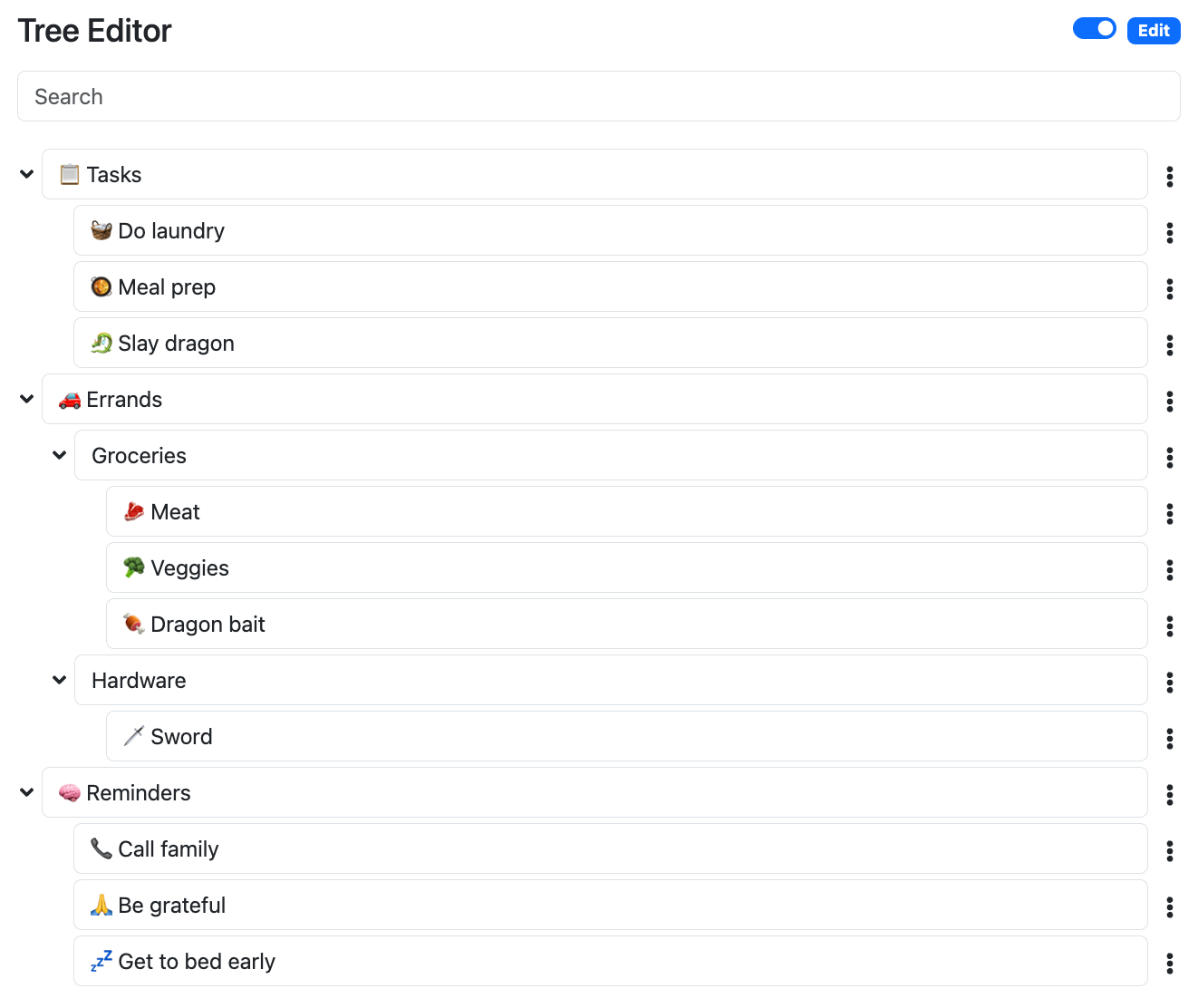
👁️ View Demo
Documentation
Read the official documentation.
Overview
An interactive tree editor built on react-bootstrap and powered by versatile-tree.
Features include:
- 🌲 Interactive tree editing
- React-Bootstrap powered components and hooks for editing trees.
- 🌐 Expansion Management
- Track which nodes are expanded/collapsed.
- 👉 Focus Management
- Track and retrieve which node has focus.
- 🔥 Shortcuts
- Customizable shortcuts for easy tree manipulation.
- 🖊️ Edit and View Modes
- Easily switch between editing and viewing.
- 🔍 Filters & Search
- Provide a filter function to make tree searchable and filterable.
- 🗑️ Deletion & Recovery
- Delete nodes and easily recover them.
- 🌴 Powered by versatile-tree
- Easy to use tree structure. Easily convert tree to/from Object and JSON forms.
Donate
If this project helped you, please consider buying me a coffee or sponsoring me. Your support is much appreciated!
Table of Contents
- Documentation
- Overview
- Donate
- Table of Contents
- Installation
- Quick Start
- TypeScript
- Icon Attribution
- Contributing
- ⭐ Found It Helpful? Star It!
- License
Installation
npm i react-bootstrap-tree-editorQuick Start
It's highly recommended you check out the demo and its source to quickly get yourself up and running.
Import the following:
import {
  BasicTreeNodeComponent,
  defaultTreeControllerOptions,
  defaultTreeData,
  useTreeController,
  useTreeShortcuts,
  useTreeState,
} from 'react-bootstrap-tree-editor';
Inside your function component:
const treeOptions = defaultTreeControllerOptions;
const [tree, setTree] = useTreeState(defaultTreeData);
const treeController = useTreeController(tree, setTree, treeOptions);
const shortcuts = useTreeShortcuts(treeController, document);

// Ensure there's always at least one item to edit
React.useEffect(() => {
  if (!treeController.tree.hasChildren()) {
    const newNodeData = treeController.options.createNewData();
    const node = treeController.mutations.addChildNodeData(treeController.tree, newNodeData);
    treeController.focus.setFocusedNode(node);
  }
}, [treeController.focus, treeController.mutations, treeController.tree, treeController.options]);
Render the component:
<BasicTreeNodeComponent
  node={treeController.tree}
  treeController={treeController}
  editable={true}
  shortcuts={shortcuts}
  showBullets={false}
  showPointer={false}
/>
TypeScript
Type definitions have been included for TypeScript support.
Icon Attribution
Favicon by Twemoji.
Contributing
Open source software is awesome and so are you. 😎
Feel free to submit a pull request for bugs or additions, and make sure to update tests as appropriate. If you find a mistake in the docs, send a PR! Even the smallest changes help.
For major changes, open an issue first to discuss what you'd like to change.
⭐ Found It Helpful? Star It!
If you found this project helpful, let the community know by giving it a star: 👉⭐
License
See LICENSE.md.