
Package Exports
- rehearse
This package does not declare an exports field, so the exports above have been automatically detected and optimized by JSPM instead. If any package subpath is missing, it is recommended to post an issue to the original package (rehearse) to support the "exports" field. If that is not possible, create a JSPM override to customize the exports field for this package.
Readme
rehearse
live react components development in zen mode.
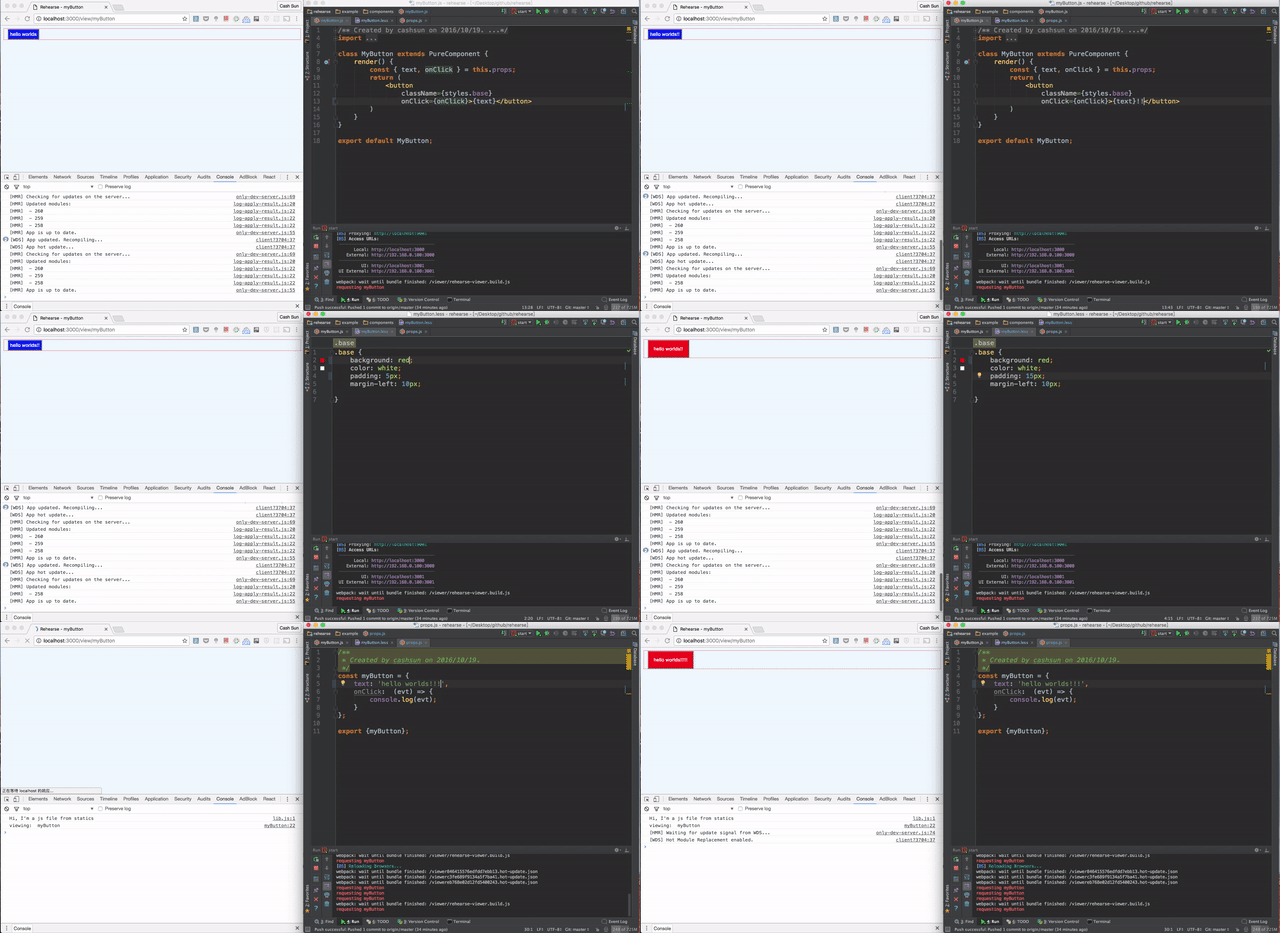
React live editing (a.k.a hot reload) made easy
Components updates on live editing js, stylesheets or props -> Let Rehearse do the compiling and browser refreshing for you.
Currently integrated with react-hot-reload, css-modules (less supported), babel(react + es6) and webpack-dev-server HMR by default.
You can also add additional loaders and webpack plugins.
Install as a NPM module
npm i rehearse -D
Configure: create a rehearse.config.js at your root folder (working dir).
const path = require('path');
const config = {
    webpack: {
        //currently only support additional loaders, i.e. loaders: []
        //or additional plugins , i.e. plugins: []
        //or devtool i.e. devtool: 'source-map',  default:'eval'
    },
    props: path.join(__dirname, 'example/props.js'),//path of the props file, mandatory

    componentsPath: path.join(__dirname, 'example/components'),//absolute path of components, mandatory

    statics: [
        'css/theme.css',
        'js/lib.js'
    ],//list of strings to be included in the header of rehearse page,
                // e.g. css/bootstrap.css etc, they should be direct children of appPath

    appPath: path.join(__dirname, 'example'), //absolute path of client folder, mandatory if statics is not empty
    port: 9001,  //port of the rehearse server, please pay attention that the page you should visit should be browser-synced one,
                //usually localhost:3000 (shown in console)

    open: true //auto open browser on start?
};

module.exports = config;
Run
Add rehearse to your package.json npm scripts
{
    "scripts": {
        "rehearse": "rehearse"
    }
}
npm run rehearseReady to go!
Q&A:
No auto refresh when change props.js?
please pay attention that the page you should visit should be browser-synced one, usually localhost:3000 (shown in console within browser-sync log)
No props found even though I have added them in props.js?
Please make sure props are named the same as the component file name.