
Package Exports
- scalable-form-core
This package does not declare an exports field, so the exports above have been automatically detected and optimized by JSPM instead. If any package subpath is missing, it is recommended to post an issue to the original package (scalable-form-core) to support the "exports" field. If that is not possible, create a JSPM override to customize the exports field for this package.
Readme
scalable-form-core
基于动态表单协议(JSON Schema)的前端表单渲染引擎sdk,使用HTML原生components,仅处理联动等业务逻辑,不包含UI组件。
A React component for rendering web forms from JSON schema using HTML components




查看文档 https://scalable-form-platform.github.io/#/
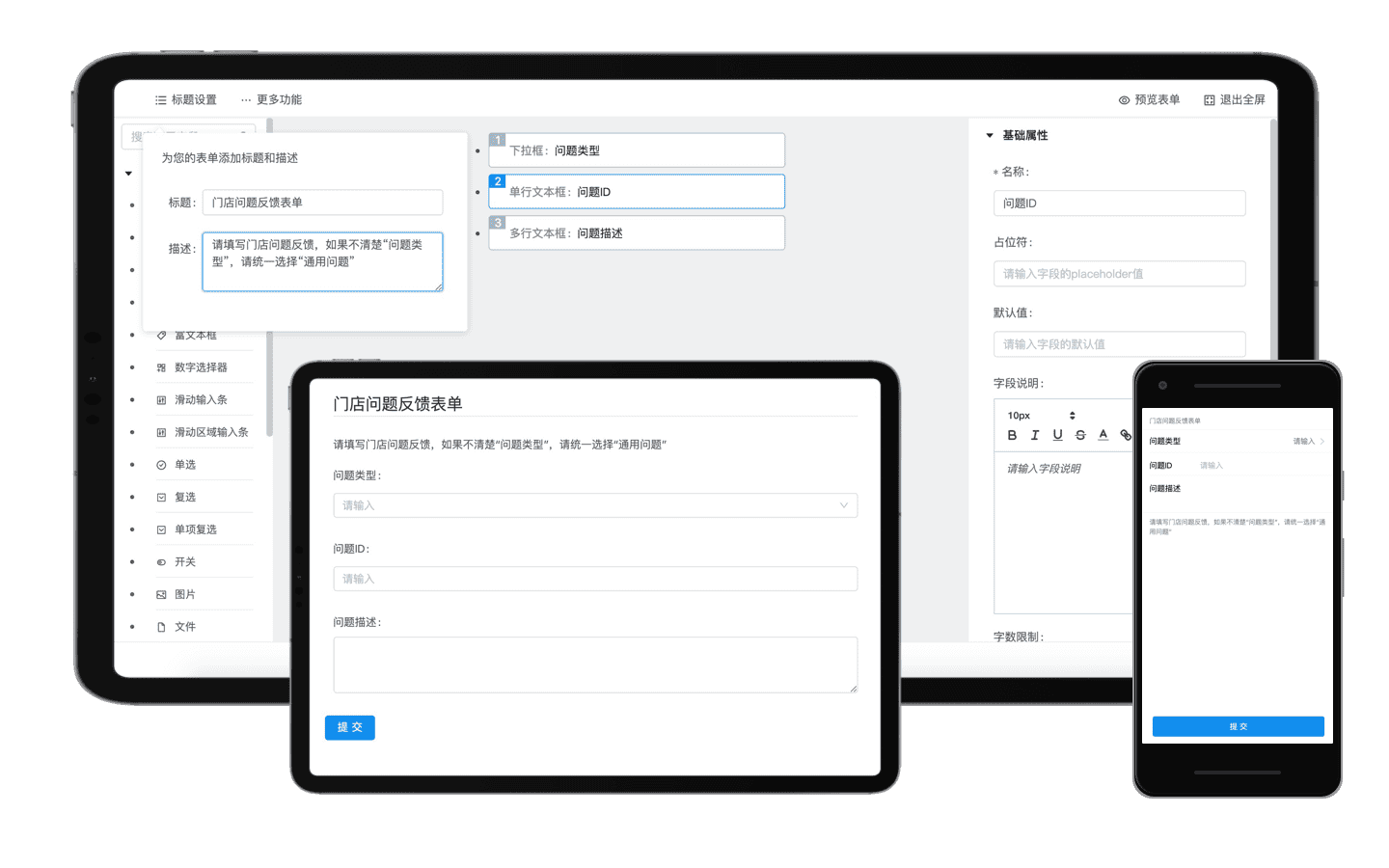
✨ 特性/features
- 🛳 企业级解决方案和高稳定性
- 📦 开箱即用的动态表单渲染sdk
- ⚙️ 完整的开发工具支持
- 🗄 服务端支持和用于管理表单的可独立部署站点
- 🛳 Enterprise-class Solutions for web form
- 📦 A set of high-quality react components for rendering web forms from JSON schema out of the box
- ⚙️ Whole package of development tools
- 🗄 Server support and independently deployable sites
快速开始
安装
使用 npm 安装
npm i scalable-form-core -S如果你的网络环境不佳,推荐使用 cnpm。
引入使用
import ScalableForm from "scalable-form-core";Hello World
在第一个例子中,我们需要渲染一个表单,支持用户填写name,并自行选择所在城市。 注意,scalable-form是一套基于表单数据协议(JSONSchema)的动态表单解决方案。所以我们需要按照react-jsonschema-form的规则书写一下表单规则描述(schema),并且将schema作为scalable-form的props转入组件。
写这个schema会很繁琐,不过放心,scalable-form的一大创新点就在于支持使用可视化的编排组件editor编排产生这个schema,您可以访问这里,查看editor的使用方法
import React from "react";
import ScalableForm from "scalable-form-core";
import "./styles.css";

export default class FormExample extends React.PureComponent {
  constructor(props) {
    super(props);
    this.state = {
      formData: {
        name: "",
        city: "hangzhou"
      }
    };
    this.jsonSchema = {
      title: "Scalable Form render sdk with Ant Design components",
      description: "",
      type: "object",
      required: ["name"],
      properties: {
        name: {
          type: "string",
          title: "名称",
          default: "",
          maxLength: 15
        },
        city: {
          type: "string",
          title: "请选择城市",
          default: "",
          enum: ["beijing", "shanghai", "hangzhou"],
          enumNames: ["北京", "上海", "杭州"]
        }
      }
    };
    this.uiSchema = {
      name: {
        "ui:help": '关于"名称"字段的帮助说明',
        "ui:options": {
          placeholder: "请输入名称"
        }
      },
      city: {
        "ui:widget": "radio",
        "ui:options": {
          vertical: false,
          validate: [
            {
              type: "empty",
              message: "请选择"
            }
          ]
        }
      }
    };
  }

  handleChanged = (formData, bizData) => {
    console.log("ScalableForm Changed!", formData);
    console.log("ScalableForm Changed!", bizData);
    this.setState({
      formData: { ...formData }
    });
  };

  handleSubmit = (formData, bizData) => {
    console.log("ScalableForm Submitted!", formData);
    console.log("ScalableForm Submitted!", bizData);
  };

  render() {
    return (
      <div className="scalable-form-demo-element">
        <ScalableForm
          jsonSchema={this.jsonSchema} //jsonSchema用于表述表单字段信息
          uiSchema={this.uiSchema} //uiSchema用于控制表单字段的UI组件
          formData={this.state.formData} //formData是表单中填写的字段数据
          onChange={this.handleChanged}
          onSubmit={this.handleSubmit}
        />
      </div>
    );
  }
}
查看更多文档
您可以访问  查看更多API文档
📦 包管理/Packages
我们使用Lerna来进行包管理,所以本仓库会发布多个包到npm,包括:
This repository is a monorepo that we manage using Lerna. That means that we actually publish several packages to npm from the same codebase, including:
| Package | NPMVersions | Documents | Description |
|---|---|---|---|
| scalable-form-antd |  |
|
基于react-jsonschema-form,结合ant-design的动态表单渲染sdk |
| scalable-form-antd-mobile |  |
|
基于react-jsonschema-form,结合ant-design-mobile的动态表单渲染sdk,适用于移动端的渲染sdk |
| scalable-form-editor |  |
|
表单可视化编辑器,可视化编排表单,产出scalable-form-antd和scalable-form-antd-mobile可用的schema |
| scalable-form-server |  |
|
服务端sdk,用户可以基于scalable-form-server保存表单配置。服务端sdk提供一个可用的表单站点,提供表单编排,表单管理,表单投放,数据回流分析的能力。 |