
Package Exports
- terminal-recorder
This package does not declare an exports field, so the exports above have been automatically detected and optimized by JSPM instead. If any package subpath is missing, it is recommended to post an issue to the original package (terminal-recorder) to support the "exports" field. If that is not possible, create a JSPM override to customize the exports field for this package.
Readme
terminal-recorder
Terminal recorder allows you to record your bash session, and export it to html so then you can share it with your friends.
Installation
$ [sudo] npm install -g terminal-recorder Usage
$ terminal-recorder --help

  Usage: terminal-recorder [options]

  Options:

    -h, --help            output usage information
    -V, --version         output the version number
    -o, --outpath [path]  Add the specified [path] to place the folder
                            that will contain the recorded html files

# Start recording
$ terminal-recorder

# recording...
[type your stuff and then hit Ctrl+c]

# Notice a new folder was created

$ tree terminal-recorder-html/ -L 1
terminal-recorder-html/
├── bower_components
├── bower.json
├── css
├── index.html
└── js

# Just open the index.html with your favourite browser
$ firefox terminal-recorder-html/index.html &

# See the magic ;)
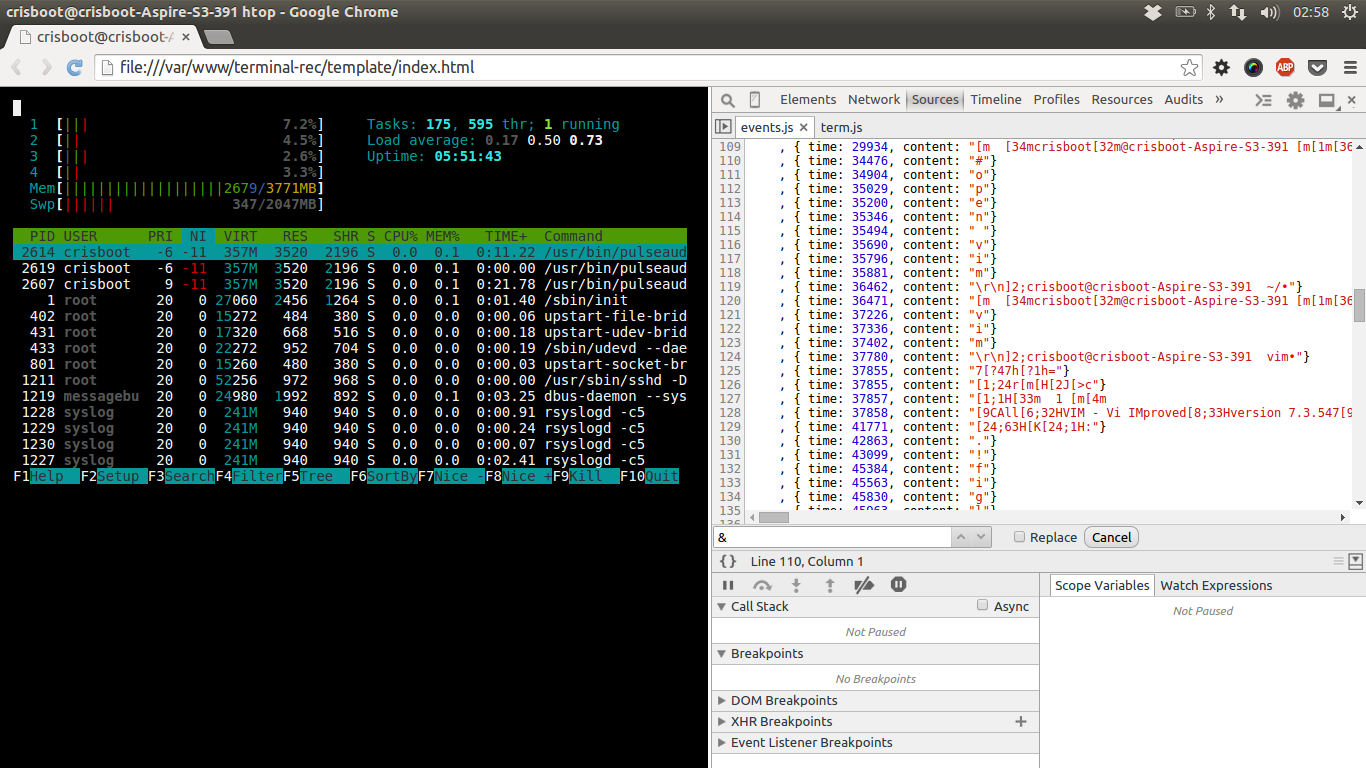
Final output looks like this
Features
- Records all keystrokes sent to stdin
- Saves stdout in a log file
logs.txt - Export actions to html
Comming soon
- Timeline indicator
- Rollback actions
Experimenting
Open a terminal:
$ tail -f logs.txtOpen a second terminal:
$ terminal-recorderStart typing in the second console, and look how the first one is mimicking your moves.
Know issues
- Record all keys, including passwords. So be careful with that.
- OSX
pty.jsis not working ok on Mac because of a header misconfiguration. More info:
Cool Stuff
Cool things that you can do:
$ filget awesomeness # Impress your friends
$ nethack # Play nethack
$ vim # Teach your friends with vim
$ htop # Show server state
$ tmux # Open the terminal multiplexor