
Package Exports
This package does not declare an exports field, so the exports above have been automatically detected and optimized by JSPM instead. If any package subpath is missing, it is recommended to post an issue to the original package (tokenlean) to support the "exports" field. If that is not possible, create a JSPM override to customize the exports field for this package.
Readme

tokenlean
54 CLI tools that let AI agents understand codebases without burning tokens



Install • Quick Reference • All Tools • Language Support • AI Integration • Skills • Workflows
Minimal dependencies — one optional dep (node-html-markdown), installs in seconds · Token-conscious — every tool outputs only what's needed, nothing more · Fast — ripgrep-powered search with disk caching · Universal — JS/TS first, most tools work with Python and Go too
The Problem
AI coding assistants are powerful, but every file read and every search result eats context window tokens. That means higher costs, worse responses, slower processing, and hitting limits sooner.
tokenlean fixes this:
| Instead of... | Use | Savings |
|---|---|---|
| Reading a 500-line file for signatures | tl-symbols |
~90% fewer tokens |
| Reading all files to find exports | tl-exports |
~95% fewer tokens |
| Guessing what a change might break | tl-impact |
Know for sure |
| Reading a file to extract one function | tl-snippet |
~85% fewer tokens |
Running npm test and reading all output |
tl-run "npm test" |
Errors only |
| Scanning long logs for real failures | tl-tail app.log |
Errors/warns + dedupe |
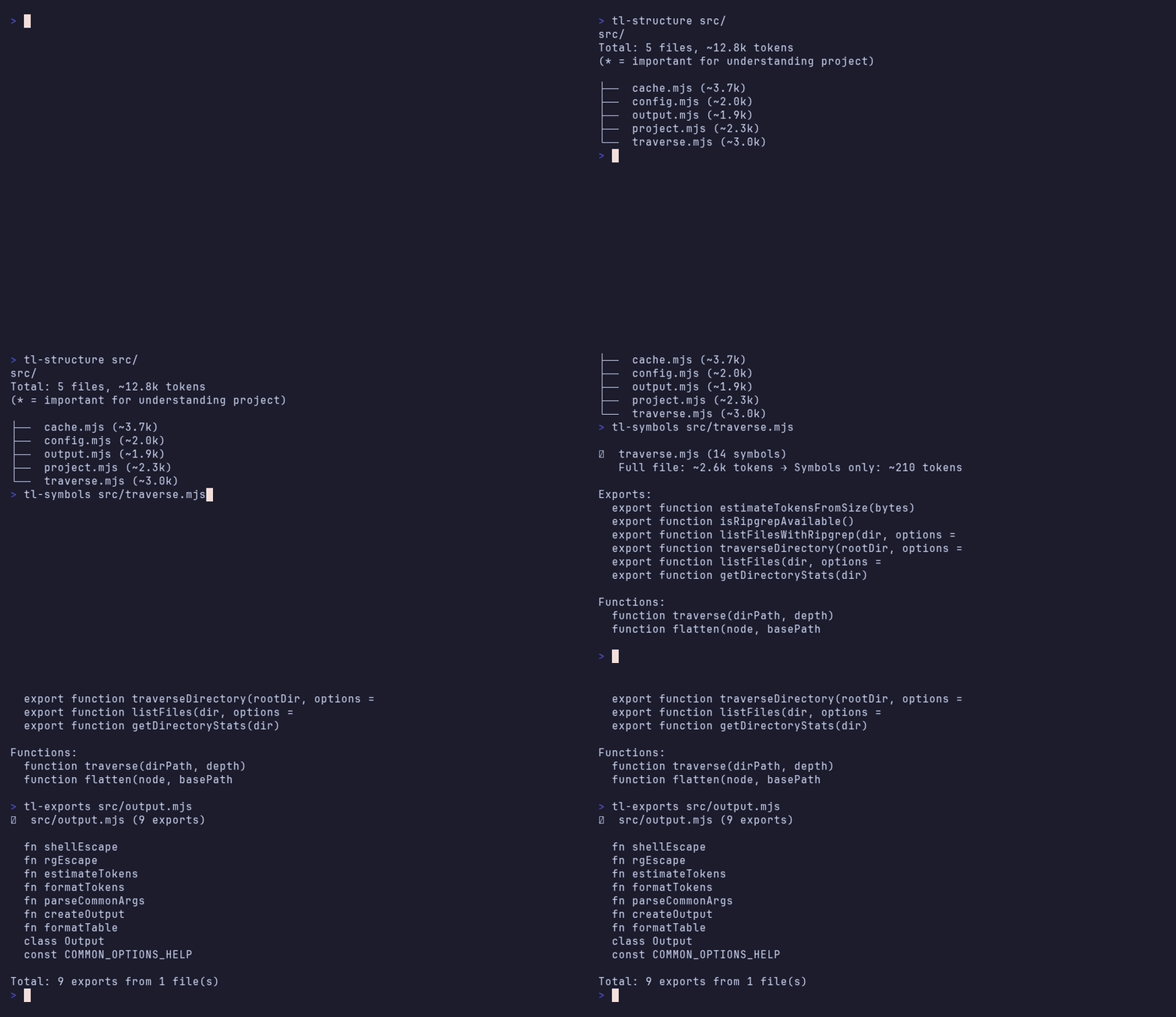
Install
npm install -g tokenleanRequires Node.js >= 18, ripgrep for search tools, and git for history tools.
Use tl as the global entry point for discovery and health checks:
tl          # List available tokenlean commands and tools
tl doctor   # Verify Node.js, ripgrep, git, hooks, and config
tl update   # Update the global tokenlean install
Development setup
git clone https://github.com/edimuj/tokenlean.git
cd tokenlean
npm link
Quick Reference
# What's in this file?           tl-symbols src/auth.ts
# Functions only (dir/multi-file) tl-symbols src/ --filter function
# Extract just one function      tl-snippet handleSubmit
# What does this module export?  tl-exports src/lib/
# How many tokens will this cost? tl-context src/api/
# What's the project shape?      tl-structure

# What depends on this file?     tl-impact src/auth.ts
# How complex is this code?      tl-complexity src/auth.ts
# Where are the tests?           tl-related src/Button.tsx

# What changed recently?         tl-diff --staged
# Is it safe to commit?          tl-guard
# Find real usage examples       tl-example useAuth
# Summarize noisy logs            tl-tail logs/app.log
# What's the tech stack?         tl-stack
tl-snippet with an explicit target file now fails fast if the file is missing/unreadable (it no longer falls back to a project-wide scan).
Every tool supports -l N (limit lines), -t N (limit tokens), -j (JSON output), -q (quiet), and -h (help).
AI Agent Integration
Add tokenlean instructions to your AI tool's config with a single command:
| AI Tool | Command |
|---|---|
| Claude Code | tl-prompt >> CLAUDE.md |
| Codex | tl-prompt --codex >> AGENTS.md |
| Cursor | tl-prompt --minimal >> .cursorrules |
| GitHub Copilot | tl-prompt >> .github/copilot-instructions.md |
| Windsurf | tl-prompt --minimal >> .windsurfrules |
Hooks — automatically nudge agents toward token-efficient tool usage:
tl-hook install claude-code    # Gentle reminders when agents waste tokens
tl-audit --all --savings       # Measure actual savings across sessions
Agent Skills
Ready-made workflows following the Agent Skills open format, organized for both Claude Code and Codex runtimes.
skills/
  claude/   # Claude Code skill variants
  codex/    # Codex skill variants
Claude Code skills
| Skill | What it does |
|---|---|
code-review |
Review PRs efficiently — scope, blast radius, complexity, then targeted code reading |
explore-codebase |
Understand an unfamiliar project in minutes without reading everything |
safe-refactor |
Rename, move, or extract code with impact analysis and verification at each step |
add-feature |
Add functionality by studying existing patterns first — locate, learn conventions, implement, verify |
debug-bug |
Systematic bug investigation — reproduce, localize with blame/history, trace call path, verify fix |
debug-performance |
Measure before optimizing — establish baselines, identify bottlenecks, confirm improvements with numbers |
write-tests |
Write tests by studying existing patterns and code under test before writing assertions |
upgrade-deps |
Upgrade dependencies safely — audit usage, research breaking changes, scale effort to version jump |
migrate-framework |
Incremental framework/API migration with verification at each step, batched by dependency order |
Codex skills
| Skill | What it does |
|---|---|
code-review |
Risk-first code review workflow for Codex using git diff + targeted validation |
explore-codebase |
Build a fast architecture map in Codex with targeted reads and dependency tracing |
safe-refactor |
Refactor safely in Codex using blast-radius checks and incremental verification |
add-feature |
Add features in Codex by mapping precedent first, then implementing minimal safe changes |
debug-bug |
Repro-first bug fixing workflow in Codex with root-cause tracing and regression checks |
debug-performance |
Performance debugging in Codex with baseline metrics and before/after proof |
write-tests |
Write behavior-focused tests in Codex that match project conventions |
upgrade-deps |
Dependency upgrade workflow in Codex with changelog-driven risk control |
migrate-framework |
Incremental framework/API migrations in Codex with batch-level verification |
# Claude Code — copy a skill
cp -r node_modules/tokenlean/skills/claude/code-review ~/.claude/skills/

# Claude Code — copy all skills
cp -r node_modules/tokenlean/skills/claude/* ~/.claude/skills/

# Codex — copy a skill
cp -r node_modules/tokenlean/skills/codex/code-review ~/.codex/skills/

# Codex — copy all skills
cp -r node_modules/tokenlean/skills/codex/* ~/.codex/skills/

# Or clone and pick what you need
git clone https://github.com/edimuj/tokenlean.git
cp -r tokenlean/skills/claude/code-review ~/.claude/skills/
cp -r tokenlean/skills/codex/code-review ~/.codex/skills/
All Tools
Essential — the tools agents use 90% of the time
| Tool | Description | Example |
|---|---|---|
tl-symbols |
Function/class signatures without bodies | tl-symbols src/utils.ts or src/ |
tl-snippet |
Extract one function/class by name | tl-snippet handleSubmit |
tl-impact |
Blast radius — what depends on this file | tl-impact src/auth.ts |
tl-run |
Token-efficient command output (tests, builds) | tl-run "npm test" |
tl-tail |
Token-efficient log tailing and summarization | tl-tail logs/app.log |
tl-guard |
Pre-commit check (secrets, TODOs, unused, circular) | tl-guard |
tl-structure |
Project overview with token estimates | tl-structure src/ |
tl-browse |
Fetch any URL as clean markdown | tl-browse https://docs.example.com |
tl-context7 |
Look up library docs via Context7 API | tl-context7 react "hooks" |
tl-component |
React component analyzer (props, hooks, state) | tl-component Button.tsx |
tl-analyze |
Composite file profile (5 tools in 1) | tl-analyze src/auth.ts |
Understanding Code — structure and signatures without reading implementations
| Tool | Description | Example |
|---|---|---|
tl-context |
Estimate token usage for files/dirs | tl-context src/api/ |
tl-types |
Full TypeScript type definitions | tl-types src/types/ |
tl-exports |
Public API surface of a module | tl-exports src/lib/ |
tl-docs |
Extract JSDoc/TSDoc documentation | tl-docs src/utils/ |
tl-entry |
Find entry points and main files | tl-entry src/ |
tl-scope |
Show what symbols are in scope at a line | tl-scope src/cache.mjs:52 |
tl-schema |
Extract DB schema from ORMs/migrations | tl-schema |
tl-stack |
Auto-detect project technology stack | tl-stack |
Before Modifying Files — understand dependencies and impact
| Tool | Description | Example |
|---|---|---|
tl-deps |
Show what a file imports (with tree mode) | tl-deps src/api.ts --tree |
tl-related |
Find tests, types, and importers | tl-related src/Button.tsx |
tl-flow |
Call graph — what calls this, what it calls | tl-flow src/utils.ts |
tl-coverage |
Test coverage info for files | tl-coverage src/ |
tl-complexity |
Code complexity metrics | tl-complexity src/ --threshold 10 |
tl-errors |
Map error types and throw points | tl-errors src/ |
tl-test-map |
Map source files to their test files | tl-test-map src/cache.mjs |
tl-style |
Detect coding conventions from code | tl-style src/ |
Understanding History — track changes and authorship
| Tool | Description | Example |
|---|---|---|
tl-diff |
Token-efficient git diff summary | tl-diff --staged |
tl-history |
Recent commits for a file | tl-history src/api.ts |
tl-blame |
Compact per-line authorship | tl-blame src/api.ts |
tl-hotspots |
Frequently changed files (churn) | tl-hotspots --days 30 |
tl-pr |
Summarize PR/branch for review | tl-pr feature-branch |
tl-changelog |
Generate changelog from commits | tl-changelog --from v1 |
Finding Things — search and discover code patterns
| Tool | Description | Example |
|---|---|---|
tl-example |
Find diverse usage examples | tl-example useAuth |
tl-search |
Run pre-defined search patterns | tl-search hooks |
tl-secrets |
Find hardcoded secrets & API keys | tl-secrets --staged |
tl-todo |
Find TODOs/FIXMEs in codebase | tl-todo src/ |
tl-env |
Find environment variables used | tl-env --required-only |
tl-unused |
Find unused exports/files | tl-unused src/ |
tl-api |
Extract REST/GraphQL endpoints | tl-api src/routes/ |
tl-routes |
Extract routes from web frameworks | tl-routes app/ |
tl-npm |
Quick npm package lookup/compare | tl-npm express fastify |
Utilities
| Tool | Description | Example |
|---|---|---|
tl-audit |
Analyze Claude/Codex sessions and estimate token savings | tl-audit --all --savings |
tl-quota |
Check AI subscription quota (Claude, Codex) | tl-quota |
tl-hook |
Install token-saving agent hooks | tl-hook install claude-code |
tl-cache |
Manage tokenlean caches | tl-cache stats |
tl-config |
Show/manage configuration | tl-config --init |
tl-name |
Check name availability (npm/GH/domains) | tl-name myproject -s |
tl-playwright |
Headless browser content extraction | tl-playwright example.com |
tl-prompt |
Generate AI agent instructions | tl-prompt --minimal |
Language Support
Code analysis tools are JS/TS-first, but many work across languages. Git-based and search tools work with any language.
| JS/TS | Python | Go | Rust | Ruby | Elixir/Lua | Other | |
|---|---|---|---|---|---|---|---|
tl-symbols |
✓ | ✓ | ✓ | ✓ | ✓ | ◐ | ◐ |
tl-snippet |
✓ | ✓ | ✓ | ✓ | ✓ | ✓ | ◐ |
tl-exports |
✓ | ✓ | ✓ | ◐ | ◐ | ◐ | ◐ |
tl-deps |
✓ | ✓ | ✓ | ◐ | ◐ | ◐ | ◐ |
tl-impact |
✓ | ✓ | ✓ | - | - | - | - |
tl-complexity |
✓ | ✓ | ✓ | - | - | - | - |
tl-flow |
✓ | ◐ | ◐ | - | - | - | - |
tl-docs |
✓ | ◐ | - | - | - | - | - |
tl-types |
✓ | - | - | - | - | - | - |
tl-component |
✓ | - | - | - | - | - | - |
tl-style |
✓ | - | - | - | - | - | - |
tl-routes |
✓ | ◐ | - | - | - | - | - |
✓ full support ◐ partial (regex-based patterns, may miss language-specific constructs) - not supported
Tools not listed (tl-structure, tl-search, tl-diff, tl-todo, tl-secrets, tl-guard, tl-blame, tl-history, tl-hotspots, tl-example, tl-env, tl-run, tl-tail, etc.) are language-agnostic and work with any codebase.
Configuration
Create .tokenleanrc.json in your project root or ~/.tokenleanrc.json globally
{
  "output": {
    "maxLines": 100,
    "maxTokens": null
  },
  "skipDirs": [
    "generated",
    "vendor"
  ],
  "skipExtensions": [
    ".gen.ts"
  ],
  "importantDirs": [
    "domain",
    "core"
  ],
  "importantFiles": [
    "ARCHITECTURE.md"
  ],
  "searchPatterns": {
    "hooks": {
      "description": "Find React hooks",
      "pattern": "use[A-Z]\\w+",
      "glob": "**/*.{ts,tsx}"
    }
  },
  "hotspots": {
    "days": 90
  },
  "structure": {
    "depth": 3
  },
  "cache": {
    "enabled": true,
    "ttl": 300,
    "maxSize": "100MB",
    "location": null
  }
}
Config values extend built-in defaults (they don't replace them).
Caching
tokenlean caches expensive operations with git-based invalidation — including ripgrep-backed searches, cached
JS/TS semantic facts for tl-symbols and tl-snippet, and the JS/TS dependency graph used by tl-deps and
tl-impact. Cache entries invalidate automatically on commits or file changes.
tl-cache stats      # View cache statistics
tl-cache clear      # Clear cache for current project
tl-cache clear-all  # Clear all cached data
Disable with TOKENLEAN_CACHE=0 or in config: {"cache":{"enabled":false}}
Workflows
Starting on an unfamiliar codebase
tl-structure                    # Get the lay of the land
tl-entry                        # Find entry points
tl-exports src/lib/             # Understand the public API
tl-docs src/utils/              # Read documentation, not code
tl-types src/types/             # Understand data shapes
tl-schema                       # Understand the database
Before refactoring a file
tl-impact src/core/auth.ts      # What would break?
tl-deps src/core/auth.ts        # What does it depend on?
tl-related src/core/auth.ts     # Find the tests
tl-coverage src/core/auth.ts    # Is it well tested?
tl-complexity src/core/auth.ts  # How complex is it?
Understanding a component
tl-component src/Button.tsx     # Props, hooks, dependencies
tl-symbols src/Button.tsx       # Function signatures (or src/ for all)
tl-symbols src/ --filter function # Functions only across directory
tl-history src/Button.tsx       # Recent changes
tl-blame src/Button.tsx         # Who wrote what
Finding technical debt
tl-complexity src/ --threshold 15  # Complex functions
tl-unused src/                     # Dead code
tl-todo                            # Outstanding TODOs
tl-hotspots                        # Frequently changed (unstable?)
Security check before committing
tl-secrets                         # Scan for hardcoded secrets
tl-secrets --staged                # Only check staged files
tl-secrets --min-severity high     # Only high severity issues
Reviewing a PR
tl-pr feature-branch               # Summary of branch changes
tl-pr 123                          # GitHub PR #123 (needs gh CLI)
tl-pr --full                       # Include files, stats, commits
Preparing a release
tl-changelog --unreleased          # What's new since last tag
tl-changelog v0.1.0..v0.2.0       # Between versions
tl-changelog --format compact      # Quick summary
Starting a new project
tl-name coolproject awesomelib     # Check npm, GitHub, domains
tl-name myapp -s                   # Suggest variations if taken
tl-npm express fastify koa         # Compare framework options
Running commands efficiently
tl-run "npm test"                  # Summarize test results
tl-run "npm run build"             # Extract build errors only
tl-run "eslint src/"               # Summarize lint violations
tl-run "npm test" --raw            # Full output with stdout/stderr preserved
tl-run "npm test" --raw -j         # Raw JSON includes separate stdout/stderr fields
tl-run "npm test" -j               # Structured JSON output
tl-tail logs/app.log               # Collapse repeats + surface errors/warnings
tl-tail logs/app.log -f            # Follow file updates with compact summaries
npm test 2>&1 | tl-tail            # Summarize piped logs
Looking up documentation
tl-browse https://docs.example.com/api  # Fetch docs as markdown
tl-context7 react "useEffect"           # Look up React docs via Context7
tl-context7 nextjs "app router"         # Next.js docs
tl-npm lodash --deps                    # Check package dependencies
tl-npm chalk --versions                 # Version history
Measuring token savings
# run without install
npx --package tokenlean tl-audit --latest                  # Direct tool invocation via npx
npx tokenlean audit --all --savings                        # Package entrypoint via npx

# provider-aware sessions
tl-audit --provider claude --latest                       # Claude Code only
tl-audit --codex --latest                                 # Codex only
tl-audit --latest --savings                               # Auto-detect provider; combined summary

# output detail levels
tl-audit --all --savings                                  # Summary only, across all matching sessions
tl-audit -n 5 --verbose --savings                         # Add per-session detail
tl-audit session.jsonl                                    # Analyze a specific session file
tl-audit now analyzes both Codex and Claude Code sessions:
- Opportunities — tokens wasted on large file reads, verbose build output, raw grep/cat/tail
- Savings (with
--savings) — tokens already saved by tokenlean usage, with capture rate - Default output — one combined summary, including per-provider totals; add
--verboseto view per-session breakdown
Summary (270 sessions: 180 Claude Code, 90 Codex)
  Still saveable:     496k of 661k (75%)
  By provider:
  Claude Code       180 sessions     341k saveable     1.5M saved
  Codex              90 sessions     155k saveable     820k saved
  Already saved:      2.3M (531 tokenlean uses)
  Capture rate:       82% of potential savings realized
Install hooks to automatically nudge agents toward token-efficient alternatives:
# Claude Code — PreToolUse hooks (nudge toward better tools)
tl-hook install claude-code        # Install hooks (auto-detects claude-rig)
tl-hook install claude-code --global   # Force install to ~/.claude/
tl-hook install claude-code --rig dev  # Install to a specific rig
tl-hook status claude-code         # Check what's active
tl-hook uninstall claude-code      # Remove hooks

# Open Code — plugin (auto-wraps commands with tl-run/tl-browse)
tl-hook install opencode           # Install plugin to ~/.config/opencode/plugins/
tl-hook status opencode            # Check if installed
tl-hook uninstall opencode         # Remove plugin
Extracting web content
tl-browse https://example.com/docs        # Fast: native markdown or HTML conversion
tl-browse https://example.com -t 2000     # Limit to ~2000 tokens
tl-playwright example.com                 # Full: headless browser (JS-rendered pages)
tl-playwright example.com -s "h1,h2,h3"  # Extract headings only
tl-playwright example.com --screenshot p  # Save screenshot
Design Principles
- Single purpose — Each tool does one thing well
- Minimal output — Show only what's needed
- Token-conscious — Every tool saves context tokens
- Composable — Tools work together with JSON output for piping
- Fast — No heavy parsing or external services
- Universal — Works with JS/TS projects, most tools support Python/Go too
When NOT to Use tokenlean
- Non-AI workflows — if you're not constrained by context windows, standard tools work fine
- Very small codebases (<5K LOC) — you can read everything directly without token pressure
- Languages beyond JS/TS/Python/Go — code analysis tools are JS/TS-first; git/search tools still work everywhere, but
tl-symbols,tl-deps, etc. may miss language-specific constructs (see Language Support)
Other Tools for Claude Code
| Project | Description |
|---|---|
| claude-mneme | Persistent memory for Claude Code — remember context across sessions |
| claude-simple-status | Minimal statusline showing model, context usage, and quota |
| vexscan-claude-code | Security scanner protecting against untrusted plugins, skills, MCPs, and hooks |
Changelog
Use tl-changelog to generate changelogs from git history on demand:
tl-changelog                      # Since last tag
tl-changelog v0.19.0..v0.21.0    # Between versions
tl-changelog --unreleased         # What's new since last release
Contributing
Contributions are welcome! See CONTRIBUTING.md for guidelines on adding tools, code style, and submitting PRs.