

Package Exports
This package does not declare an exports field, so the exports above have been automatically detected and optimized by JSPM instead. If any package subpath is missing, it is recommended to post an issue to the original package (trakid-qr-code-styling) to support the "exports" field. If that is not possible, create a JSPM override to customize the exports field for this package.
Readme
QR Code Styling

JavaScript library for generating QR codes with a logo and styling.
Try it here https://qr-code-styling.com
If you have issues / suggestions / notes / questions, please open an issue or contact me. Let's create a cool library together.
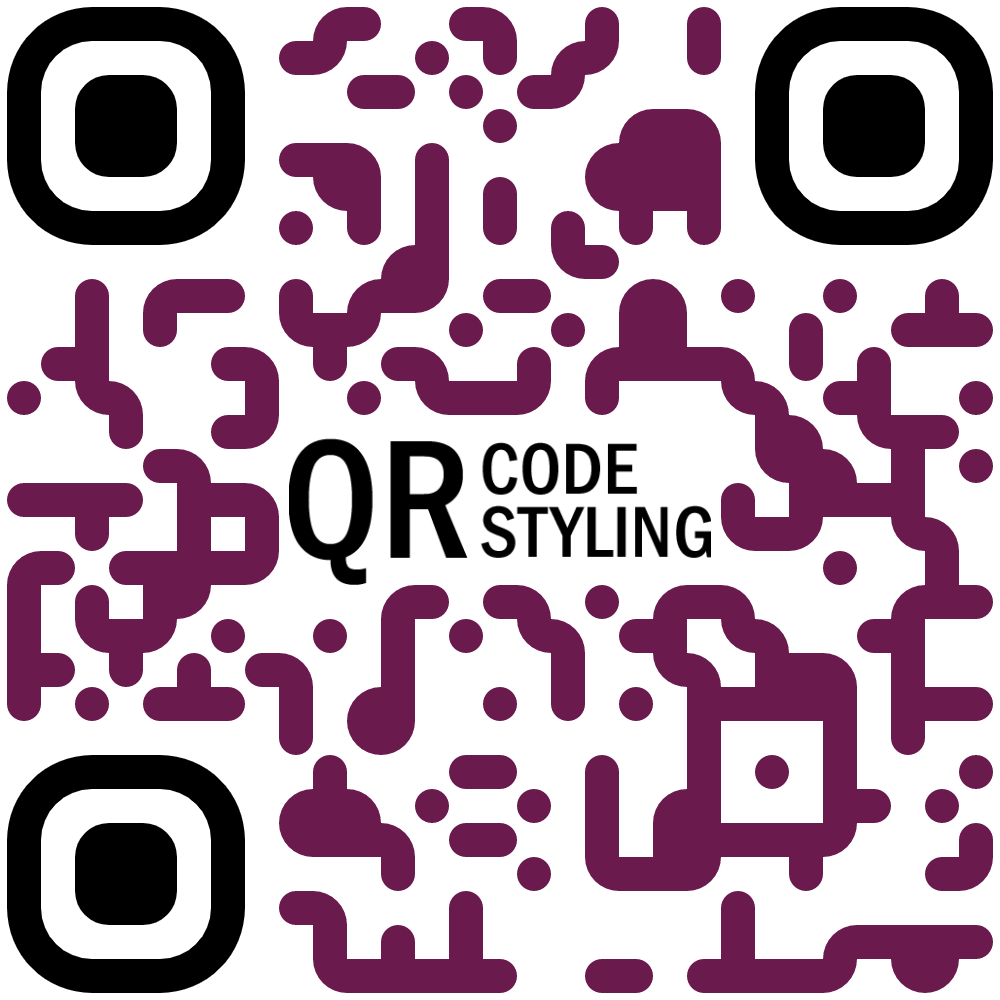
Examples


Extensions
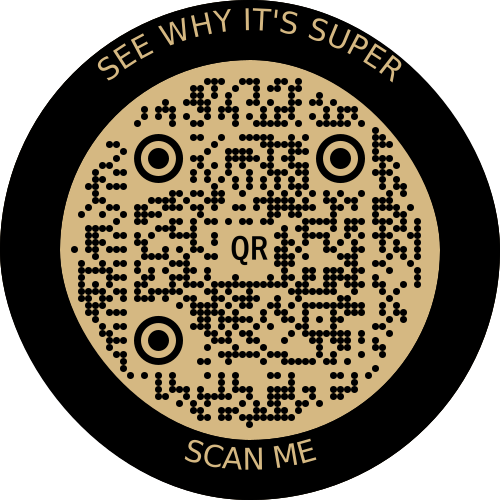
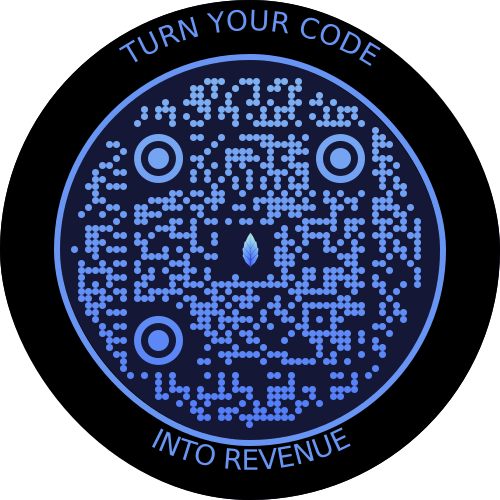
If you would like to use additional stiles, you can connect extensions.
qr-border-plugin
Installation
npm install qr-code-stylingUsage
<!DOCTYPE html>
<html lang="en">
<head>
    <meta charset="UTF-8">
    <title>QR Code Styling</title>
    <script type="text/javascript" src="https://unpkg.com/qr-code-styling@1.5.0/lib/qr-code-styling.js"></script>
</head>
<body>
<div id="canvas"></div>
<script type="text/javascript">

    const qrCode = new QRCodeStyling({
        width: 300,
        height: 300,
        type: "svg",
        data: "https://www.facebook.com/",
        image: "https://upload.wikimedia.org/wikipedia/commons/5/51/Facebook_f_logo_%282019%29.svg",
        dotsOptions: {
            color: "#4267b2",
            type: "rounded"
        },
        backgroundOptions: {
            color: "#e9ebee",
        },
        imageOptions: {
            crossOrigin: "anonymous",
            margin: 20
        }
    });

    qrCode.append(document.getElementById("canvas"));
    qrCode.download({ name: "qr", extension: "svg" });
</script>
</body>
</html>API Documentation
QRCodeStyling instance
new QRCodeStyling(options) => QRCodeStyling
| Param | Type | Description |
|---|---|---|
| options | object | Init object |
options structure
| Property | Type | Default Value | Description |
|---|---|---|---|
| width | number | 300 |
Size of canvas |
| height | number | 300 |
Size of canvas |
| type | string ('canvas' 'svg') |
canvas |
The type of the element that will be rendered |
| data | string | The date will be encoded to the QR code | |
| image | string | The image will be copied to the center of the QR code | |
| margin | number | 0 |
Margin around canvas |
| qrOptions | object | Options will be passed to qrcode-generator lib |
|
| imageOptions | object | Specific image options, details see below | |
| dotsOptions | object | Dots styling options | |
| cornersSquareOptions | object | Square in the corners styling options | |
| cornersDotOptions | object | Dots in the corners styling options | |
| backgroundOptions | object | QR background styling options | |
| nodeCanvas | node-canvas | Only specify when running on a node server for canvas type, please refer to node section below | |
| jsDom | jsdom | Only specify when running on a node server for svg type, please refer to node section below |
options.qrOptions structure
| Property | Type | Default Value |
|---|---|---|
| typeNumber | number (0 - 40) |
0 |
| mode | string ('Numeric' 'Alphanumeric' 'Byte' 'Kanji') |
|
| errorCorrectionLevel | string ('L' 'M' 'Q' 'H') |
'Q' |
options.imageOptions structure
| Property | Type | Default Value | Description |
|---|---|---|---|
| hideBackgroundDots | boolean | true |
Hide all dots covered by the image |
| imageSize | number | 0.4 |
Coefficient of the image size. Not recommended to use ove 0.5. Lower is better |
| margin | number | 0 |
Margin of the image in px |
| crossOrigin | string('anonymous' 'use-credentials') |
Set "anonymous" if you want to download QR code from other origins. | |
| saveAsBlob | boolean | true |
Saves image as base64 blob in svg type, see bellow |
When QR type is svg, the image may not load in certain applications as it is saved as a url, and some svg applications will not render url images for security reasons. Setting saveAsBlob to true will instead save the image as a blob, allowing it to render correctly in more places, but will also increase the file size.
options.dotsOptions structure
| Property | Type | Default Value | Description |
|---|---|---|---|
| color | string | '#000' |
Color of QR dots |
| gradient | object | Gradient of QR dots | |
| type | string ('rounded' 'dots' 'classy' 'classy-rounded' 'square' 'extra-rounded') |
'square' |
Style of QR dots |
| roundSize | boolean | true | Whether to round dots size to integer. true value might create extra margin around qr code. If false, shape-rendering="crispEdges" will be applied to SVG element. |
options.backgroundOptions structure
| Property | Type | Default Value |
|---|---|---|
| color | string ('#fff' 'rgb(255,255,255)' 'transparent') |
'#fff' |
| gradient | object |
options.cornersSquareOptions structure
| Property | Type | Default Value | Description |
|---|---|---|---|
| color | string | Color of Corners Square | |
| gradient | object | Gradient of Corners Square | |
| type | string ('dot' 'square' 'extra-rounded') |
Style of Corners Square |
options.cornersDotOptions structure
| Property | Type | Default Value | Description |
|---|---|---|---|
| color | string | Color of Corners Dot | |
| gradient | object | Gradient of Corners Dot | |
| type | string ('dot' 'square') |
Style of Corners Dot |
Gradient structure
options.dotsOptions.gradient
options.backgroundOptions.gradient
options.cornersSquareOptions.gradient
options.cornersDotOptions.gradient
| Property | Type | Default Value | Description |
|---|---|---|---|
| type | string ('linear' 'radial') |
"linear" | Type of gradient spread |
| rotation | number | 0 | Rotation of gradient in radians (Math.PI === 180 degrees) |
| colorStops | array of objects | Gradient colors. Example [{ offset: 0, color: 'blue' }, { offset: 1, color: 'red' }] |
Gradient colorStops structure
options.dotsOptions.gradient.colorStops[]
options.backgroundOptions.gradient.colorStops[]
options.cornersSquareOptions.gradient.colorStops[]
options.cornersDotOptions.gradient.colorStops[]
| Property | Type | Default Value | Description |
|---|---|---|---|
| offset | number (0 - 1) |
Position of color in gradient range | |
| color | string | Color of stop in gradient range |
QRCodeStyling methods
QRCodeStyling.append(container) => void
| Param | Type | Description |
|---|---|---|
| container | DOM element | This container will be used for appending of the QR code |
QRCodeStyling.getRawData(extension) => Promise<Blob>
| Param | Type | Default Value | Description |
|---|---|---|---|
| extension | string ('png' 'jpeg' 'webp' 'svg') |
'png' |
Blob type on browser, Buffer type on Node |
QRCodeStyling.update(options) => void
| Param | Type | Description |
|---|---|---|
| options | object | The same options as for initialization |
QRCodeStyling.applyExtension(extension) => void
| Param | Type | Description |
|---|---|---|
| extension | (svg, options) => void | Extension is a function that takes svg and previously applied options and modifies an svg |
applyExtension example
const extension = (svg, options) => {
    const { width, height } = options;
    const size = Math.min(width, height);
    const border = document.createElementNS("http://www.w3.org/2000/svg", "rect");
    const borderAttributes = {
        "fill": "none",
        "x": (width - size + 40) / 2,
        "y": (height - size + 40) / 2,
        "width": size - 40,
        "height": size - 40,
        "stroke": 'black',
        "stroke-width": 40,
        "rx": 100,
    };
    Object.keys(borderAttributes).forEach(attribute => {
      border.setAttribute(attribute, borderAttributes[attribute]);
    });
    svg.appendChild(border);
};
QRCodeStyling.deleteExtension() => void
QRCodeStyling.download(downloadOptions) => Promise<void>
| Param | Type | Description |
|---|---|---|
| downloadOptions | object | Options with extension and name of file (not required) |
Promise returned will resolve into the data URI of the QR code image.
downloadOptions structure
| Property | Type | Default Value | Description |
|---|---|---|---|
| name | string | 'qr' |
Name of the downloaded file |
| extension | string ('png' 'jpeg' 'webp' 'svg') |
'png' |
File extension |
Building this repo
If you get an error running npm install referring to node-pre-gyp, this is caused by an attempt to compile the canvas dependency. See Compiling instructions in the README. For example on MacOS you need to install dependencies: brew install pkg-config cairo pango libpng jpeg giflib librsvg pixman.
Node Support
You can use this on a node server by passing through the node-canvas or jsdom object depending if your creating a non-svg or svg respectively. You must pass both if using imageOptions.saveAsBlob.
Calling getRawData in node will return a Buffer instead of a Blob.
const { QRCodeStyling } = require("qr-code-styling/lib/qr-code-styling.common.js");
const nodeCanvas = require("canvas");
const { JSDOM } = require("jsdom");
const fs = require("fs");

const options = {
    width: 300,
    height: 300,
    data: "https://www.facebook.com/",
    image: "https://upload.wikimedia.org/wikipedia/commons/5/51/Facebook_f_logo_%282019%29.svg",
    dotsOptions: {
        color: "#4267b2",
        type: "rounded"
    },
    backgroundOptions: {
        color: "#e9ebee",
    },
    imageOptions: {
        crossOrigin: "anonymous",
        margin: 20
    }
}

// For canvas type
const qrCodeImage = new QRCodeStyling({
    jsdom: JSDOM, // this is required
    nodeCanvas, // this is required,
    ...options,
    imageOptions: {
        saveAsBlob: true,
        crossOrigin: "anonymous",
        margin: 20
    },
});

qrCodeImage.getRawData("png").then((buffer) => {
  fs.writeFileSync("test.png", buffer);
});

// For svg type
const qrCodeSvg = new QRCodeStyling({
    jsdom: JSDOM, // this is required
    type: "svg",
    ...options
});

qrCodeSvg.getRawData("svg").then((buffer) => {
  fs.writeFileSync("test.svg", buffer);
});

// For svg type with the inner-image saved as a blob
// (inner-image will render in more places but file will be larger)
const qrCodeSvgWithBlobImage = new QRCodeStyling({
    jsdom: JSDOM, // this is required
    nodeCanvas, // this is required
    type: "svg",
    ...options,
    imageOptions: {
        saveAsBlob: true,
        crossOrigin: "anonymous",
        margin: 20
    }
});

qrCodeSvgWithBlobImage.getRawData("svg").then((buffer) => {
  fs.writeFileSync("test_blob.svg", buffer);
});
License
MIT License. Copyright (c) 2021 Denys Kozak