
Package Exports
- vite-plugin-react-click-to-component
- vite-plugin-react-click-to-component/client
Readme
vite-plugin-react-click-to-component 
Option+Right Click in your browser to open the source in your editor.
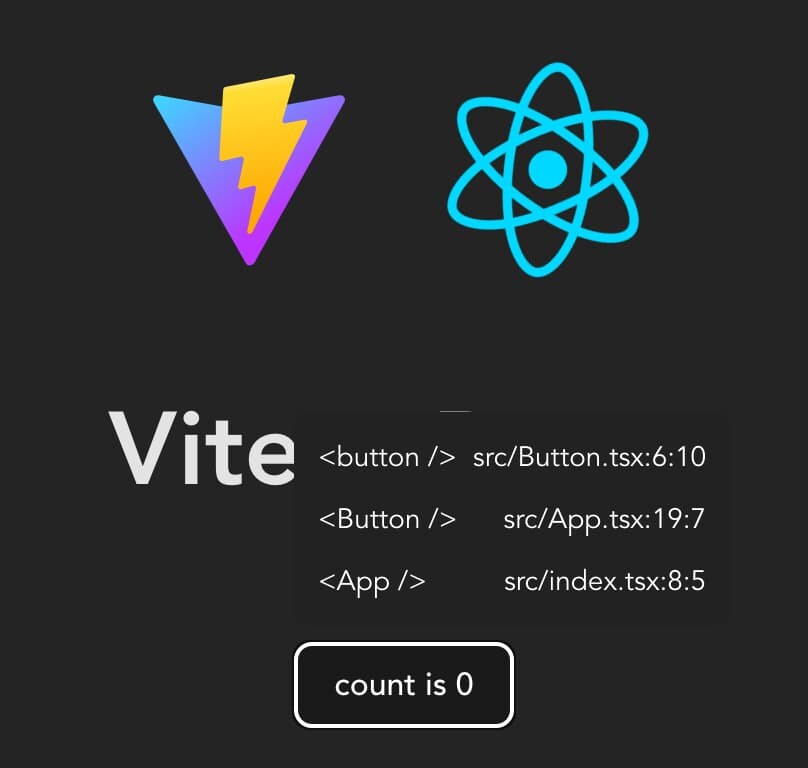
Installation
npm i -D vite-plugin-react-click-to-componentIn your Vite config:
import { defineConfig } from "vite";
import react from "@vitejs/plugin-react"; // or @vitejs/plugin-react-swc
import { reactClickToComponent } from "vite-plugin-react-click-to-component";

export default defineConfig({
  plugins: [react(), reactClickToComponent()],
});
For frameworks not using transformIndexHtml hook (like React Router 7 framework mode)
[!NOTE] If you're unsure, try first without adding this import
Add this somewhere in your entry file (like src/main.tsx):
import "vite-plugin-react-click-to-component/client";Inspiration
This plugin is a light version of ericclemmons/click-to-component that uses Vite's launch editor middleware to open the source code in your currently running editor. This also benefits from Vite's transformIndexHtml hook so that you don't need to modify your source code.