
Package Exports
- xml-js
- xml-js/lib/xml2js
This package does not declare an exports field, so the exports above have been automatically detected and optimized by JSPM instead. If any package subpath is missing, it is recommended to post an issue to the original package (xml-js) to support the "exports" field. If that is not possible, create a JSPM override to customize the exports field for this package.
Readme
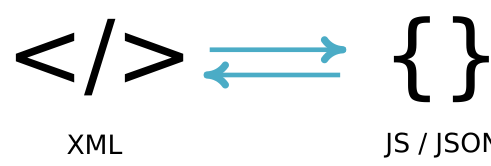






Convert XML text to Javascript object (and vice versa) or to JSON text (and vice versa):

Motivation
There are many XML to JavaScript/JSON converters out there, but could not satisfy the following requirements:
- Maintain order of sub-nodes in xml:
I wanted
<a/><b/><a/>to give output as{"elements":[{"type":"element","name":"a"},{"type":"element","name":"b"},{"type":"element","name":"a"}]}instead of{a:{},b:{}}. - Fully XML Compliant
- Portable (this is default behavior: only Javascript code, slower execution)
- Fast (if required; will compile on VC++)
- Support streaming
- Support command line
Usage
Installation
npm install xml-jsQuick start
var convert = require('xml-js');
var xml =
'<?xml version="1.0" encoding="utf-8"?>' +
'<note importance="high" logged="true">' +
'    <title>Happy</title>' +
'    <todo>Work</todo>' +
'    <todo>Play</todo>' +
'</note>';
var result1 = convert.xml2json(xml, {compact: true, spaces: 4});
var result2 = convert.xml2json(xml, {compact: false, spaces: 4});
console.log(result1, '\n', result2);
Examples
API Reference
1. Convert JS object / JSON → XML
To convert JavaScript object to XML text, use js2xml(). To convert JSON text to XML text, use json2xml().
var convert = require('xml-js');
var json = require('fs').readFileSync('test.json');
var options = {ignoreText: true, spaces: 4};
var result = convert.json2xml(json, options);
console.log(result);
2. Options for Converting JS object / JSON → XML
The below options are applicable for both js2xml() and json2xml() functions.
| Option | Default | Description |
|---|---|---|
ignoreDeclaration |
false |
Whether to ignore writing declaration directives of xml. For example, <?xml?> will be ignored. |
ignoreAttributes |
false |
Whether to ignore writing texts of the elements. For example, x="1" in <a x="1"></a> will be ignored |
ignoreText |
false |
Whether to ignore writing texts of the elements. For example, hi text in <a>hi</a> will be ignored. |
ignoreComment |
false |
Whether to ignore writing comments of the elements. That is, no <!-- --> will be generated. |
ignoreCdata |
false |
Whether to ignore writing CData of the elements. That is, no <![CDATA[ ]]> will be generated. |
spaces |
0 |
Number of spaces to be used for indenting XML output. |
fromCompact |
false |
whether the source object is in compact form. |
fullTagEmptyElement |
false |
Whether to produce element without sub-elements as full tag pairs <a></a> rather than self closing tag </a>. |
3. Convert XML → JS object / JSON
To convert XML text to JavaScript object, use xml2js(). To convert XML text to JSON text, use xml2json().
var convert = require('xml-js');
var xml = require('fs').readFileSync('test.xml');
var options = {ignoreText: true, emptyChildren: true};
var result = convert.xml2js(xml, options); // or convert.xml2json(xml, options)
console.log(result);
4. Options for Converting XML → JS object / JSON
The below options are applicable for both xml2js() and xml2json() functions.
| Option | Default | Description |
|---|---|---|
ignoreDeclaration |
false |
Whether to ignore writing declaration property. That is, no declaration property will be generated. |
ignoreAttributes |
false |
Whether to ignore writing attributes of elements.That is, no attributes property will be generated. |
ignoreText |
false |
Whether to ignore writing texts of the elements. That is, no text property will be generated. |
ignoreComment |
false |
Whether to ignore writing comments of the elements. That is, no comment will be generated. |
ignoreCdata |
false |
Whether to ignore writing CData of the elements. That is, no cdata property will be generated. |
compact |
false |
Whether to produce detailed object or compact object. |
emptyChildren |
false |
Whether to always generate elements property even when there are no actual sub elements. |
addParent |
false |
Whether to add parent property in each element object that points to parent object. |
trim |
false |
Whether to trim white space characters that may exist before and after the text. |
nativeType |
false |
whether to attempt converting text of numerals or of boolean values to native type. For example, "123" will be 123 and "true" will be true |
sanitize |
false |
Whether to replace & < > " ' with & < > " ' respectively in the resultant text. |
The below option is applicable only for xml2json() function.
| Option | Default | Description |
|---|---|---|
spaces |
0 |
Number of spaces to be used for indenting JSON output. |
5. Options for Changing Key Names
To change default key names in the output object or the default key names assumed in the input JavaScript object / JSON, use the following options:
| Option | Default | Description |
|---|---|---|
declarationKey |
"declaration" or "_declaration" |
Name of the property key which will be used for the declaration. For example, if declarationKey: '$declaration' then output of <?xml?> will be {"$declaration":{}} (in compact form) |
attributesKey |
"attributes" or "_attributes" |
Name of the property key which will be used for the attributes. For example, if attributesKey: '$attributes' then output of <a x="hello"/> will be {"a":{$attributes:{"x":"hello"}}} (in compact form) |
textKey |
"text" or "_text" |
Name of the property key which will be used for the text. For example, if textKey: '$text' then output of <a>hi</a> will be {"a":{"$text":"Hi"}} (in compact form) |
commentKey |
"comment" or "_comment" |
Name of the property key which will be used for the comment. For example, if commentKey: '$comment' then output of <!--note--> will be {"$comment":"note"} (in compact form) |
cdataKey |
"cdat" or "_cdata" |
Name of the property key which will be used for the cdata. For example, if cdataKey: '$cdata' then output of <![CDATA[1 is < 2]]> will be {"$cdata":"1 is < 2"} (in compact form) |
parentKey |
"parent" or "_parent" |
Name of the property key which will be used for the parent. For example, if parentKey: '$parent' then output of <a></b></a> will be {"a":{"b":{$parent:_points_to_a}}} (in compact form) |
typeKey |
"type" |
Name of the property key which will be used for the type. For example, if typeKey: '$type' then output of <a></a> will be {"elements":[{"$type":"element","name":"a","attributes":{}}]} (in non-compact form) |
nameKey |
"name" |
Name of the property key which will be used for the name. For example, if nameKey: '$name' then output of <a></a> will be {"elements":[{"type":"element","$name":"a","attributes":{}}]} (in non-compact form) |
elementsKey |
"elements" |
Name of the property key which will be used for the elements. For example, if elementsKey: '$elements' then output of <a></a> will be {"$elements":[{"type":"element","name":"a","attributes":{}}]} (in non-compact form) |
Tests
To perform tests on this project:
cd node_modules/xml-js
npm install
npm test
For live testing, use npm start instead of npm test.
Contributions
Reporting
Use this link to report an issue or bug. Please include a sample code or Jasmine test spec where the code is failing.
Contributing
If you want to add a feature or fix a bug, please fork the repository and make the changes in your fork. Add tests to ensure your code is working properly, then submit a pull request.