
Package Exports
This package does not declare an exports field, so the exports above have been automatically detected and optimized by JSPM instead. If any package subpath is missing, it is recommended to post an issue to the original package (yet-another-github-card) to support the "exports" field. If that is not possible, create a JSPM override to customize the exports field for this package.
Readme
Yet Another Github Card - Show your developer skills in social networks




Introduction
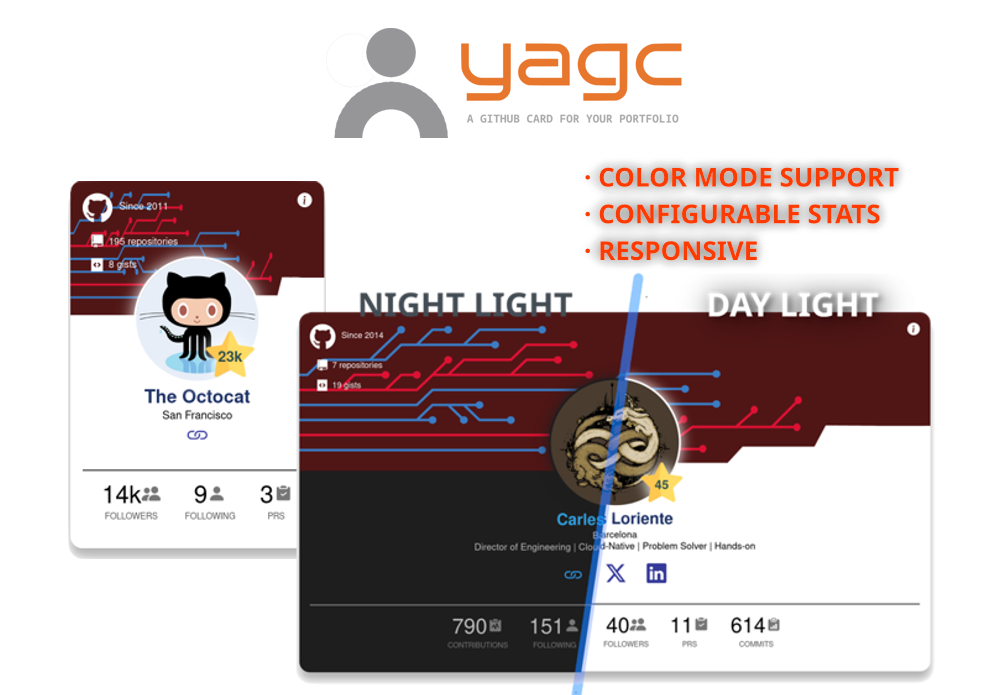
Say hello to YACG 🎉: The GitHub card for your developer portfolio
Features
- Responsive design
- Dual color mode (light & dark)
- Customizable stats
- Different Theme styles
- Free
Let's make this project even better for everyone. Sponsorship fuels new features! 🎉

Share on









Table of contents
- Yet Another Github Card - Show your developer skills in social networks
- Introduction
- Features
- Let's make this project even better for everyone. Sponsorship fuels new features! 🎉
- Share on
- Table of contents
- What's included
- Quick Start
- Documentation
- Using the Yet-Another-Github-Card npm package in your project
- Bugs and Issues
- Contributing
- Creator
- Thanks
- Copyright and License
What's included
You'll find all the required directories and files within the download, logically grouping common assets and providing compiled and minified variations.
Bundled dependencies
- SVG Backgrounds
- A few Bootstrap 5 icons
Quick Start
Including the card in your portfolio site
Get your HTML embed code at yagc, fill in the form with your GitHub username and grab the result code.
Documentation
Using the Yet-Another-Github-Card npm package in your project
Select your favourite package manager and follow the instructions below.
- npm:
npm install yet-another-github-card --save- Yarn:
yarn add yet-another-github-card- Composer:
composer require yet-another-github-cardThe package folder structure looks like this:
  yet-another-github-card/
  ├─ src/
  |  ├─ css/
  |  ├─ images/
  |  └─ themes/
  └─ utils/
     └─ js/
Github Card Data Options
| Name | Description | Default value |
|---|---|---|
data-style |
Set header background image. | defaultTheme |
data-user |
Your GitHub username value | `` |
data-user-stars |
Count all your obtained stars, includes; repositories and gists | true |
data-user-stats |
Show selected stats adding/removing JSON key:value entries. Key: name. Values: 'commits', 'contributions', 'followers', 'following', 'prs' | [{"name": "commits"}, {"name": "prs}] |
Themes
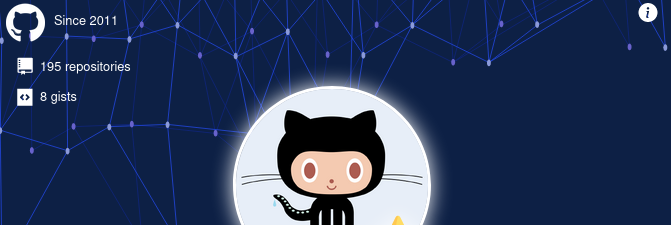
At the moment, three prebuilt themes are available. Feel free to design unique cards by selecting your own colors and backgrounds!
1. DefaultTheme

2. Cloud

3. Polygon
Local Demo card
The source includes resources for building and running locally your Github Card.
If you want to see it in action, there's a demo included, complete the following steps.
Open with your code editor the file utils/index.html
1.- Locate the custom element github-card, edit data-user attribute with your own GitHub username.
2.- Fill with your preferred settings the attributes: data-user-stars and data-user-stats.
3.- Done, save the file and run the command:
npm run compile-demoThe folder demo will be created and contain all the required files.
To run it throught the bundled web server, run the command:
npm run server-watchAdditionally, if you want execute all these steps altogether, run the command:
npm run build-demoBugs and Issues
Have a bug or an issue with this package? Open a new issue here on GitHub!
Contributing
New contributors are always welcome! Check out CONTRIBUTING.md to get involved.
Creator
Carles Loriente is the creator and maintainer of the NOCC Bootstrap theme.
Thanks
Thanks to you.
Copyright and License
Copyright (c) 2025 Carles Loriente. Code released under the MIT license.