
Package Exports
- @amicaldo/strapi-google-maps/package.json
- @amicaldo/strapi-google-maps/strapi-admin
- @amicaldo/strapi-google-maps/strapi-server
Readme
🚀🗺️ Strapi Google Maps
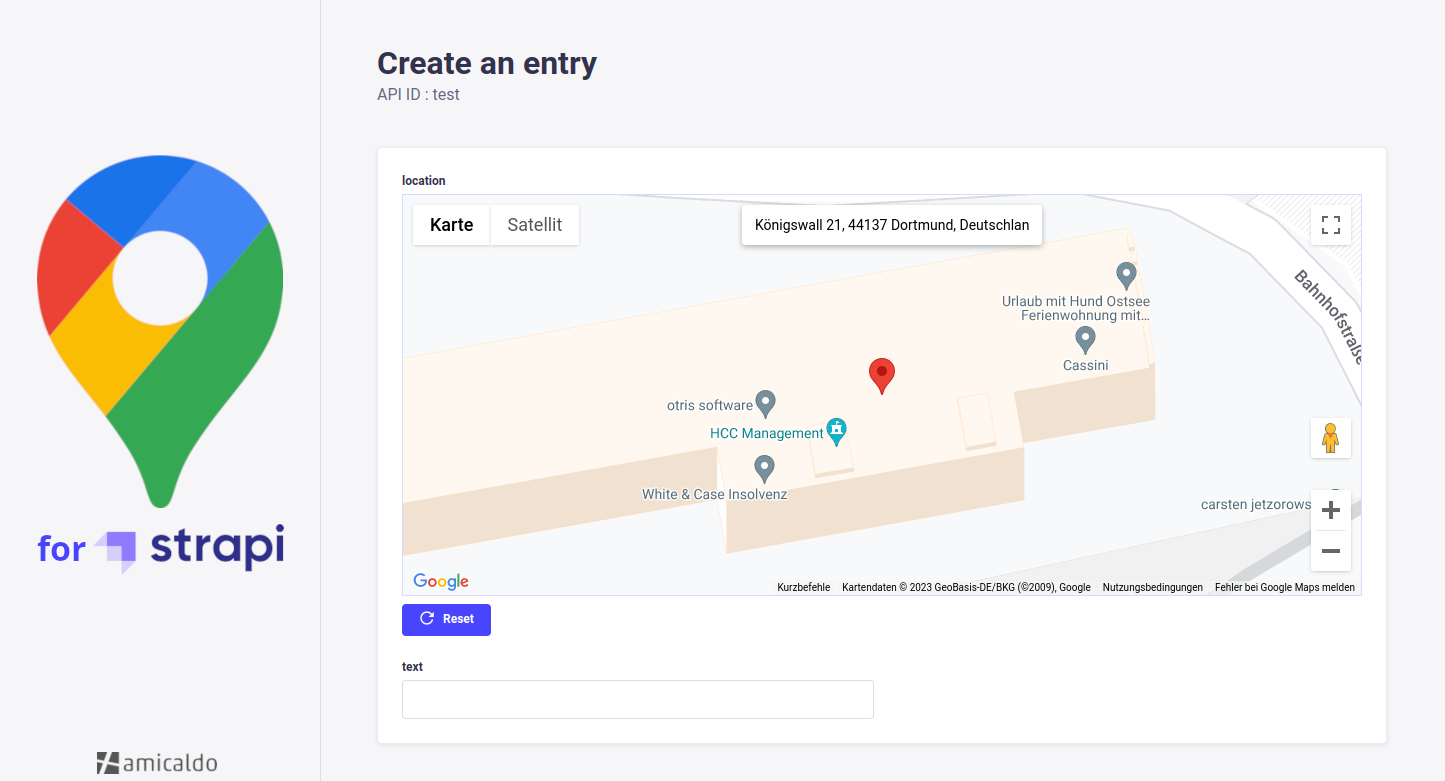
A Strapi plugin allowing you to implement a Google Maps custom field into your content-types, which can be used to pick and retrieve locations.
✨ Usage
The API response of a Strapi content-type implementing this google-maps custom field could look as follows:
{
  "data": [
    {
      "id": 1,
      "documentId": "tub3d05itueb9vw1bux9f66a",
      "location": {
        "address": "Königswall 21, 44137 Dortmund, Germany",
        "coordinates": {
          "lat": 51.5164315,
          "lng": 7.455616999999997
        },
        "geohash": "u1jm1dm0bqyu"
      },
      "createdAt": "2025-05-06T11:45:32.505Z",
      "updatedAt": "2025-05-06T11:53:48.099Z",
      "publishedAt": "2025-05-06T11:53:48.102Z"
    }
  ],
  "meta": {
    "pagination": {
      "page": 1,
      "pageSize": 25,
      "pageCount": 1,
      "total": 1
    }
  }
}
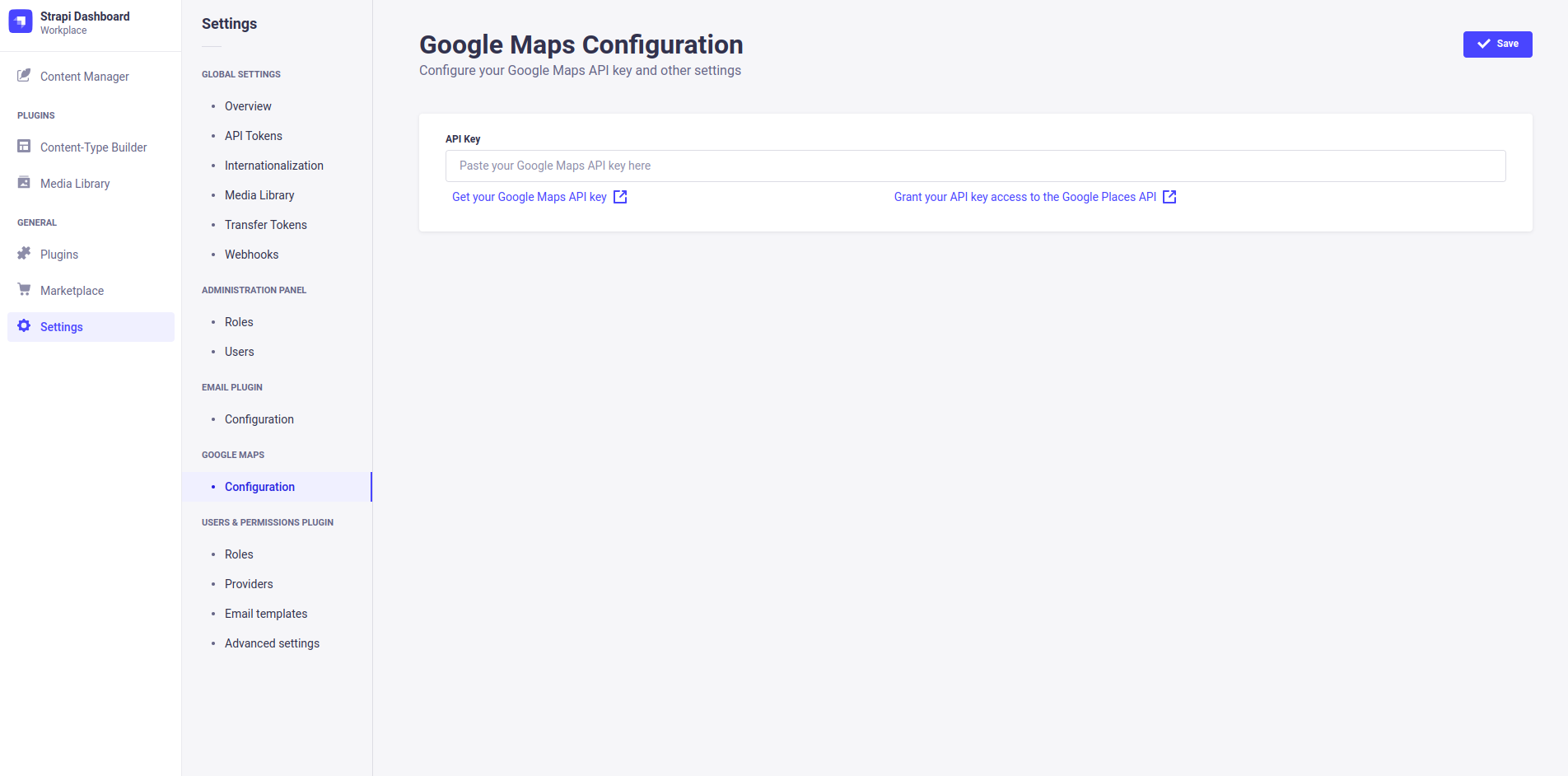
You can configure this plugin inside your Strapi dashboard's settings tab (e.g. to enter your API key).
❗ Requirements
- Strapi v5
- To use the plugin without restrictions, you should consider getting an API key for the Google Maps Platform, with additional access to the Places API.
🔧 Installation
You just need to install the strapi-google-maps package via npm, at the root of your strapi project.
npm i @amicaldo/strapi-google-maps

# IMPORTANT: For Strapi versions before 5 install an older version instead:
npm i @amicaldo/strapi-google-maps@1.1.5

# IMPORTANT: For Strapi versions before 4.11.0 install an older version instead:
npm i @amicaldo/strapi-google-maps@1.0.4
To make Google Maps work, you should take a look at the next section.
After restarting your Strapi app, Google Maps should be listed as one of your plugins.
🚀 Strapi Configuration (required)
Allow all Google Maps assets to be loaded correctly by customizing the strapi::security middleware inside ./config/middlewares.js.
Instead of:
export default [
  // ...
  'strapi::security',
  // ...
];
Write:
export default [
  // ...
  {
    name: 'strapi::security',
    config: {
      contentSecurityPolicy: {
        useDefaults: true,
        directives: {
          'connect-src': ["'self'", 'https:'],
          'script-src': ["'self'", 'unsafe-inline', 'https://maps.googleapis.com'],
          'media-src': [
            "'self'",
            'blob:',
            'data:',
            'https://maps.gstatic.com',
            'https://maps.googleapis.com',
          ],
          'img-src': [
            "'self'",
            'blob:',
            'data:',
            'https://maps.gstatic.com',
            'https://maps.googleapis.com',
            'khmdb0.google.com',
            'khmdb0.googleapis.com',
            'khmdb1.google.com',
            'khmdb1.googleapis.com',
            'khm.google.com',
            'khm.googleapis.com',
            'khm0.google.com',
            'khm0.googleapis.com',
            'khm1.google.com',
            'khm1.googleapis.com',
            'khms0.google.com',
            'khms0.googleapis.com',
            'khms1.google.com',
            'khms1.googleapis.com',
            'khms2.google.com',
            'khms2.googleapis.com',
            'khms3.google.com',
            'khms3.googleapis.com',
            'streetviewpixels-pa.googleapis.com',
            'market-assets.strapi.io',
          ],
        },
      },
    },
  },
  // ...
];
Features
- Default latitude and longitude;
- Google Maps API key can be set in the environment variables (
GOOGLE_MAPS_API_KEY);
👨💻 Manual Installation (not recommended)
Navigate into your Strapi's plugins folder and clone this repository. Then navigate into this plugin's directory.
cd ./src/plugins
git clone https://github.com/amicaldo/strapi-google-maps.git
cd ./strapi-google-maps
Install the dependencies using npm and compile the server side part.
npm install
npm run build
From your project's root directory, enable the plugin inside ./config/plugins.js.
module.exports = {
  // ...
  'google-maps': {
    enabled: true,
    resolve: './src/plugins/strapi-google-maps',
  },
  // ...
};
To make Google Maps work, you should take a look at the previous section.
Lastly, recompile the admin panel of your Strapi project.
npm run buildAcknowledgements
- @roodekk
- @maektwain
- @prinzjuliano
- @roes
- @candidosales