
Package Exports
- @data-ui/xy-chart
This package does not declare an exports field, so the exports above have been automatically detected and optimized by JSPM instead. If any package subpath is missing, it is recommended to post an issue to the original package (@data-ui/xy-chart) to support the "exports" field. If that is not possible, create a JSPM override to customize the exports field for this package.
Readme
@data-ui/xy-chart
A package of charts with standard x- and y- axes.

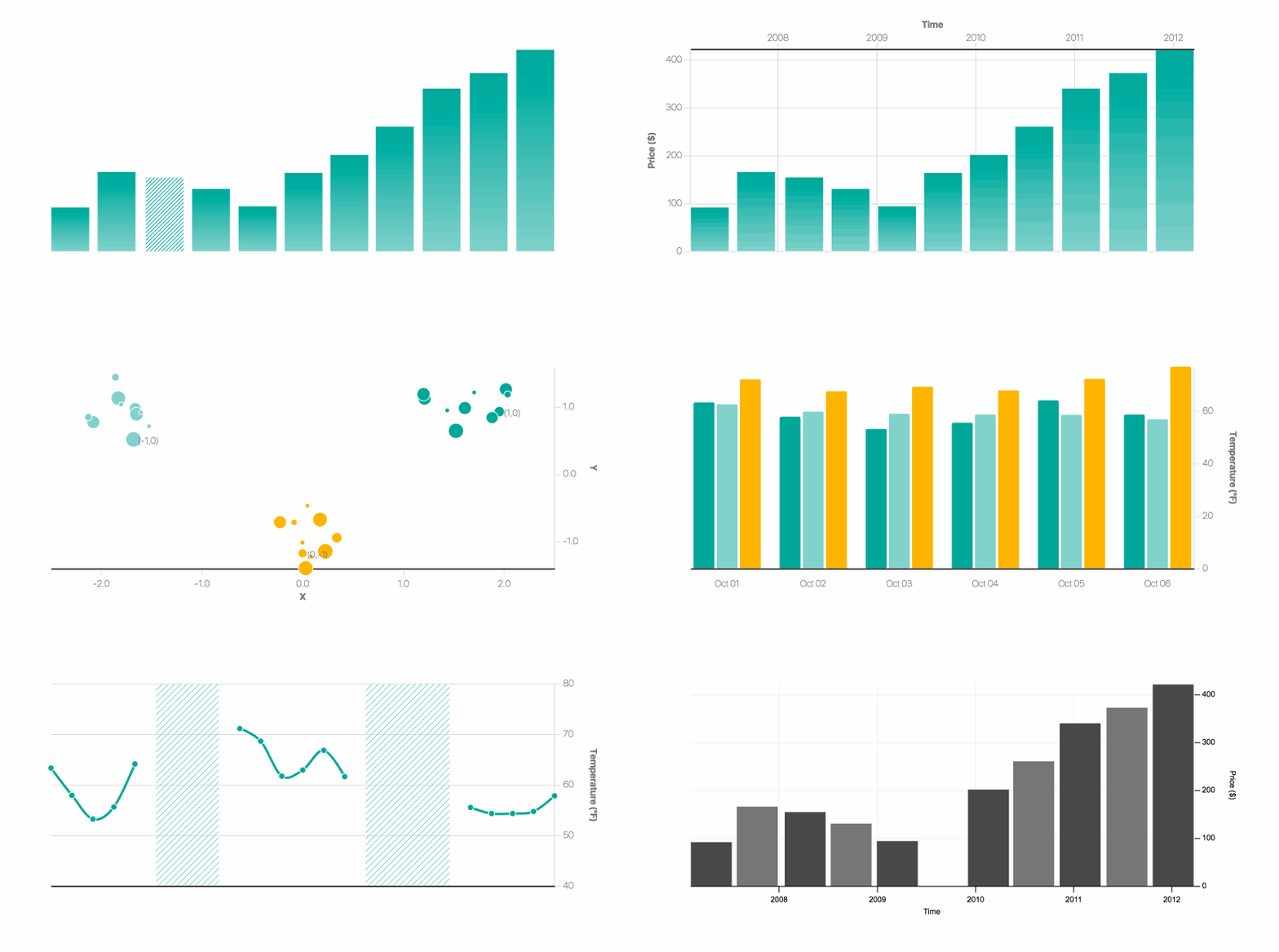
See it live at williaster.github.io/data-ui.
Example usage
The React <XYChart /> container coordinates scales across its children and is composable. You can pass it <XAxis />, <YAxis />, one or more <*Series /> components, and <defs>-based components such as <LinearGradients />s and <PatternLines />.
Note that the order of children passed to <XYChart /> determines their rendering order, for example the a <LineSeries /> passed after a <BarSeries /> will overlay the line on the bars. The same applies to axes.
import { XYPlot, BarSeries, XAxis, YAxis, LinearGradient } from '@data-ui/xy-chart';

/// ...
  <XYChart
    ariaLabel="Bar chart showing ..."
    width={width}
    height={height}
    margin={{ top, right, bottom, left }}
    xScale={{ type: 'time' }}
    yScale={{ type: 'linear' }}
  >
    <LinearGradient
      id="my_fancy_gradient"
      from={startColor}
      to={endColor}
    />
    <XAxis label="X-axis Label" />
    <YAxis label="Y-axis Label" />
    <BarSeries
      data={timeSeriesData}
      fill="url('#my_fancy_gradient')"
    />
  </XYChart>
Components
Charts
<XYChart />
Axes
<XAxis /><YAxis />
Series
<BarSeries /><LineSeries /><PointSeries /><StackedBarSeries /><GroupedBarSeries /><IntervalSeries />
More on the way.
Other
A subset of vx gradients and patterns are exported in @data-ui/xy-chart to customize the style of series. These components create <def> elements in the chart SVG with ids that you can reference in another component.
Development
npm install
npm run dev # or 'build'
@data-ui packages
- @data-ui/xy-chart
- @data-ui/radial-chart

- @data-ui/data-table

- @data-ui/theme

- @data-ui/demo